


This article provides a clear overview of the refund-only process, giving you the tools to respond effectively and maintain a positive customer experience.

What is a Refund-Only Request
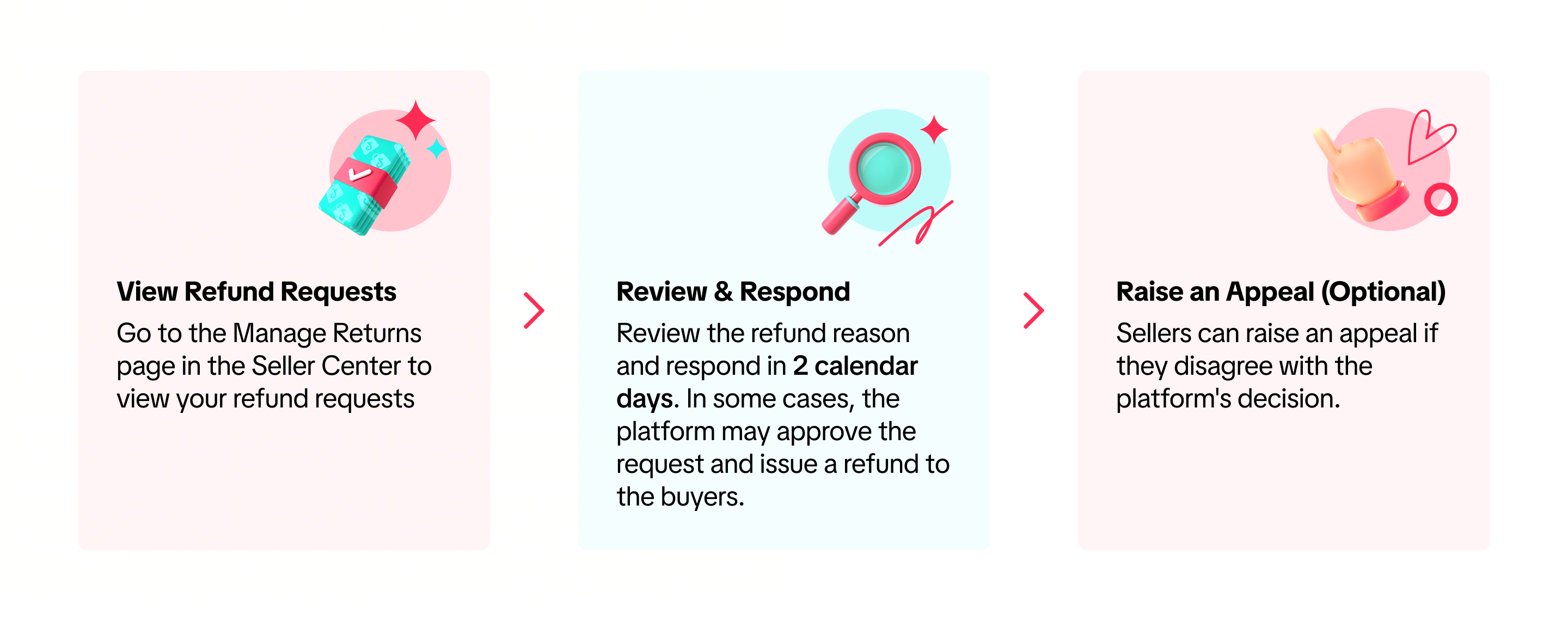
After purchasing, buyers may request a refund without returning the item if they are dissatisfied with the product, did not receive it, or if the item is non-returnable. Sellers should review the refund reason and respond promptly to avoid platform auto-approval.

How to Manage Refund-Only Requests
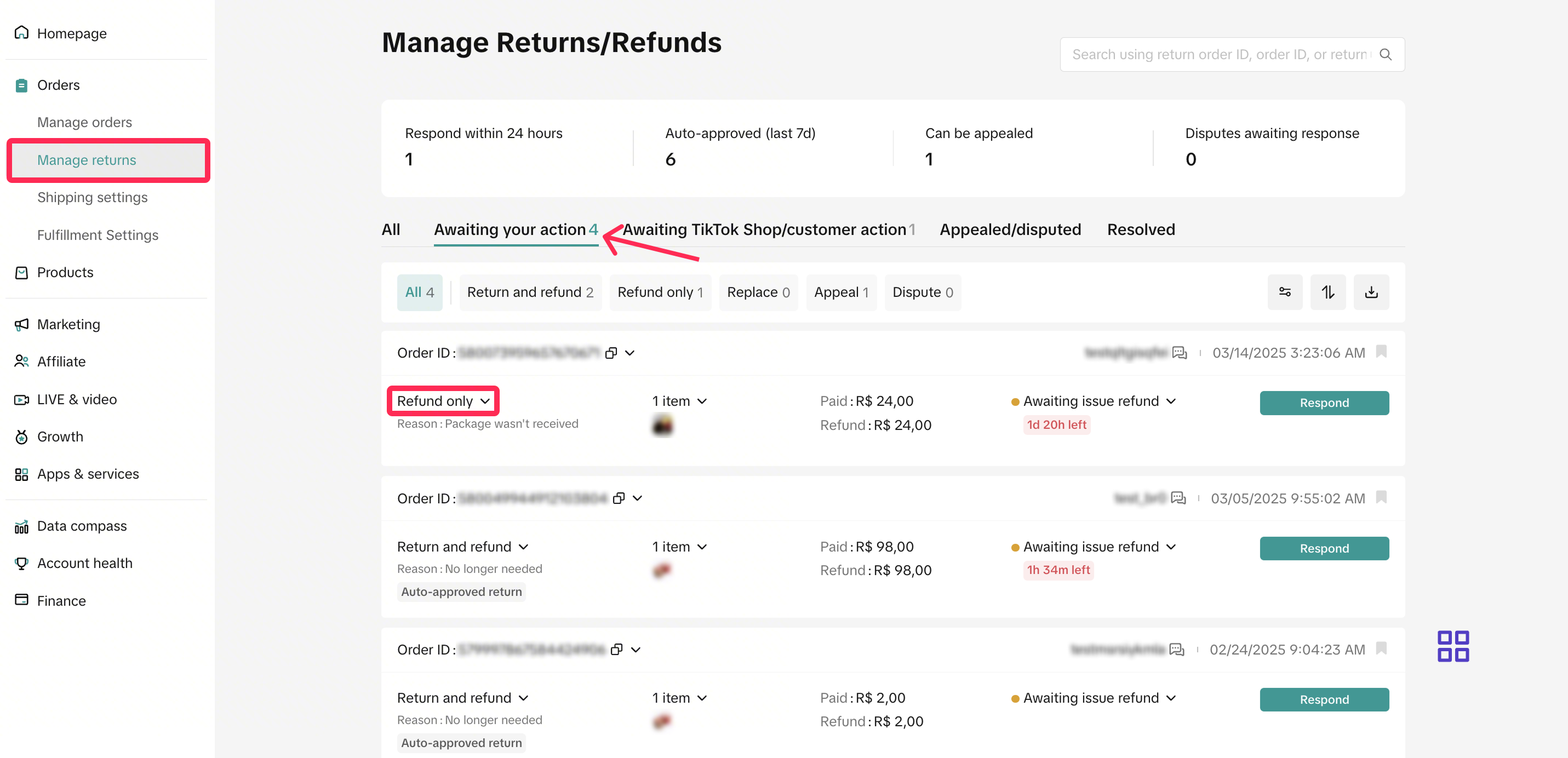
- Navigate to Seller Center and select Orders > Manage Returns. Go to the ‘Awaiting Action’ tabab to view the refund requests that need your attention. Look for requests tagged as ‘Refund-Only.’
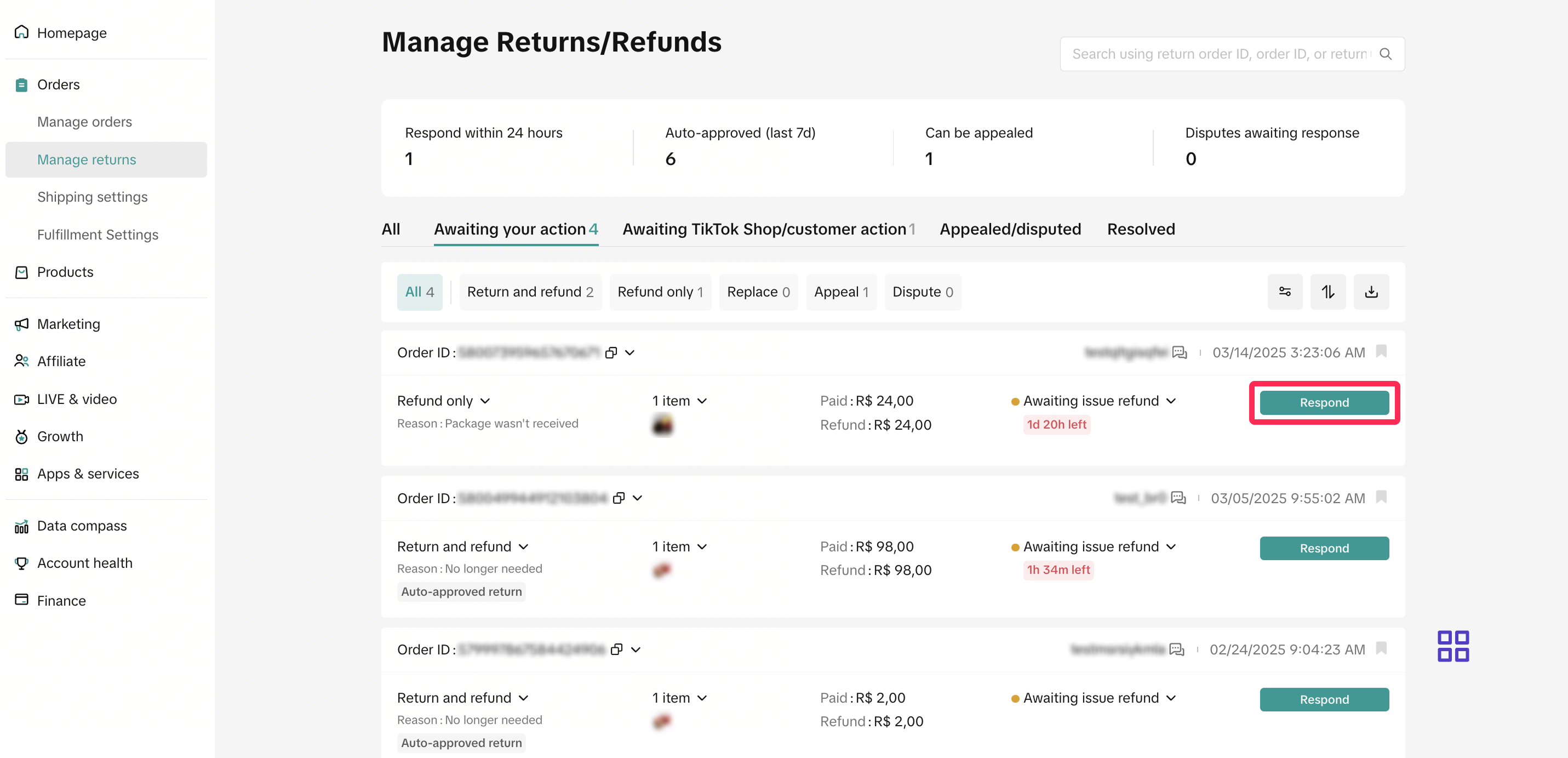
- Review the refund request and reason, and respond within 2 calendar days. If you miss this timeframe, the platform will automatically approve these requests.
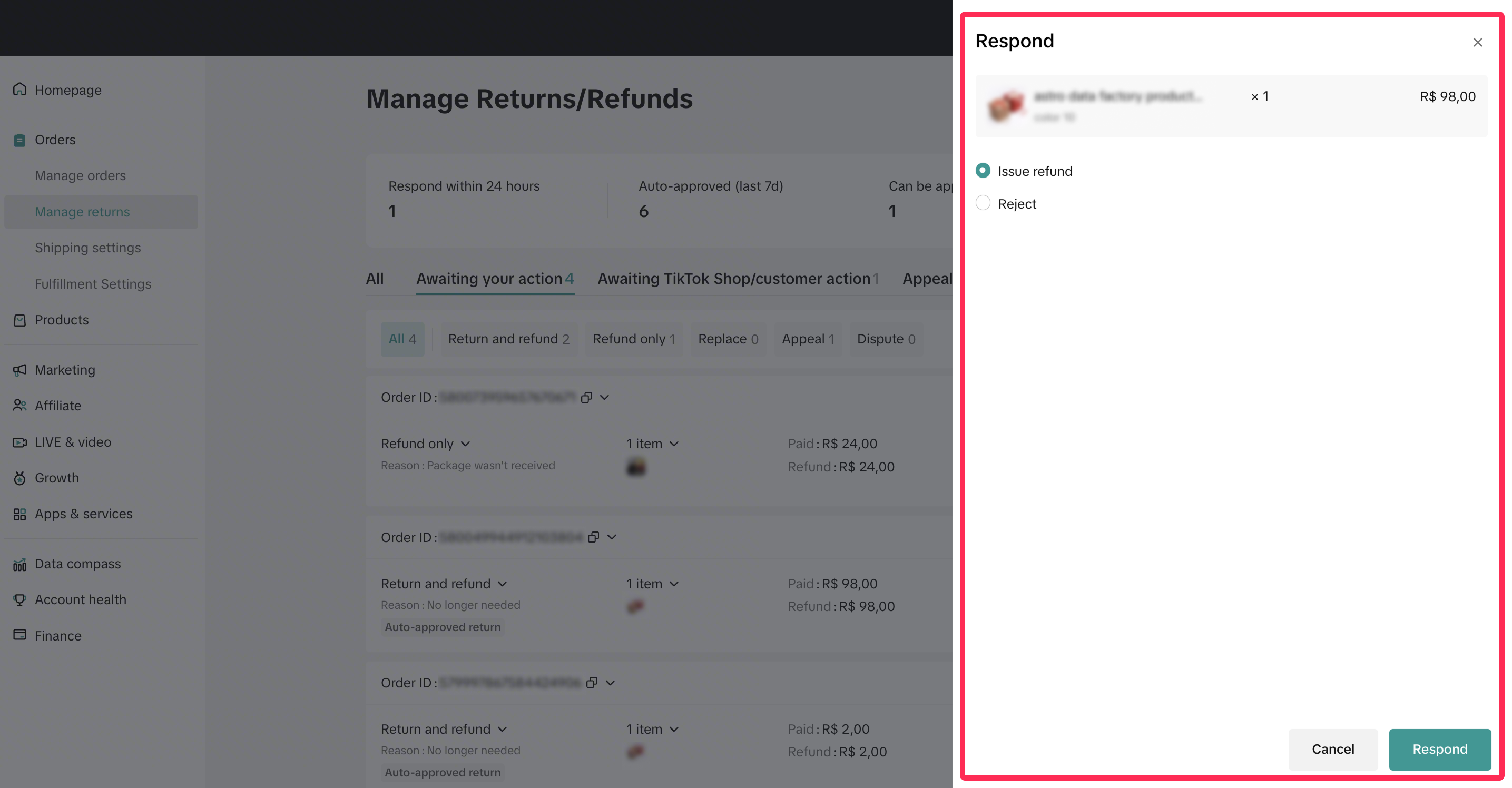
Here are the actions that you can take:
Issue Refund: If the refund reason is valid, you can approve the request. The platform will issue the refund to the buyer.
Reject: If a request doesn’t meet your criteria, you can reject it and provide a clear reason for transparency.
In some cases, the platform may approve a refund on your behalf. If you disagree with the platform’s decision, you can raise an appeal within 7 calendar days from the time the refund is processed to the buyer. To learn more about the appeal process, please refer to this article.
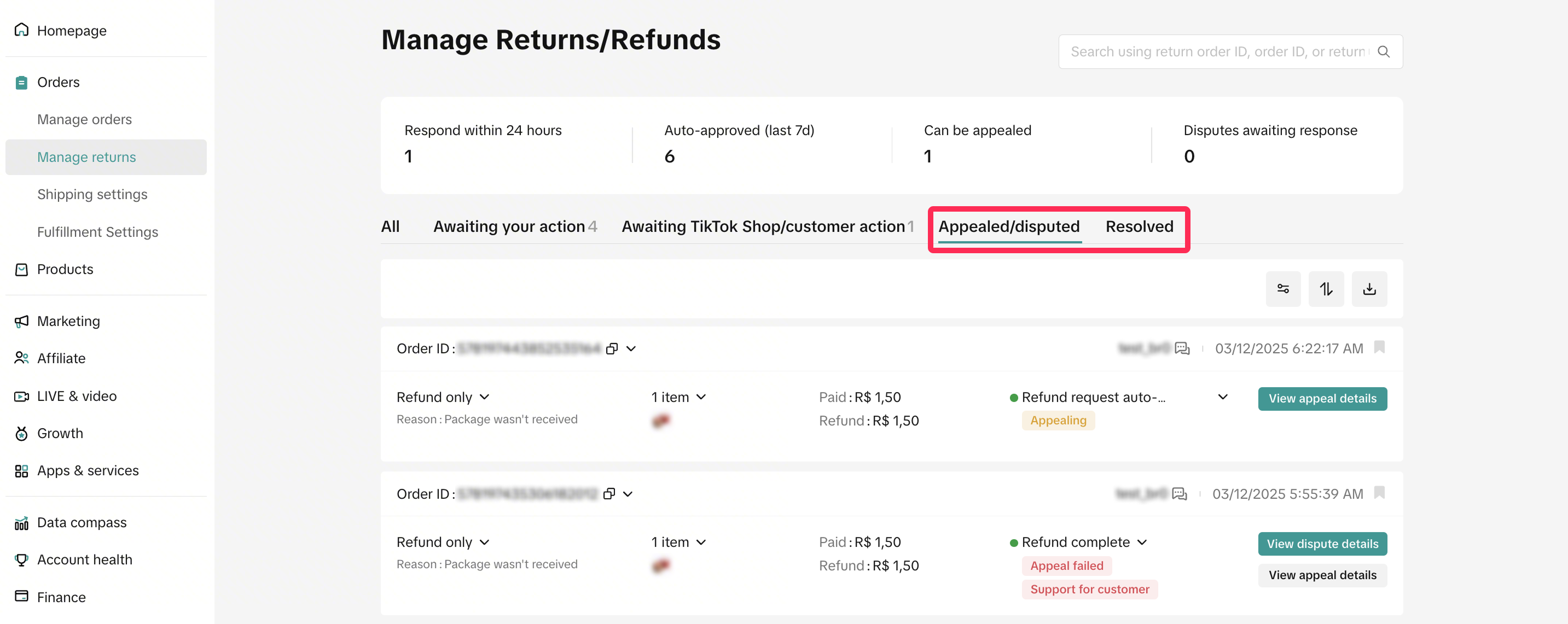
- Monitor requests that have resulted in disputes or those that have been successfully refunded under the Appealed/Disputed or the Resolved tabs, respectively. For successful refunds, the platform will issue the refund to the buyer automatically.

FAQ
- Are there any circumstances under which I can extend the 2-calendar day response time for ‘Awaiting Action’ requests?
No, TikTok Shop will auto-approve buyers’ requests in 2 calendar days if sellers do not respond.