


This article teaches you how to register for Bonus Cashback Program and how itencourages consumers to make repeat purchases on your shop by allowing them to earn Bonus & enjoy discounts for future purchases.
Sign-up for Bonus Cashback Program

How do I join the program?
Sign up through the Seller Center:
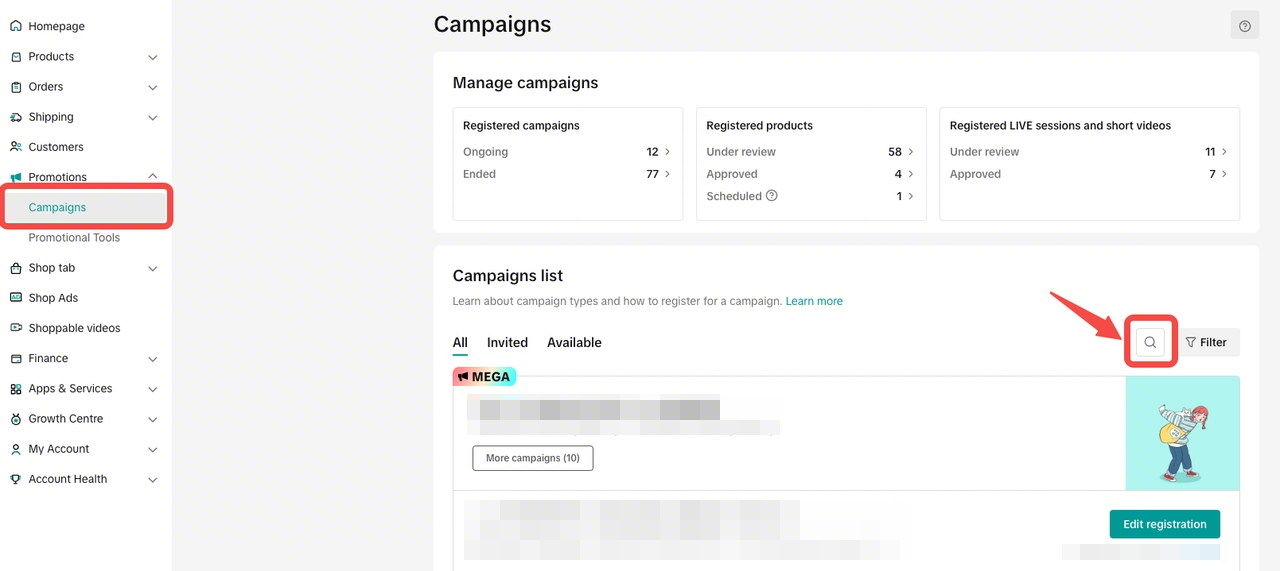
Seller Center > Campaigns
Find “Bonus Cashback Program” using the search function
Click Register
Read the Campaign Details and Agree to the terms and conditions to register!
You can also register through the registration link below:
Sign-up for Bonus Cashback Program

What benefits can I get?
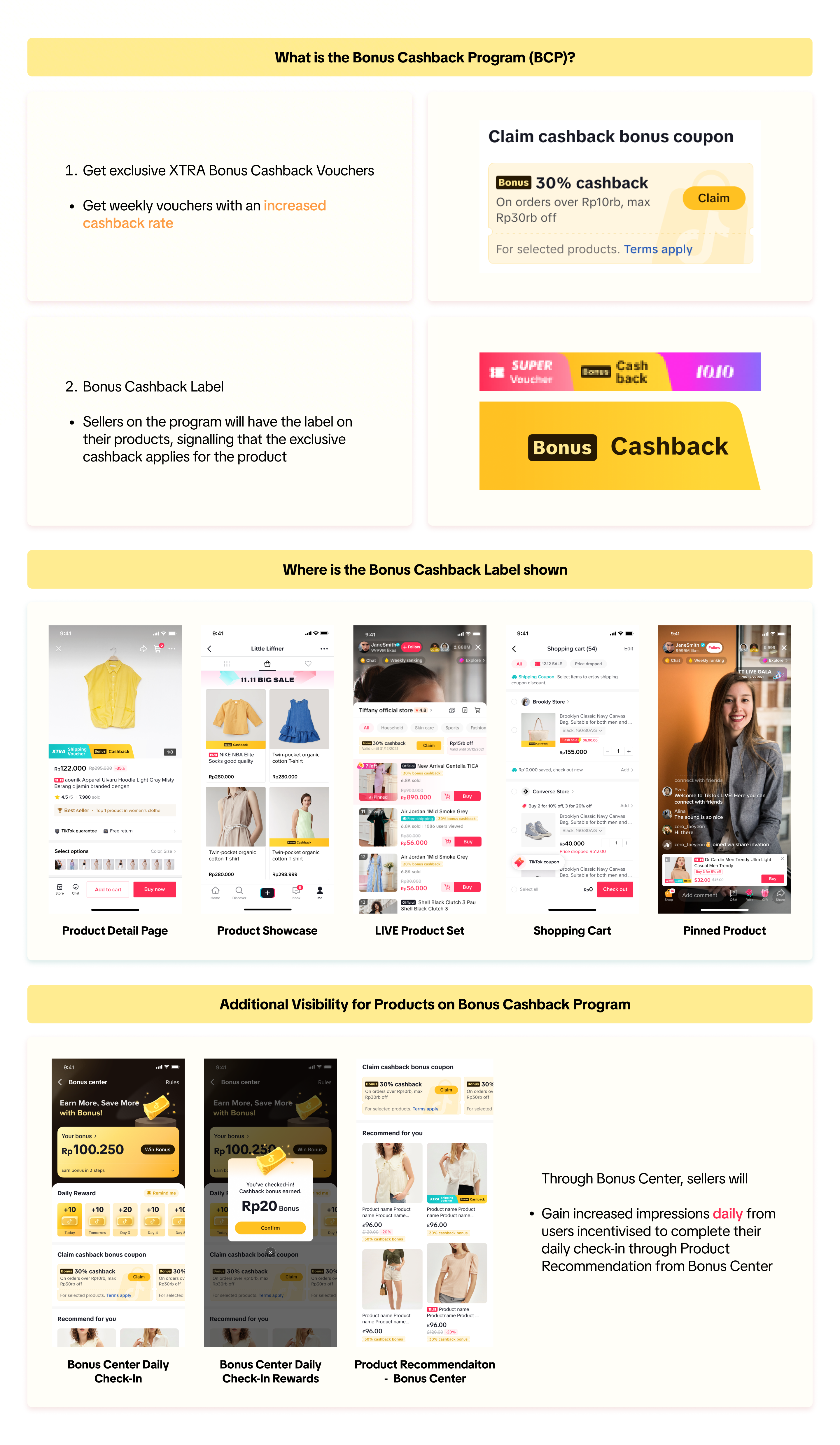

Bonus Cashback Program Fee Scheme
The Bonus Cashback Program Service Fee will be charged as a percentage(%) on all successfully completed orders using the Bonus Cashback Voucher for registered sellers.
The calculation of the service fee would be as follows:
(Net Product Price – Any Seller Funded Discounts) * Service Fee Rate %
Successfully completed orders are defined as orders which are not returned / refunded after delivery.
Whether the order will be charged a service fee depends on whether the order has been successfully completed or not;
When an item has not been shipped and the user cancels the order or fails to pay for the order online, the service fee will not be charged;
When the item has been delivered and the user returns/refunds the order, the service fee will first be charged then refunded.

How do I check my bill?
Head to Seller Center > Finance > Settled records > View Details to check the breakdown of your orders
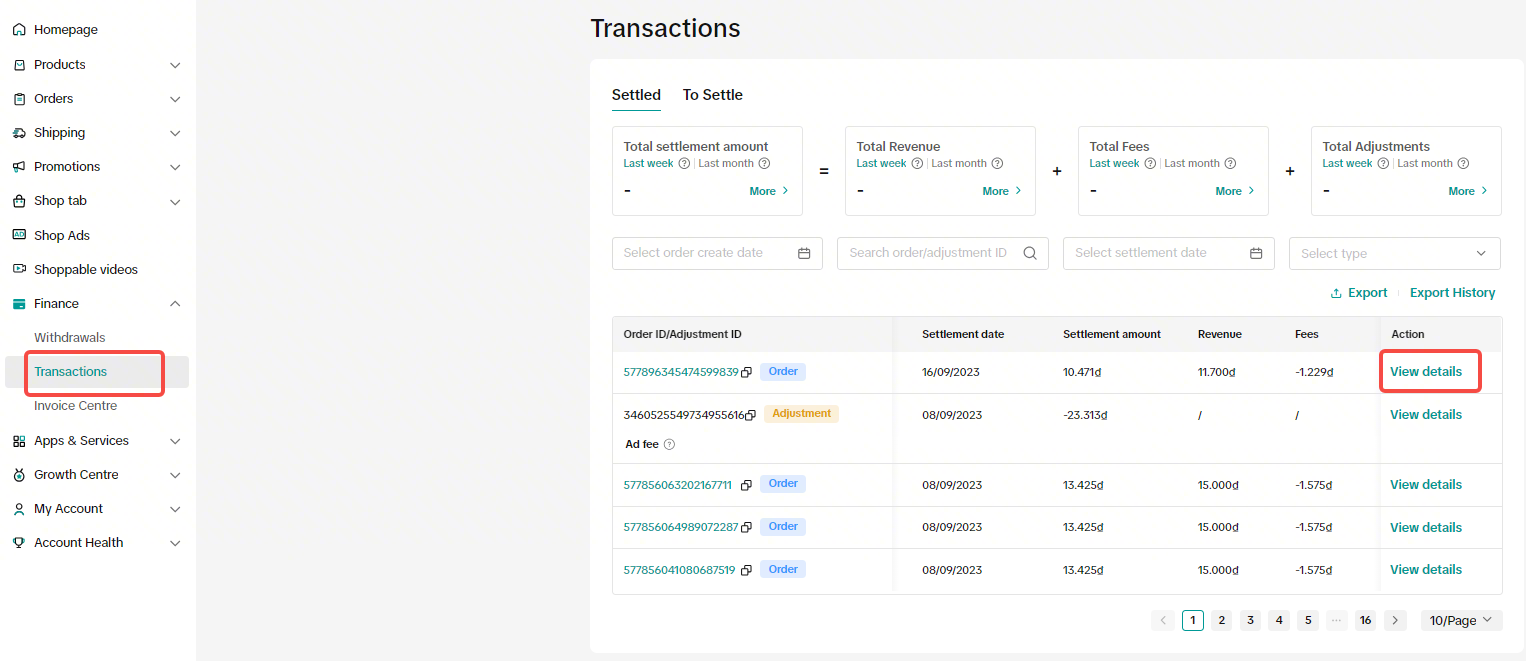
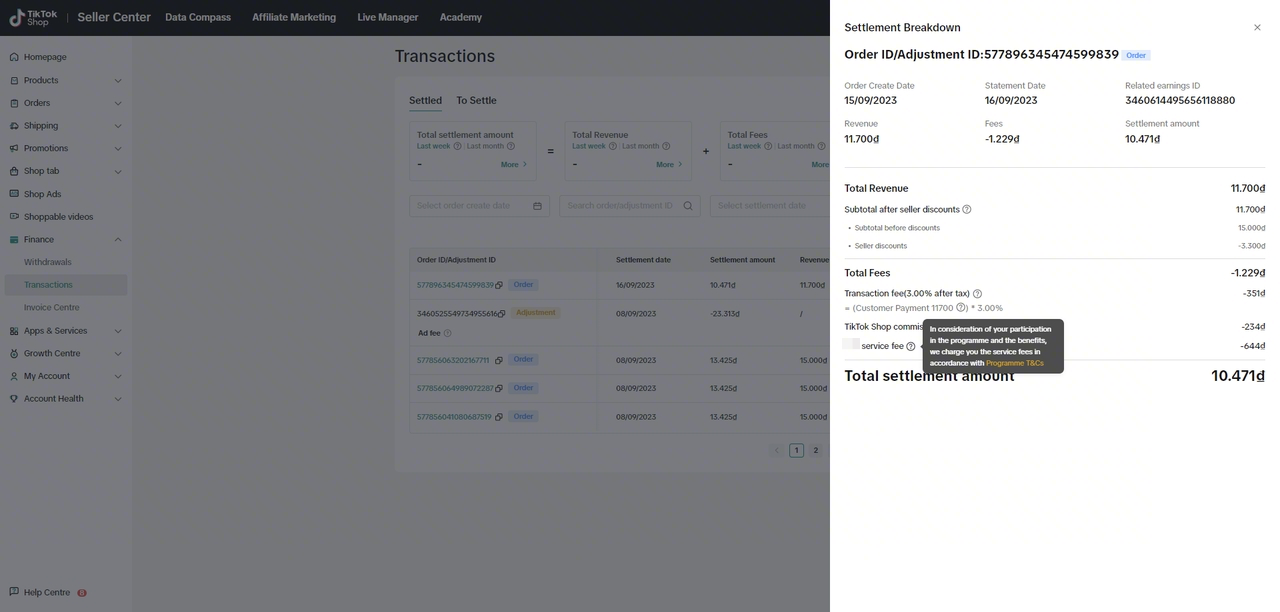
*This is a test account with dummy data for reference only. The actual interface and features may vary.

How do I leave the Bonus Cashback Program?
We highly recommend that you stay in the Bonus Cashback Program as it is a program designed to grow our sellers’ business objectives on the platform. If you still wish to opt out of this program, you can follow the steps below or contact your Account Manager for assistance.
Step 1: Click Registration Record on the Campaign Details page
Step 2: Click Withdraw in the Action column, to apply for withdrawal from the campaign
Step 3: Wait for your request to be approved. The campaign registration status will change from Approved or Suspended to Withdraw Under Review
If you would like to cancel your withdrawal request, click the Cancel Withdraw button.
If your request is approved, the registration status will change to Expired.