


智能归因产品帮助您理解和优化在TikTok Shop上的商品增长。本产品除了传统的数据报告,还通过整合AI驱动的产品指标智能分析,帮助商家识别销售表现波动的根本原因,无论是增长还是下降,并提供可执行的智能建议。
✨ 核心功能
通过AI即时诊断销售趋势: 商家不用再盲目猜测销售变化的原因。智能AI自动识别增长或下降的根本原因,让您立即了解产品表现背后的确切驱动因素。
查看商品纬度完整的销售表现: 分别展示商品整体表现、内容表现和广告表现的完整数据视图,确保商家拥有完整的信息,方便调整接下来的运营策略。
提升GMV指导: 本产品将为每个商品量身定制的建议行动和渠道细分,指导商家下一步的增长策略。
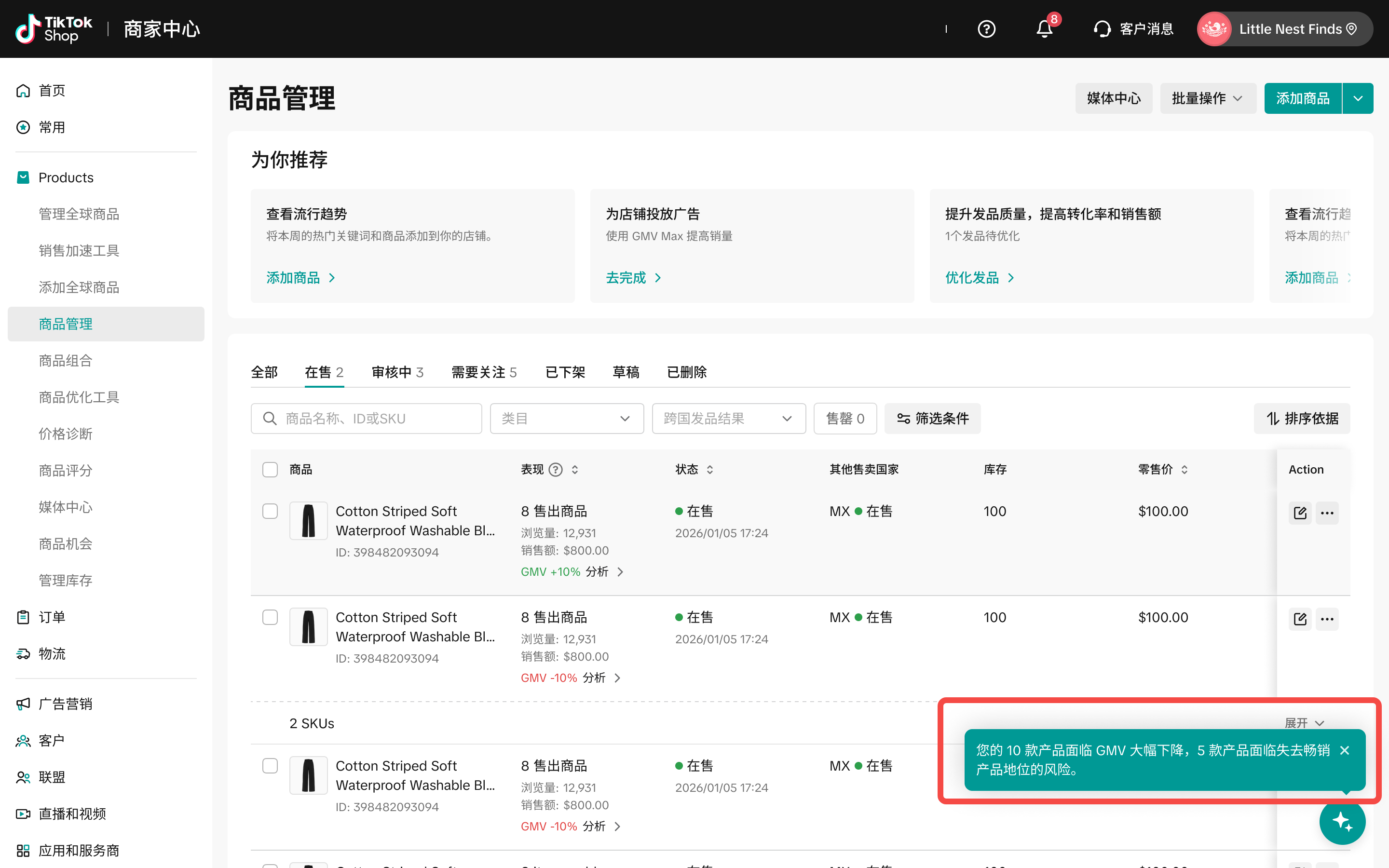
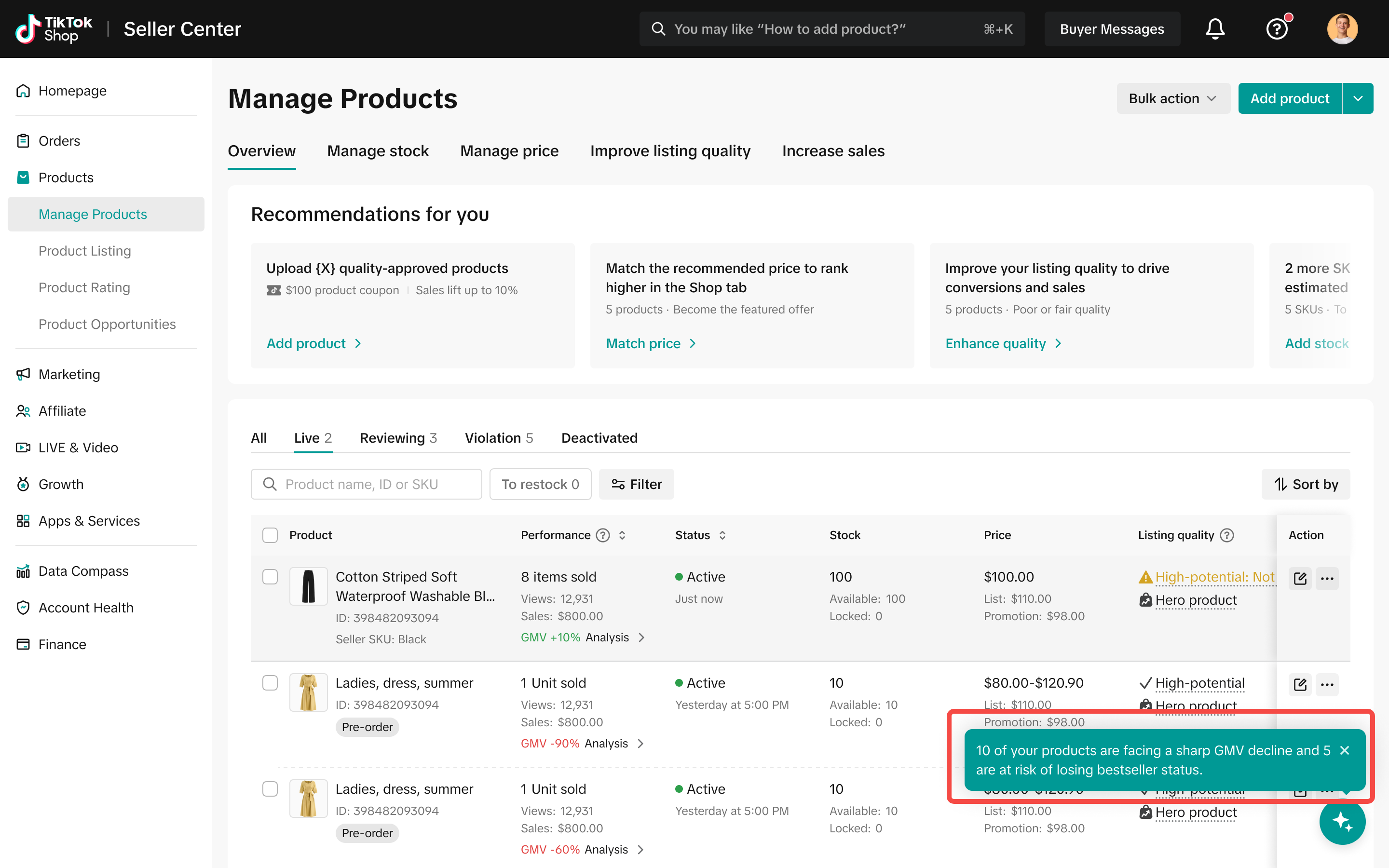
GMV下降预警: 当工具检测到重点产品的显著GMV损失时,我们将通过商家助手提供弹窗通知,使卖家能够及时采取行动并最小化进一步损失。
🧭 如何访问智能归因产品
- 商家后台 > 商品 > 管理商品
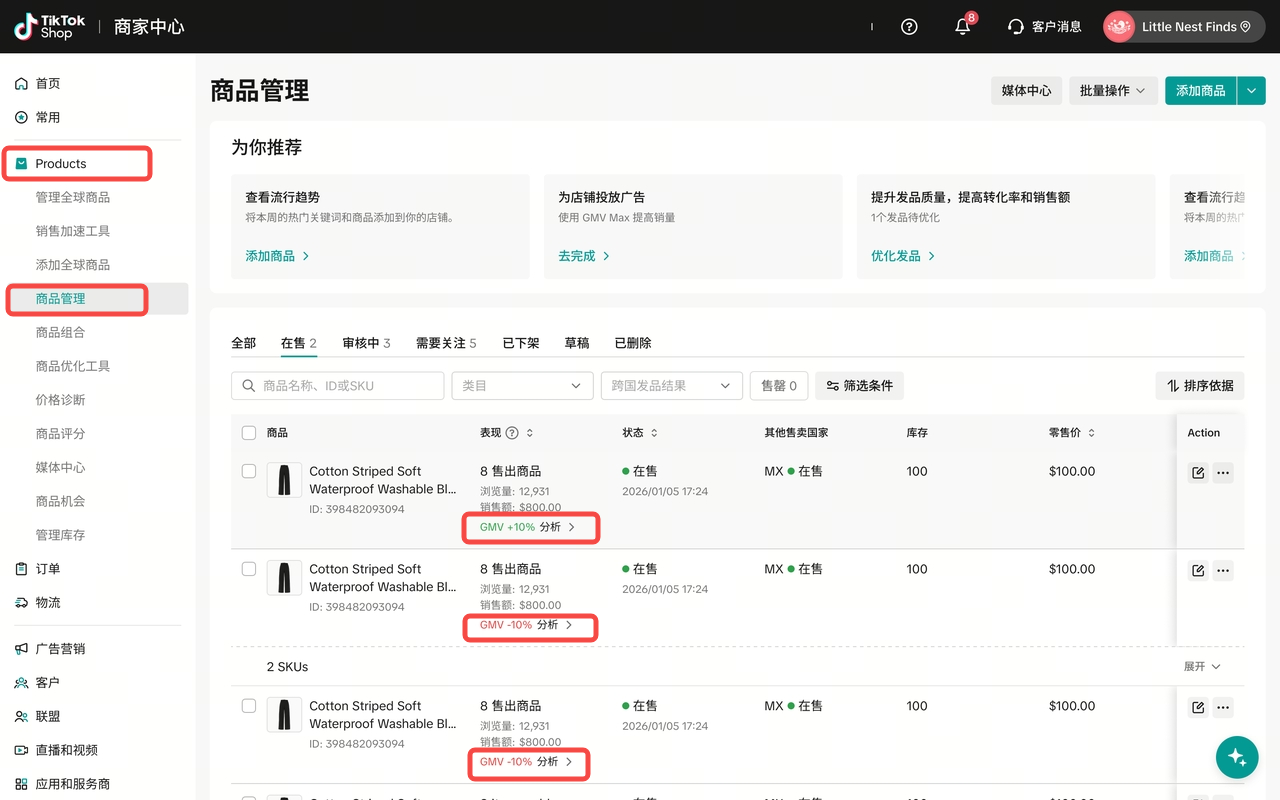
- 商家助手
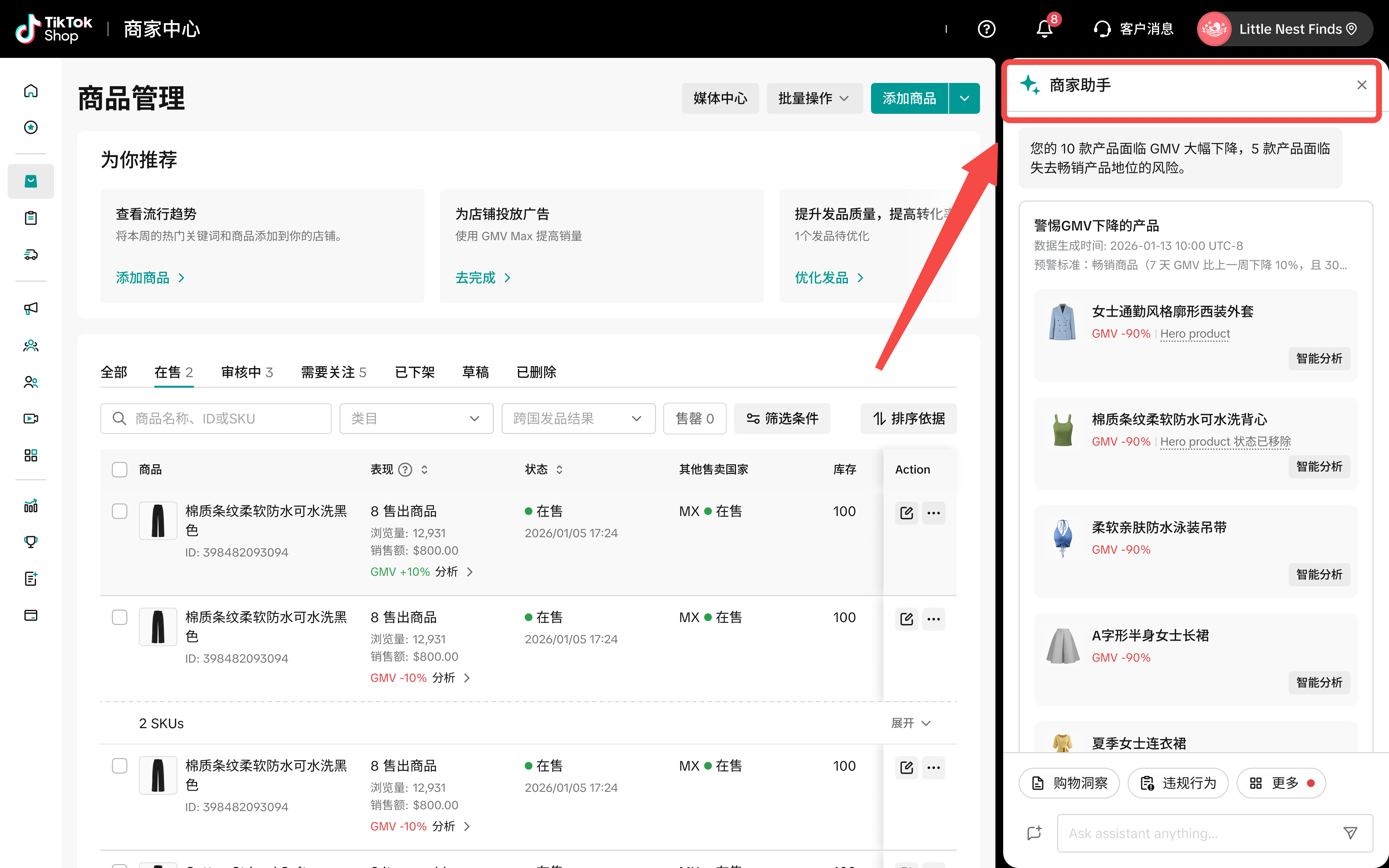
- GMV下降通知 – 当您的主要商品面临显著GMV下降时,将触发通知
⚙️ 工作原理
- 查看商品级别的表现指标
该工具在四个关键领域提供强大的指标:
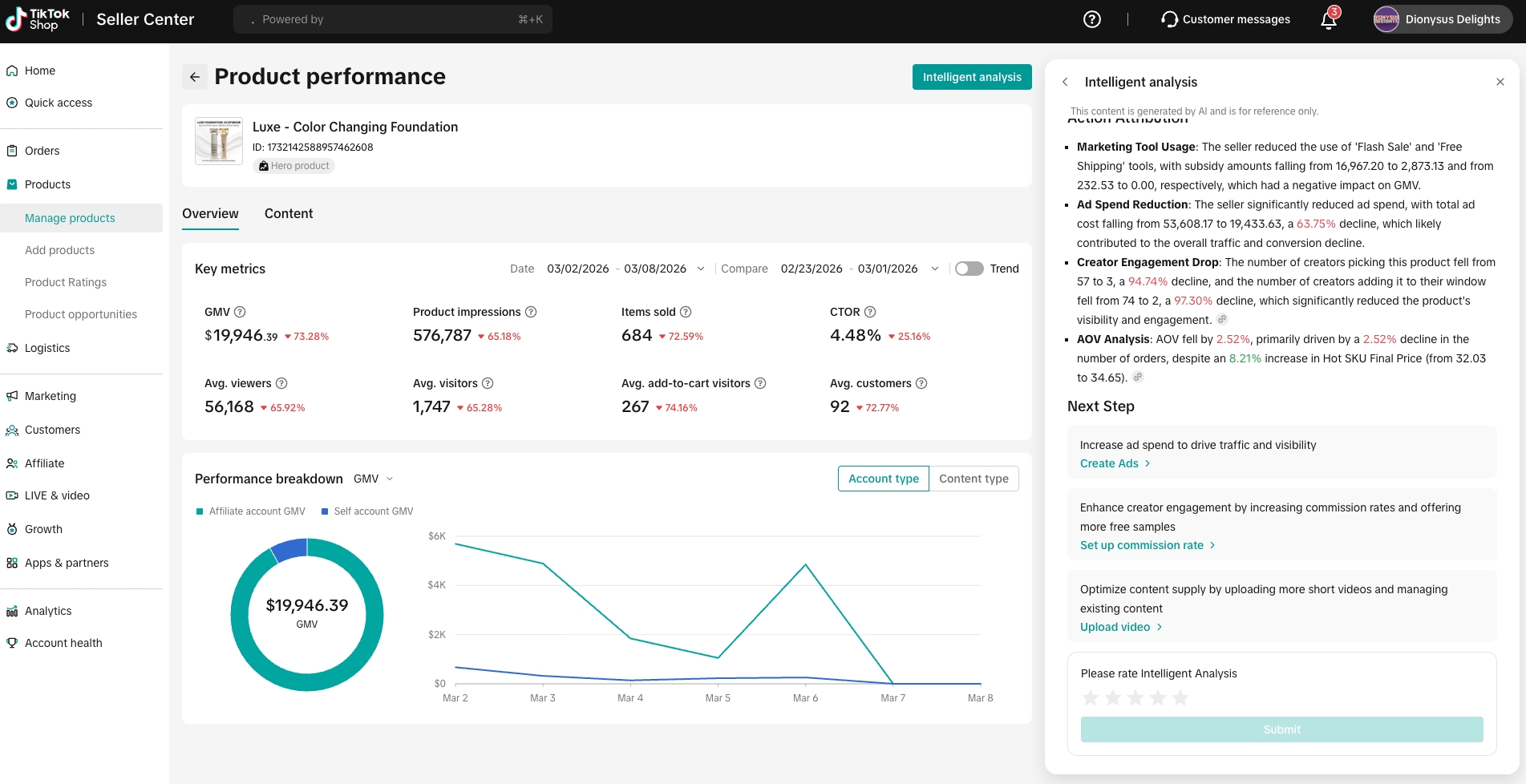
整体表现: 获取核心业务指标的可见性,包括GMV、订单、销售商品数量和商品浏览量。
内容表现: 跟踪由内容驱动的参与度,如生成的视频、直播、创作者合作和免费样品派发。
广告表现: 监控付费支出的效率,包括成本、订单、每单成本和投资回报率。
GMV下降通知: 识别商品间的显著GMV下降,并通知卖家提供可执行的恢复建议。
- 通过分析关键表现驱动因素了解您的GMV构成:
账户类型: 查看由您店铺直接产生的GMV(自产)与由联盟创作者产生的GMV(创作者产)的细分。
内容类型: 基于特定内容渠道分析GMV:直播、短视频内容或直接商品卡点击。
流量类型: 确定您的销售来源 – 无论GMV来自自然流量还是通过付费广告。
- 阅读集成的AI分析,旨在通过以下方式进一步增强您的数据审查:
提供产品GMV表现的概览。
按不同销售渠道(直播、短视频和商品卡)细分GMV。
自动识别增长驱动因素或下降原因。
根据识别的表现趋势提供量身定制的建议行动。
The Product Intelligent Analysis tool helps you understand and optimize your product growth on TikTok Shop. The new performance page transcends conventional data reporting by integrating in-depth, AI-powered intelligent analysis of product metrics. It helps you clearly identify the root causes of fluctuations in sales performance, whether demonstrating growth or decline, and for delivering actionable smart suggestions.
✨ Key Benefits
Instantly diagnose sales trends with AI: Stop guessing why sales are changing. The intelligent AI automatically identifies the root cause of growth or decline, so you instantly know the exact driver behind your product’s performance.
See the whole sales picture: Get a complete view of your data across Overall Performance, Content Performance, and Ads Performance. This ensures you always have the full picture needed to make informed decisions.
Get actionable steps to help boost GMV: Receive tailored suggested actions and channel-specific breakdowns to guide your next move for growth.
Proactively prevent massive GMV loss: Provide pop-up notifications via Seller Assistant when significant GMV loss is detected, enabling them to take timely action and minimize further losses.
🧭 How to Access Product Performance AI Analysis
- Seller Center > Products > Manage Products
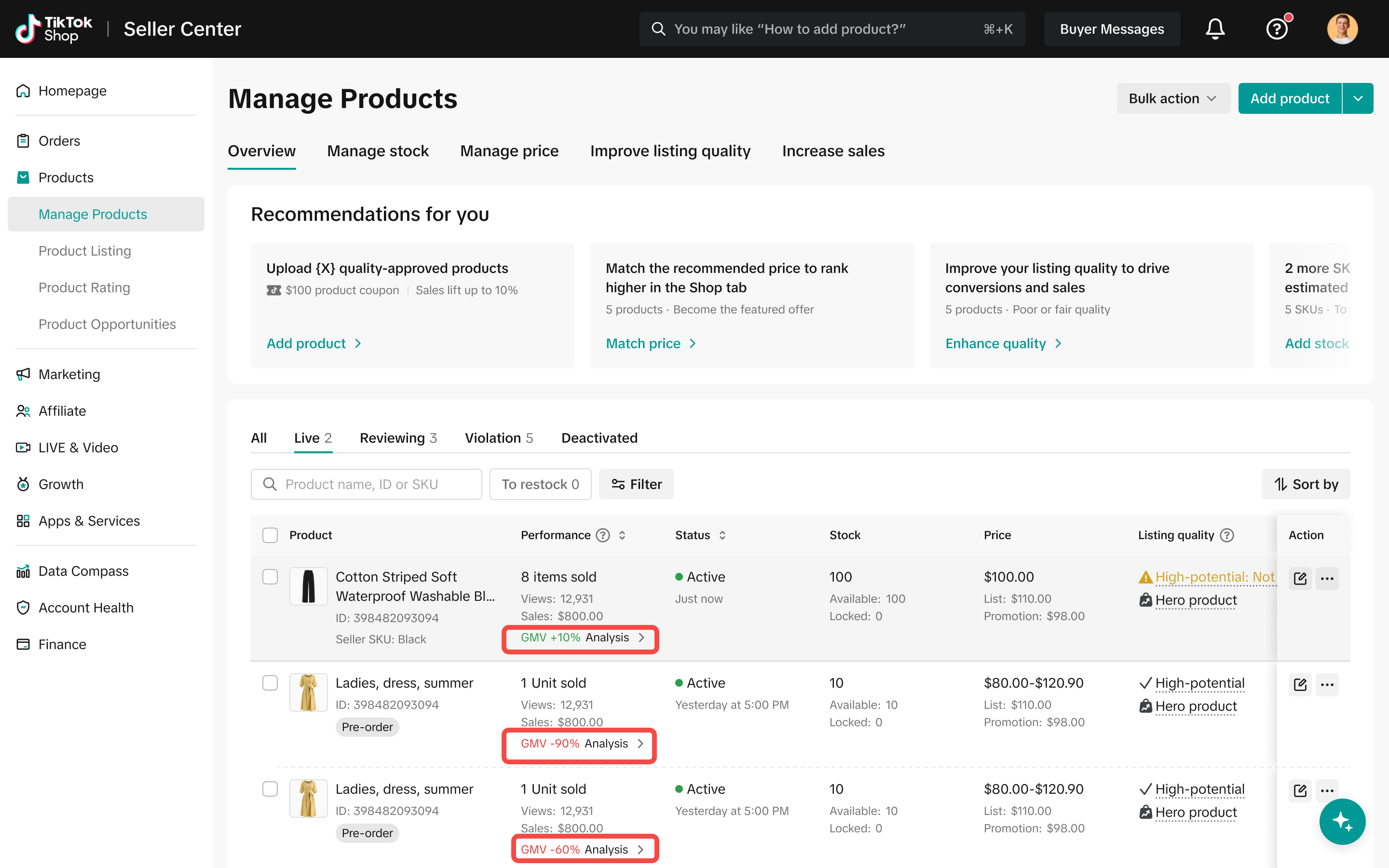
- Seller Assistant
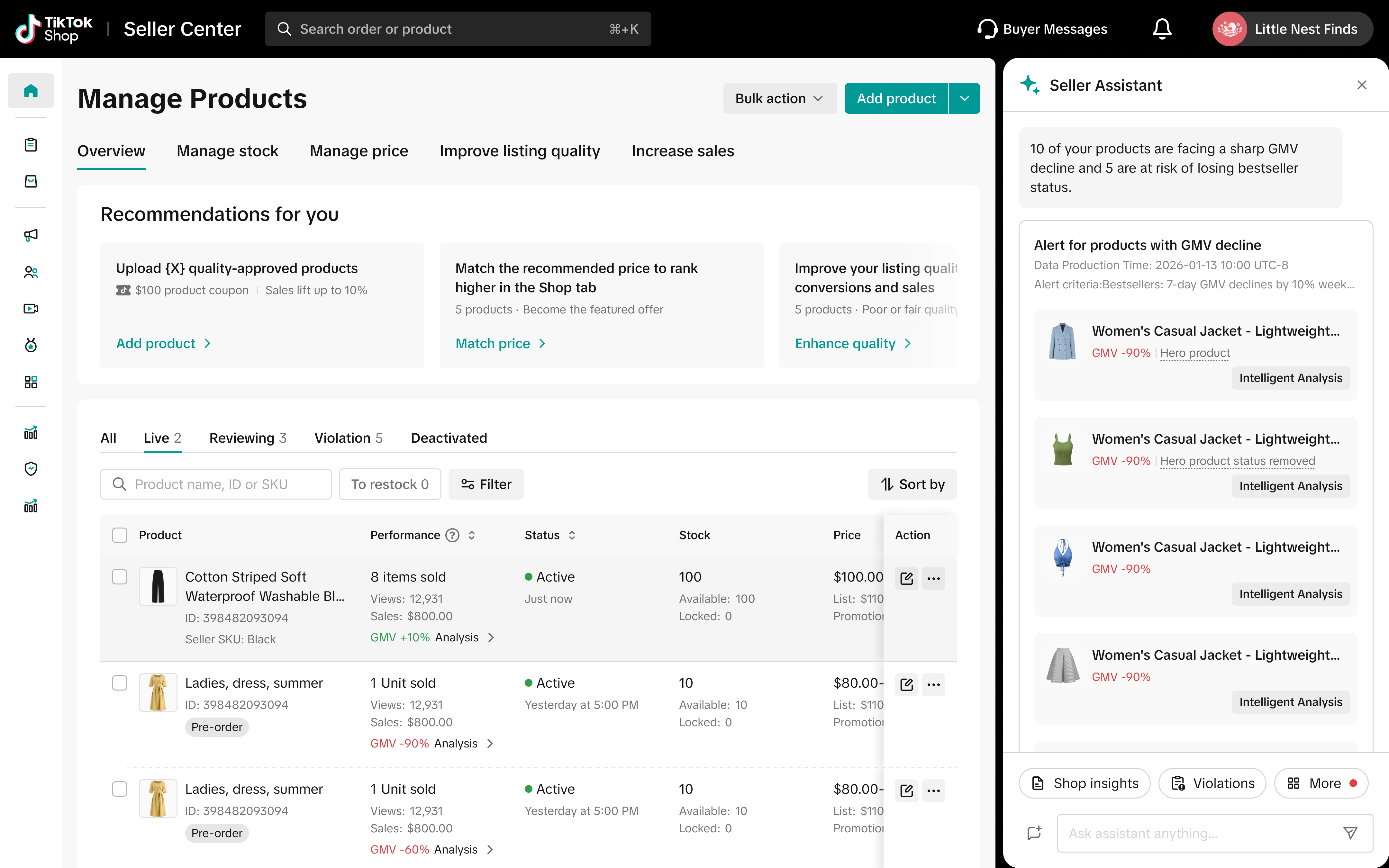
- GMV loss notifications – the notifications will be triggered when your major products are facing significant GMV decline
⚙️ How It Works
- View product-level performance metrics.
The tool provides robust metrics across four key areas:
Overall Performance: Gain visibility into core business metrics, including GMV, orders, items sold, and product views.
Content Performance: Track engagement driven by content, such as videos generated, livestreams, creator collaborations, and free sample delivery.
Ads Performance: Monitor the efficiency of paid spend, including cost, orders, cost per order, and ROI.
GMV Decline Notification: Identify significant GMV drops across products and notify sellers with actionable insights for recovery.
- Understand your GMV composition by analyzing key performance drivers:
Account Type: See the breakdown of GMV generated directly by your shop (Self-generated) versus GMV generated by affiliate creators (Creator-generated).
Content Type: Analyze GMV based on the specific content channels: LIVE streams, Short Video content, or direct Product Card clicks.
Traffic Type: Determine the source of your sales—whether GMV comes from organic traffic or through paid advertisements (Ads).
- Read the integrated AI analysis that is designed to further enhance your data review by:
Providing an overview of the product’s GMV performance.
Breaking down GMV by different sales channels (LIVE, short video, and product card).
Identifying growth drivers or decline reasons automatically.
Offering suggested actions tailored to the identified performance trends.