


1.
What is TikTok Shop Marketing Account?
TikTok accounts other than your official TikTok account that are linked to your TikTok Shop.
2.
What are the benefits of TikTok Shop marketing accounts?
Linking multiple marketing accounts can help you establish a variety of traffic sources for your shop. Different accounts can have different brand images and focuses, and different video/LIVE promotions can be used to create more exposure for your shop products, thereby improving the shop conversion rate.
3.
What are the rules for TikTok Shop marketing accounts?
One TikTok Shop can be linked to a total of 4 marketing accounts. Shops in their probation period can not be linked to marketing accounts.
Accounts can only be unlinked 24 hours after the link is created
Marketing channels can be linked up to 10 times within 180 days – you can’t change your marketing channels too frequently
The same account cannot simultaneously be linked as a shop’s official account and its marketing account
4.
How to link a TikTok Shop marketing account
- In Seller Center, go to My account > Linked TikTok accounts > Marketing accounts
| Step | Instructions | Demo |
| Step 1 | Click “Link new marketing account” to link an account | 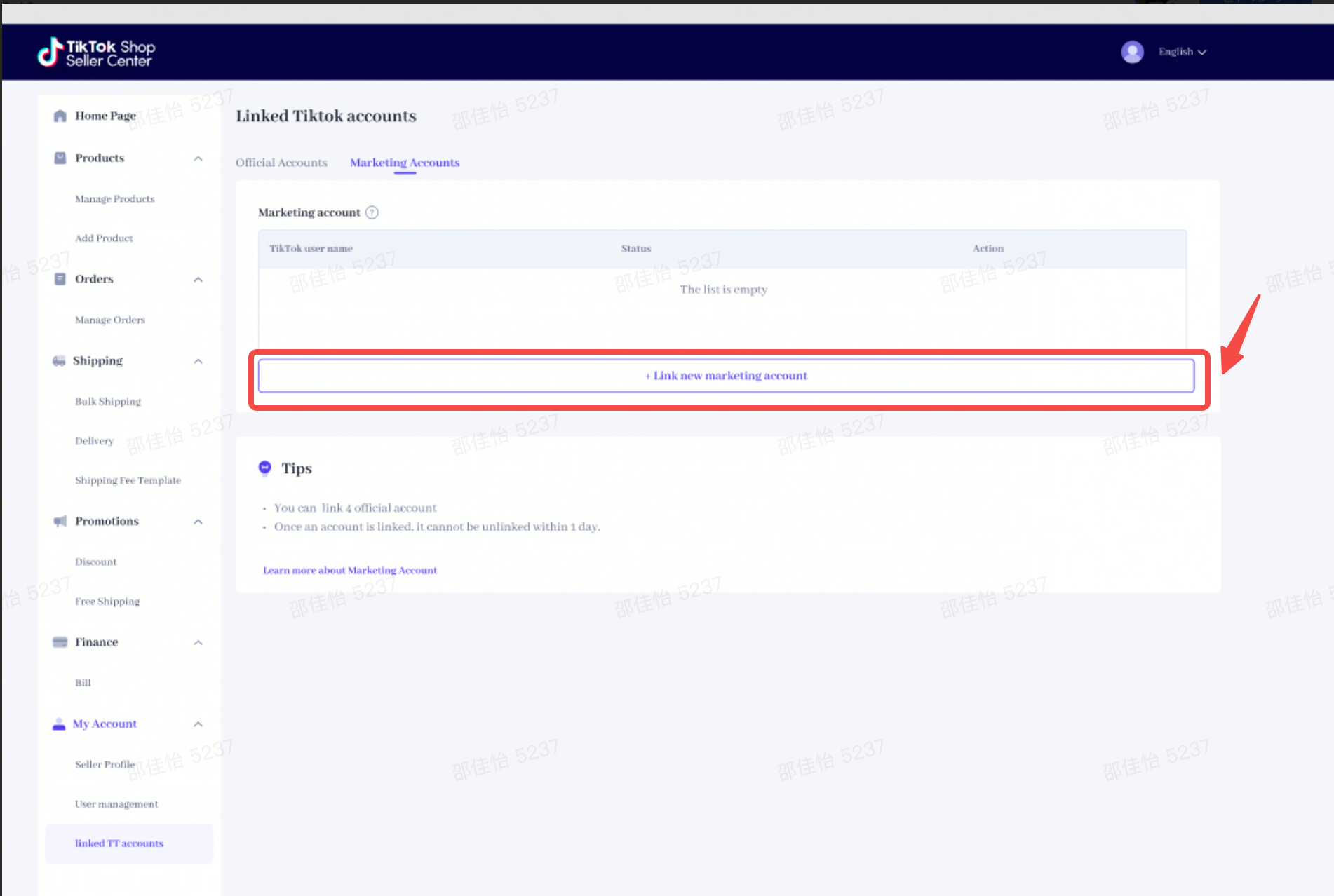 |
| Step 2 | Enter the username or nickname of the account you want to link to search for the account, then click “Next” | 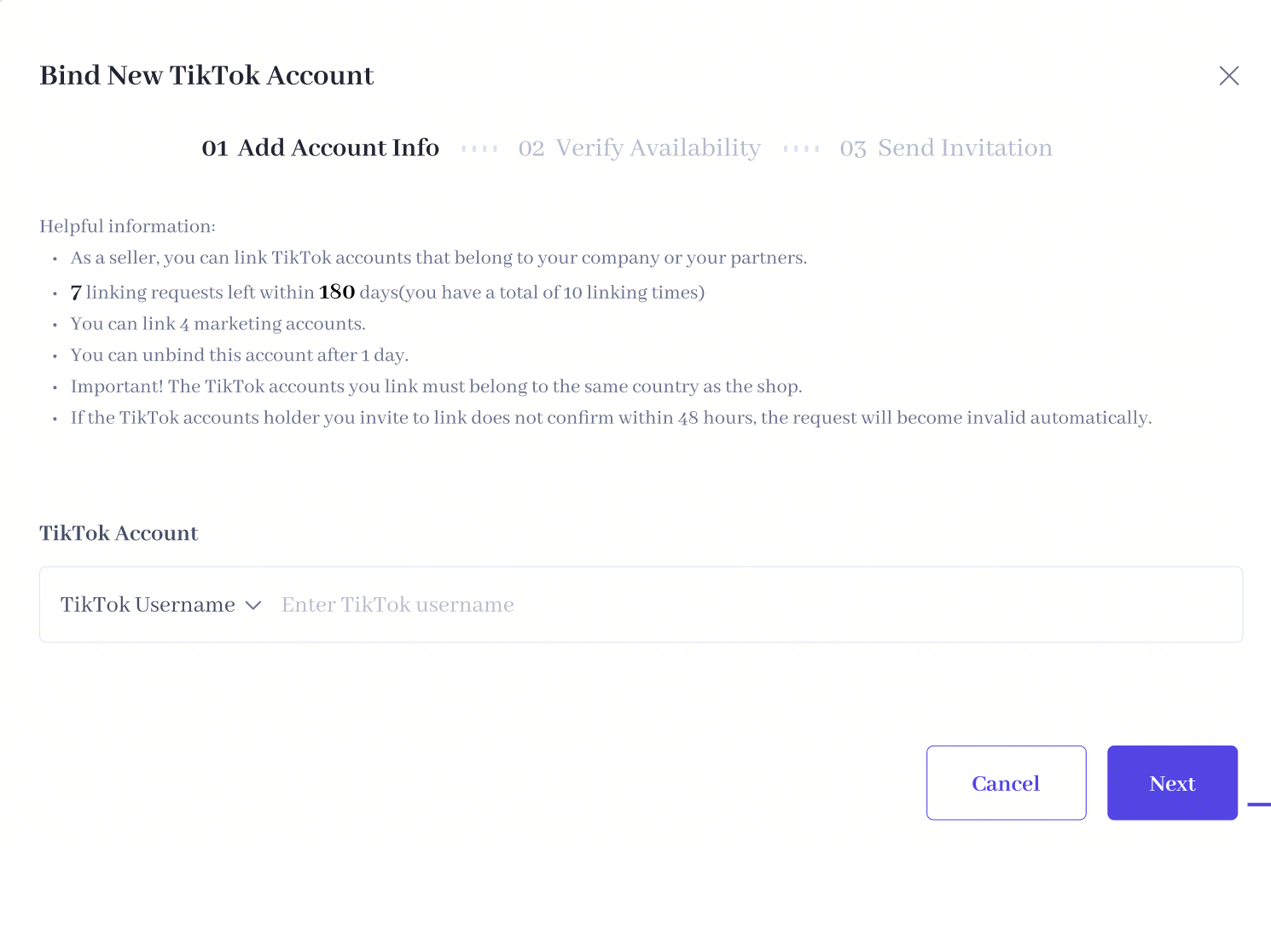 |
| Step 3 | The system verifies the account meets the criteria for linking. If all criteria are met, click “Send invitation” and an invitation will be sent to the corresponding TikTok account in the TikTok app. Once the TikTok account accepts the invitation, the link is established. | |
| Step 4 | View linked accounts: Once the account is linked, the username, email address and other information can be viewed via the “Marketing accounts” tab | 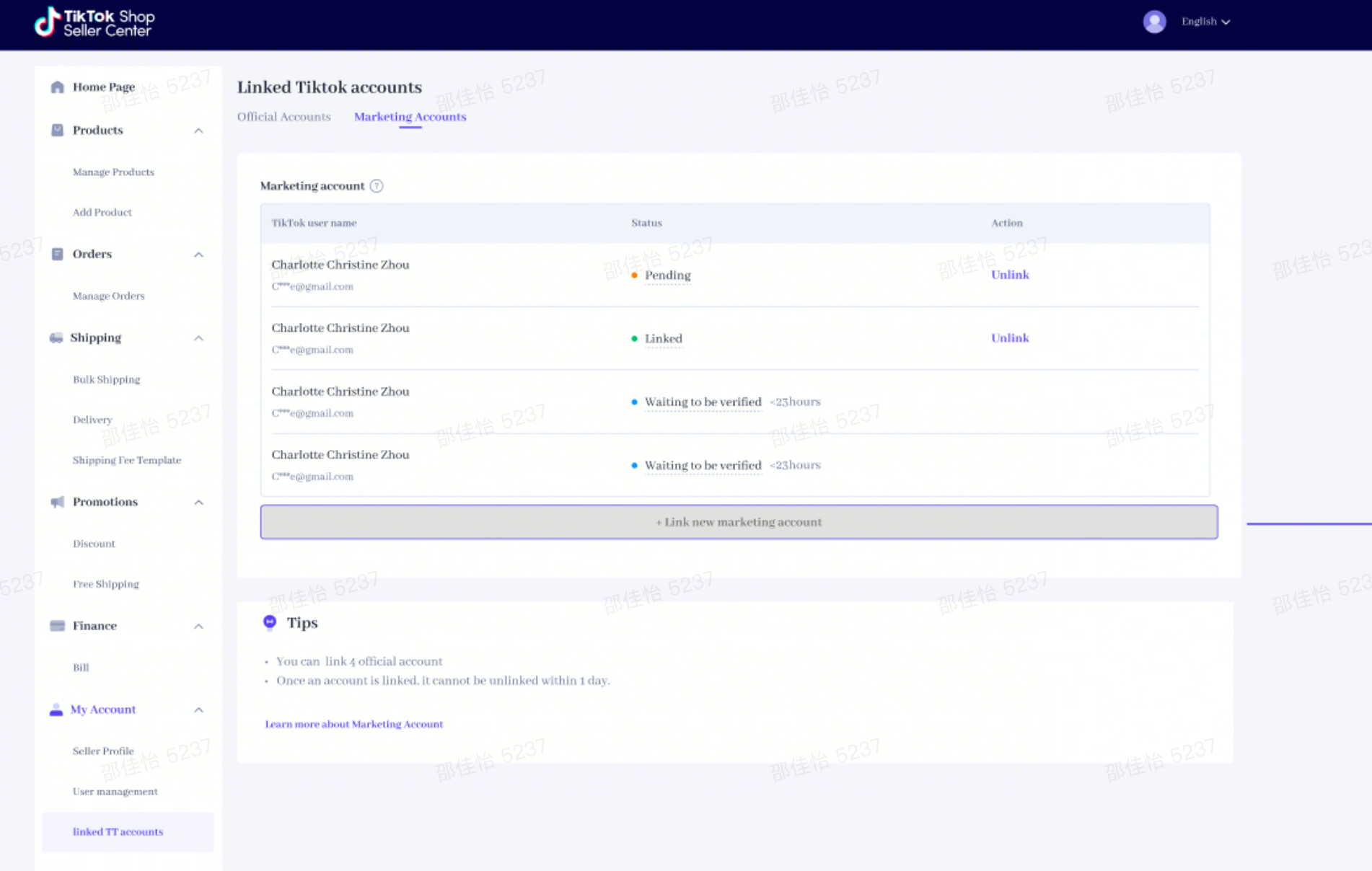 |
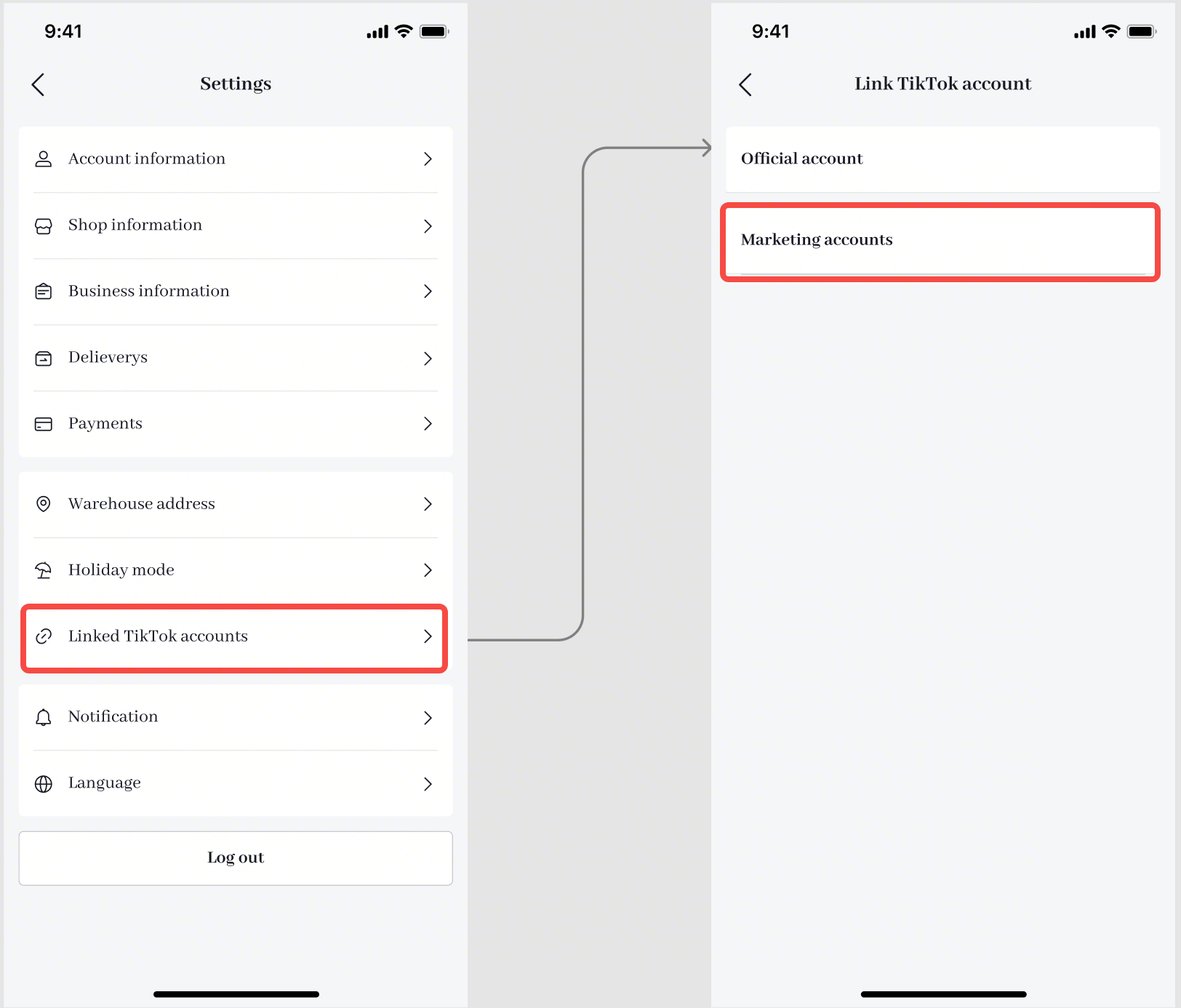
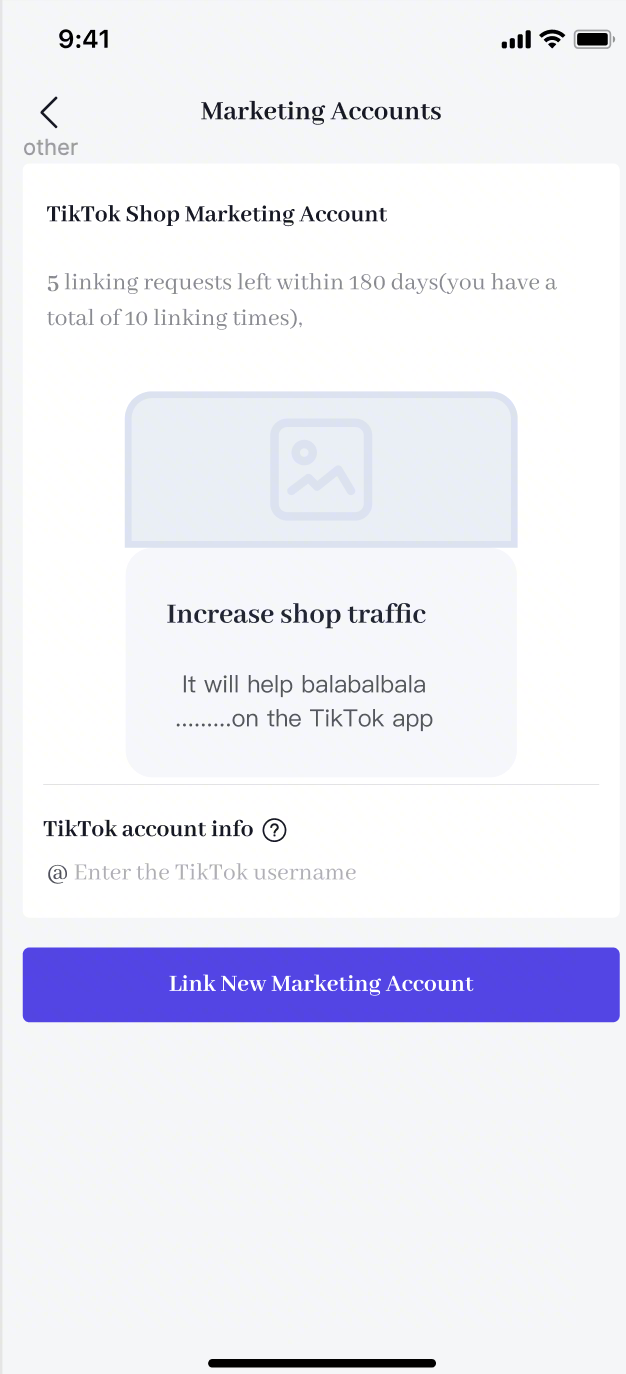
- In the TikTok Seller app, go to My accounts > Linked TikTok accounts > Marketing accounts
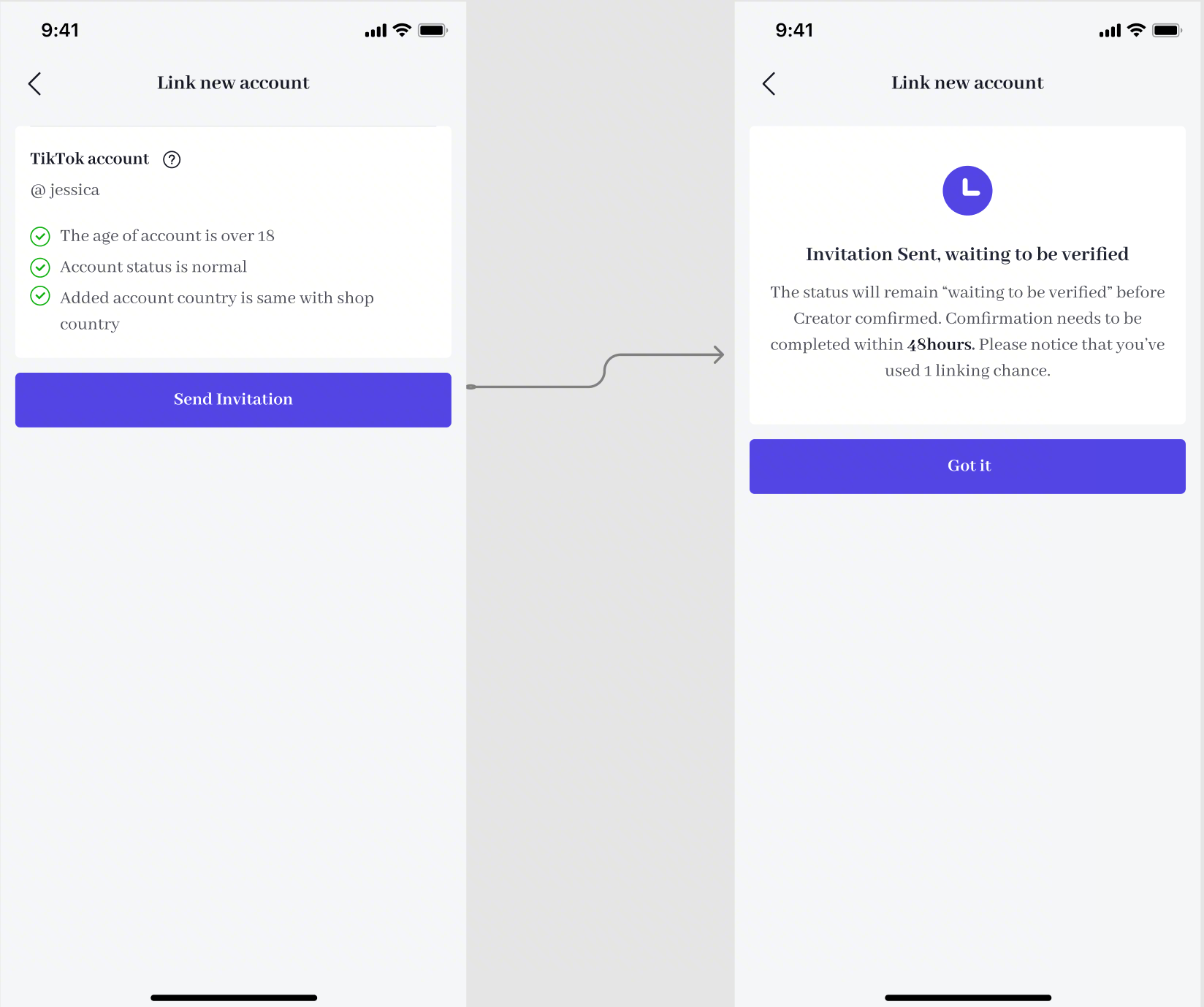
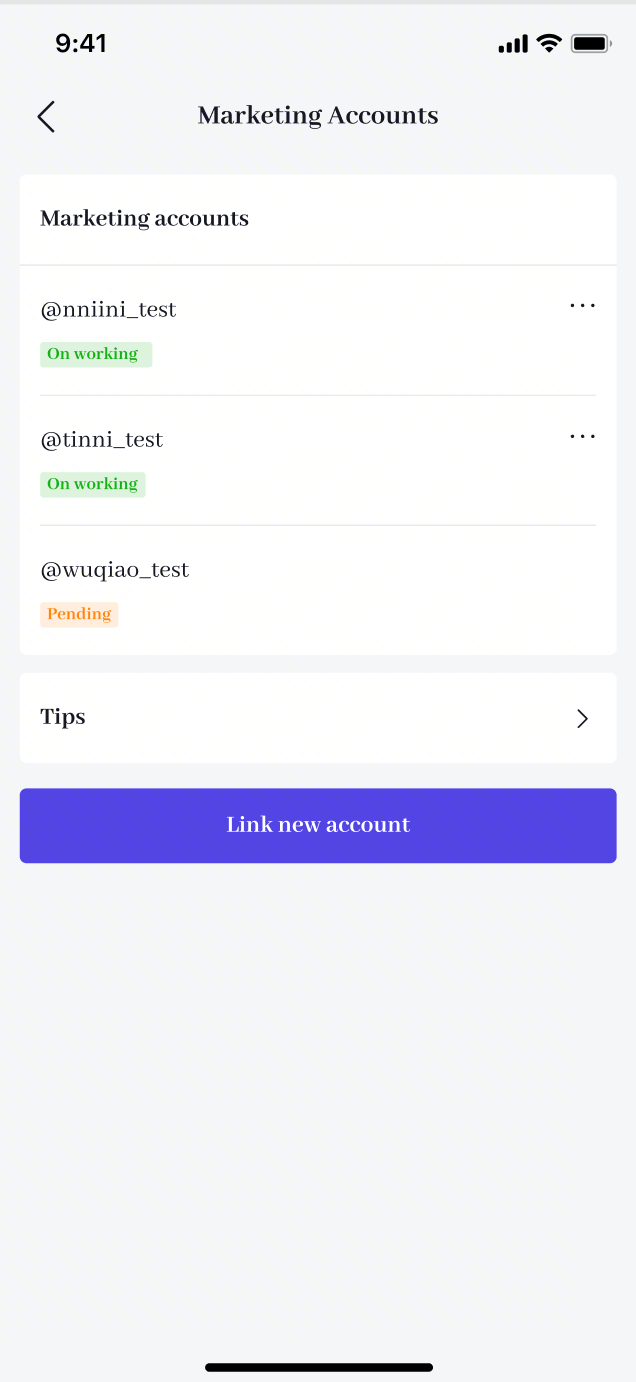
| Step 1: Click “Marketing accounts” to enter bind an account | Step 2: Enter the username of the TikTok account you want to link, and click “Link new marketing account” | Step 3: The system verifies the account meets the criteria for linking. If all criteria are met, click “Send invitation” and an invitation will be sent to the corresponding TikTok account in the TikTok app | Step 4: View linked accounts: Once the account is linked, the username, email address and other information can be viewed via the “Marketing accounts” tab |
 |  |  |  |
5.
What is the difference between a TikTok Shop marketing account and an official account?
Both the official account and the marketing accounts are linked to the shop and act as owned media accounts that promote the TikTok Shop. However, there are some differences:
You can only link one TikTok account as your official account, but you can link up to four as marketing accounts.
The official account displays shop products on the TikTok account’s profile page as a shop page, and you can use the store design function for marketing (after the end of May). A marketing account displays shop products in the form of a showcase, and you need to manually add products to the account showcase.
The username and nickname of the official account must be the same as the shop name to establish a consistent identity and build user trust. Marketing accounts can use other names.
6.
How to unlink a marketing account
A marketing account can be unlinked 24 hours after it was linked.
In Seller Center, go to My account > Linked TikTok accounts > Marketing accounts – Unlink Marketing account
TikTok App:TikTok Seller App – Settings – Linked TikTok Accounts – Marketing accounts – Unlink