中文版
一、产品价值
| 商家的疑问 | 商家诉求 | 本质 |
| “竞品哪些商品卖的好?” | ➡热卖商品 | ➡商品机会挖掘 |
| “在货架/短视频/直播场,分别适合卖什么商品?” | ➡不同场域的热卖商品 | |
| “哪些商品更容易在新品阶段卖爆?” | ➡更容易出爆的新品 | |
| “想从TT的高播放视频里挖掘机会” | ➡内容特色品 | |
| “国内平台哪些商品卖的好?海外也有流行机会” | ➡流行趋势品 | |
| “竞品是如何将商品打爆的,我也想学习” | ➡商品孵化打爆 | ➡商品经营成长 |
你的疑惑在商品榜单中都能找到答案👍
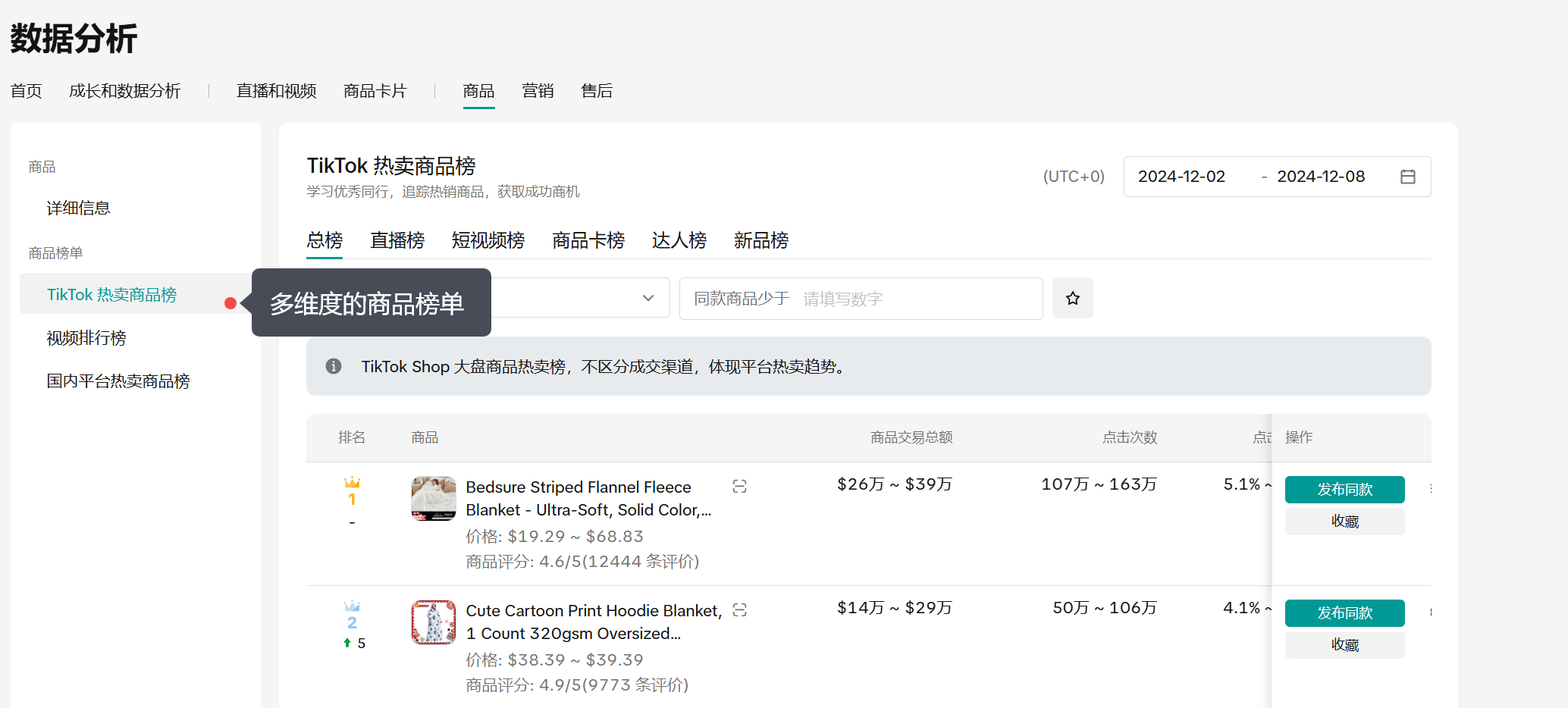
二、使用场景
场景1:参考TT同行热卖商品
| STEP1:进入商品榜单 | STEP2:按场域/新品看榜单 | STEP3:结合数据辅助判断 | STEP4:参考信息完成同款上新 |
– 定位到TikTok 热卖商品榜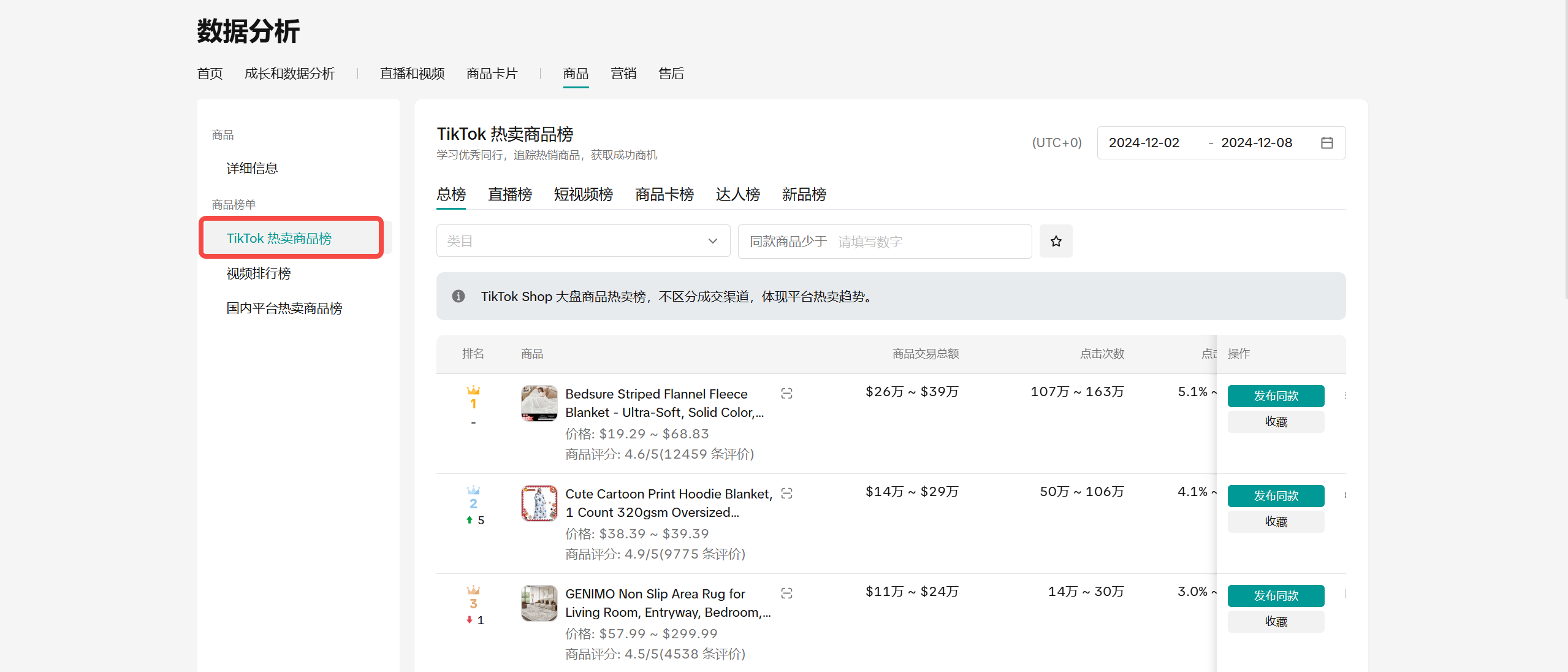 | – 除了查看总榜(不区分渠道)外,可以进一步看单一渠道(包括:直播/短视频/商品卡/达人),哪些商品卖的好 – 以及哪些商品在新品阶段表现更佳(新品榜) 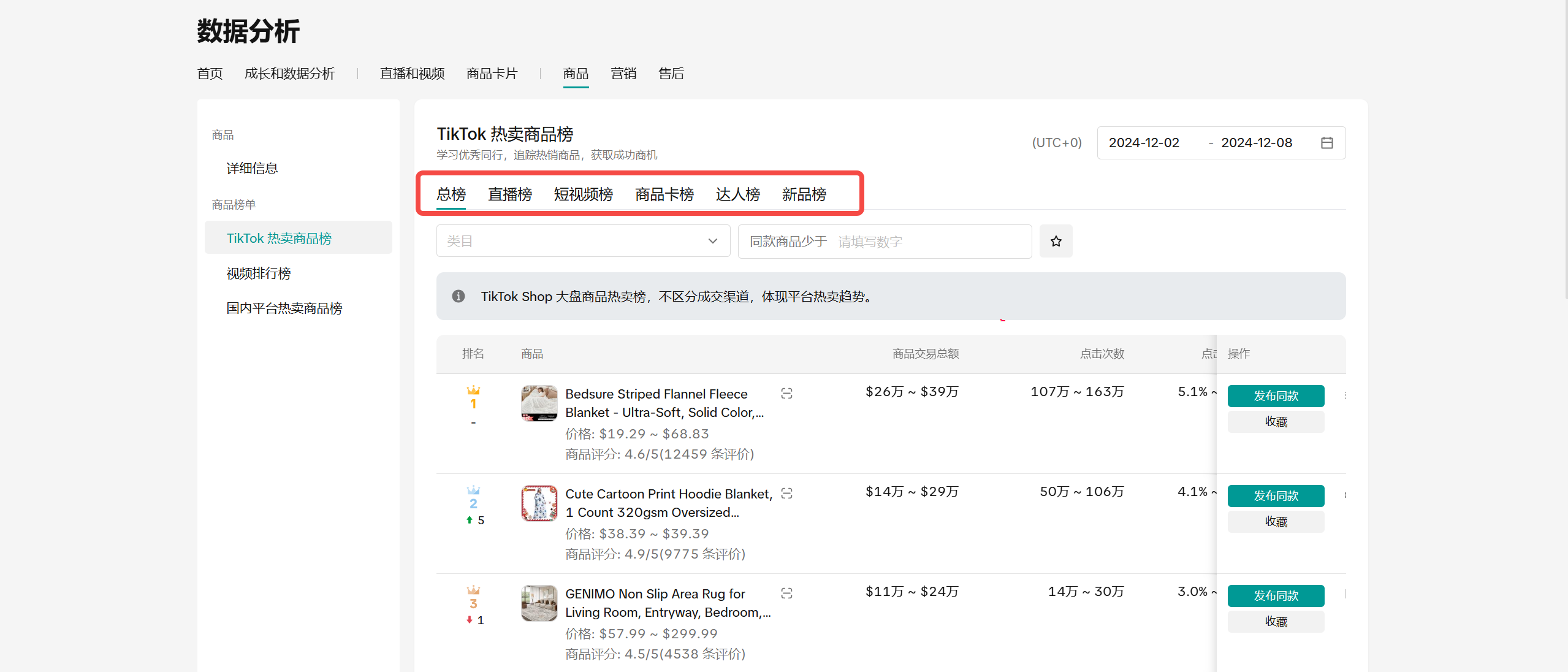 | – 结合交易GMV、点击次数、点击率数据,以及站内的同款商品数量,评估跟款机会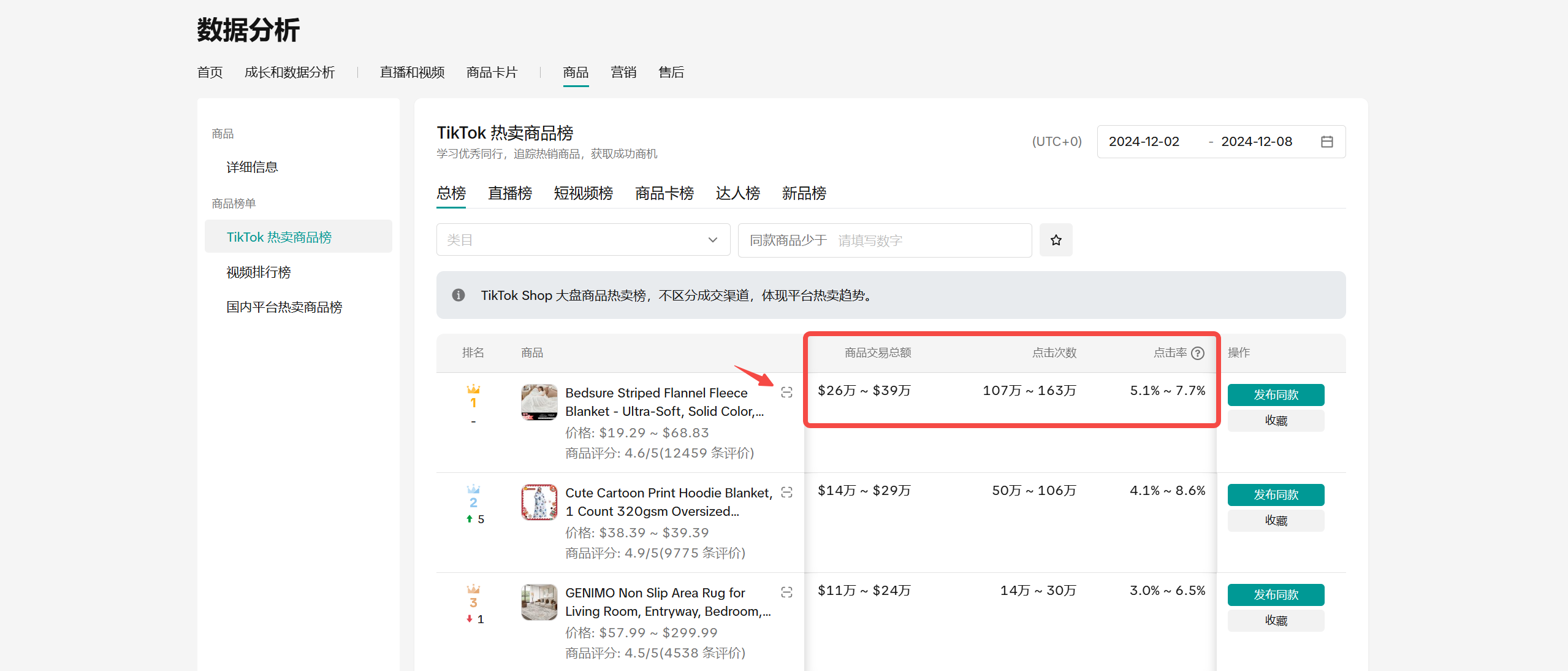 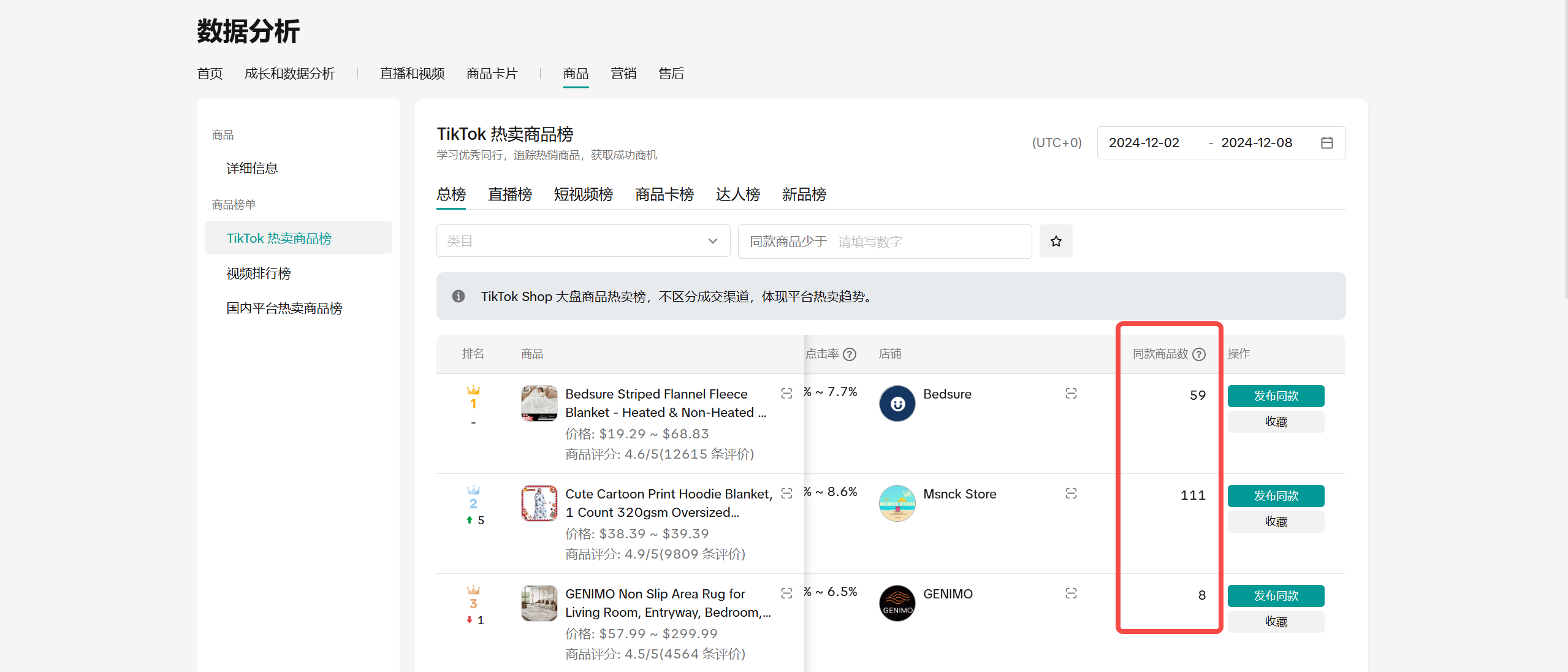 | – 参考价格、商详,指导自己的商品上新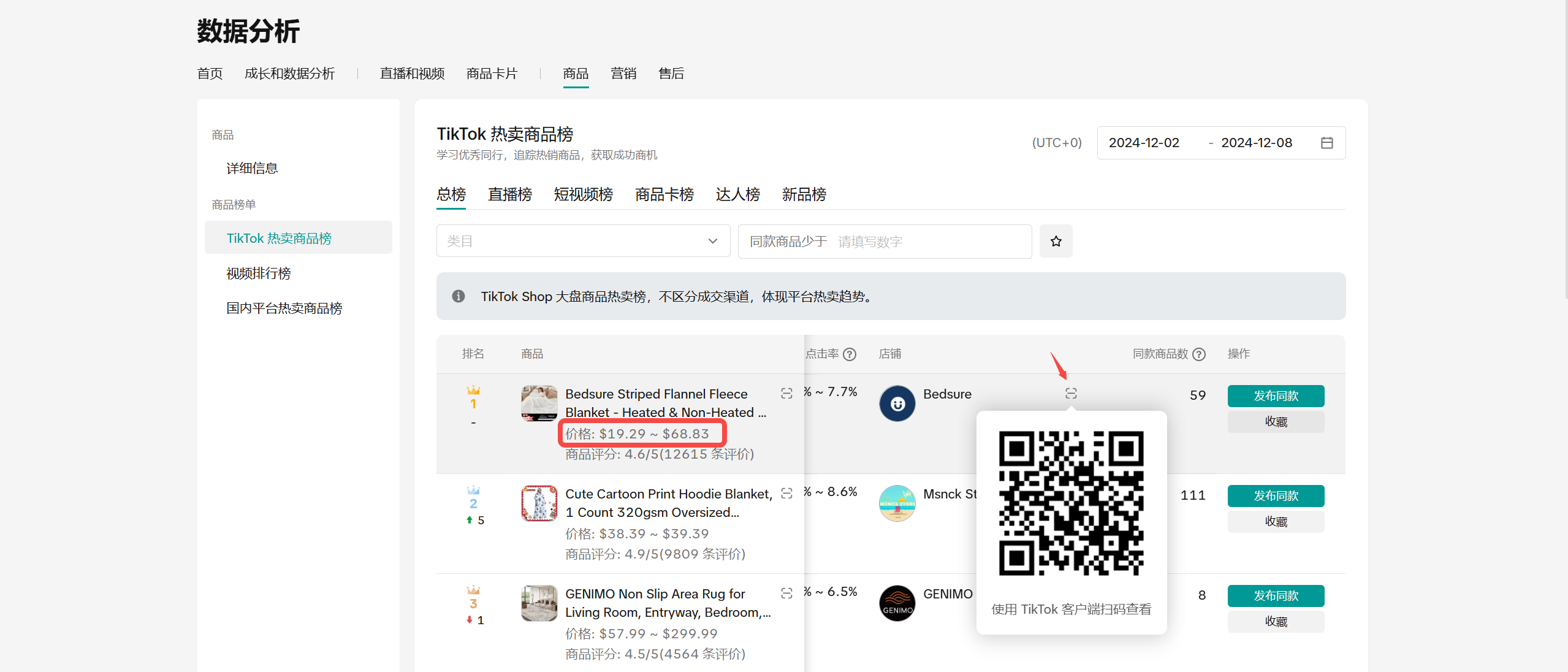 |
场景2:从内容/国内市场挖掘新机会
| 从TT视频里挖掘内容特色品机会 | 从国内市场挖掘出海爆品机会 |
| – 浏览高播放量视频,从中挖掘与你售卖品类有关的元素 – 发布的品建议包含“视频关键词” 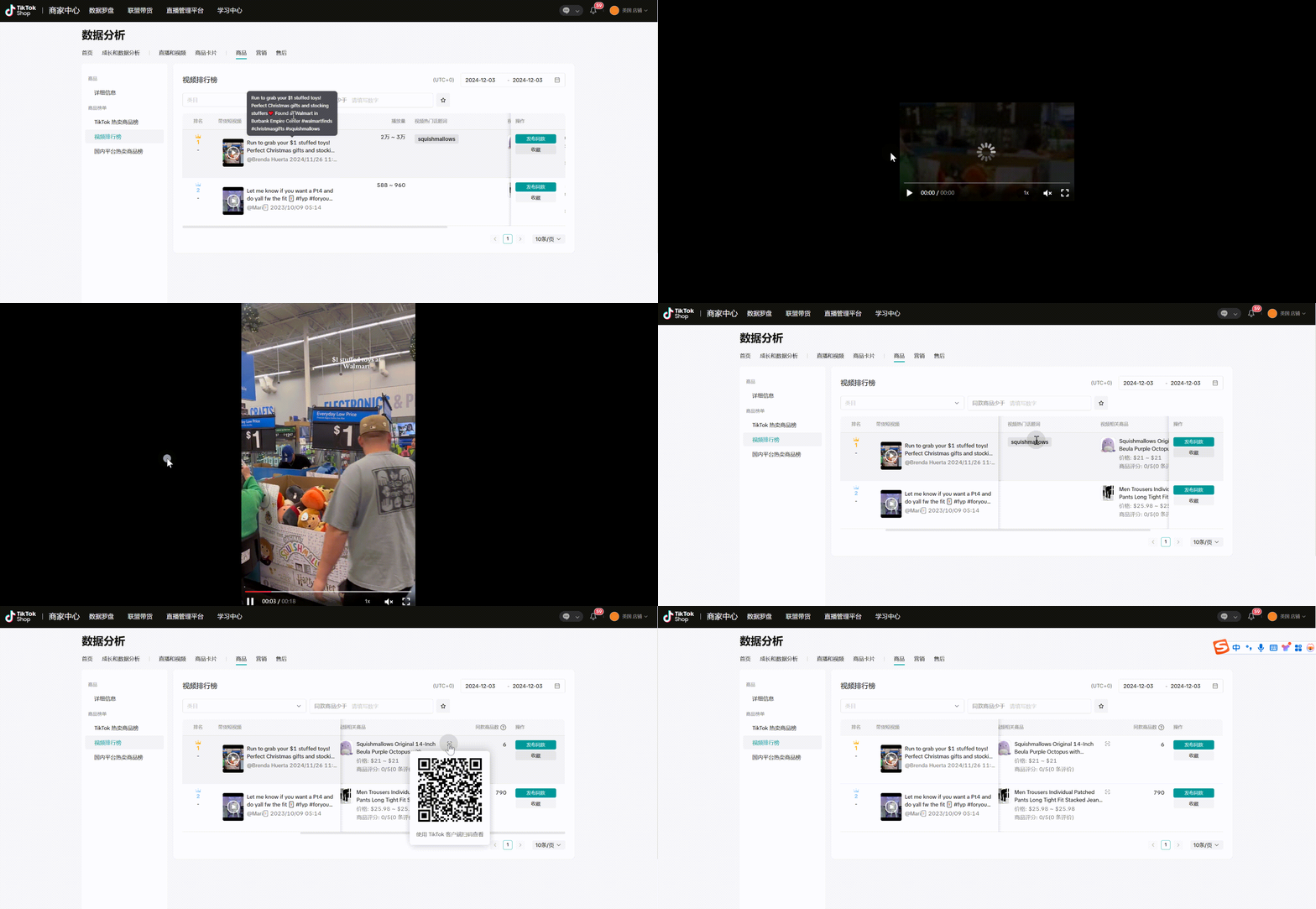 | – 参考国内平台里直播/短视频渠道卖的好的商品(备注:商品图片需要等待2周),从中挖掘在海外也有增长潜力的商品机会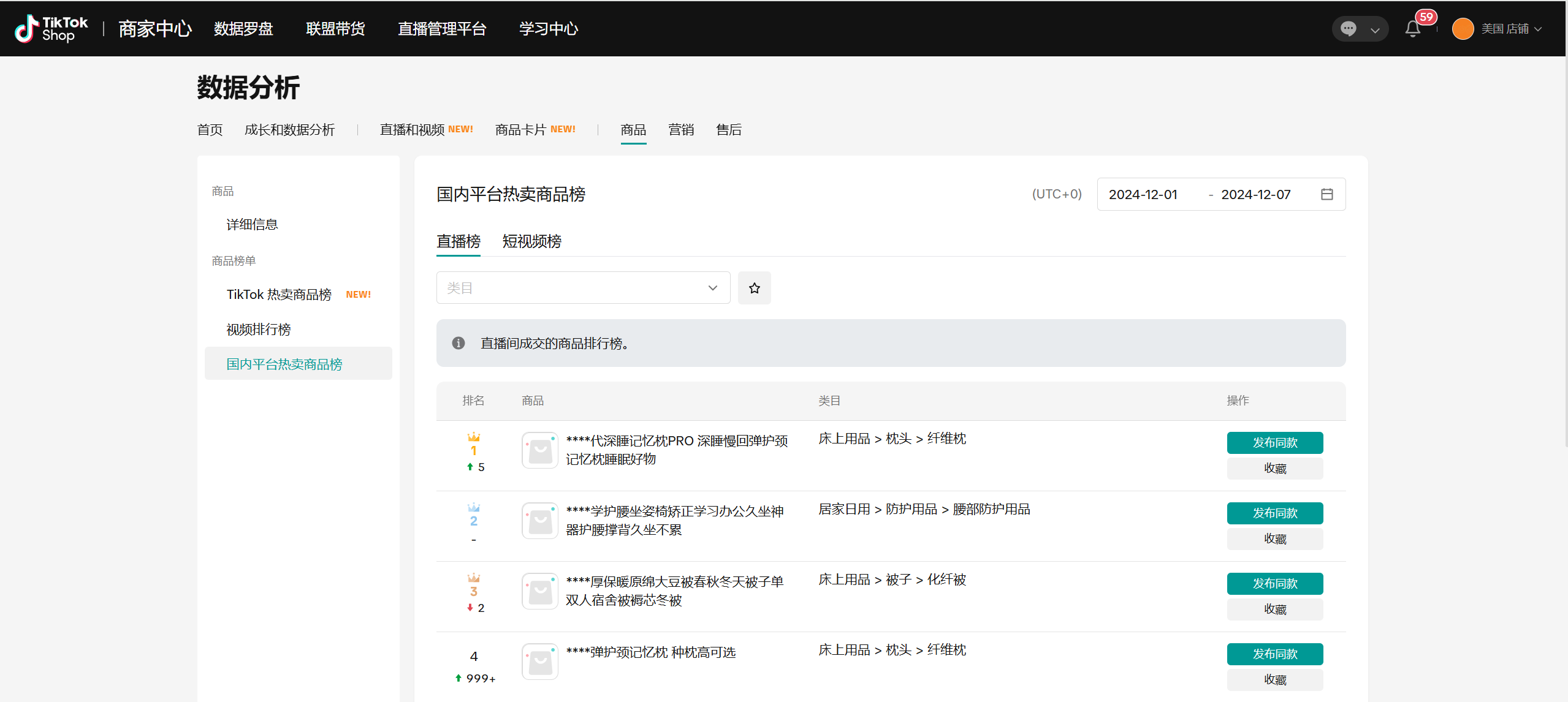 |
场景3:有榜单同款,想孵化打爆
| 看竞品通过哪些视频将品带爆…. | 建联爆品带货达人…. |
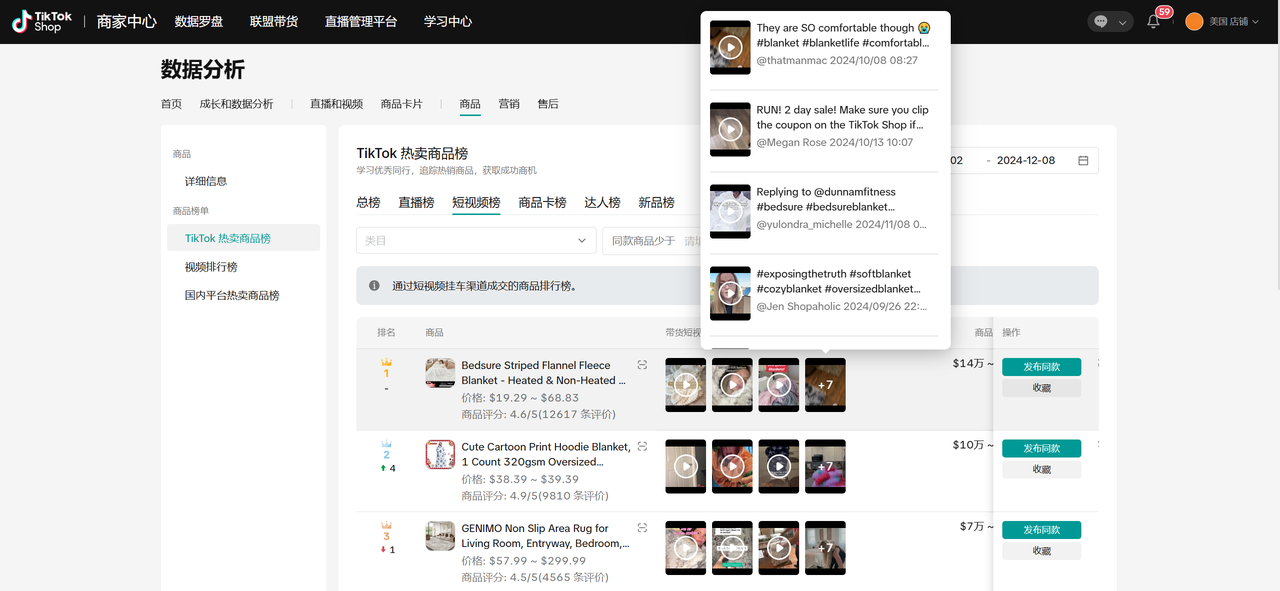 | 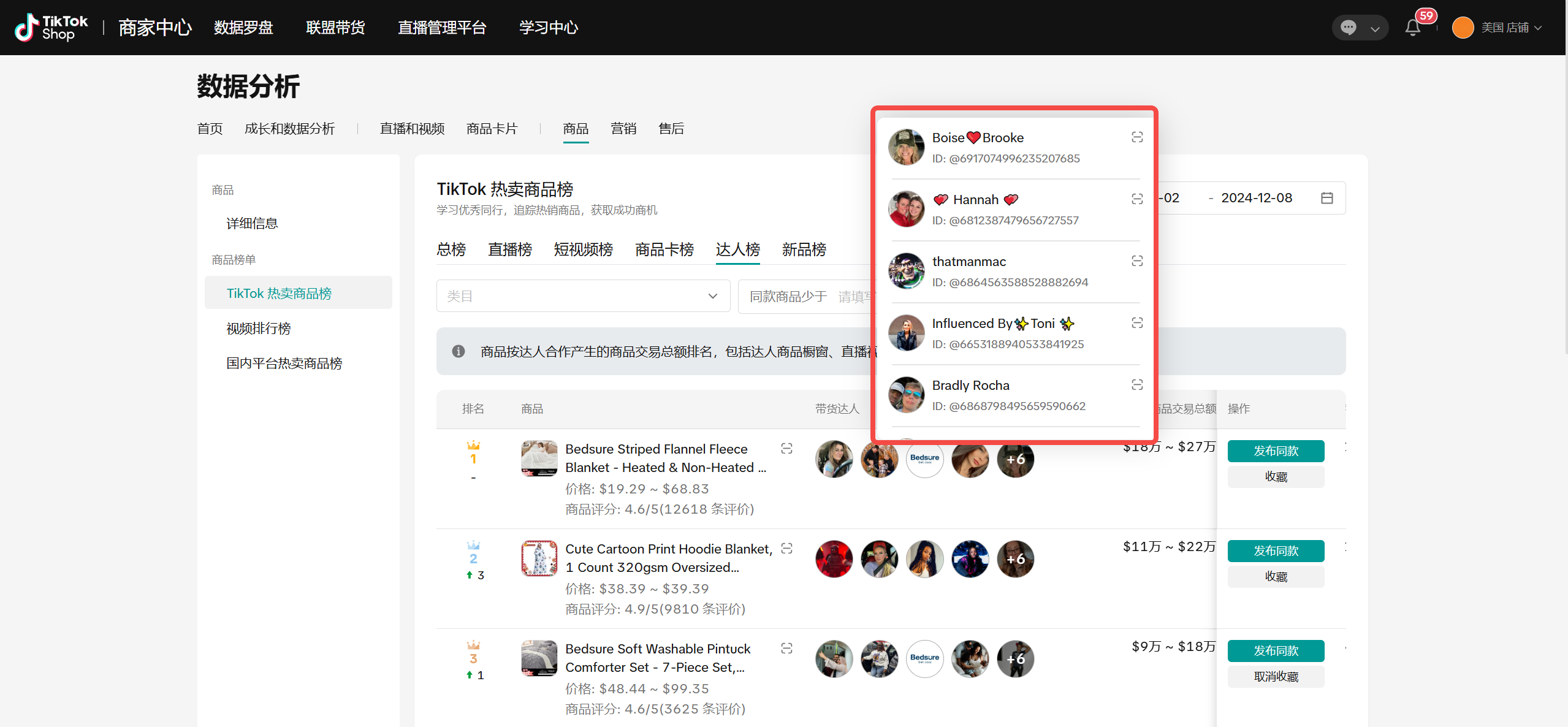 |
场景4:我的商品就在榜单里
- 如果您的商品在同行里已经有一定竞争力,建议多关注商品的价格、库存,避免导致销量波动下滑,或考虑追加推广预算,将商品进一步打爆
三、操作说明
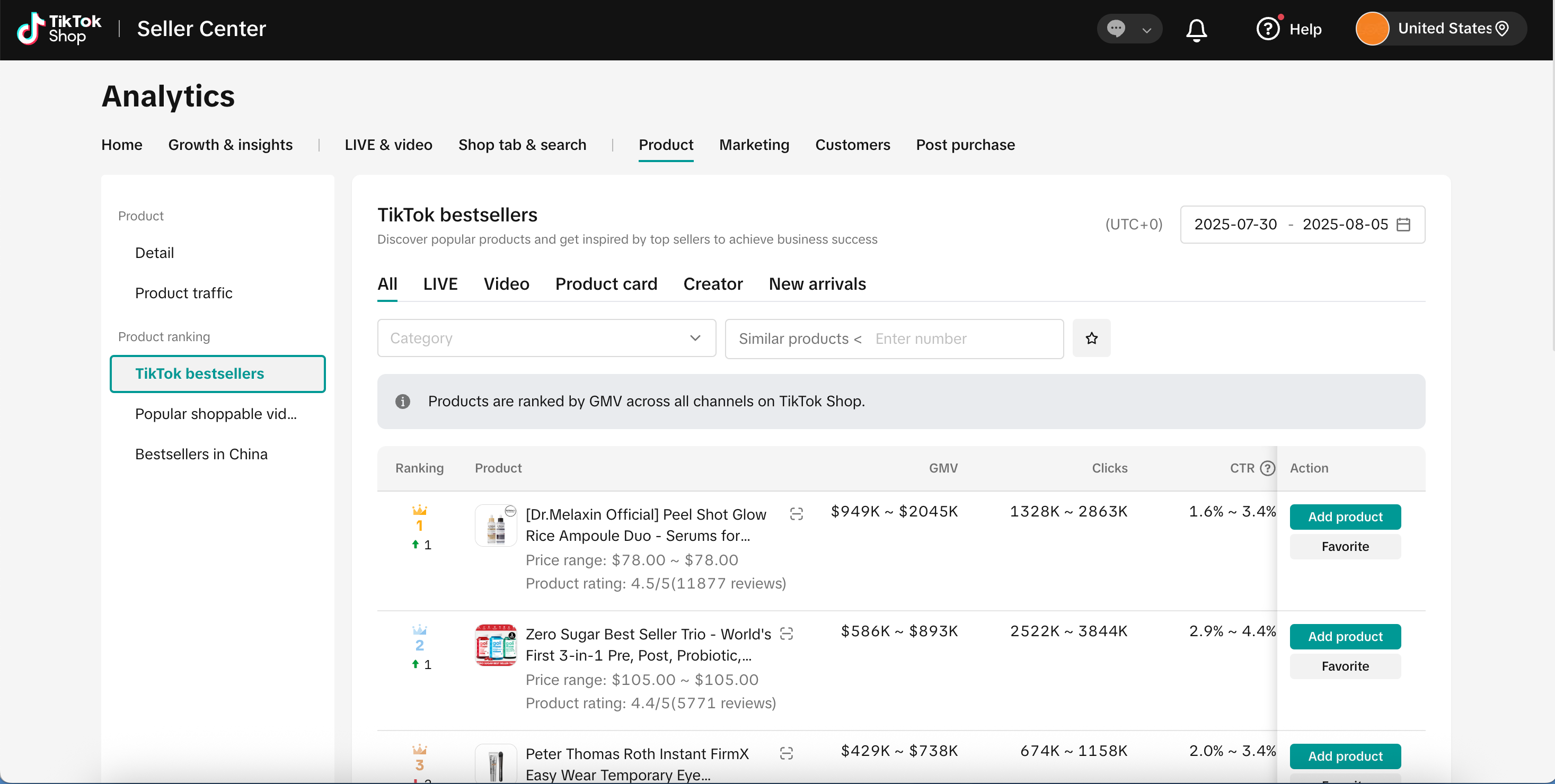
页面入口:数据罗盘-商品-商品榜单
最细支持筛选到三级类目,仅支持商家查看主营类目的数据
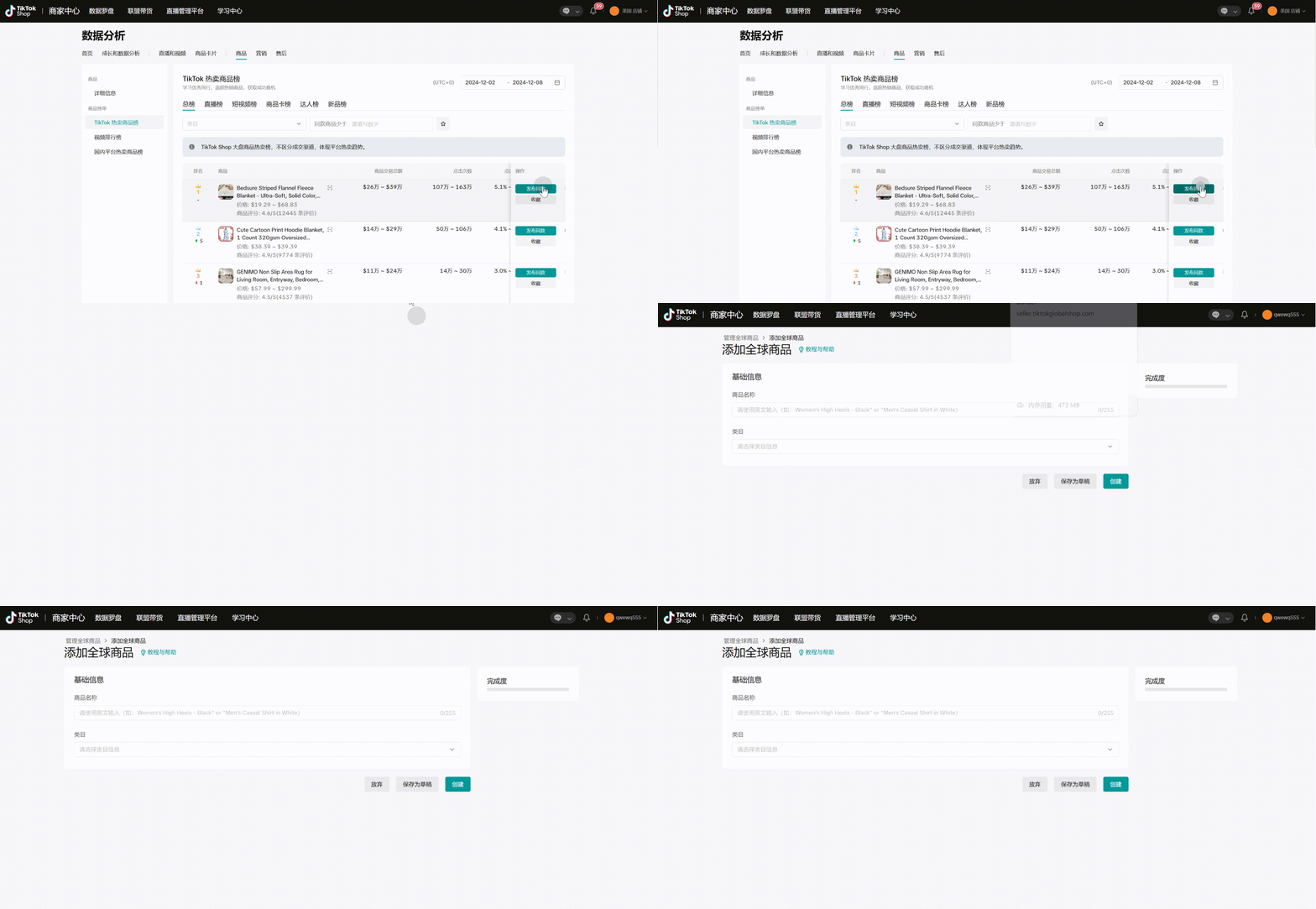
收藏:浏览榜单过程中,可对感兴趣的商品先“收藏”。后续再找回全部收藏商品,统一发布同款
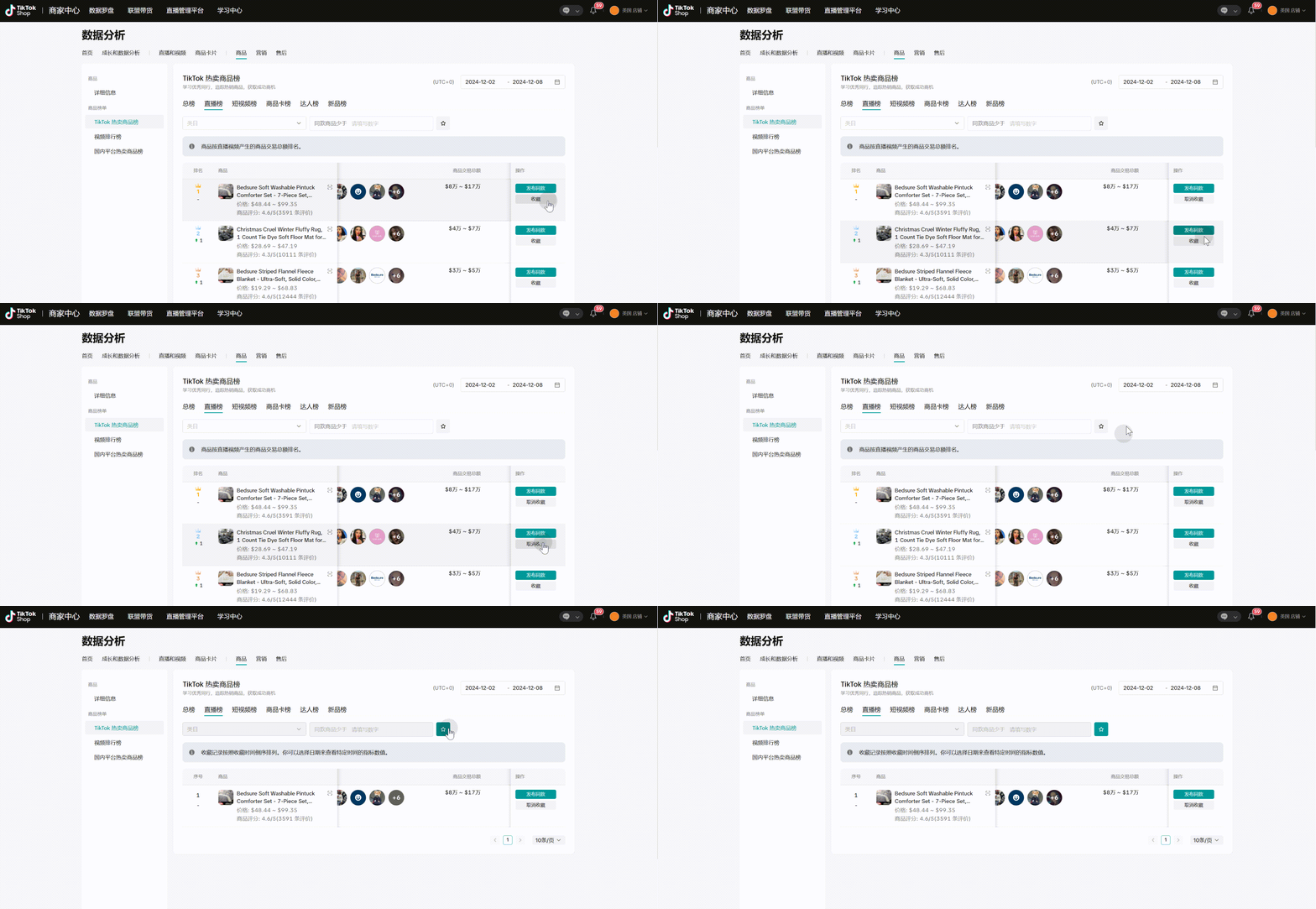
- 发布同款:如您已有同款商品,可直接点“发布同款”进行商品上传
English Version
1、
Product Value
| Seller’s Questions | Seller’s Needs | Essence |
| “Which competitor products are selling well?” | ➡ Hot-selling products | ➡ Product opportunity exploration |
| “What products are suitable to sell in the marketplace/short videos/livestreams?” | ➡ Hot-selling products in different domains | |
| “Which products are more likely to sell out during the new product stage?” | ➡ New products with a higher potential to go viral | |
| “I want to explore opportunities from high-view videos on TikTok” | ➡ Content-featured products | |
| “Which products are selling well on domestic platforms? There may be also trending opportunities overseas” | ➡ Trend-based products | |
| “How are competitors making their products explode in sales? I want to learn too” | ➡ Product incubation for explosive growth | ➡ Product management and growth |
All your questions can be answered in the Product Rankings section👍
2、
Application Scenarios
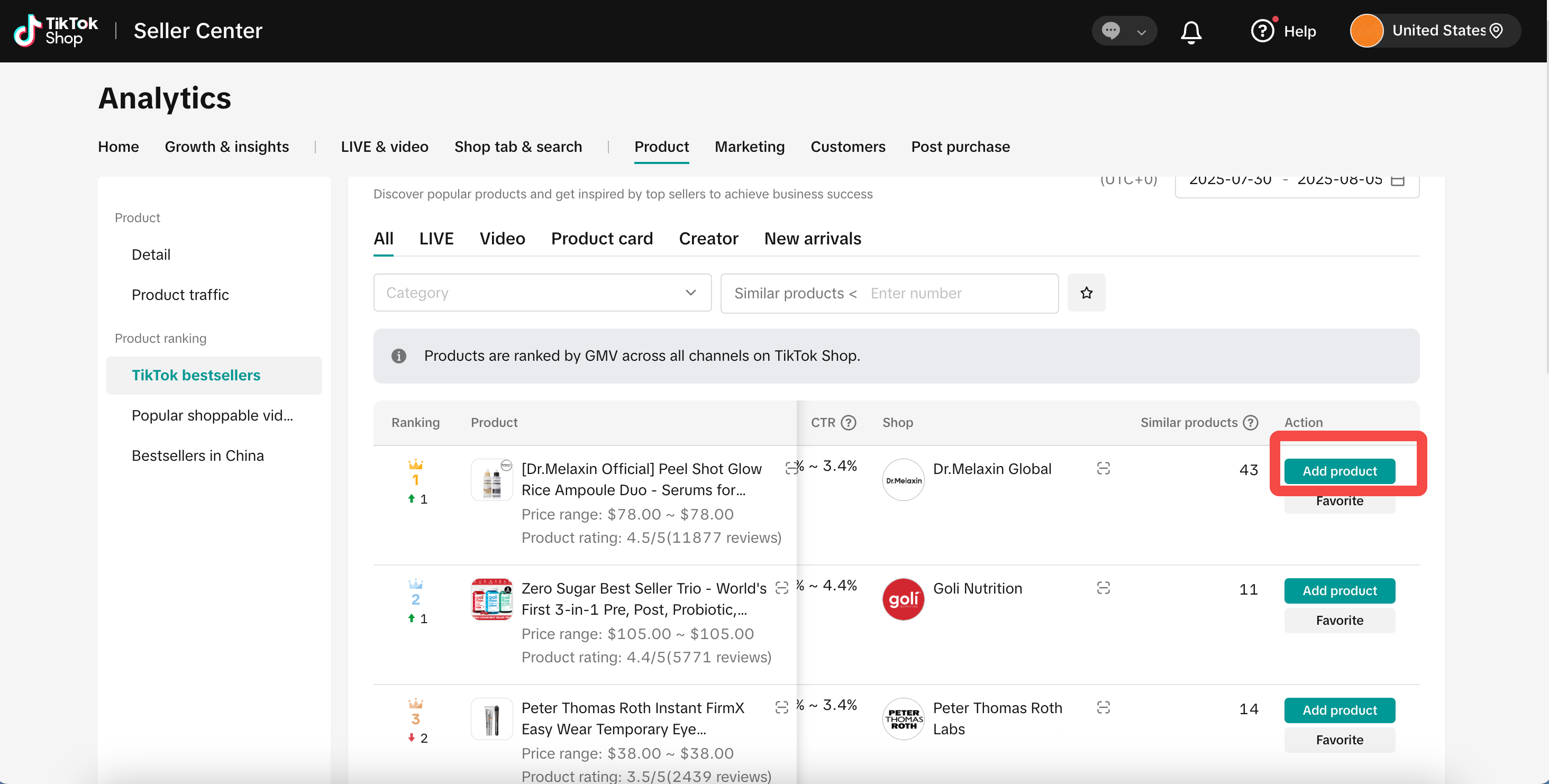
Scenario 1: Referencing Competitors’ Top-Selling Products on TT
| STEP 1: Go to Product Rankings | STEP 2: View rankings by domain or new arrivals | STEP 3: Use data to support your decision | STEP 4: Use reference information to list similar products |
– Go to TikTok’s Top-Selling Product Rankings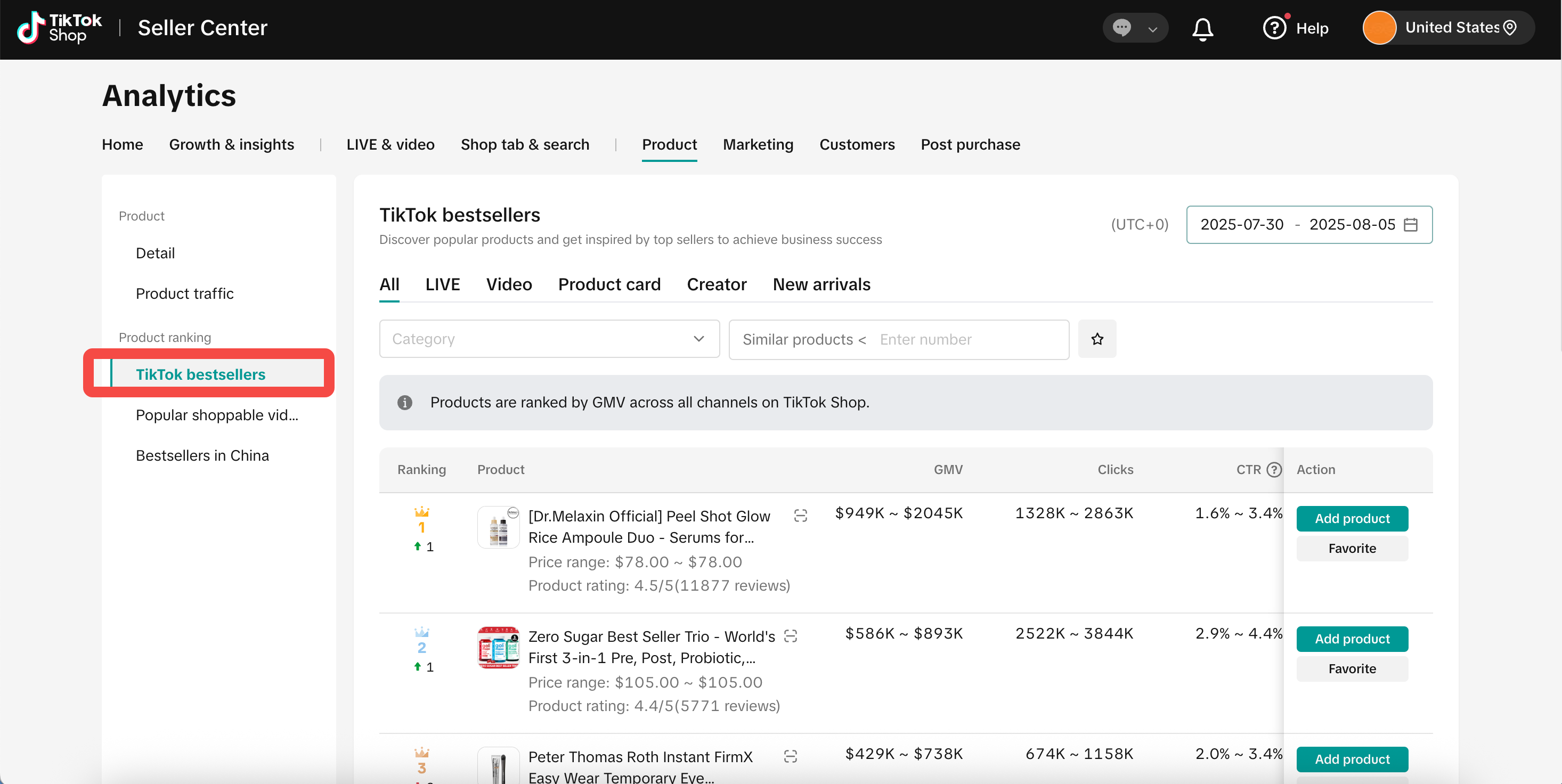 | – Besides viewing the overall rankings (across all channels), you can also check rankings by specific channels (including livestream, short videos, product cards, and creators) to see which products are performing well – And identify which products perform better during the new launch phase (New Product Rankings) 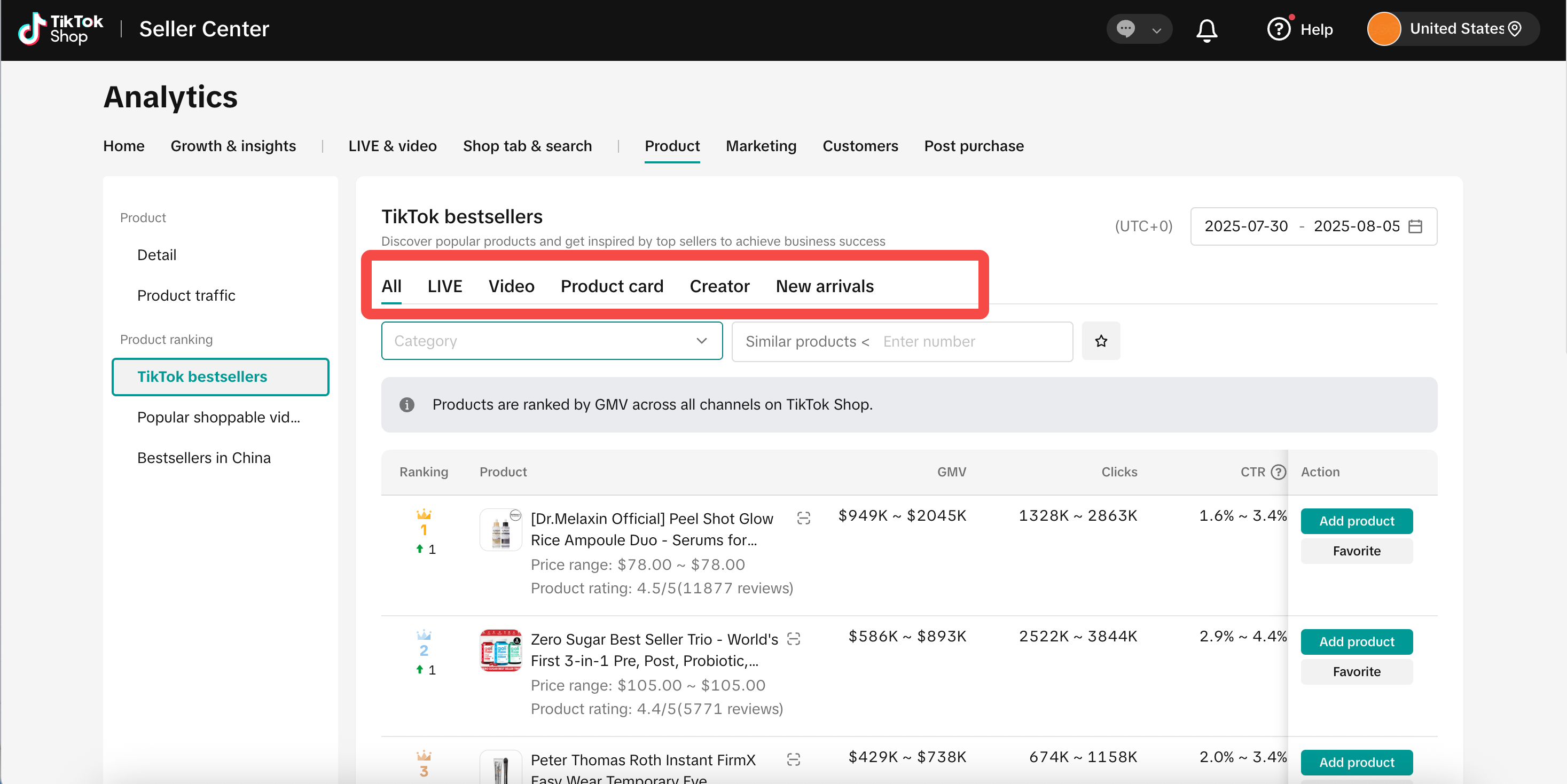 | – Use transaction GMV, number of clicks, and click-through rate data, along with the number of similar products on the platform, to evaluate opportunities for listing similar products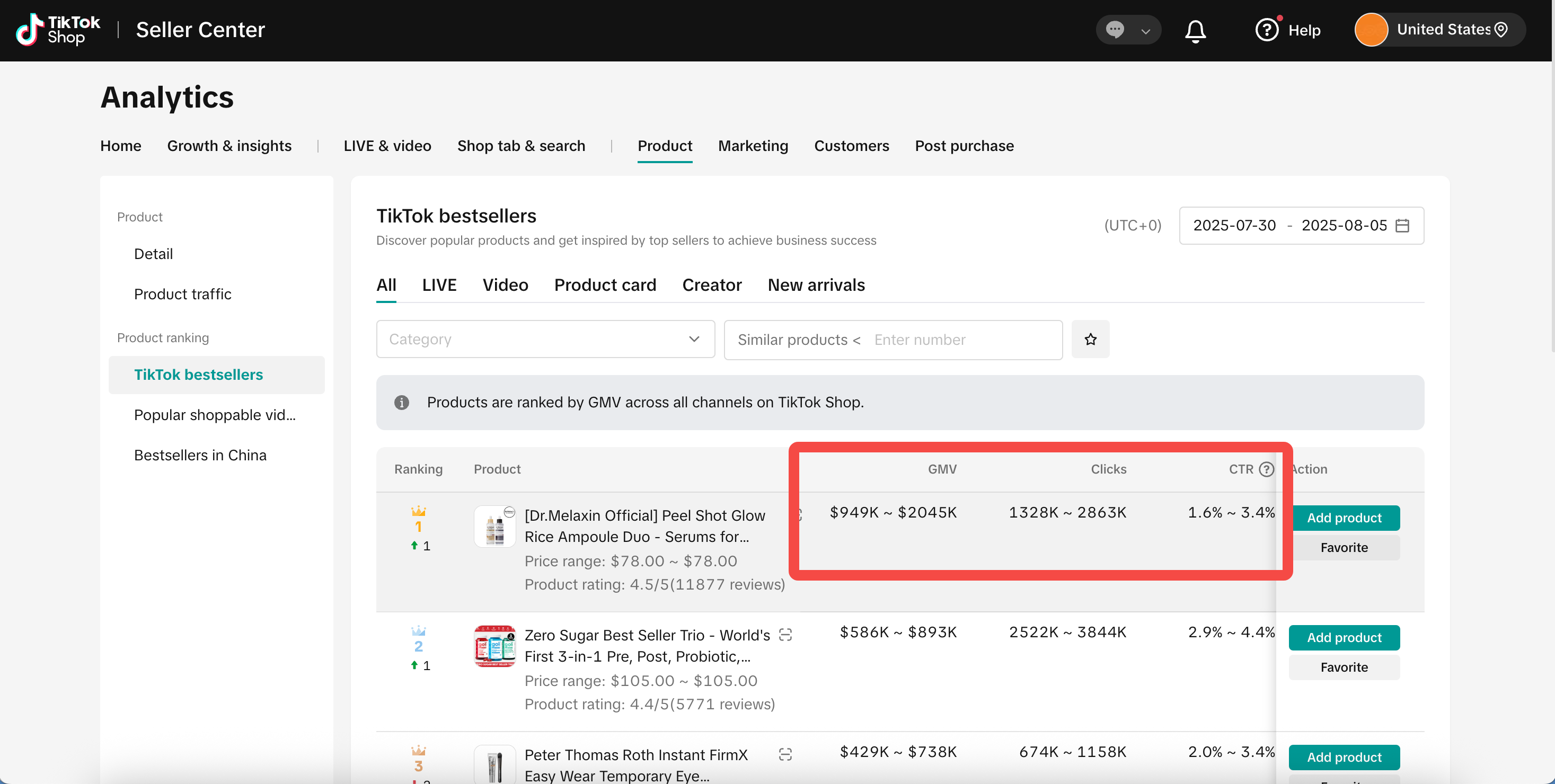 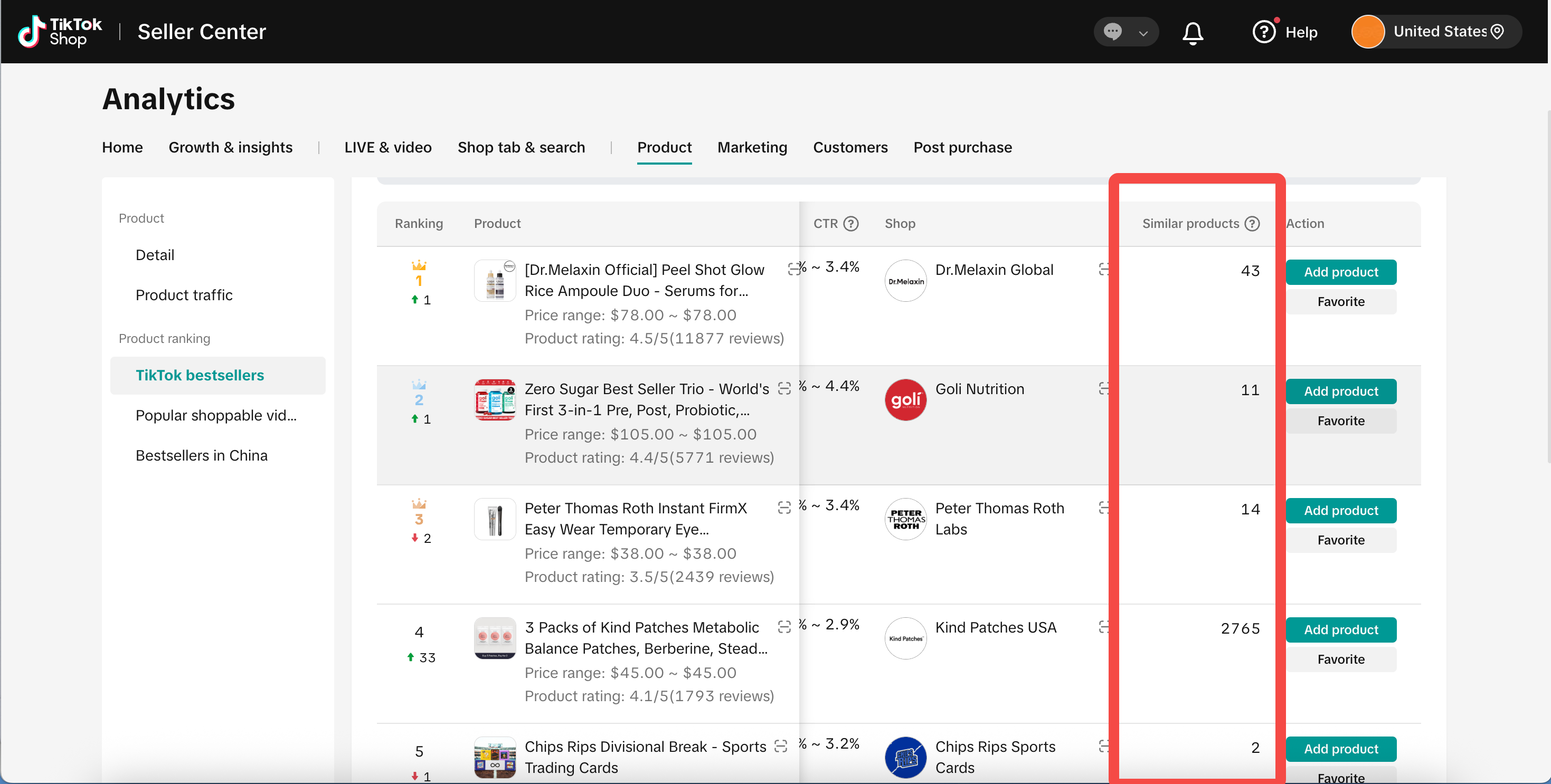 | – Refer to pricing and product detail pages to guide your own product listings 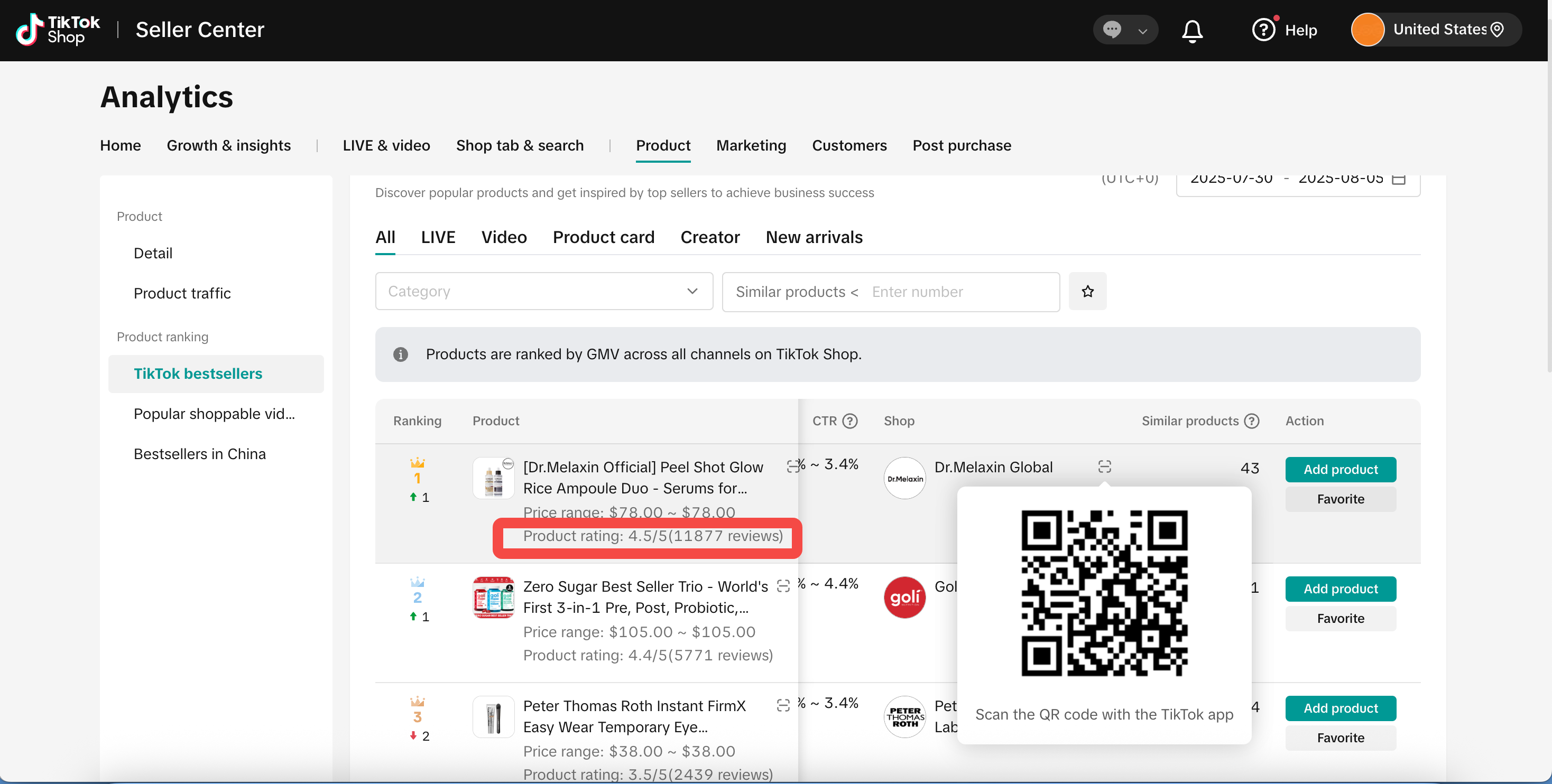 |
Scenario 2:Discovering New Opportunities from Content/Domestic Market
| Explore TT videos to identify products with content-driven appeal | Explore the domestic market to find potential overseas bestsellers |
| – Browse high-view videos to identify elements related to the products that you sell – Include “video keywords” in the products you publish 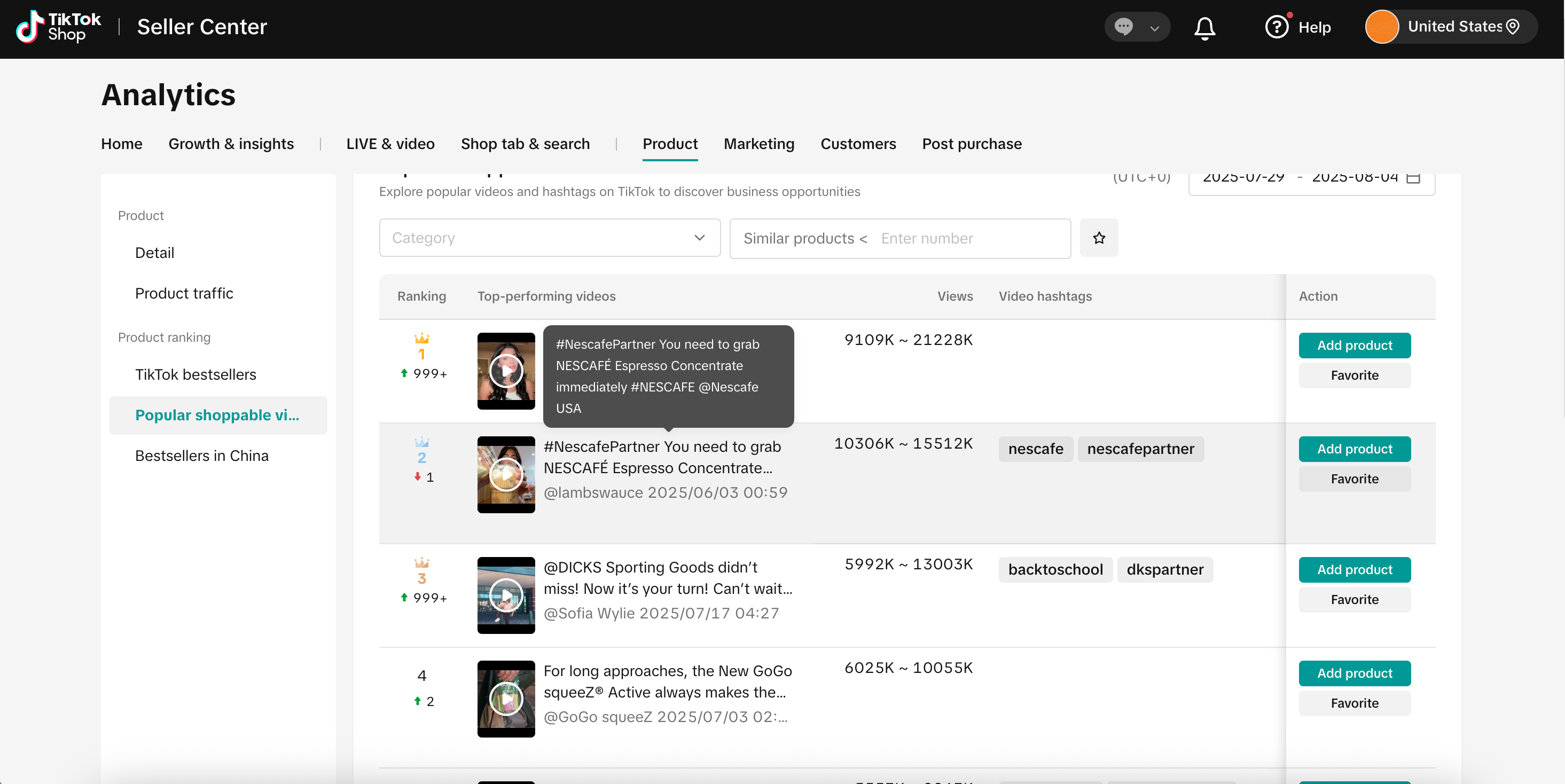 | – Refer to products performing well on domestic platforms through channels of livestreaming / short videos (Note: Product images may take up to 2 weeks to appear) to find products with growth potential overseas 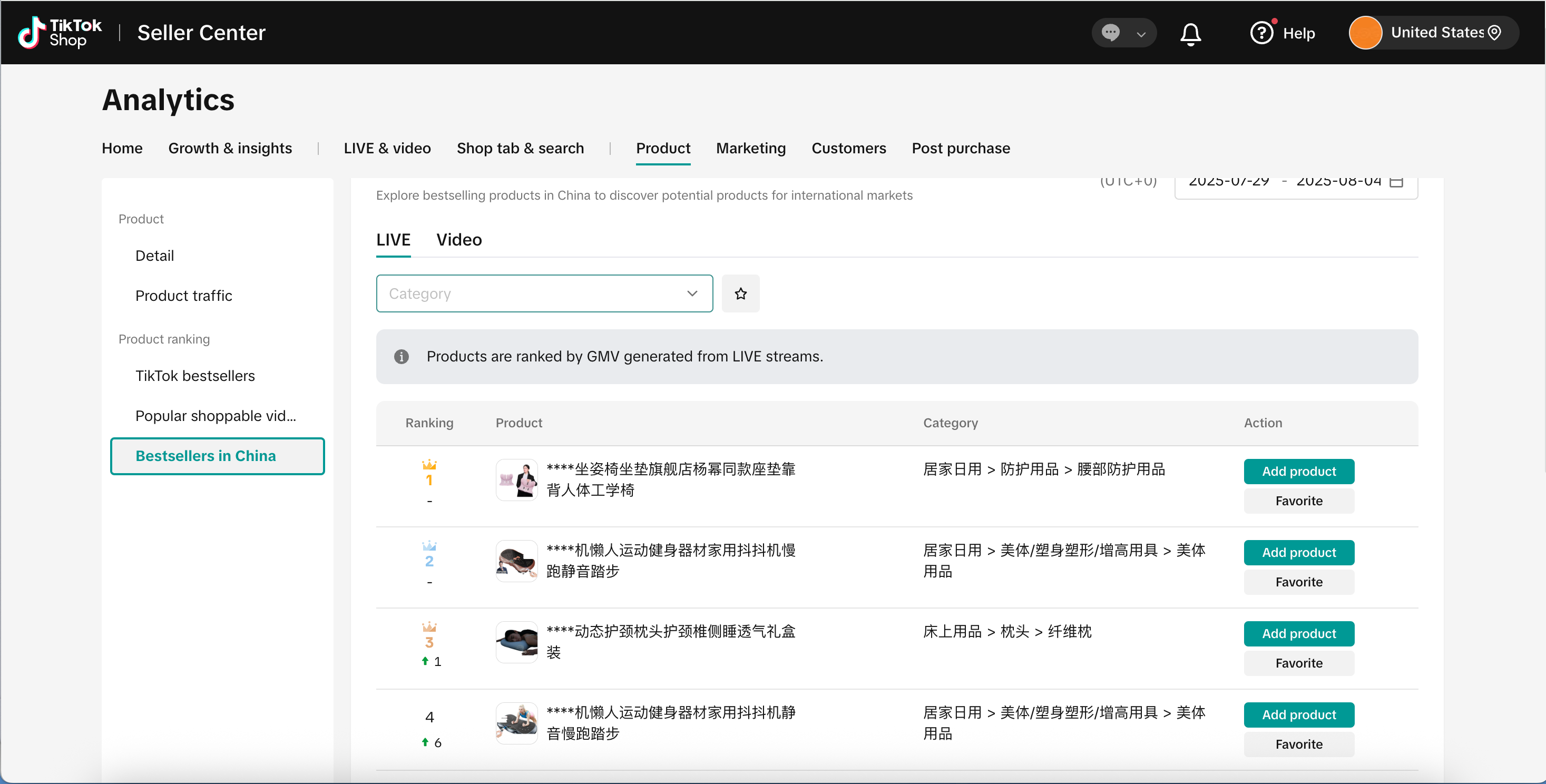 |
Scenario 3: Incubating a Similar Product Found on the Rankings
| Check which videos make the competitor products go viral | Connect with creators who can promote these bestsellers |
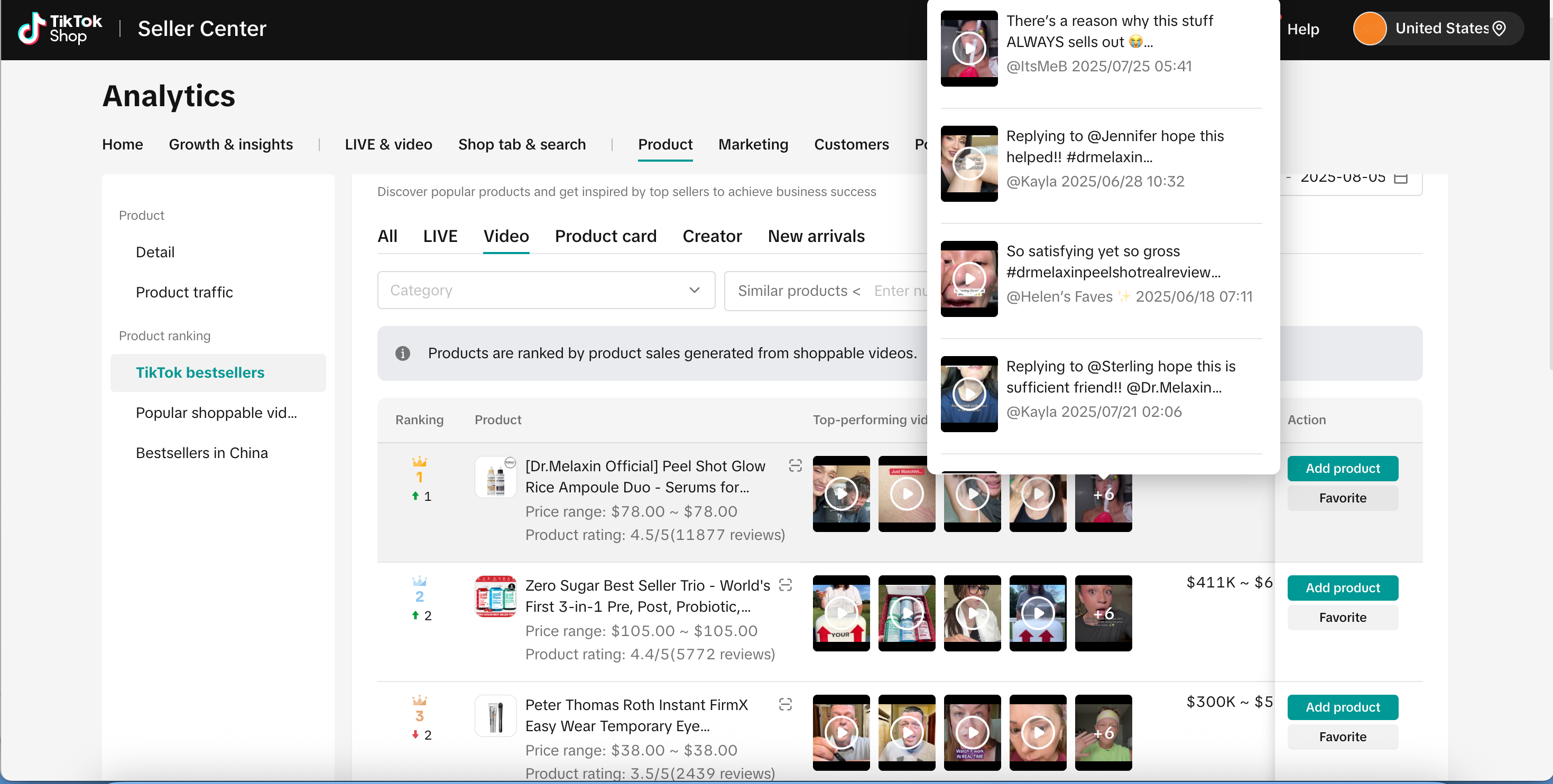 | 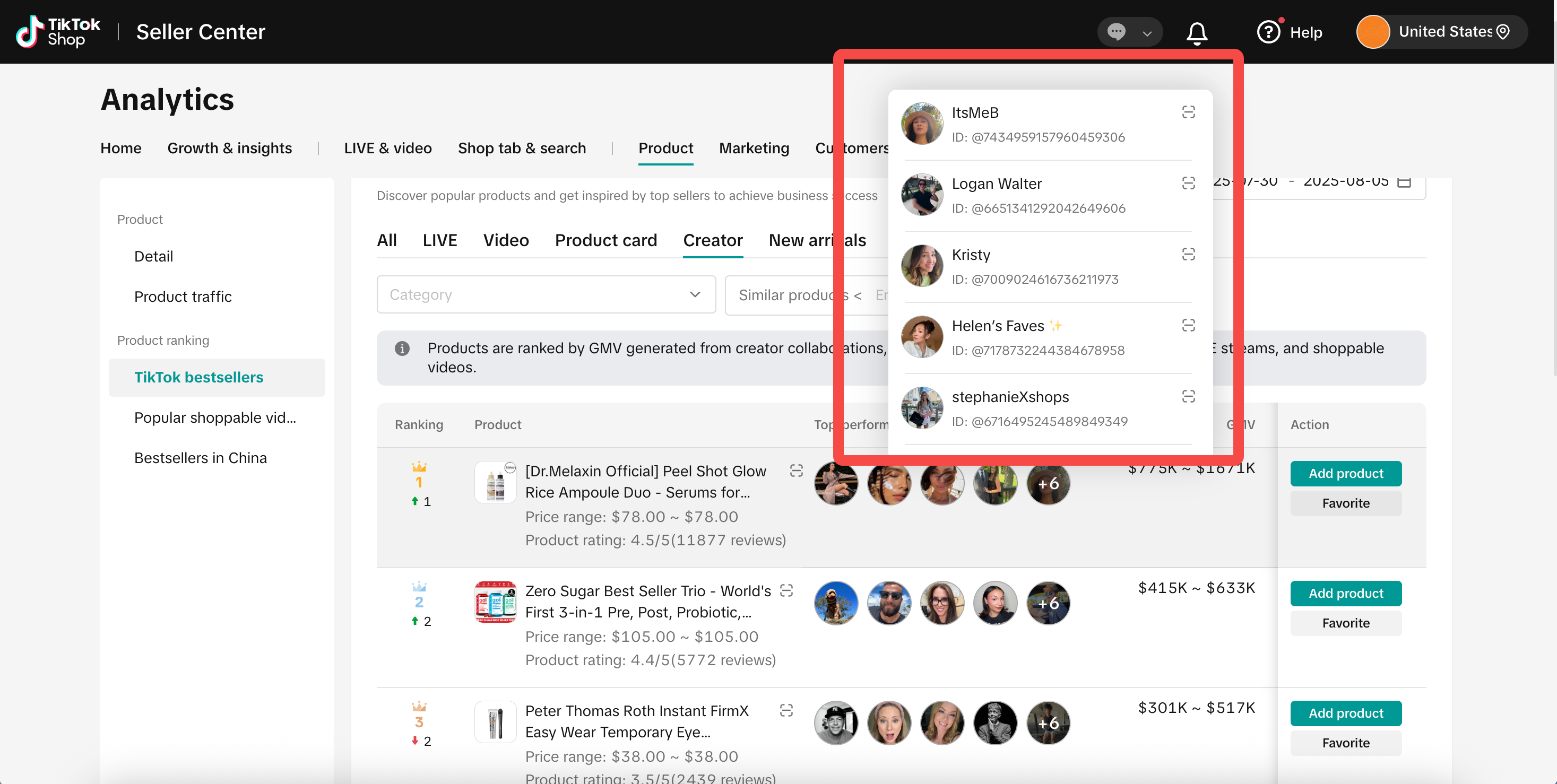 |
Scenario 4: My Product Is Already on the Rankings
- If your product is already competitive, it is recommended to closely monitor product pricing and inventory to avoid sales volatility. You can also consider increasing your ad budget to further boost product performance
3、
Operating Instructions
Page entry path: Data Compass > Products > Product Rankings
Supports filtering down to Tier-3 categories. Only data for the merchant’s main category is viewable
Favorites: While browsing the rankings, you can “favorite” products of interest first. Later, you can retrieve all your favorited products and publish similar ones in batches
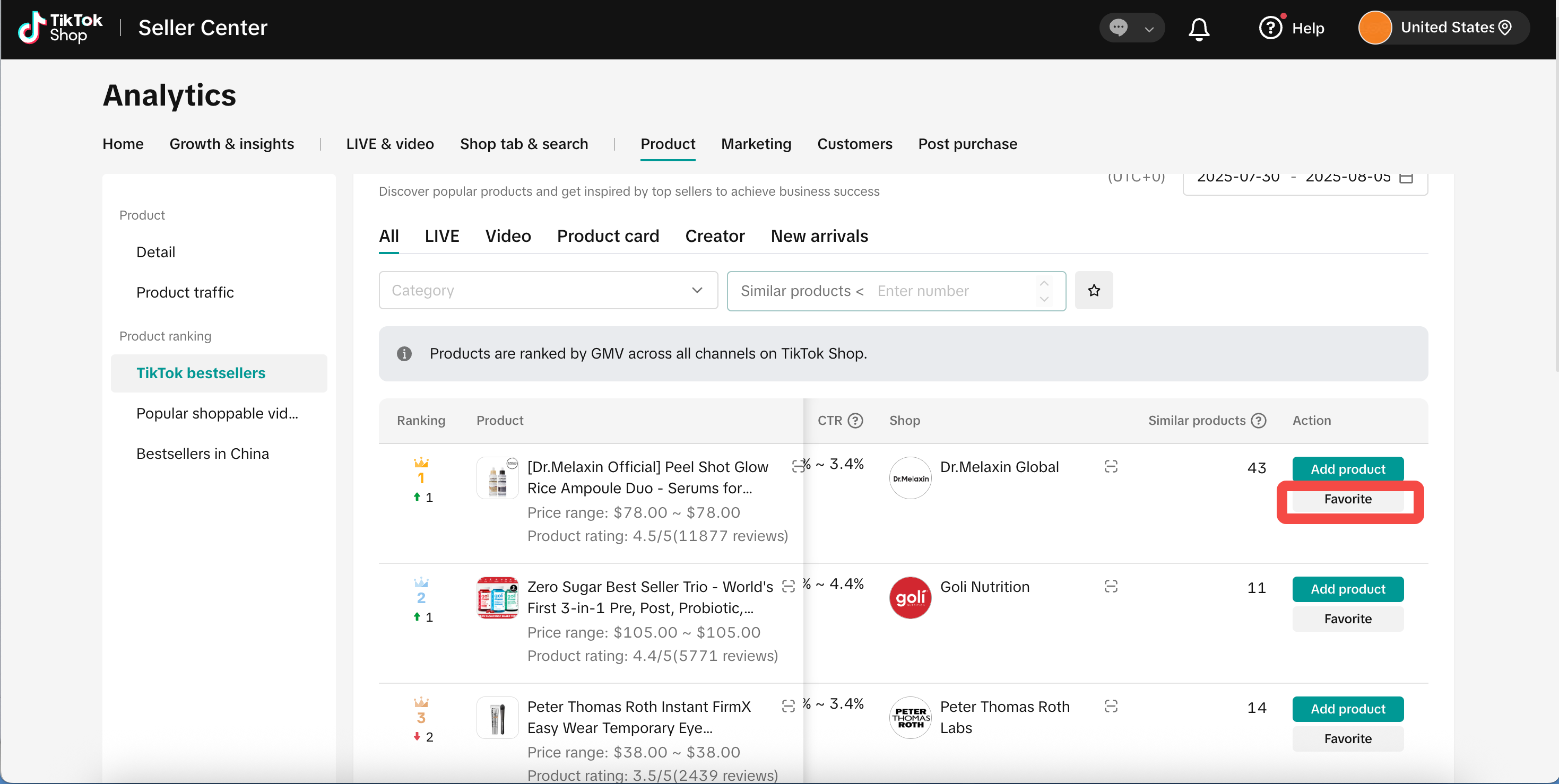
- Publish similar product: If you already have a similar product, you can directly click “Publish Similar Product” to upload your product