What is Seller Affiliate?
TikTok Shop sellers might consider collaborating with selected Creators through the Affiliate Programme to earn additional sales. An Affiliate on TikTok Shop is a TikTok Creator that has agreed to collaborate with sellers to promote and sell products.
In exchange for the service for each successful sale through the Affiliate, sellers pay a commission fee based on the Affiliate Commission Rate agreed upon between both parties. This is done through the Affiliate Plan created on TikTok Shop Affiliate Marketing module.
Learn more about TikTok Shop Affiliate here.

What is Affiliate Commission?
When an Affiliate has helped seller sell a product, and the order has been successfully delivered and is marked as ‘Completed’, TikTok Shop will automatically deduct an amount from the order. This is the ‘Affiliate Commission’ – the commission fee that seller is charged as part of the Affiliate’s fulfillment of sales and promotion service provided to seller.
Note: The deduction of the Affiliate Commission from the order happen only when order settlement is made to the seller. In other words, the Affiliate Commission will only be deducted at the same time when it is settled to the seller account balance of the seller. Vice versa, the Affiliate that you have collaborated with to obtain this order will receive his/her commission during this time as well.
Learn more about seller settlement period here.

How is the Affiliate Commission calculated?
The Affiliate Commission is calculated as shown in the formula below:
Formula:
[Item price subtotal after discounts – (Item price subtotal after discounts / (Item price subtotal after discounts + Platform Discount) * Total Tax) ] x Affiliate Commission Rate
Example:
| 1. Item: Grey Shoe – Original Price: ฿ 177.78 – Seller Discount: ฿ 17.78 – Platform Discount: ฿ 40.00 – Item price subtotal after Seller Discount: ฿ 120.00 – Total Tax: (177.78 * 7%) = ฿ 12.44 2. An Affiliate helped seller sell 1 x Grey Shoe to Buyer (via a livestream). 3. The Affiliate Commission Rate agreed upon by the seller and the Affiliate through the Affiliate Plan is 15%. *Note: 15% here is just an example of Affiliate Commission Rate 4. The Affiliate Commission Calculation is: | |
| [Item price subtotal after discounts – (Item price subtotal after discounts / (Item price subtotal after discounts + Platform Discount) * Total Tax) ] x Affiliate Commission Rate | |
| [120 – (120/120+40) x 7] x 15% [120 – (0.75 x 7) ] x 15% = 114. 7 x 15% = ฿ 17.21 | ฿ 17.21 |

FAQs
- Where can I check what the Commission Rate that I have set for each product with Affiliate helping me sell?
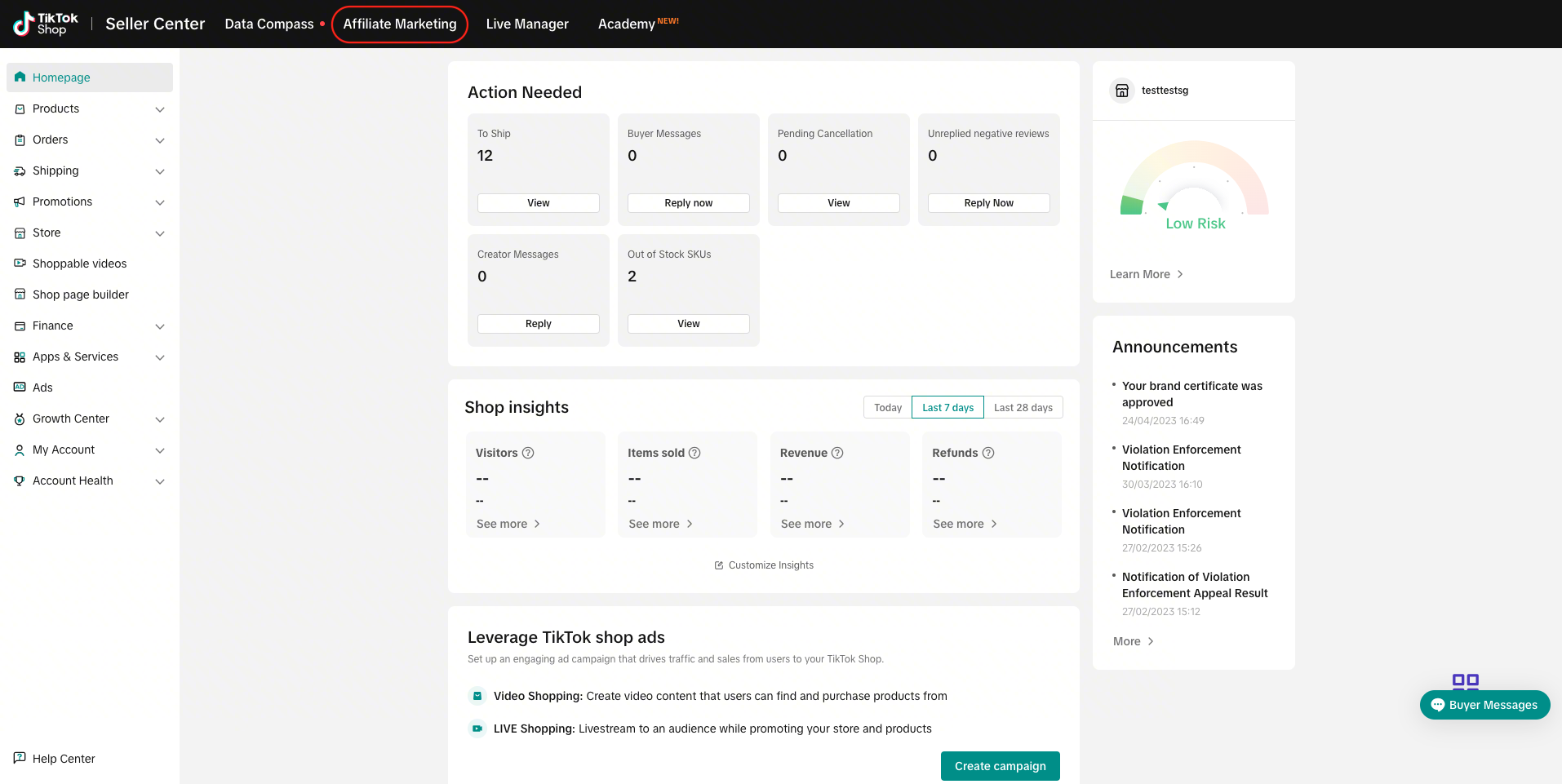
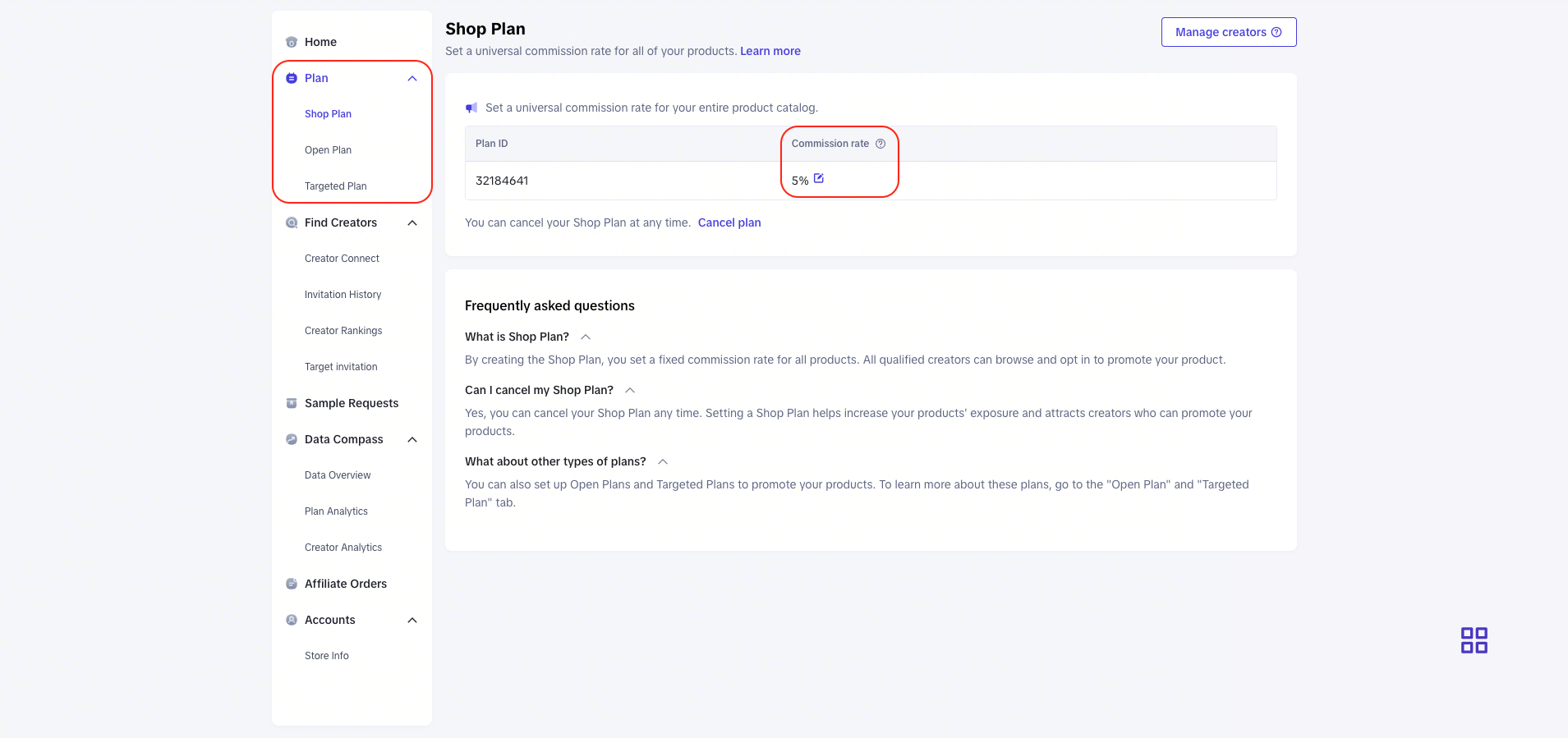
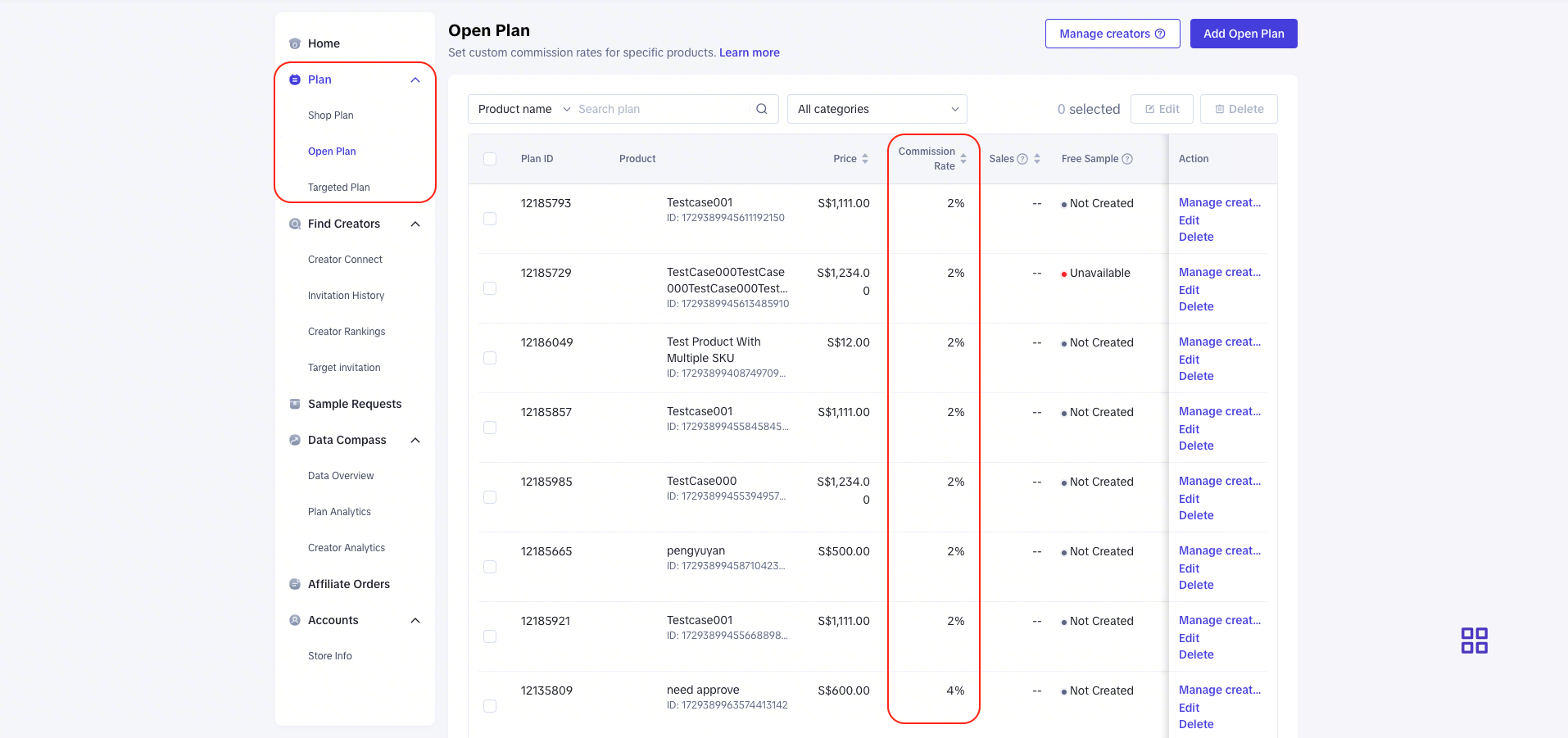
- You may review the Commission Rate that you have set via TikTok Shop Seller Center -> Affiliate Marketing -> Affiliate Plans -> Shop Plan / Open Plan / Targeted Plan
- Shop plan
- Open plan
- Targeted plan
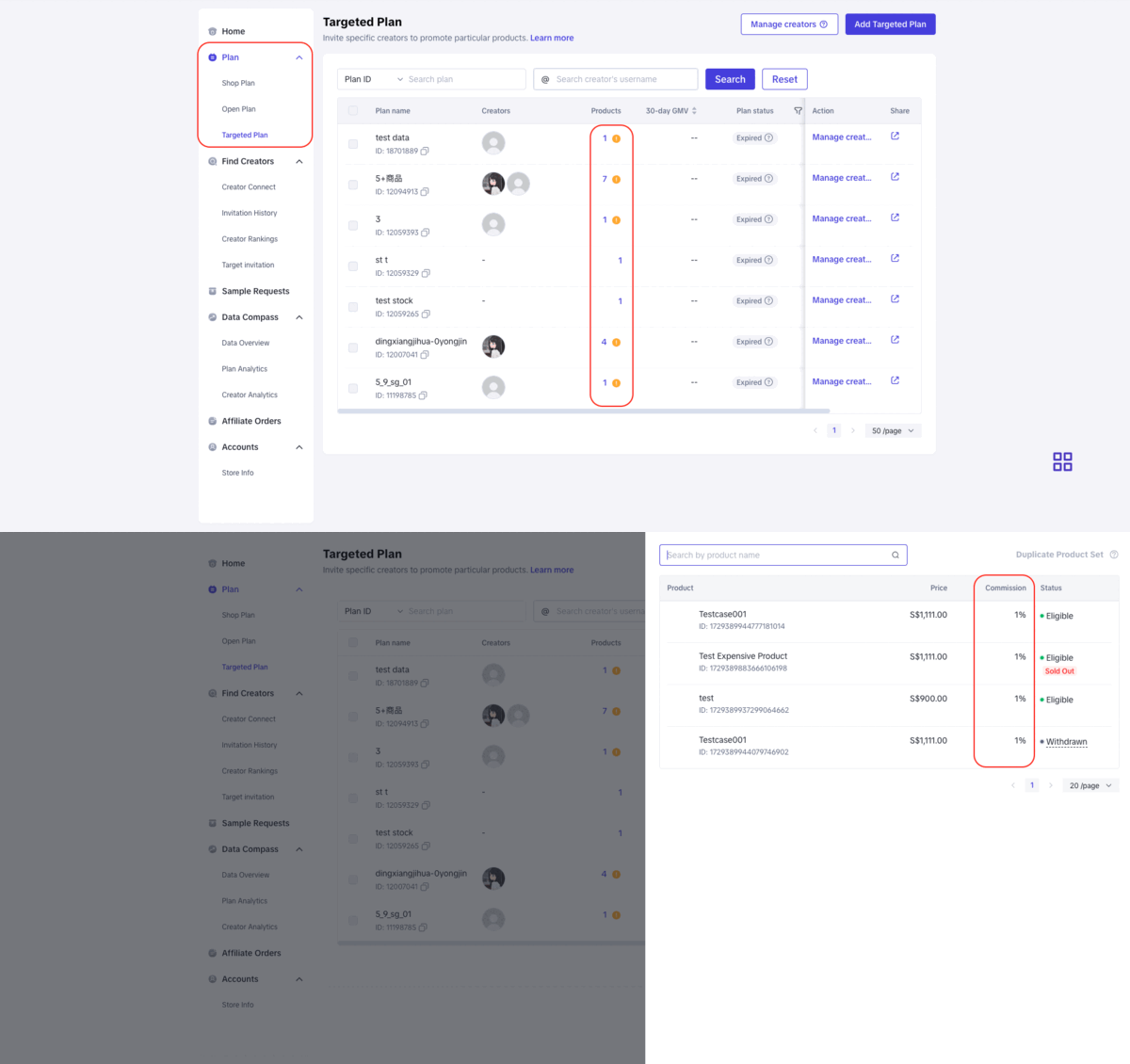
Note: The above screenshots are just examples for reference and are different from the actual interface and rates.
- Who will be charged with the Affiliate Commission?
The Affiliate Commission is applicable to all TikTok Shop sellers who engage an Affiliate service to sell on their behalf (via Affiliate Plans).
Seller will only be charged when the Affiliate has successfully sold the item and the order has been marked as ‘Completed’.
- How will I be charged with the Affiliate Commission?
- The Affliate Commission charges will be deducted directly from the order settlement. Only paid orders that have been successfully received by the customer and marked as ‘Completed’ are considered valid. Cancelled or fully returned or refunded orders are not considered valid orders.
- Where can I check the details of the Affiliate Commission amount charged for my order?
- For orders that have yet to be settled, you may see Affiliate Commission in TikTok Shop Seller Center -> Finance -> Transactions -> To settle -> View Details
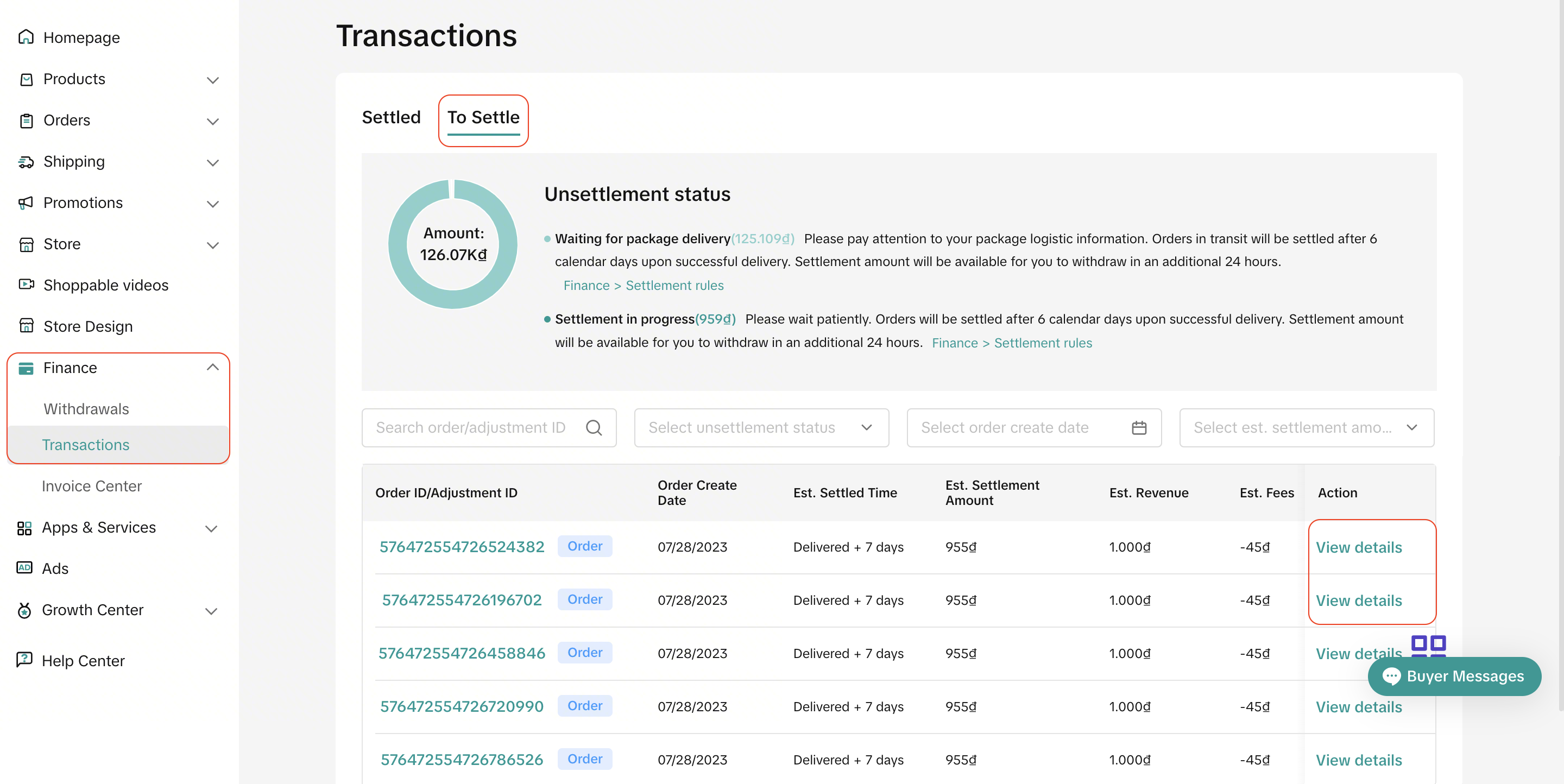
Note: The above screenshots are just examples for reference and are different from the actual interface and rates.
- For orders that have been settled, you may see it in TikTok Shop Seller Center -> Finance -> Withdrawals -> Settled > View Details > Earning Details
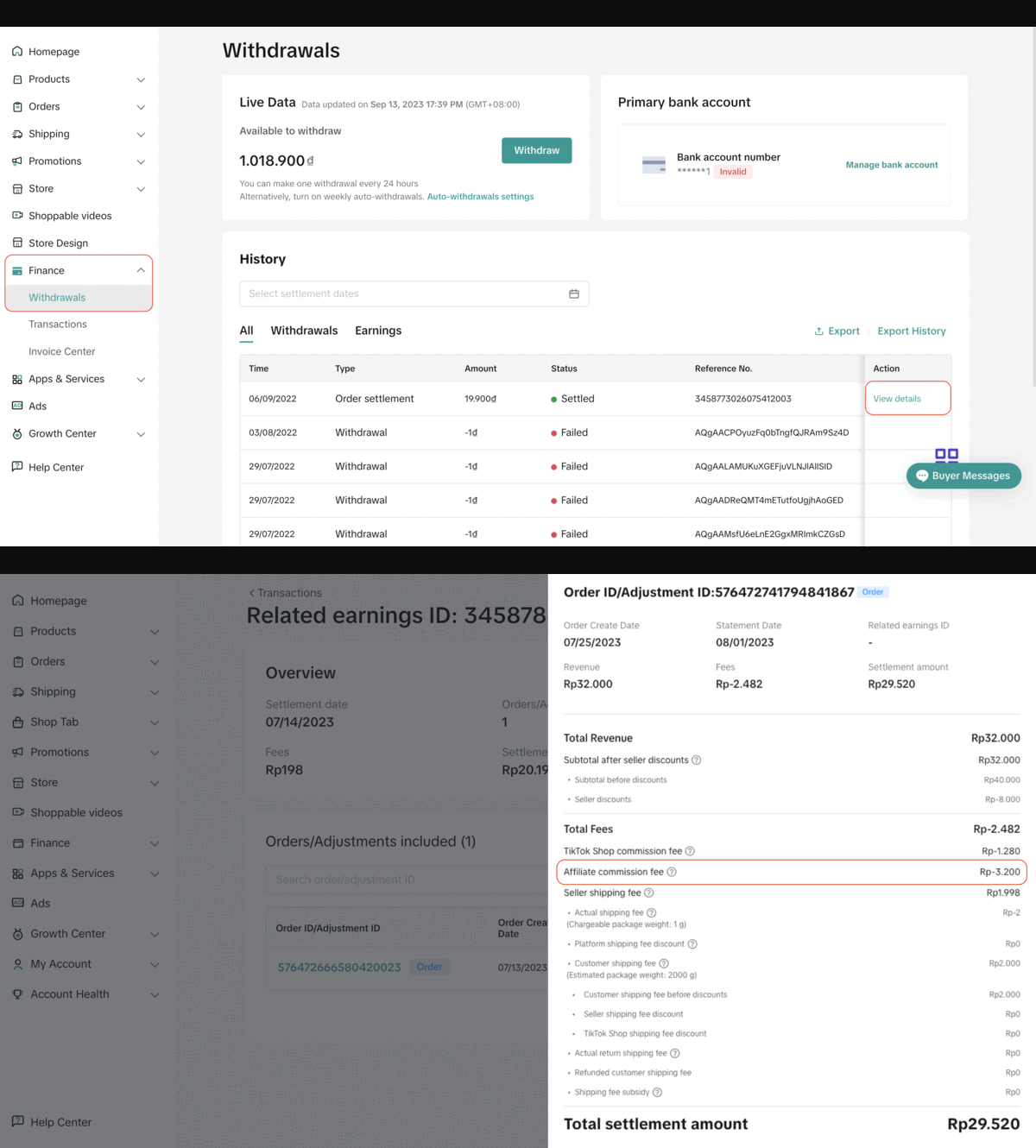
Note: The above screenshots are just examples for reference and are different from the actual interface and rates.
- What does the refund process look like?
- If the entire order is returned, the full commission fee will be refunded to the seller. If part of the order is refunded, the Affiliate commission charged on the refunded item (s) will be refunded to the seller.
- Since this is a chargeable fee, will I receive an invoice describing the full Affiliate Commission amount TikTok Shop has charged me for the month?
No. As the service relationship is between the seller and Affiliate. TikTok Shop (as the platform) is not able to on behalf of the Affiliate, issue an official invoice for the service fulfillment provided by him or her.
Nevertheless, you will receive an Affiliate receipt (on a monthly basis for the previous billing month) which serves as a reference document for you. This document is intended for reference purposes only and it is not an official invoice issued by the Affiliate.
It allows you as a seller to know the amount of Affiliate Commission incurred for each Affiliate that you have successfully engaged with for their service the previous month. You may visit Finance -> Invoice Center -> Affiliate Commission to download the Affiliate receipts.
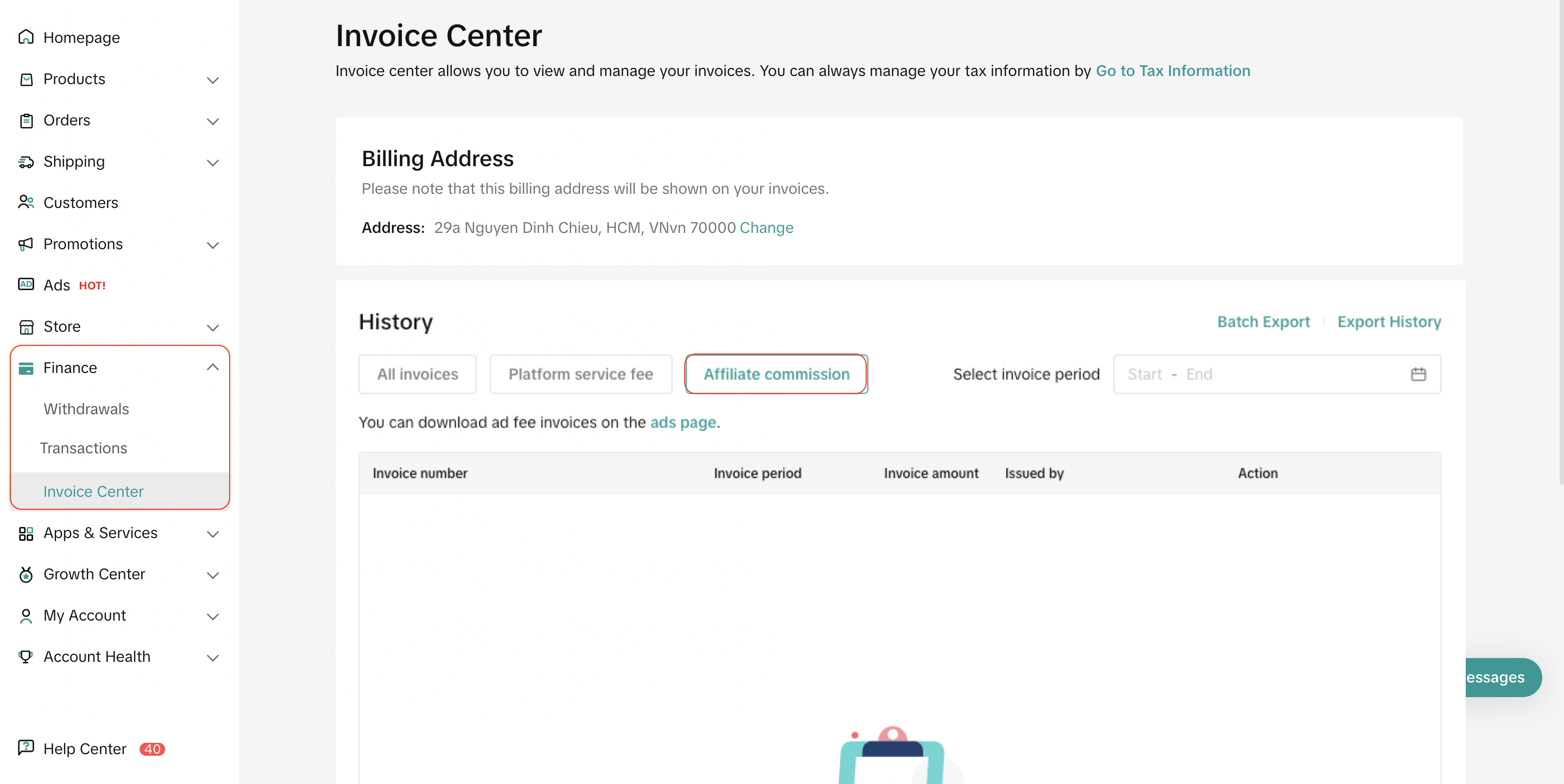
- What should I do if I have some inquiries in regards to the Affiliate Commission?
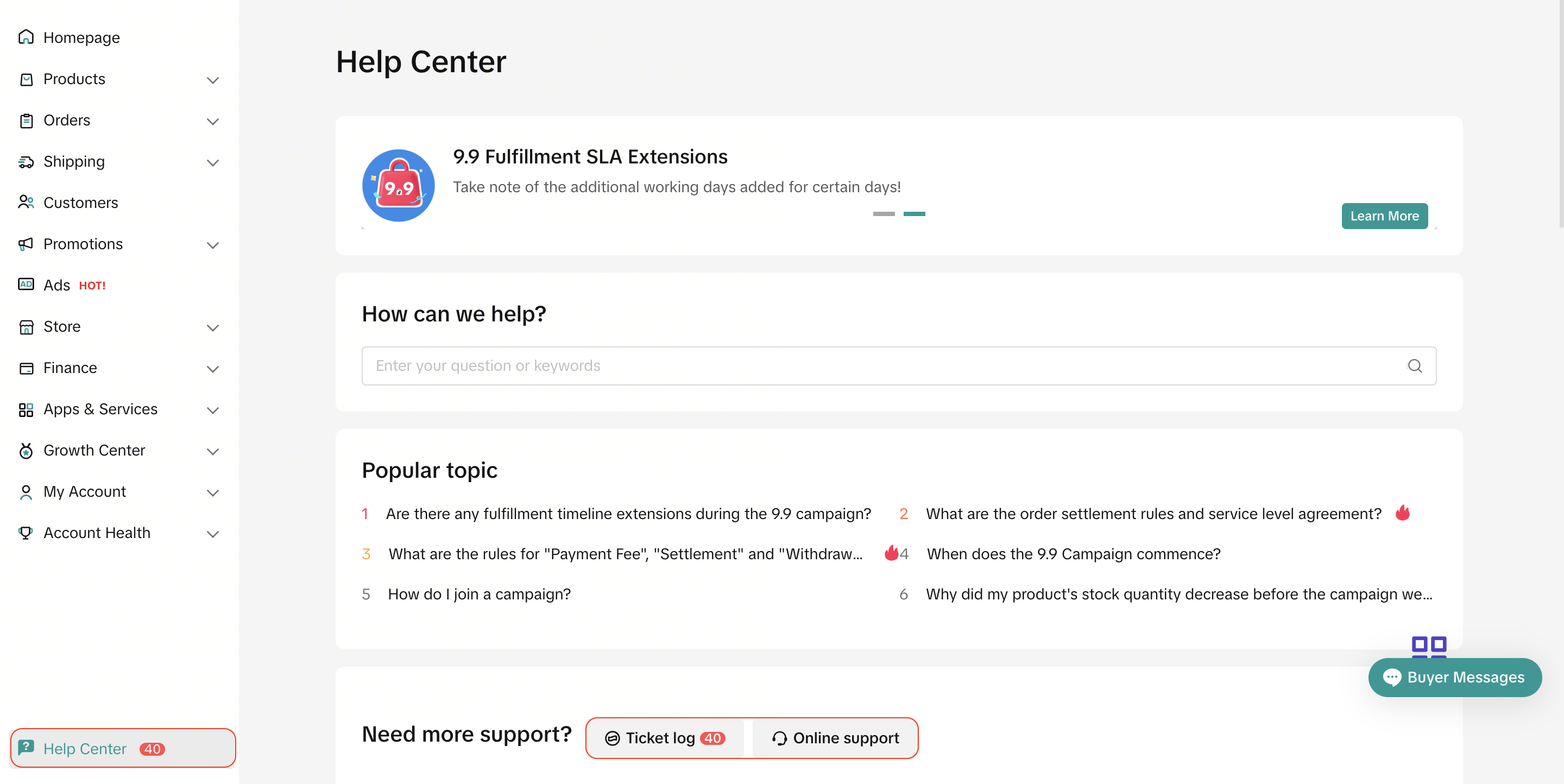
You may reach out to our support team in TikTok Shop Seller Center ->Help Center.
Or you may also file an inquiry ticket at ‘Ticket log’ or please feel free to reach out and speak to our support representative via ‘Online Support