Reading this article, you can learn what is an official TikTok account, how to bind an official account and how to unbind an official account.
What is TikTok Shop official account?
The TikTok account that represents the official identity of TikTok Shop is called the TikTok Shop official account. This kind of account enjoys the integrated rights of the account and the shop, and will soon have the authority to operate the store’s own functions (such as store decoration).
What are the functions of the TikTok Shop official account?
Build trust of customers and increase purchase intention
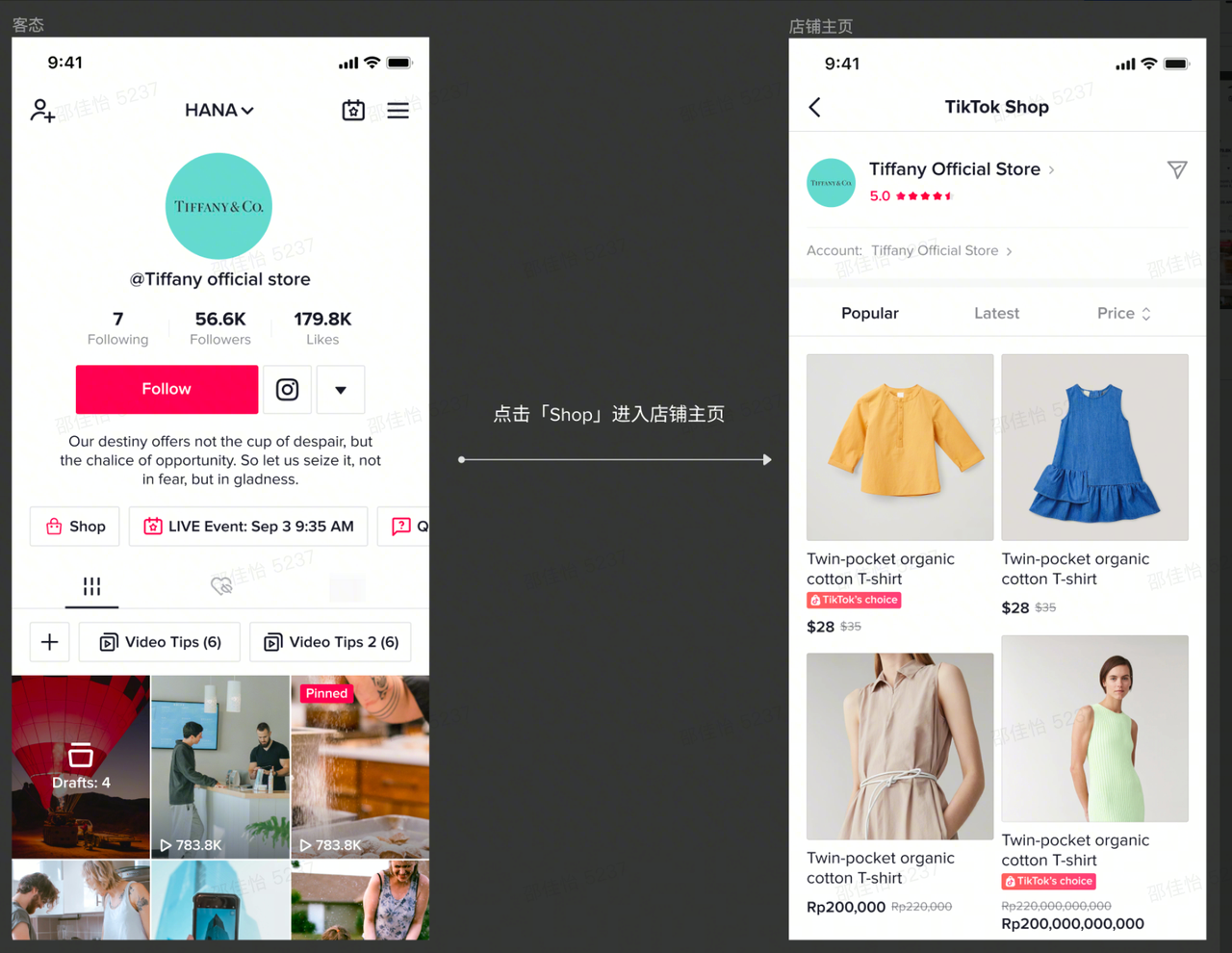
After binding the shop’s official TikTok account, this account will become your official business account, and the store page will be displayed on the profile page of the TikTok account. The products in your shop can be automatically synchronized to the [Store page] of your official account. [Store Page] can be used as the central page for product display and marketing, and the store decoration function can be used to improve the display effect of products and marketing activities, thereby increasing the store conversion rate. It is beneficial to help consumers establish the relationship authentication between the ‘official account’ and the ‘shop’, help consumers build a sense of trust, and thus increase their willingness to buy.
Accumulate store fans and increase repurchase rate
After binding the store’s official TikTok account, the official account and the store’s fan user group can be connected. After users follow your store’s official TikTok account, they can easily find your store’s entrance on the account’s profile page through the store’s official TikTok account, helping the store to attract traffic and increase the repurchase rate.
Improve store exposure and precipitate traffic
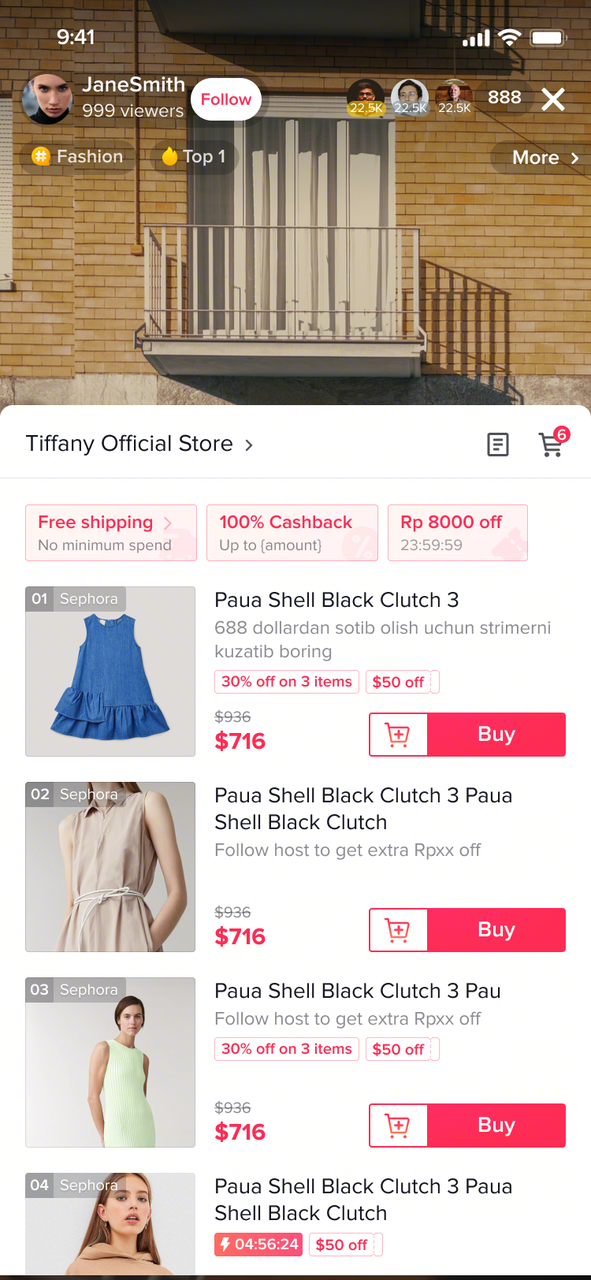
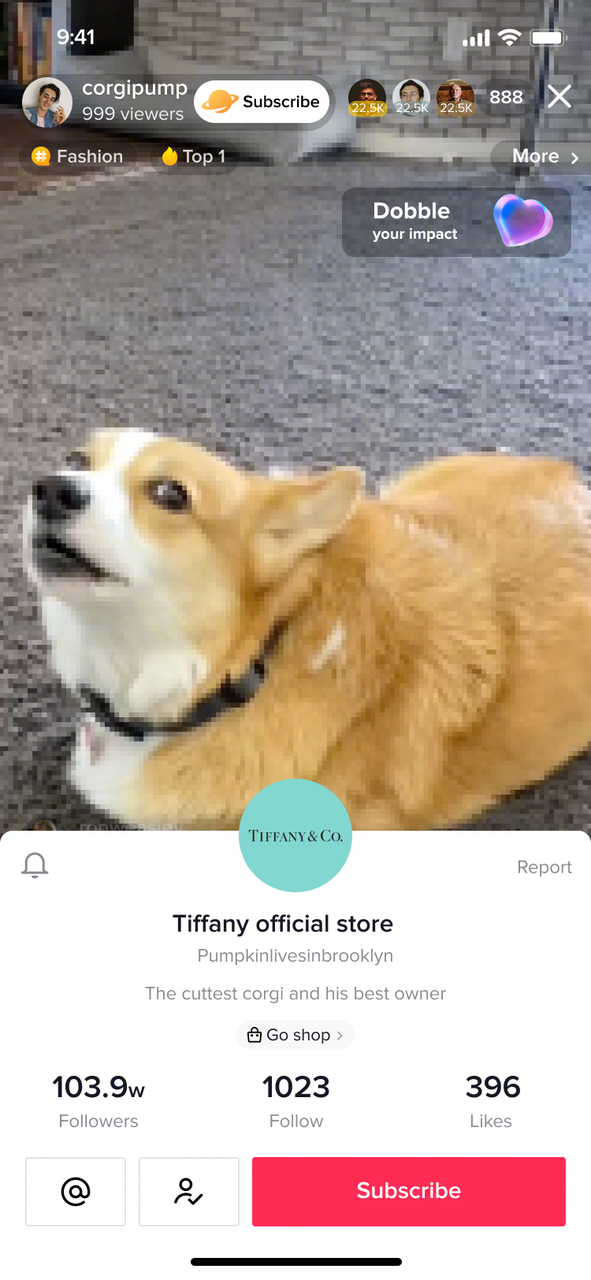
Users can easily search for products in your store through TikTok’s search function, and add a new store page entry for the whole link of sales in the live broadcast room to help your products and stores gain more exposure on TikTok.
[Official account]
- store page
Function: Only products from his own shop can be displayed on the store page
Customer experience:
- Content
Function: Seller can sell products from his own shop and through Affiliate
Customer experience:
What are the rules for the official TikTok Shop account?
Each shop can only be bound to one official account.
The shop name and the bound official account’s name must be consistent after upgrade, and when the store name is modified, the official account name will be changed simultaneously. Please be careful when changing the shop name.
The official account can be unbound once 24 hours after the official account is successfully bound;
The same account cannot be bound as the official account and channel account of the same store at the same time.
(For US Market only) The TikTok account will automatically be upgraded to Business Account when you link it to the shop. Learn more about Business Account here(https://www.tiktok.com/business/en-US/solutions/business-account)
How to bind TikTok Shop official account?
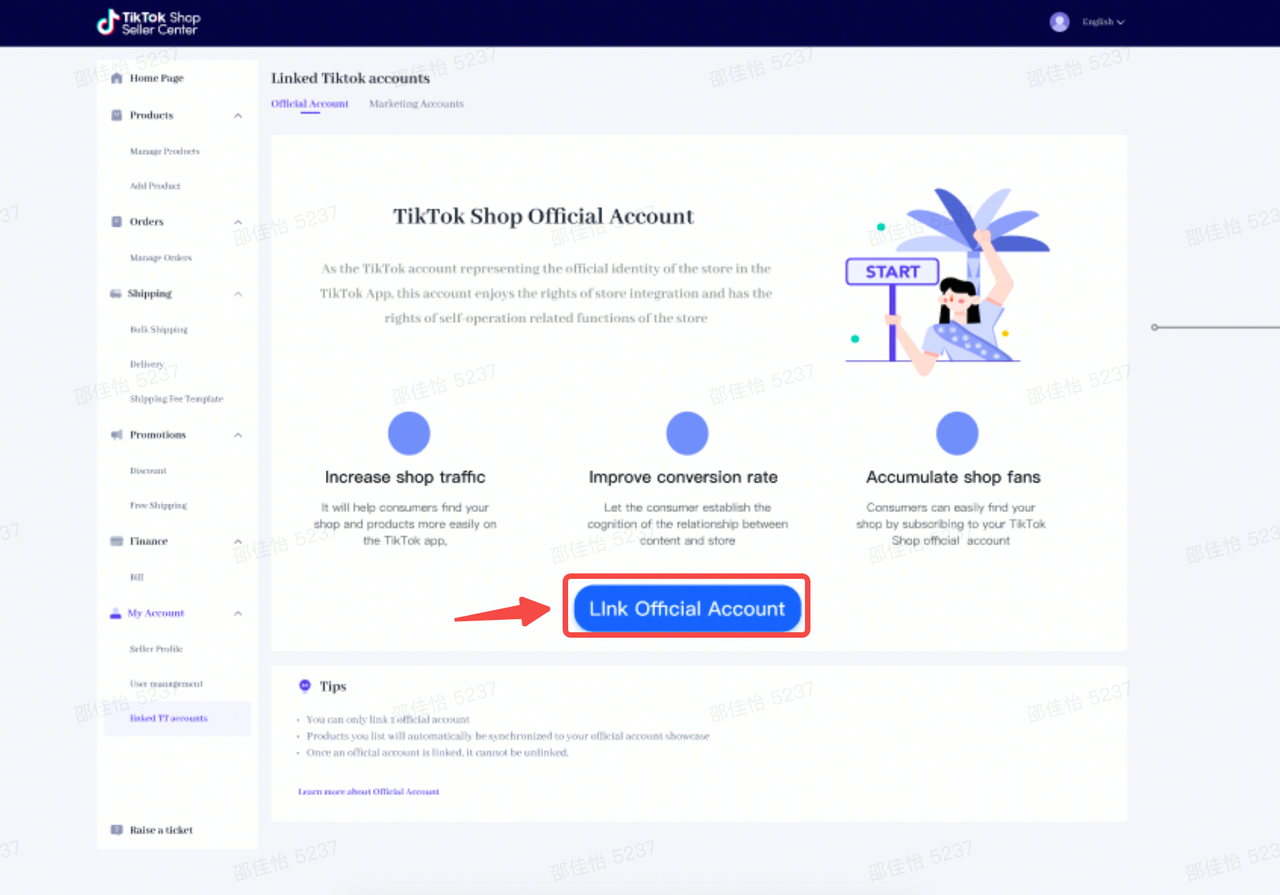
- PC-end binding entry: TikTok Seller Center – My account – Linked TikTok Accounts – Official Account
[Step 1]
Manual: Read the official account rights and rules, click “Link Official Account” to enter the binding process
Demo:
[Step 2]
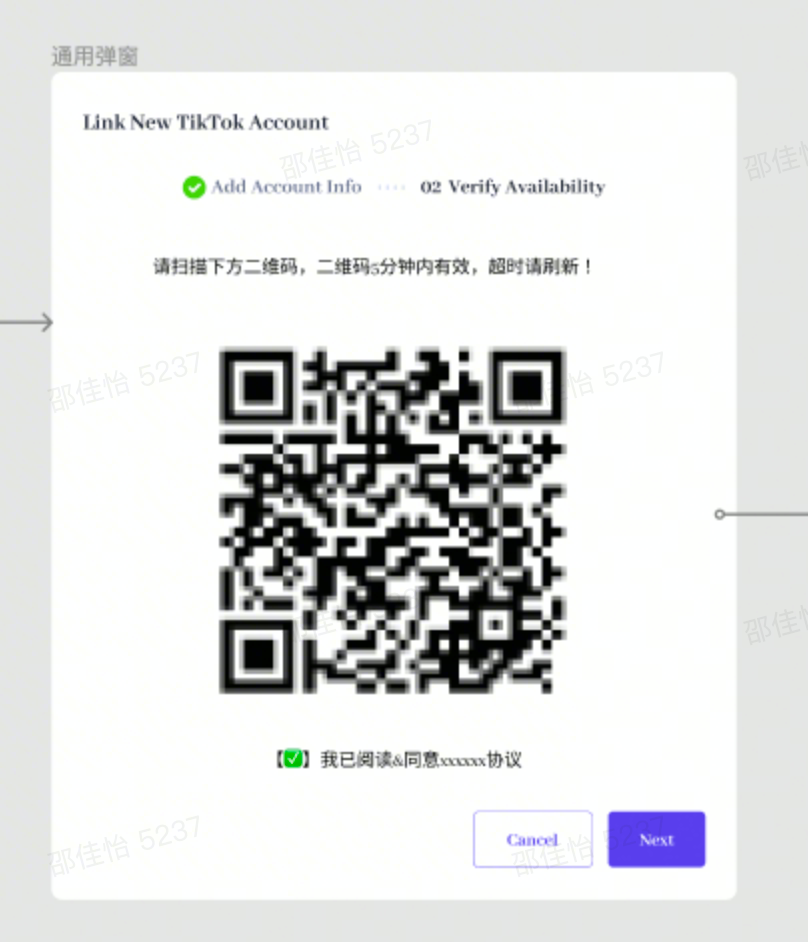
Manual: In the pop-up QR code pop-up window, check “I have read and agree to the XX agreement”
Demo:
[Step 3]
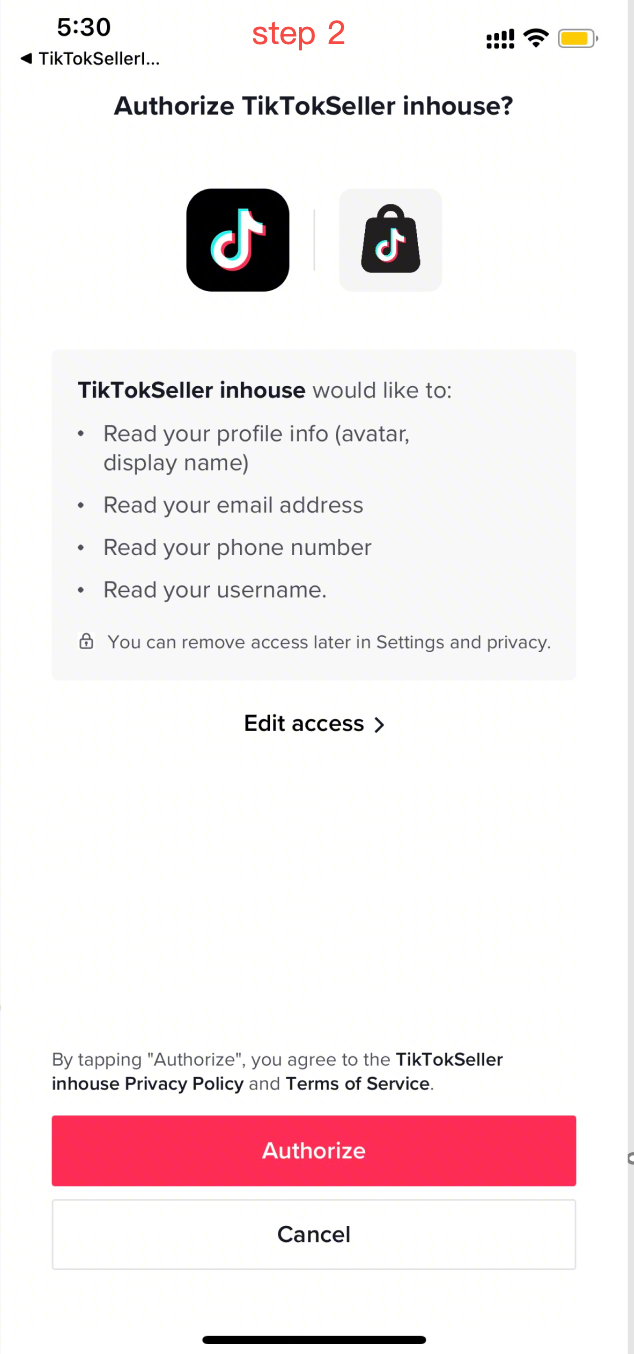
Manual: Scan the QR code in the TikTok App with the official account you want to bind, and click “Authorize”
Demo:
[Step 4]
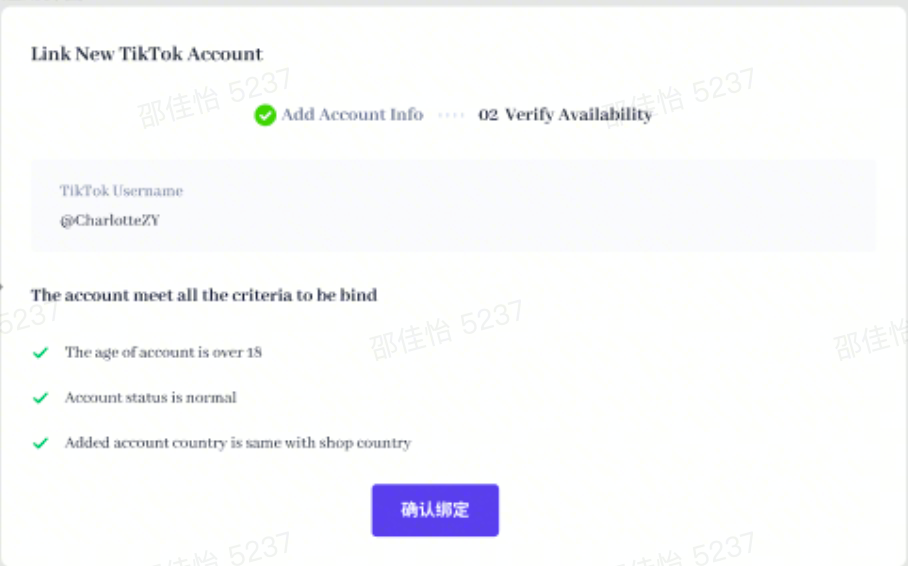
Manual: In Seller Center, the system verifies the restrictions on the bound account. After all of them are passed, click “Link this account” then the relationship is established.
Demo:
[Step 5]
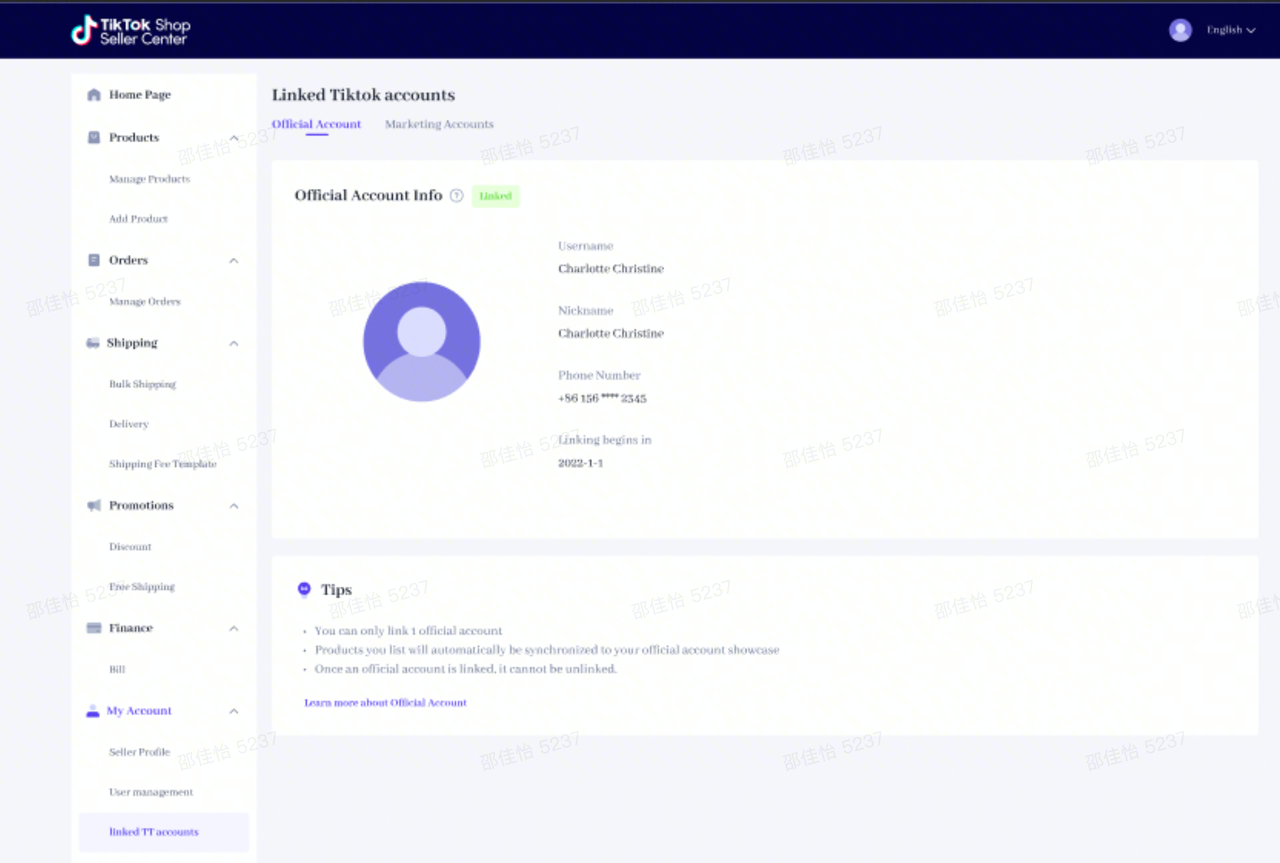
Manual: View the bound account information: After the binding relationship between the store and the official account is established, you can view the official account’s avatar on the Official Account interface, which contains username, nickname, mobile phone number, binding time and other information
Demo:
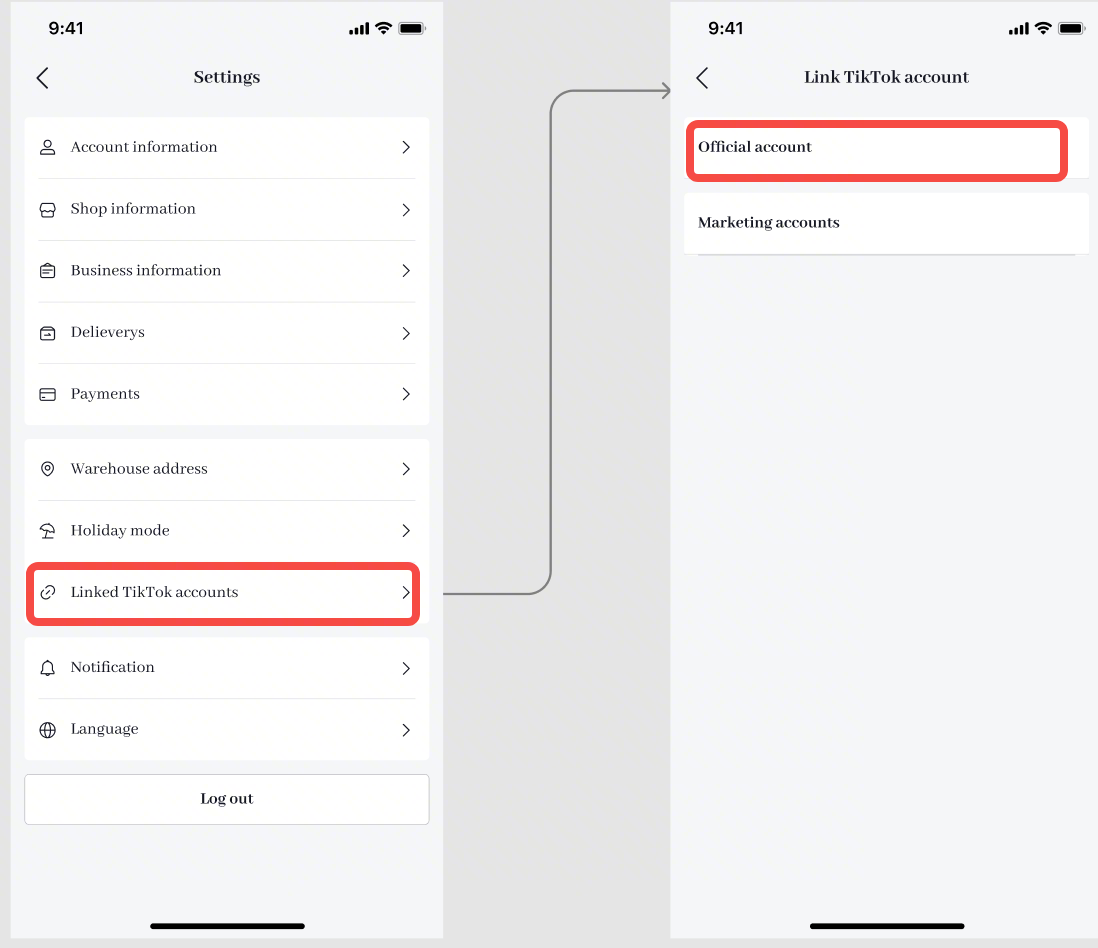
- TikTok APP binding entry: TikTok Seller App – Settings – Linked TikTok Accounts – Official Account
Step 1: Click “Official Account” to enter the binding process
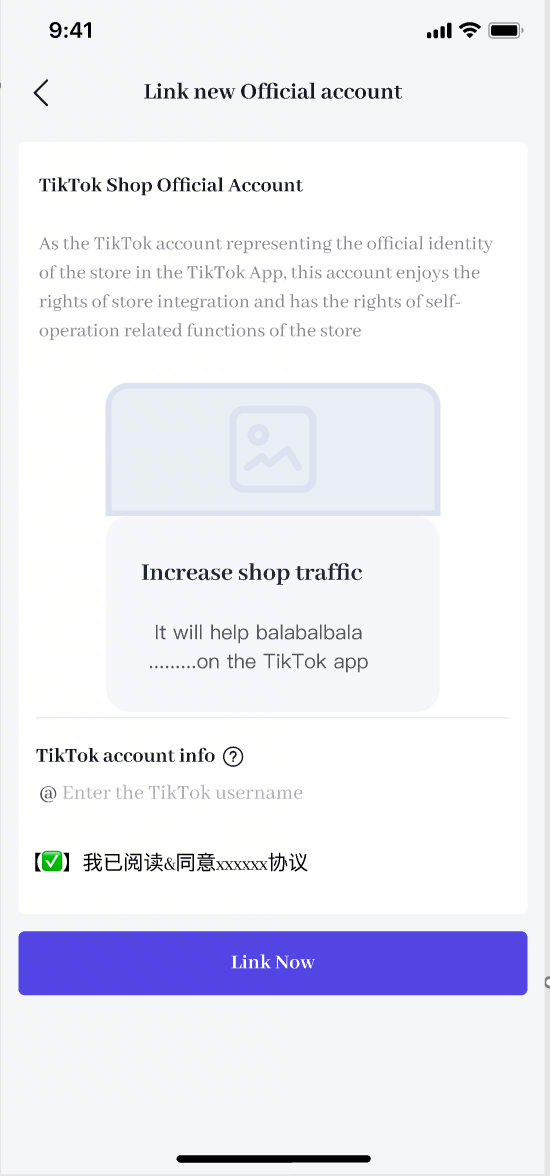
Step 2: Enter the username of the TikTok account you want to bind, and check “I have read and agree to the XX agreement”
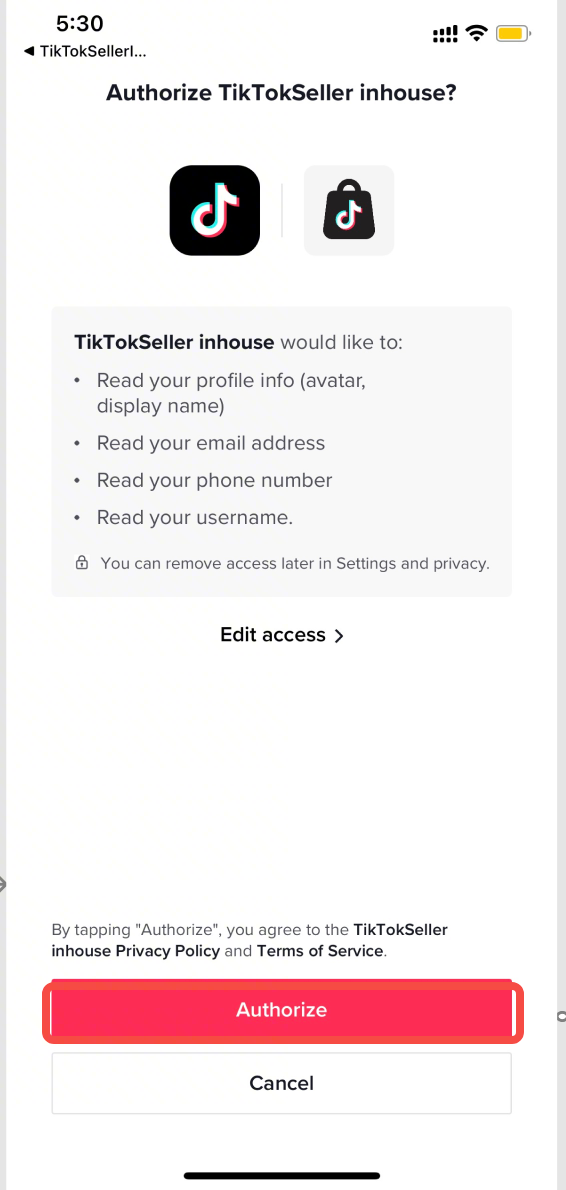
Step 3: Arouse the login status of the corresponding account of the TikTok App and click “Authorize”
Step 4: Return to the TikTok Seller App, click “Link” then the relationship is established
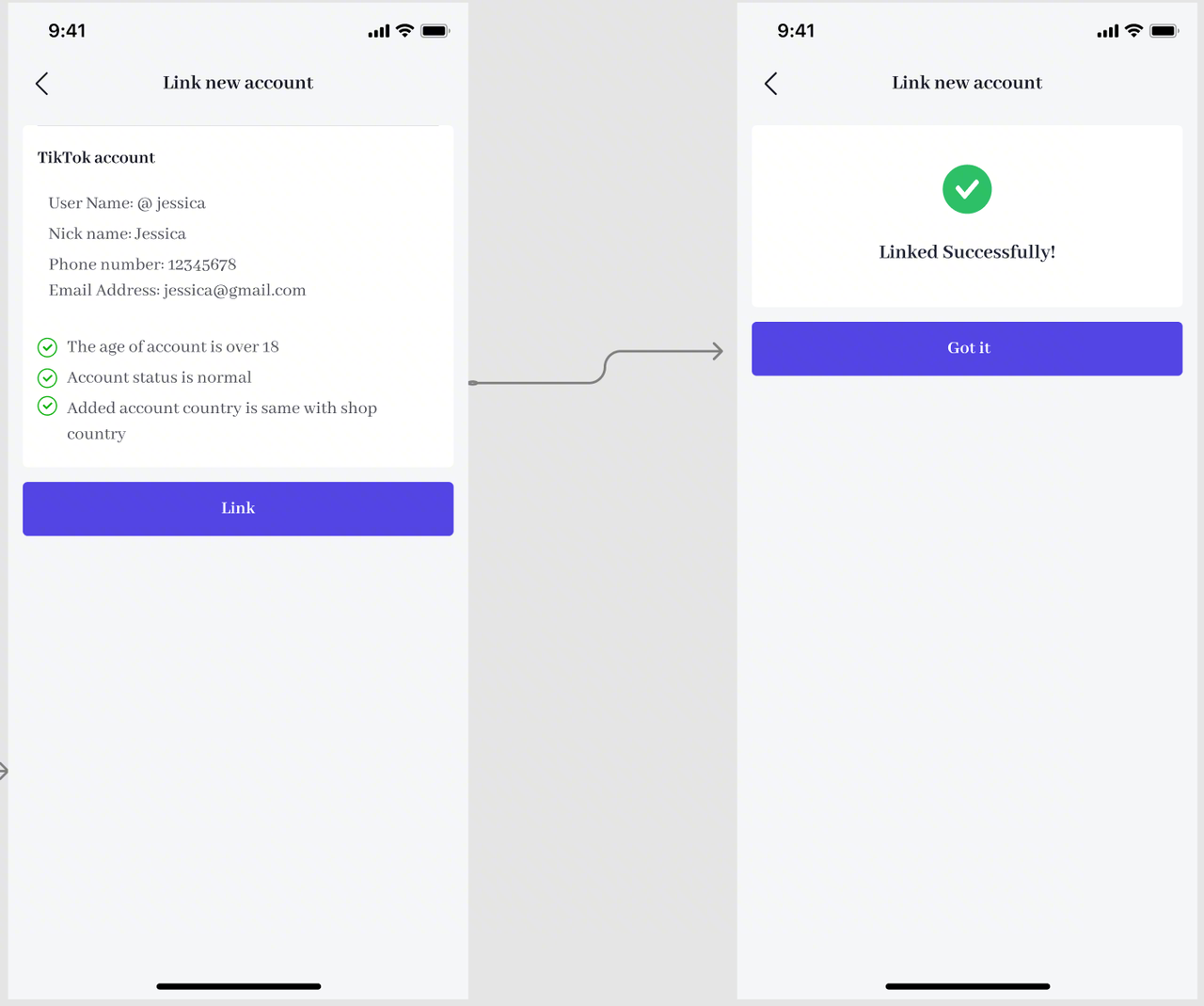
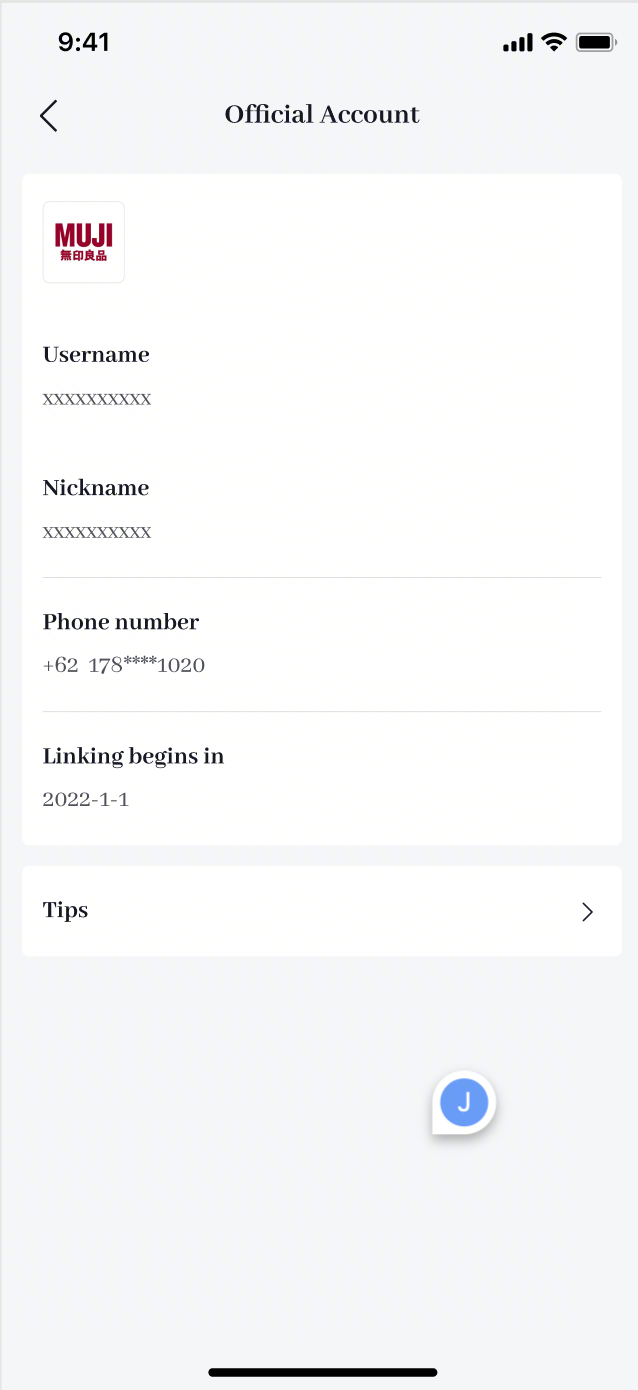
Step 5: View the bound account information: After the binding relationship between the store and the official account is established, you can view the official account’s avatar on the Official Account interface, which contains username, nickname, mobile phone number, binding time and other information
What is the difference between TikTok Shop official account and marketing account?
Both the official account and the marketing account are directly bound to the store and serve as the store’s self-selling account, but the two have the following differences:
You can have only one official account, yet you can bind at most 4 TikTok accounts as your marketing accounts.
The upgraded official account displays the products in the store in the form of store page, and can use the store decoration function for store marketing, but the marketing account displays the products in the store in the form of showcase, and you need to manually add products to the account showcase.
The name of the official account must be consistent with the shop name after upgrading, which will enhance the trust of the account to the user, but the marketing account is not limited to naming.
Account Type: Owned Media Accounts&Affiliate Creator
[Owned Media Accounts]
- Official Account
Number of linked accounts:1
How products are displayed in the profile page:Shop page
How products can be sold:Through video, livestreams and the shop page
Affiliate products cannot be displayed to consumers in a showcase.
Products in Seller Center can be synched to the shop page automatically.
The shop name needs to be the same as the official account name.
- Marketing Account
Number of linked accounts: Up to 4
How products are displayed in the profile page: Showcase
How products can be sold:Through video, livestreams and the showcase
Affiliate products can be displayed to consumers in a showcase.
Products in Seller Center cannot be synched to the shop page automatically.
The shop name doesn’t need to be the same as the official account name.
[Affiliate Creator]
Number of linked accounts: No limit
How products are displayed in the profile page: Showcase
How products can be sold:Through video, livestreams and the showcase
Affiliate products can be displayed to consumers in a showcase.
Products in Seller Center cannot be synched to the shop page automatically, they need to be added to the showcase through Affiliate.
The shop name doesn’t need to be the same as the official account name.
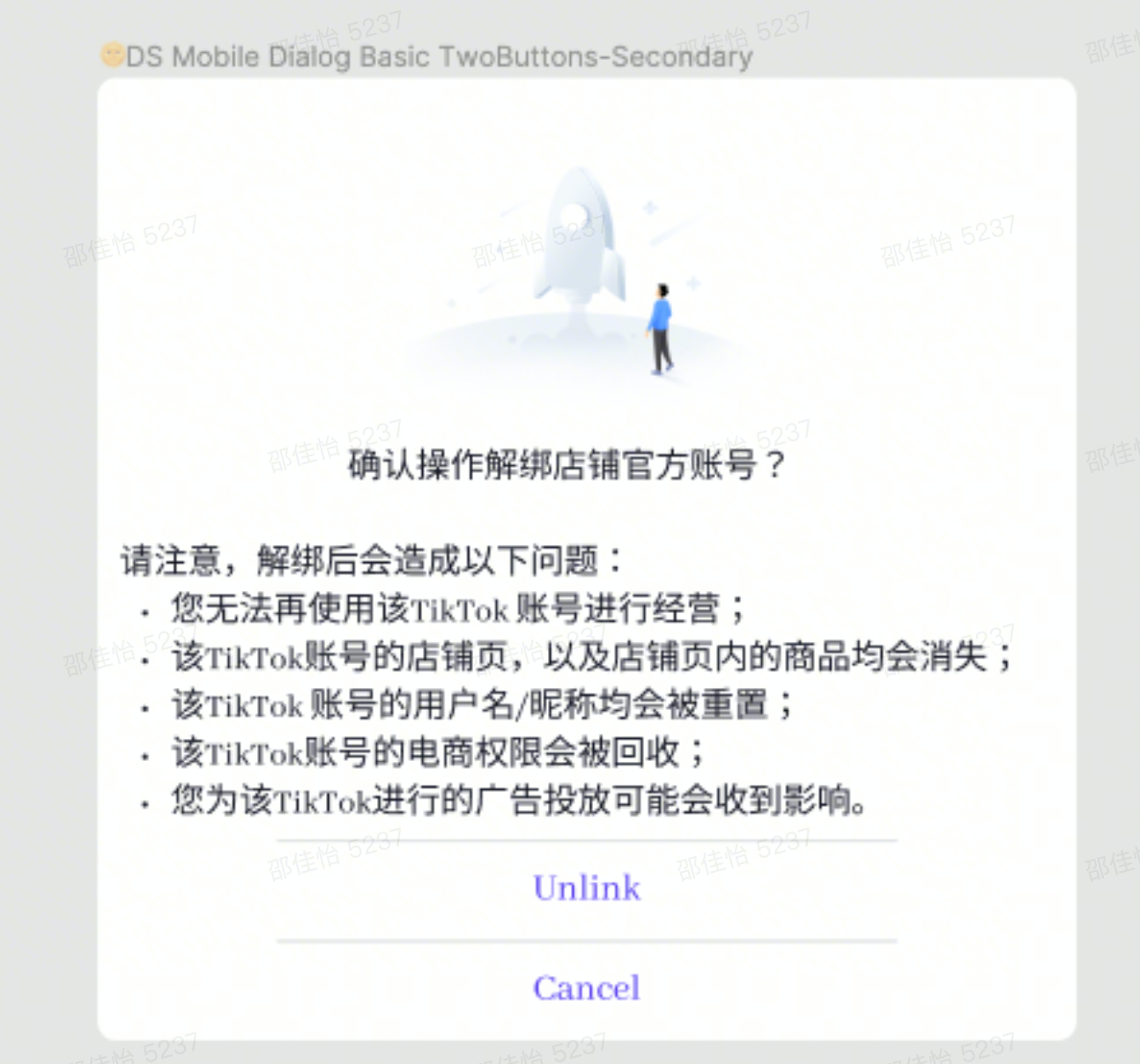
How to unbind the official account?
Your official account can be unbound once within 24 hours after the binding is successful. You can only unlink official accout 3 times.
PC-end:TikTok Seller Center – My account – Linked TikTok Accounts – Official Account – Unlink Official account
TikTok App:TikTok Seller App – Settings – Linked TikTok Accounts – Official Account – Unlink