


中文版
即日起,对于US商家绑定官方号或渠道号,无需进行账号的个人身份验证,也不再要求粉丝数量;满足其他规则及要求后即可成功绑定,推广店铺商品。
一、为什么需要 TikTok 账号
TikTok 账号是商家在 TikTok 上开展内容经营的第一步。TikTok 用户通过短视频和直播内容了解一个商家和其销售的商品,从而发生购买转化和复购。因此每个商家都应该先绑定一个TikTok官方账号,建立与用户的沟通渠道,逐步提升自己的内容能力获取更多消费者,带来更多成交。
二、TikTok电商账号类型
如果您有一个现成的美国TikTok账号,可以直接绑定其作为官方账号或渠道号。如果您没有美国TikTok账号,建议选择创建机构号(机构号是TikTok官方账号的一种类型,使用店铺企业资质直接创建,归属于店铺主体所有,需要使用店铺后台的一次性账号密码管理和登录)。
| TikTok Shop电商账号类型 | 店铺关联的账号数量 | TikTok账号属性 | 统一要求 | 详细要求 |
| 官方账号 (商家自卖账号) | 1个 | 机构号(也称企业号) | 符合要求的商家需使用企业资质在卖家中心创建并通过验证。 | – 需在店铺内创建,方可关联绑定。 – 账号名称需与绑定店铺的名称一致且少于30个字符。 – 无最低粉丝门槛要求。 – 只能挂车已绑定店铺的商品,不能挂车其他店铺的联盟商品。 |
| | | 个人账号 | – 必须年满18岁 – 需要账号物理位置在目标销售国家 – 没有被 TikTok Shop 撤销电商权限的记录,或与被 TikTok Shop 撤销电商权限的账号存在关联 – 遵守TikTok Shop 内容政策和 TikTok 社区准则,以及所有其他 TikTok Shop政策 | |
| 渠道账号 (商家自卖账号) | 最多4个 | | | – 需由店铺邀请,方可关联绑定。 – 账号名称不需与绑定店铺的名称一致。 – 无最低粉丝门槛要求。 – 只能挂车已绑定店铺的商品。(通过开通联盟权限(需要完成KYC和满足粉丝要求)也可以挂车其他店铺的联盟商品。) |
| 联盟账号(达人) | 无关联 | | | – 自行申请成为联盟达人,签署联盟佣金相关协议。 – 需使用个人的证件(目标销售国家国家的护照、绿卡、驾照等)进行认证。 – 最低粉丝要求:1000粉。 – 可以挂车任意店铺的联盟商品。 |
三、我有美
国TikTok
账号:直接绑定
如果您已有一个正在运营的TiKTok账号,可以按照此流程操作绑定。如果您没有TiKTok账号,建议参考下面第四部分“我没有美国TikTok账号:创建机构号”。
1.官方号
1.1 直接绑定TikTok账号作为官方号
| 步骤 | 截图 |
| 第一步:在店铺后台左侧菜单中点击 “我的账号-绑定TikTok账号” | 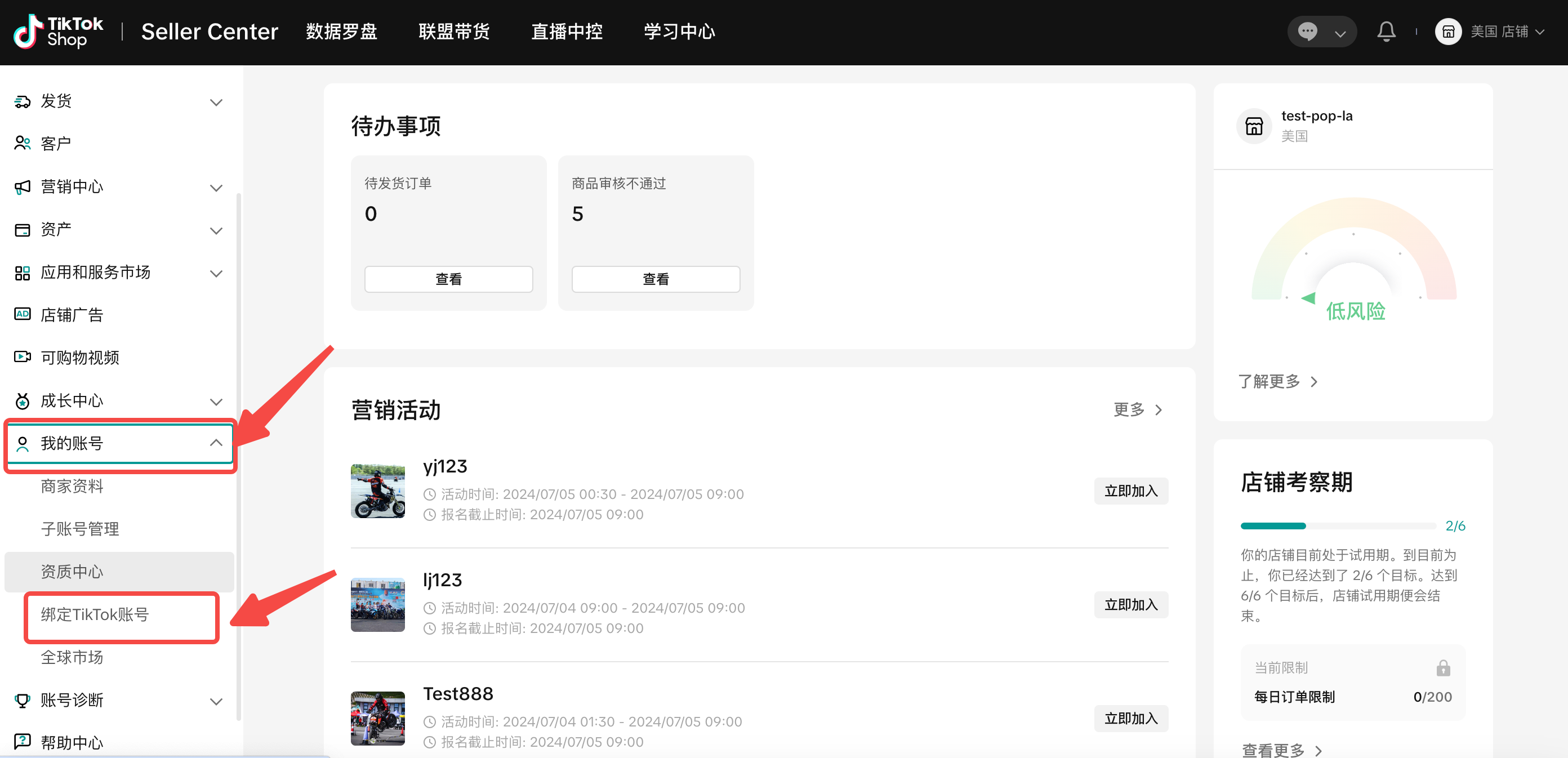 |
| 第二步:选择“使用现有账号”,点击“绑定”,在弹窗中选择“绑定已有达人账号”(注:如果需要创建组织账号,请查看第四部分。) | 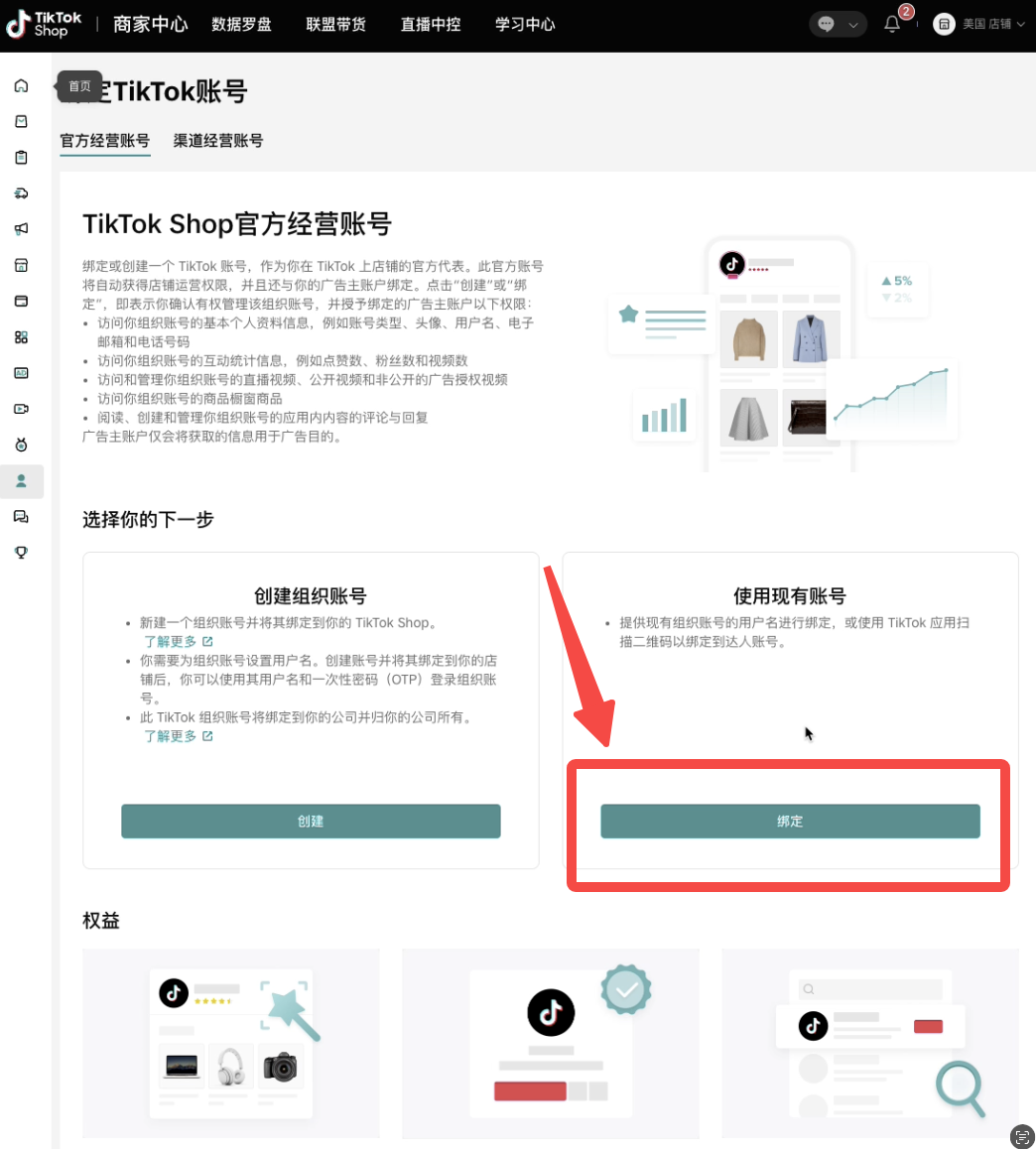 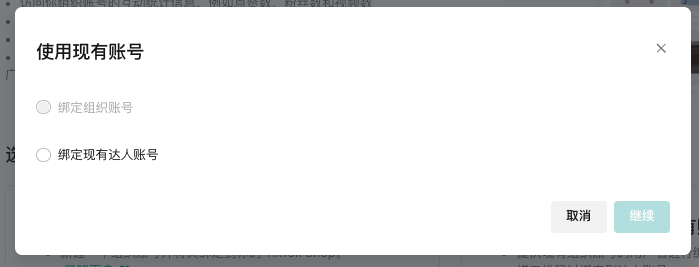 |
| 第三步:打开TikTok App,确保已登录即将绑定为店铺官方账号的TikTok账号,进行扫码授权。 | 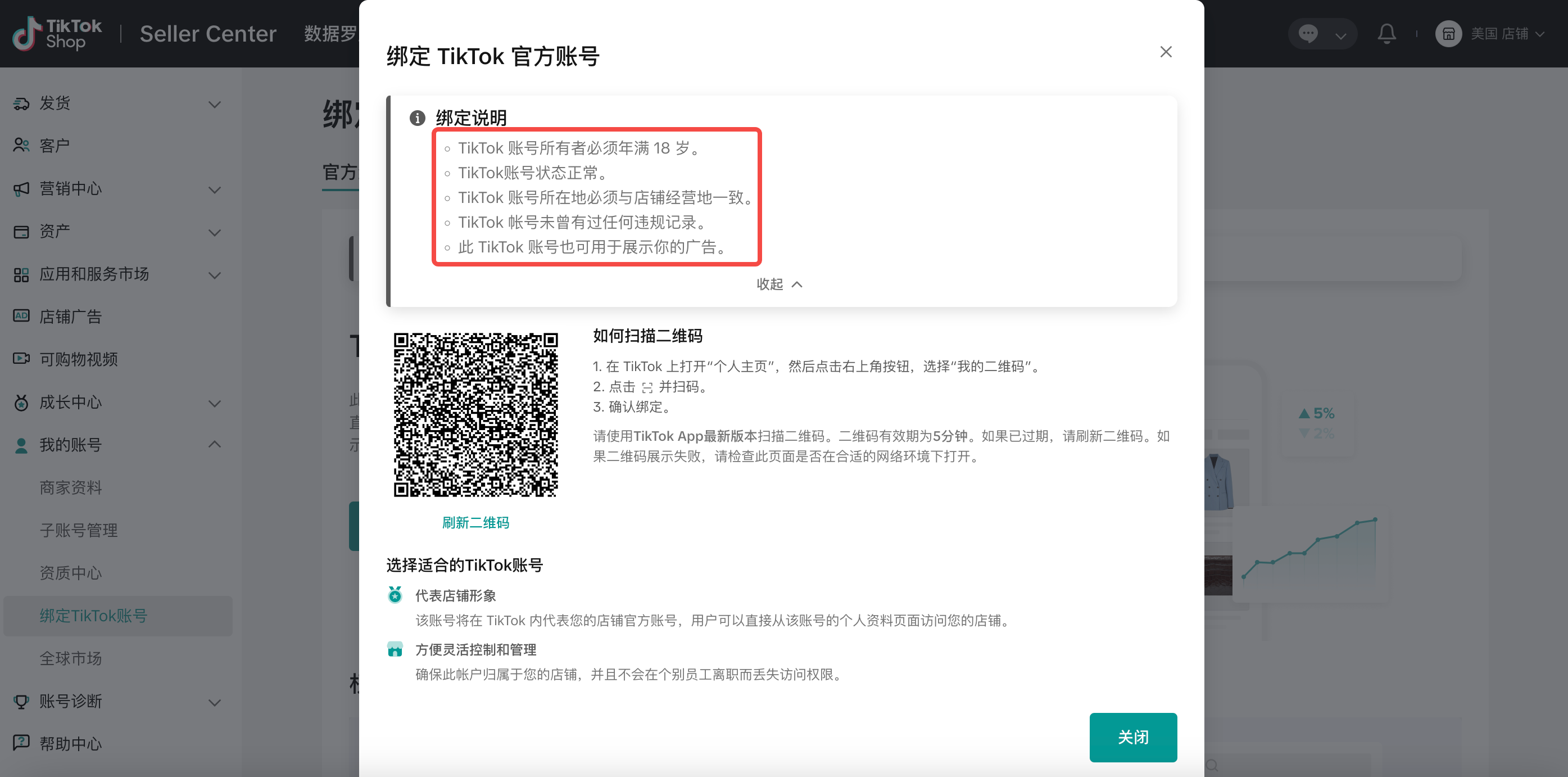 |
| 第四步:在TikTok App点击 “Authorize” 确认授权。 如果满足要求,即可绑定成功。 | 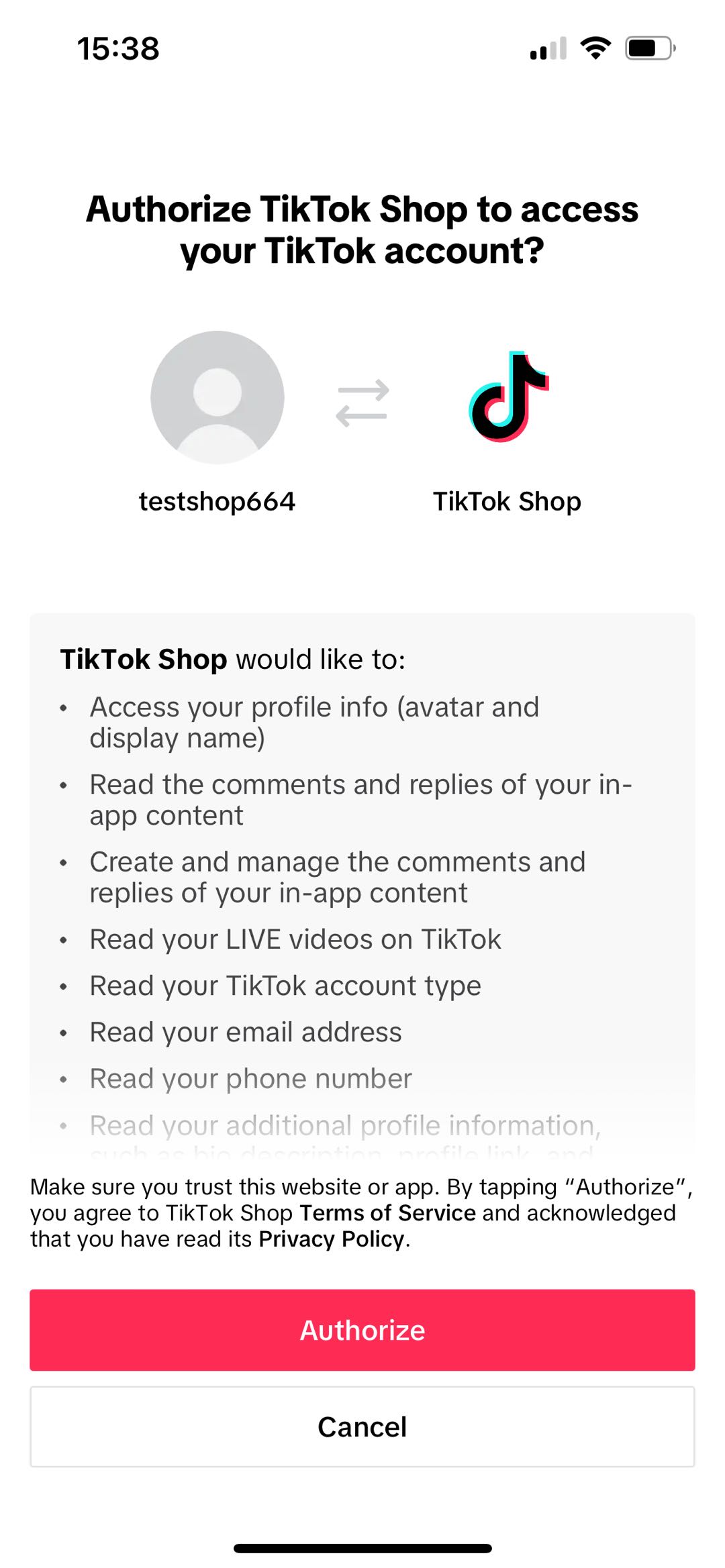 |
| 第五步:确认信息无误,勾选同意相关的规则和协议,点击按钮确认绑定。 | 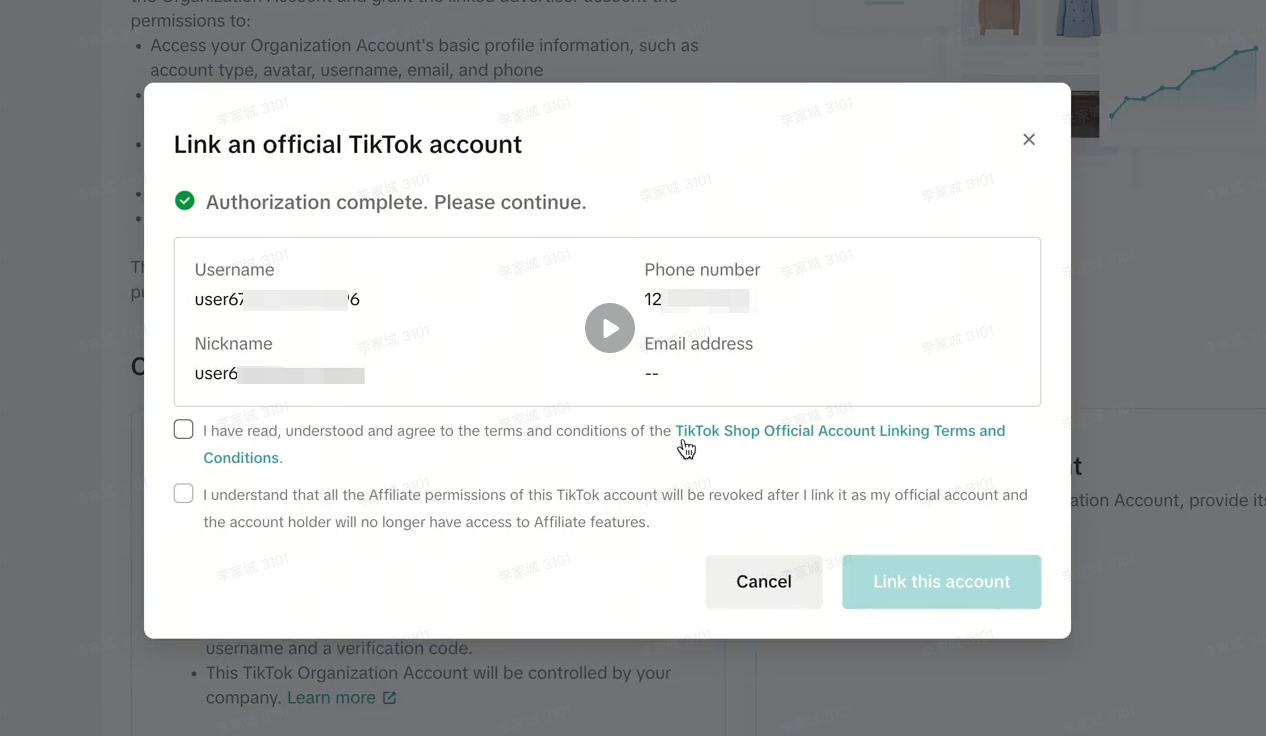 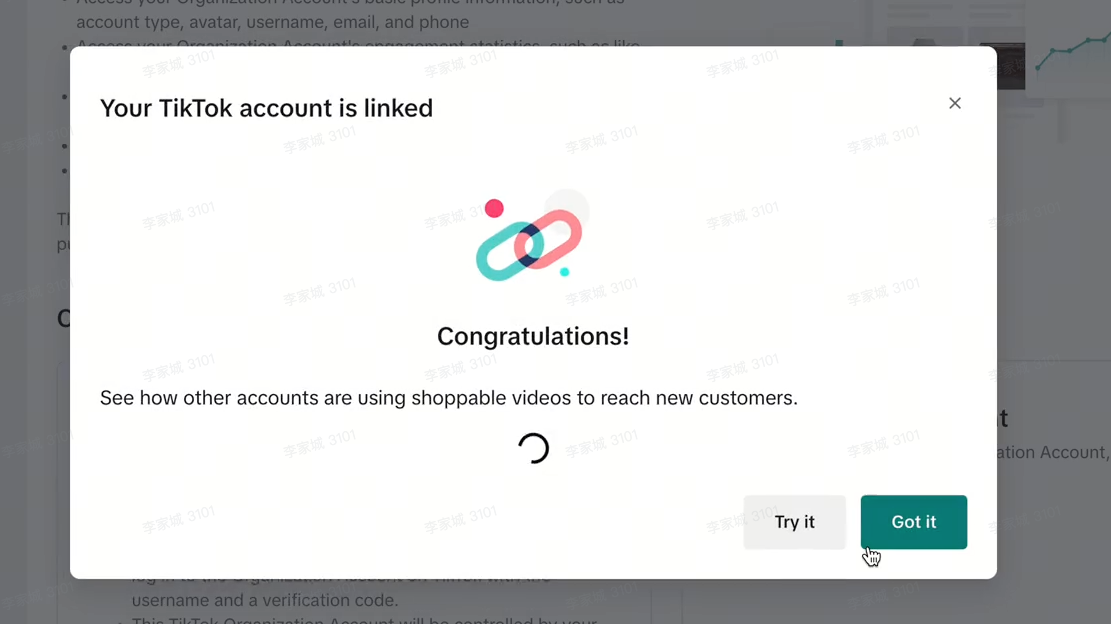 |
| 第六步:在店铺后台确认如下界面,代表店铺官方账号已关联成功。 | 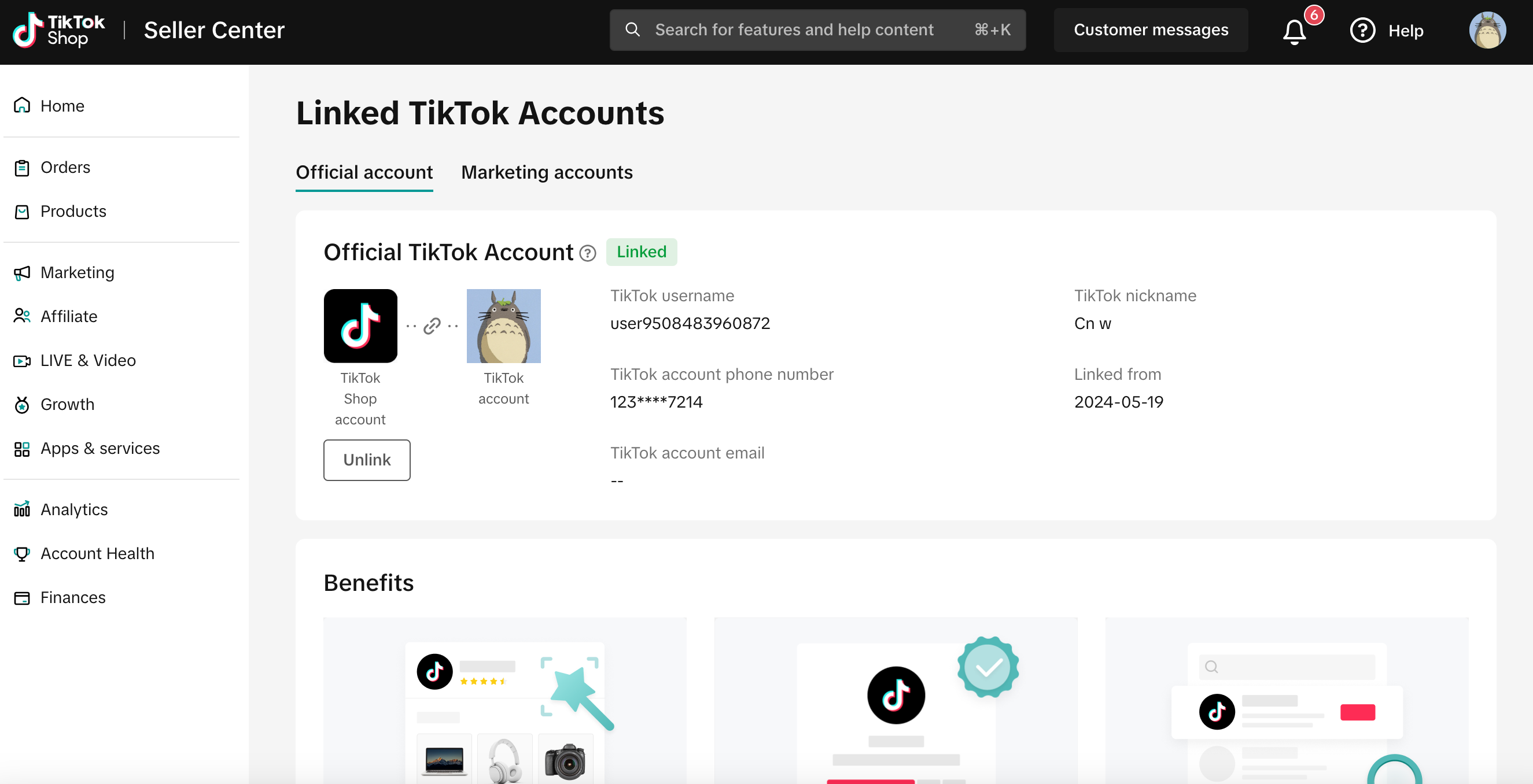 |
1.2 升级个人号为机构号并绑定为官方号
如果你已经有一个TikTok账号,你可以选择将其升级为机构号然后绑定到店铺上,确保账号归属店铺所有,避免账号侵占风险。在你操作之前,请确保你已了解升级为机构号之后的变化,包括:
账户的控制权变更:账户的控制权从最初创建它的用户转移到商家。
登录方式变更:以前的邮箱和密码登录或手机号登录将无法使用,机构号只能使用从商家后台(Seller Center)生成的用户名和一次性验证码登录。
功能调整:某些功能将不再可用。例如,在你已经发布的短视频中使用的通用音乐库中的音乐或声音将被静音,升级后只能使用商业音乐库。其他不可用功能请查阅:https://ads.tiktok.com/help/article/list-of-unavailable-features-for-organization-accounts?lang=zh
以下是具体的操作步骤:
| 步骤 | 界面示例 |
| 1. 登录TikTok Shop商家中心,找到首页—我的账号—绑定TikTok账号,点击“绑定” | 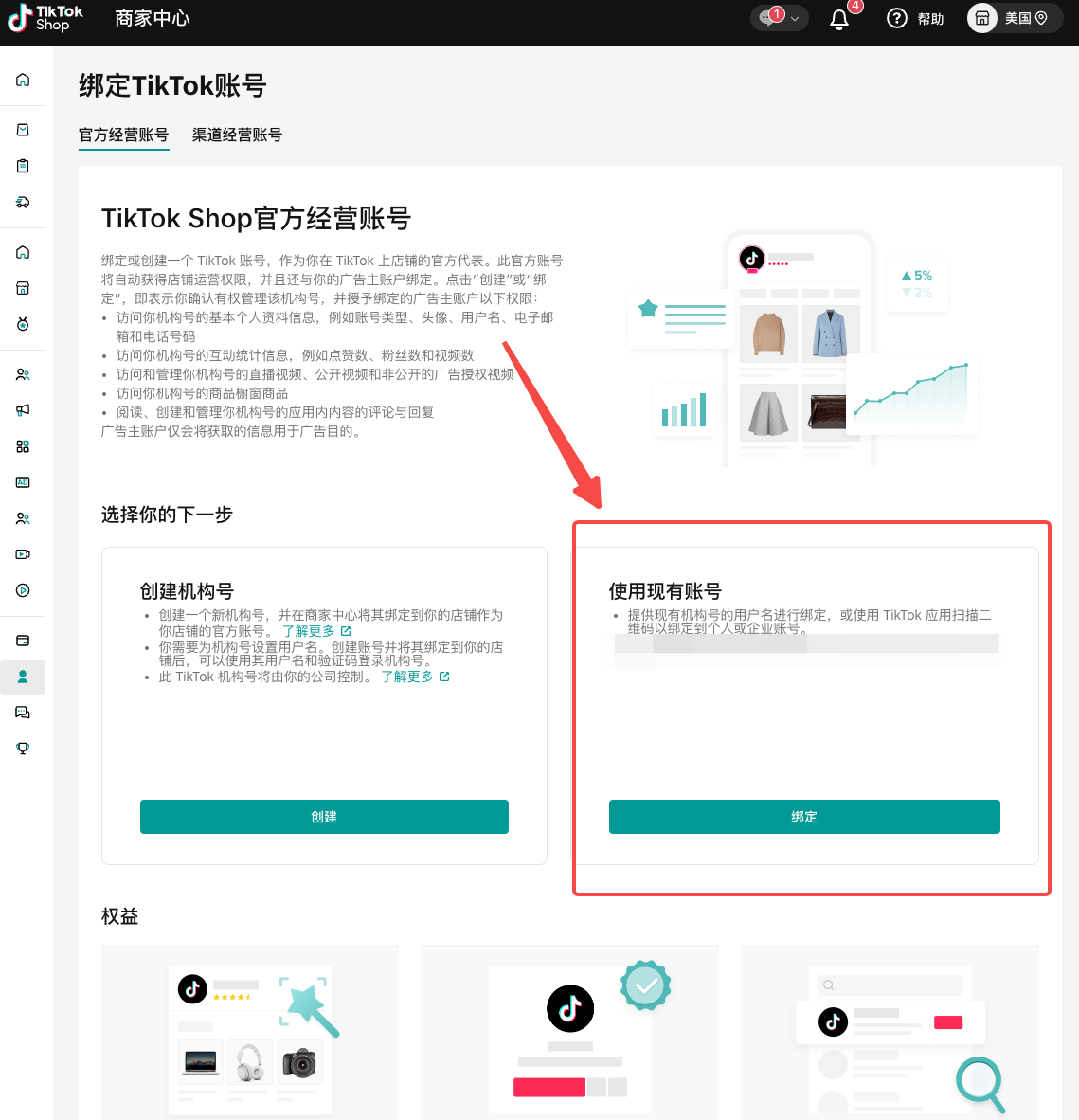 |
| 2. 选择第三个选项 | 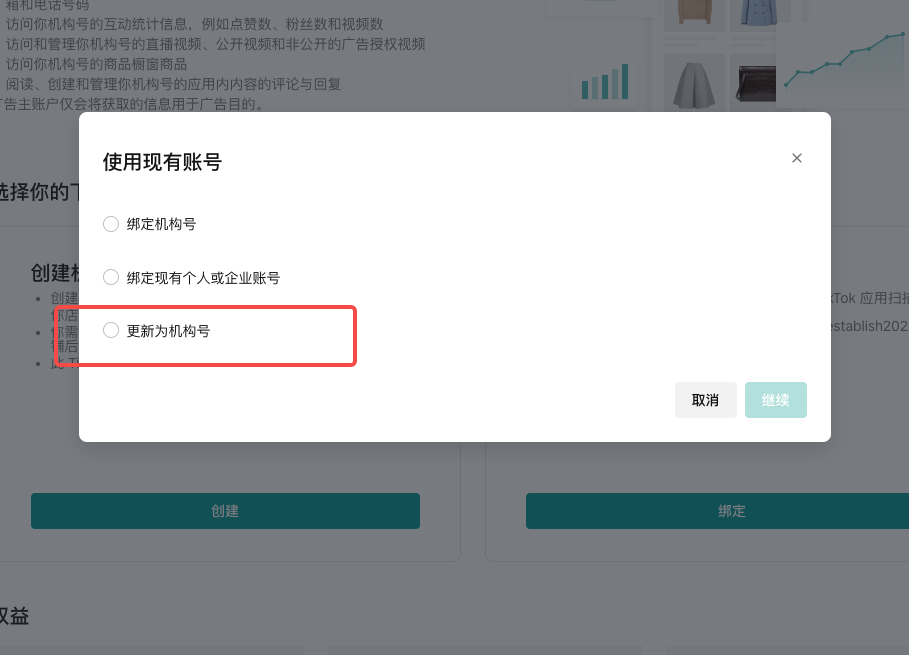 |
| 3. 请详细阅读关于升级的说明,确保对升级和“15天试用期”已经理解了。点击确认,继续。 – 如果将个人账号升级为机构号,之前账号的登录方式(账号、密码、电话、邮箱等)都不可用,需要使用商家后台生成的一次性验证码登录。 | 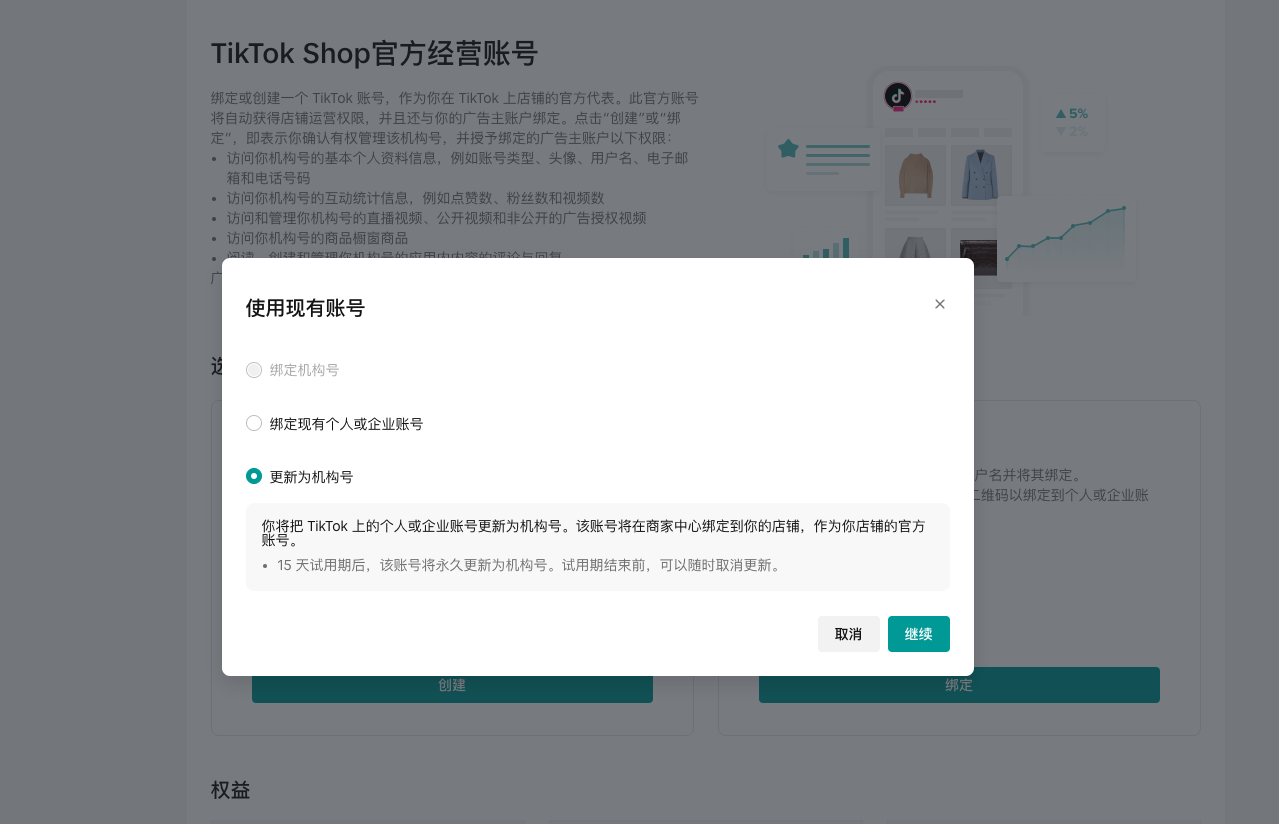 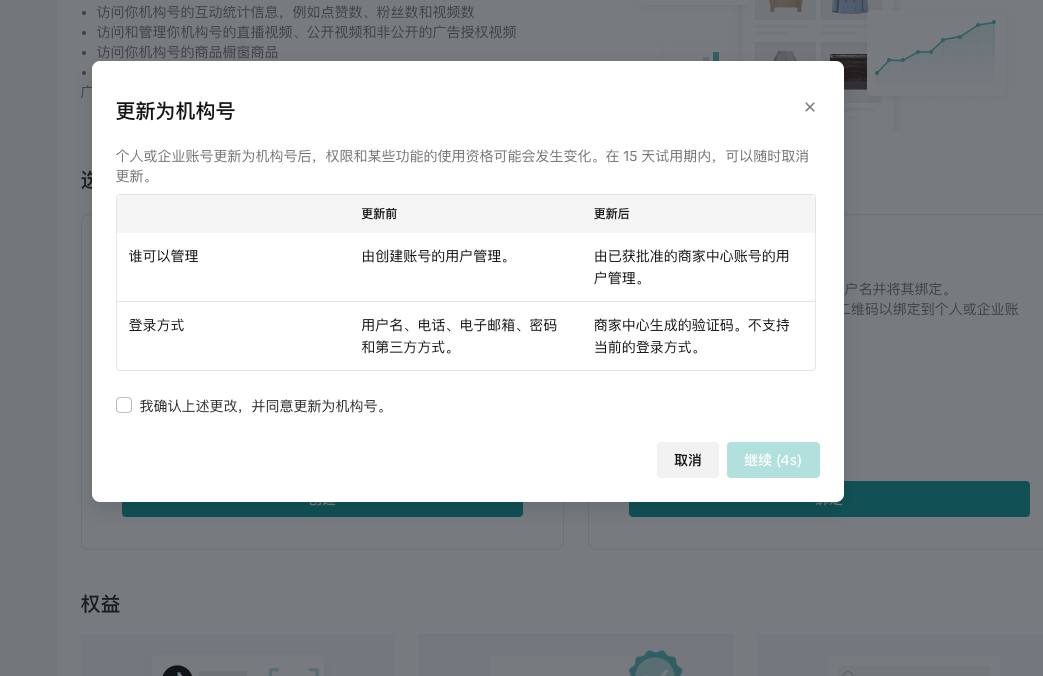 |
| 4. 请在手机上打开登录了该账号的TikTok APP,扫描屏幕上的二维码,并在手机上完成相应的操作。 | 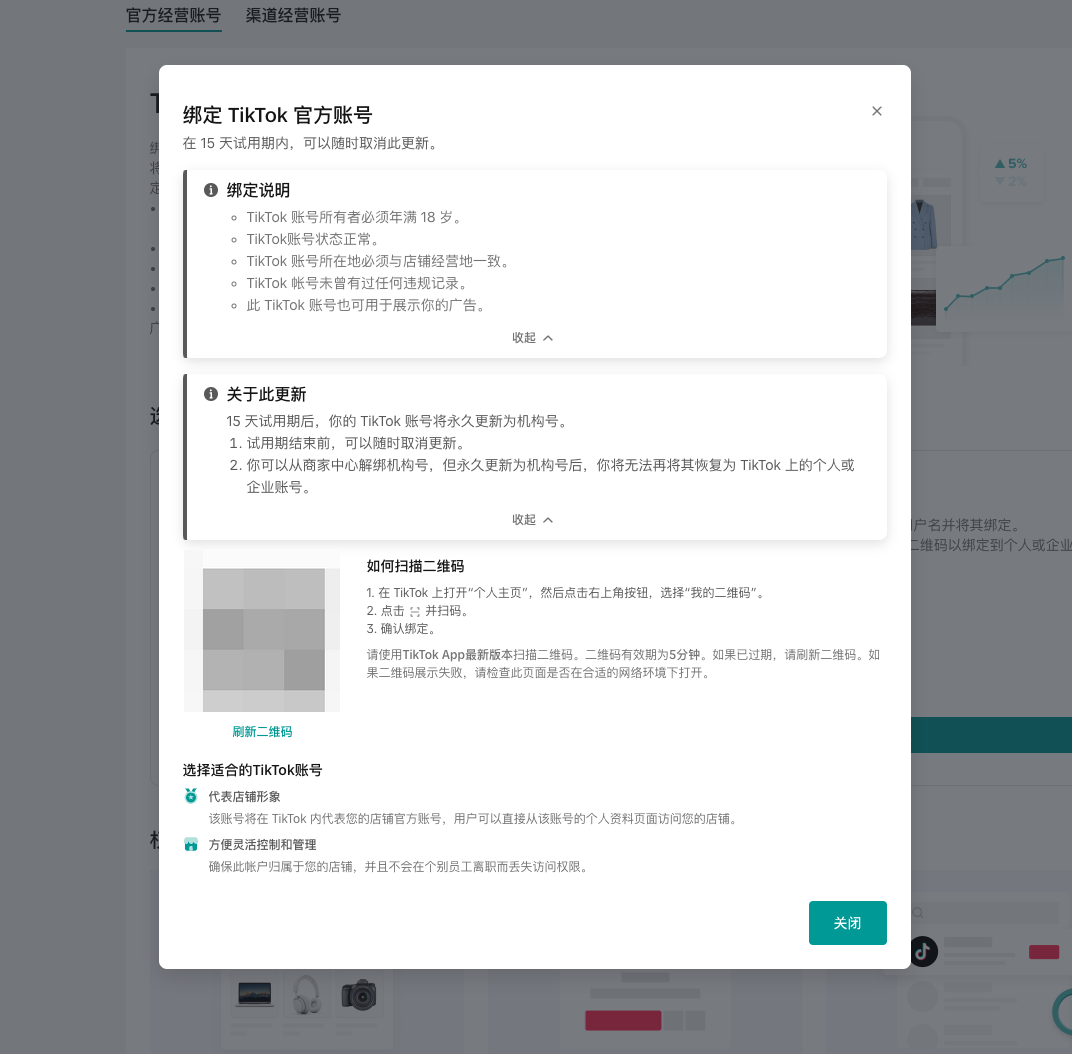 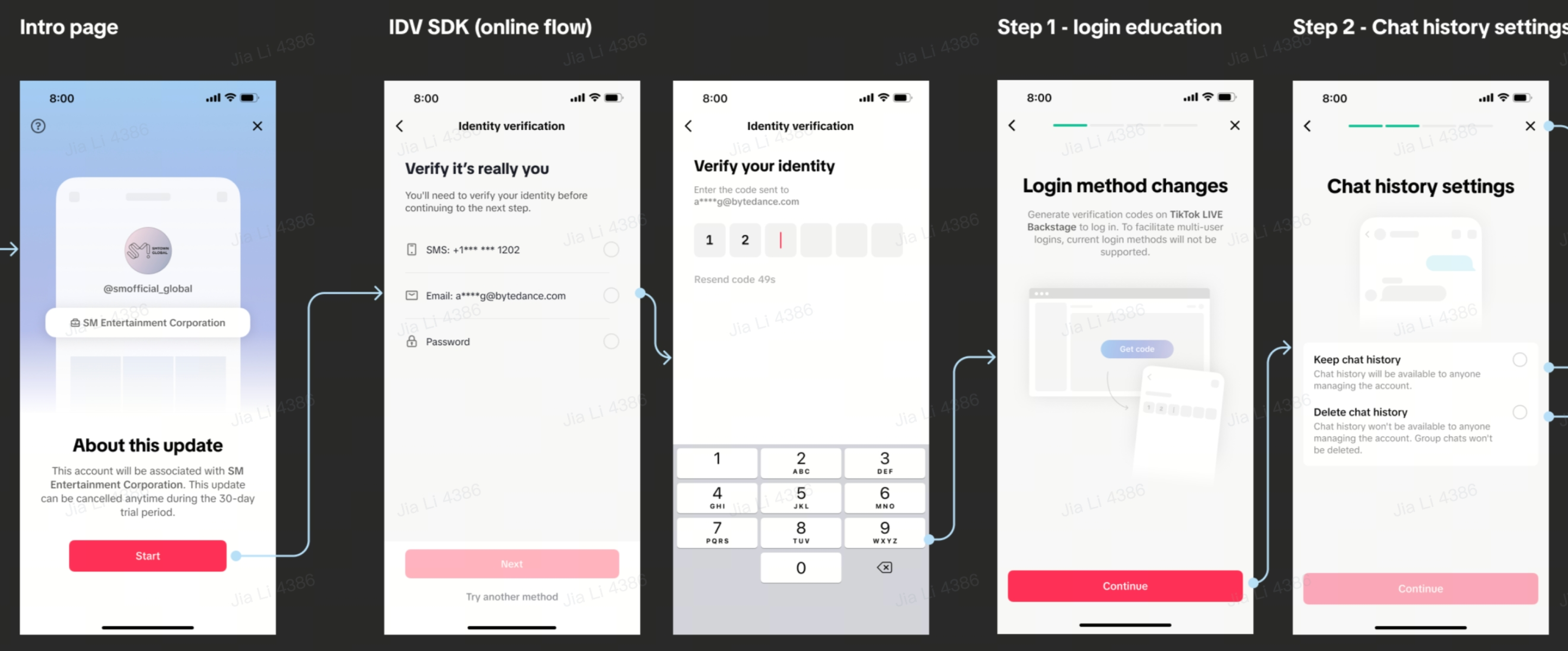 |
| 5. 成功进入15天的试用期——在这15天内,你可以选择立即升级也可以选择退出升级。 – 试用期内,你的账号仍然是个人账号,没有电商权限。必须使用商家后台提供的一次性验证码进行登录(之前的账号密码/手机/邮箱登录方式都不可以使用)。 | 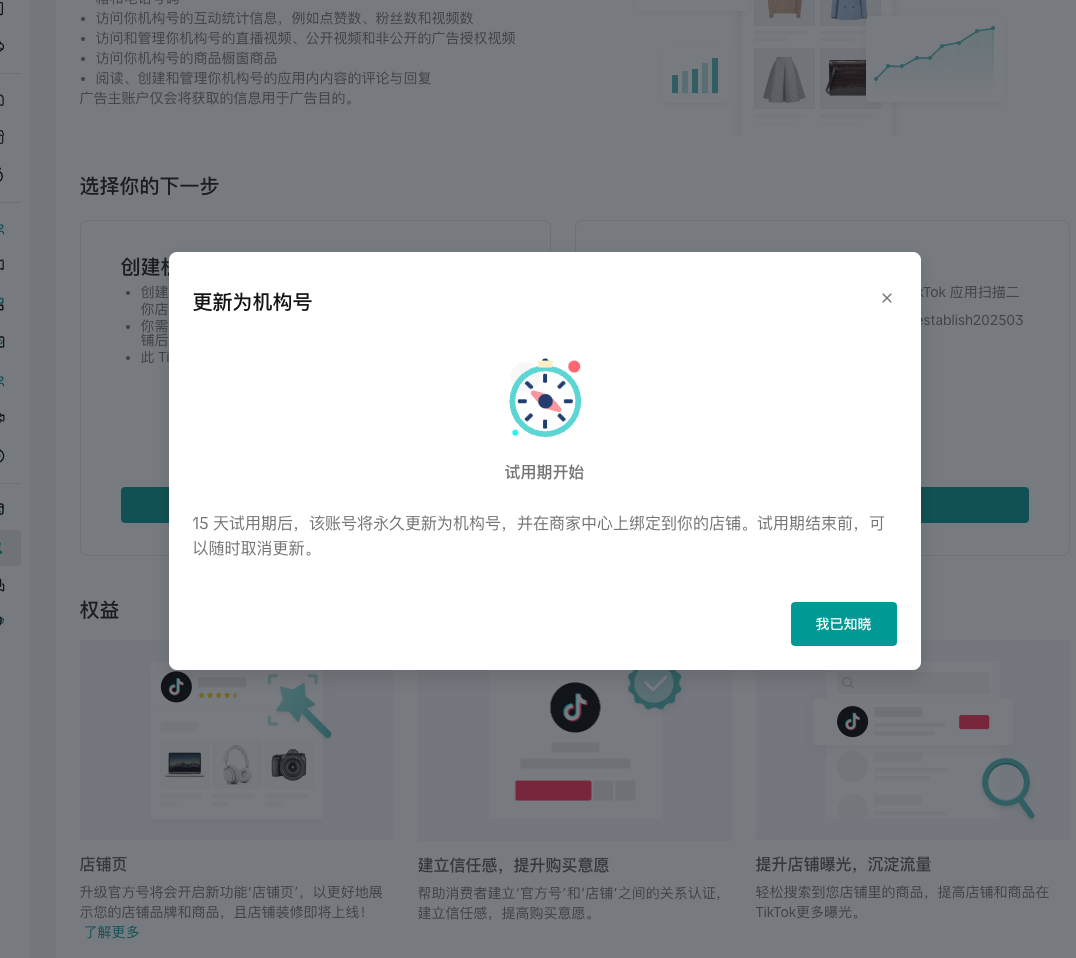 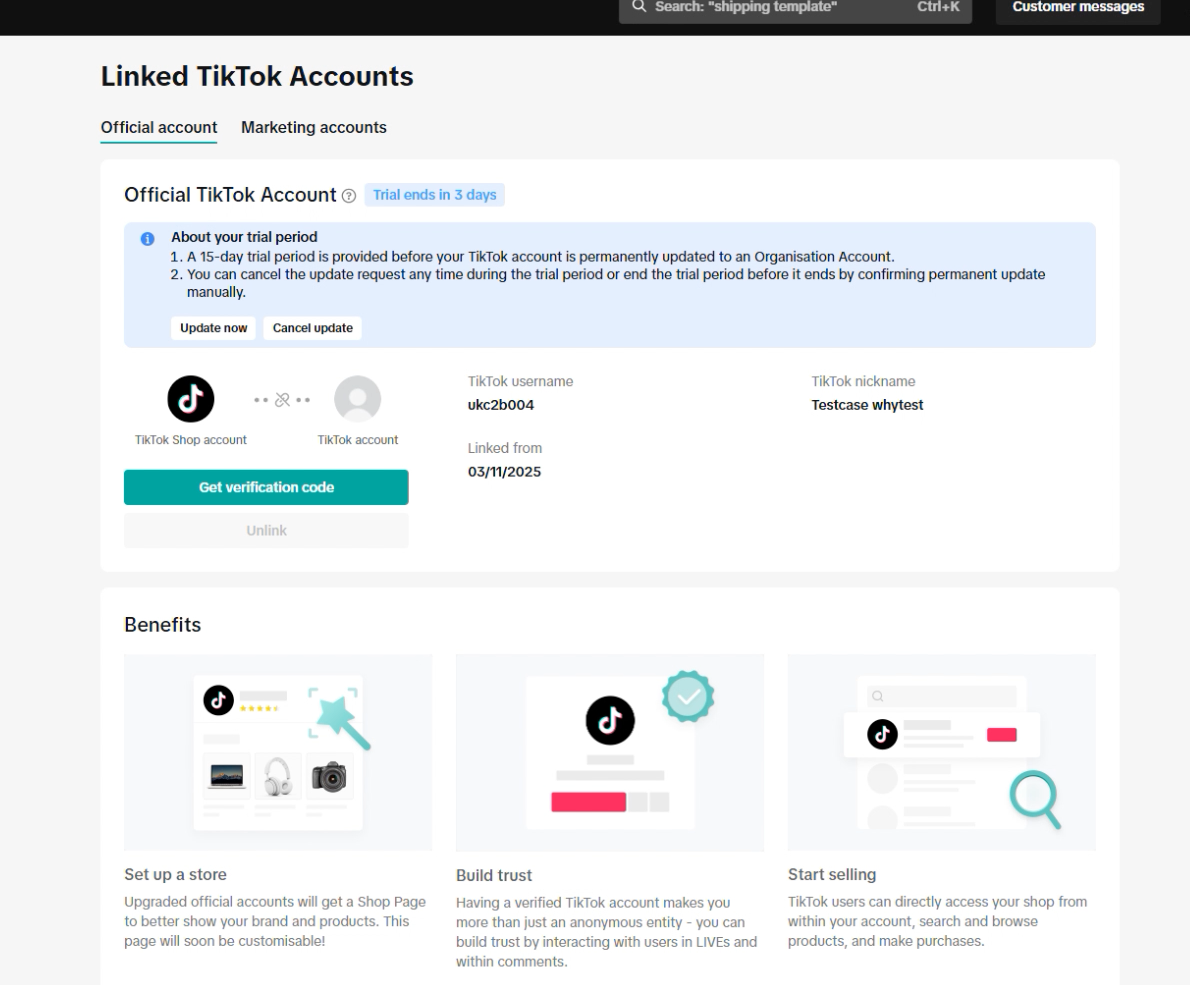 |
| 6. 在15天的试用期内,请尽快提取你TikTok内的收益。试用期过后收益自动作废。 | 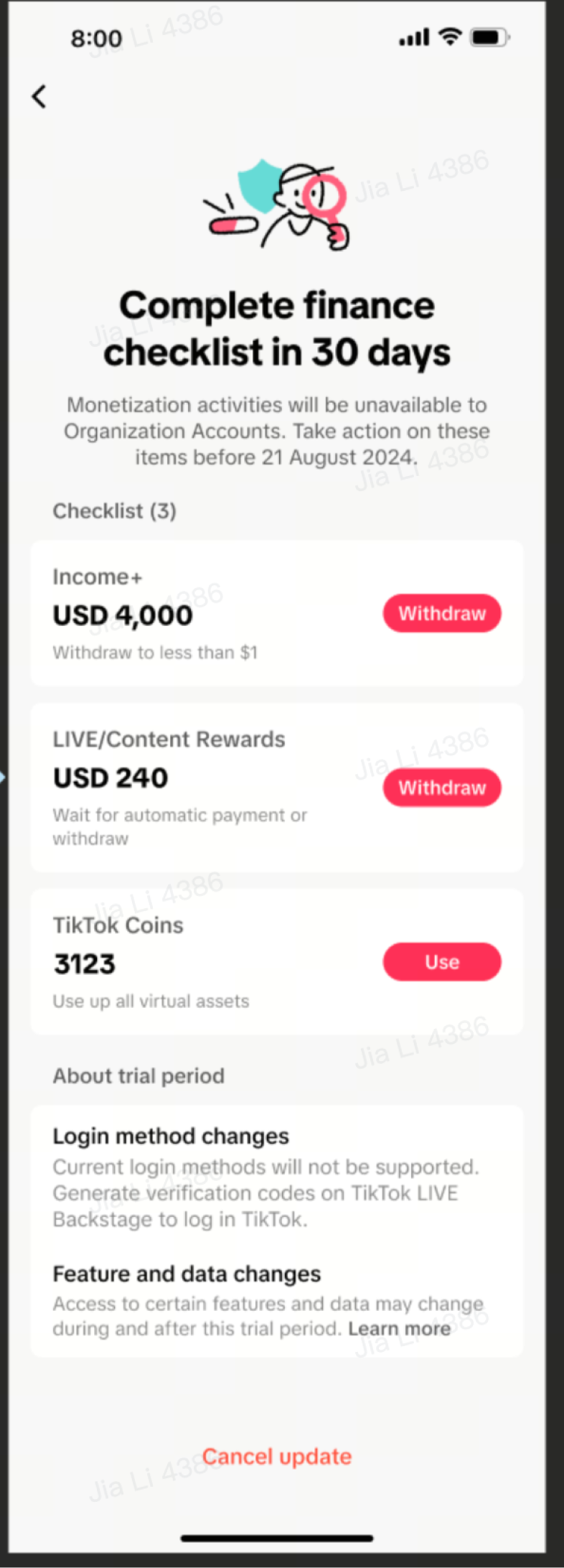 |
| 7. 如果你已完成所有收益提取,并决定跳过试用期立即升级,可以点击页面上的“立即升级”,确认所有条款即可完成升级。 – 你也可以选择退出升级,将账号恢复为个人账号继续正常使用,也不会绑定到店铺上。 | 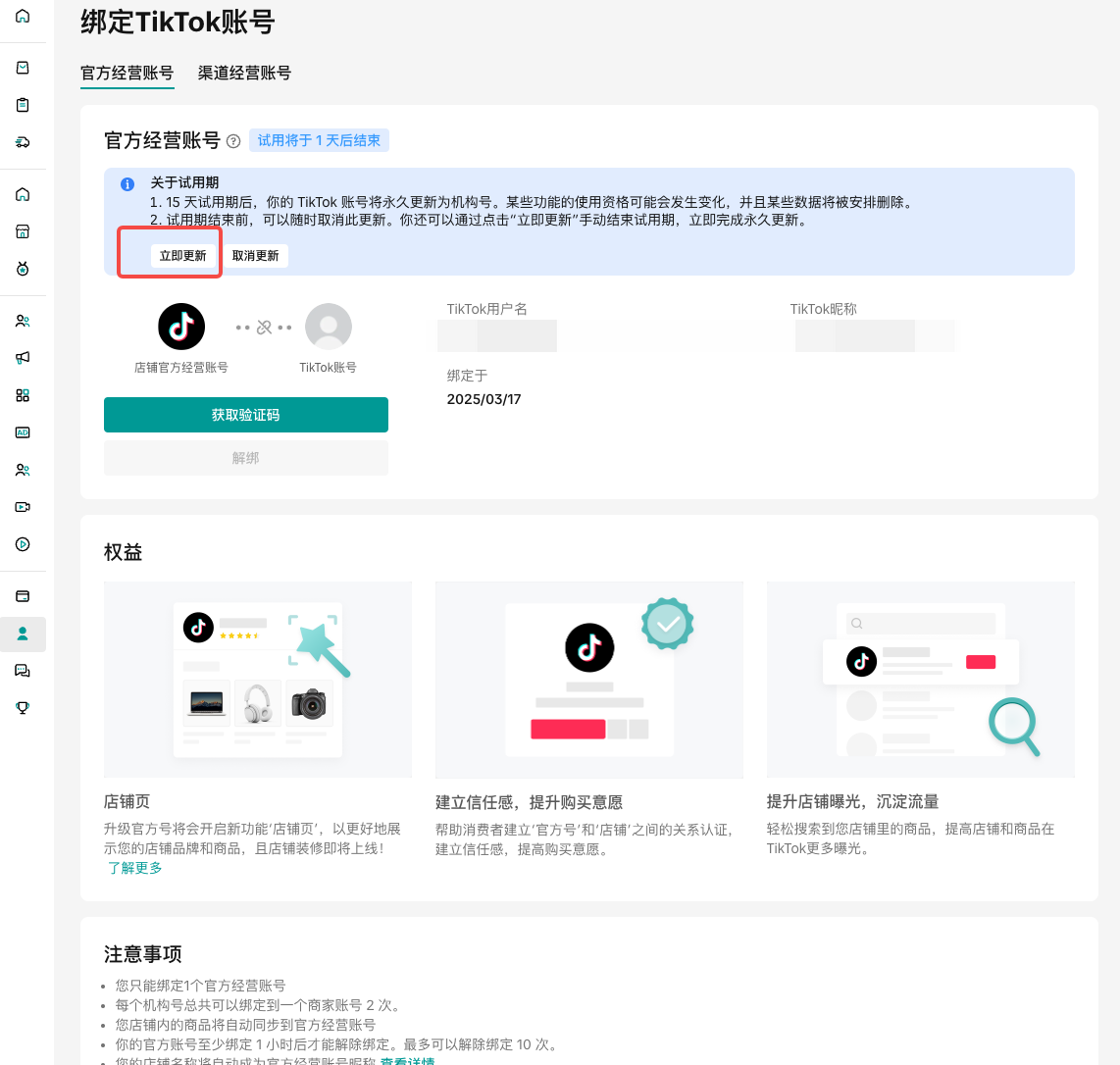 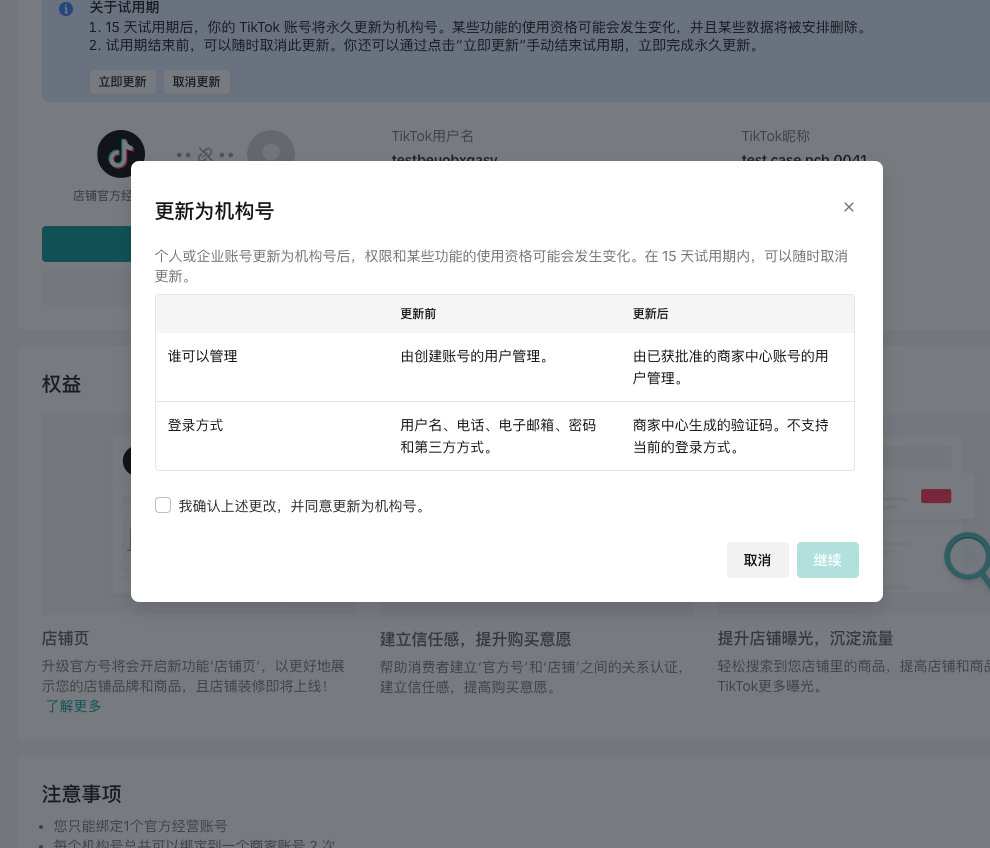 |
| 8. 升级成功!你现在可以用该账号发布短视频和直播来销售店铺内的商品了。 | 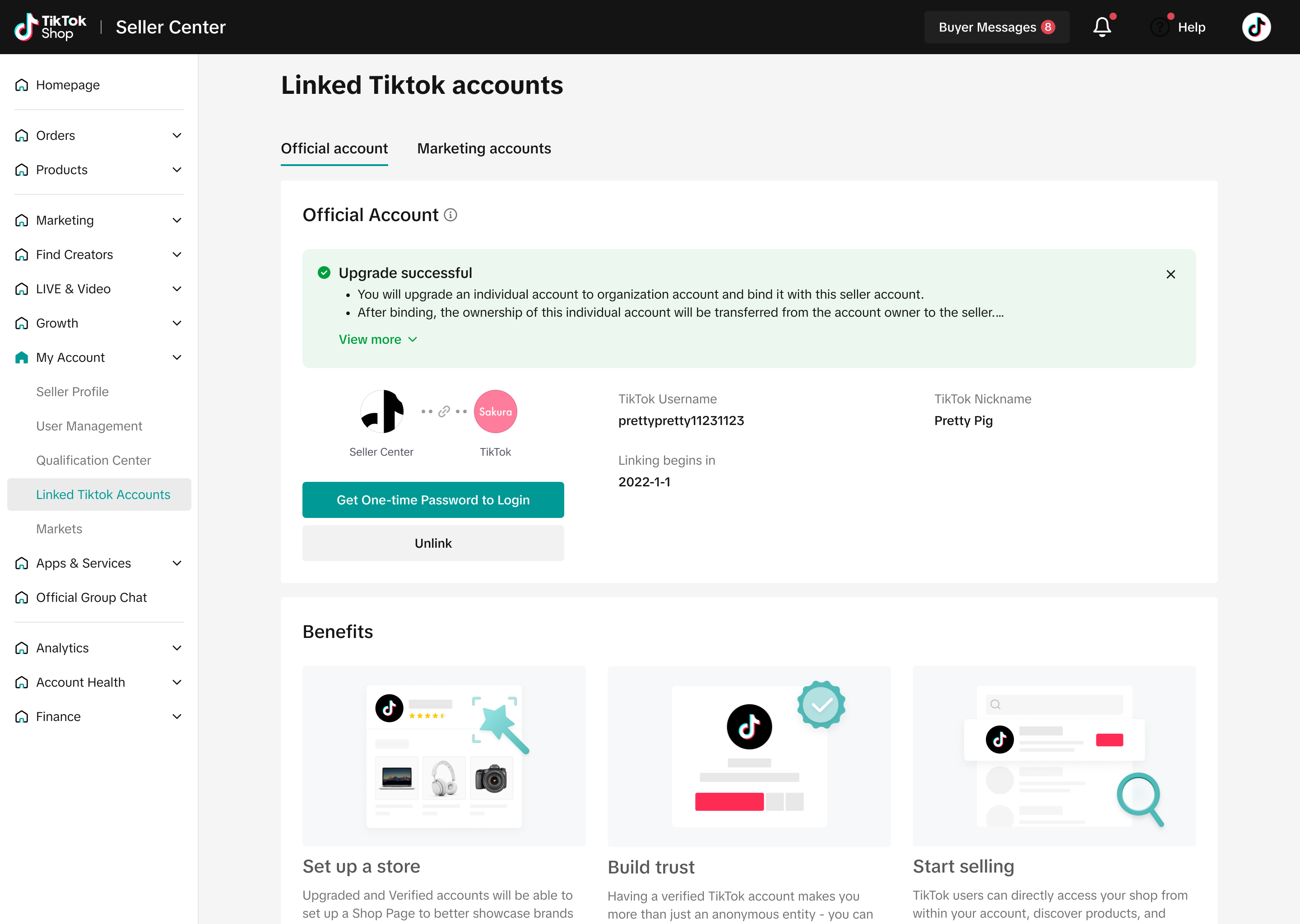 |
- 请注意,升级绑定成功后,(即使是试用期期间)原始的登录方式(密码)会失效,需要用商家后台的一次性密码(OTP)登录,详见第四部分第二小节。
2.渠道号
| 步骤 | 截图 |
| 第一步:在店铺后台左侧菜单中点击 “我的账号-绑定TikTok账号” | 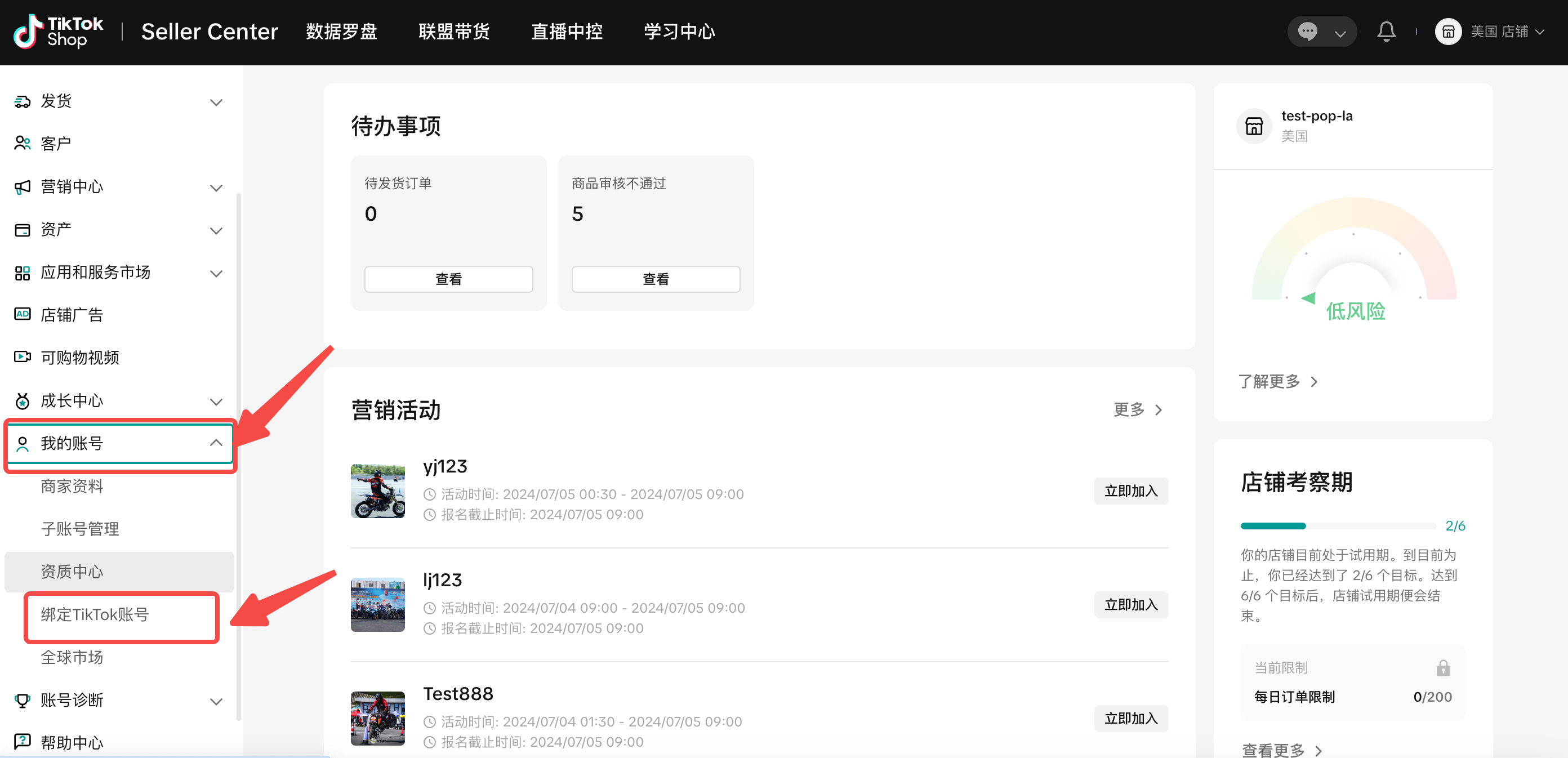 |
| 第二步:绑定渠道账号,请给您想绑定的TikTok账号发送绑定邀请。 达人需在TikTok APP里接受邀约,方可完成渠道号绑定。 | 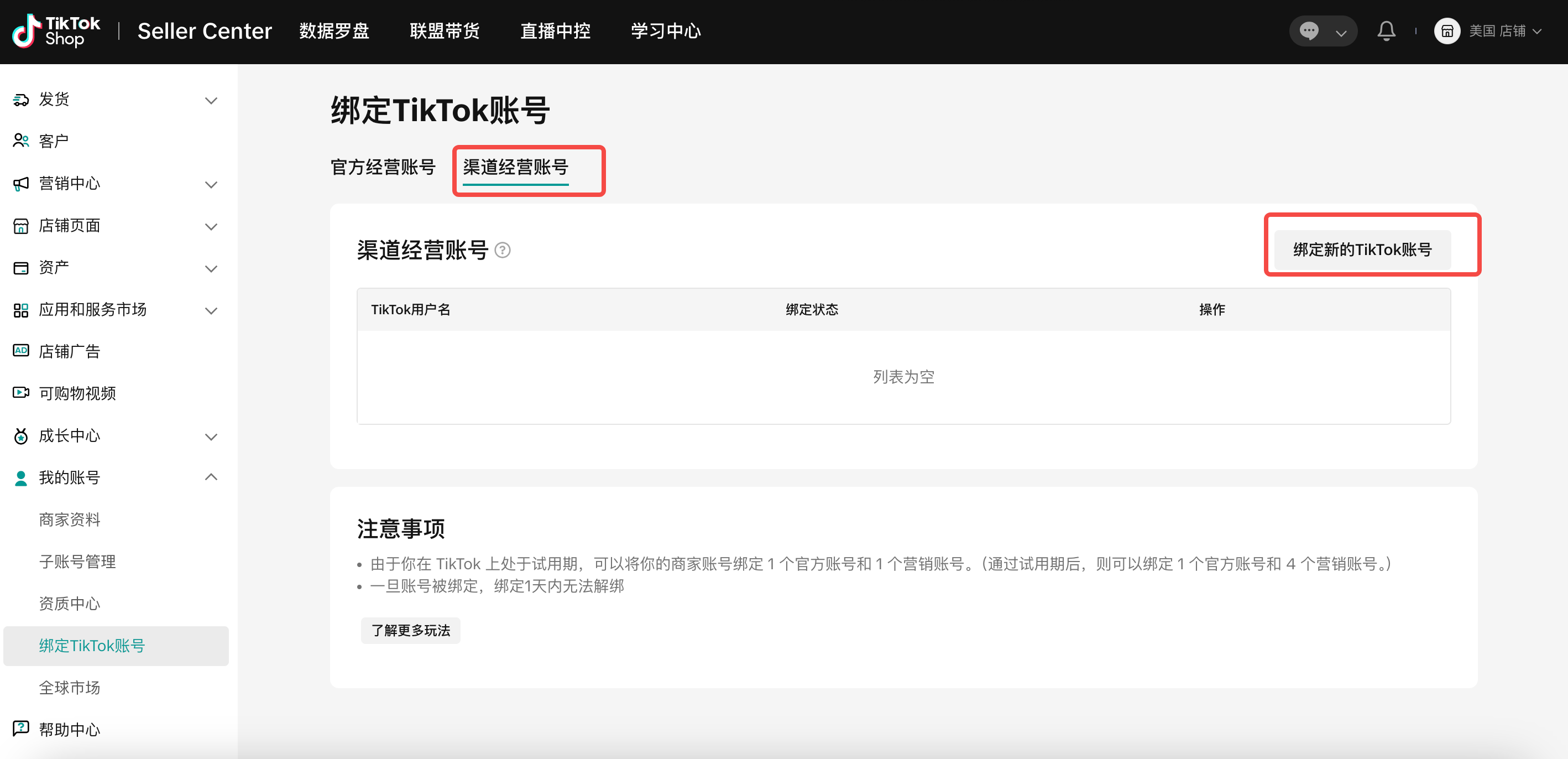 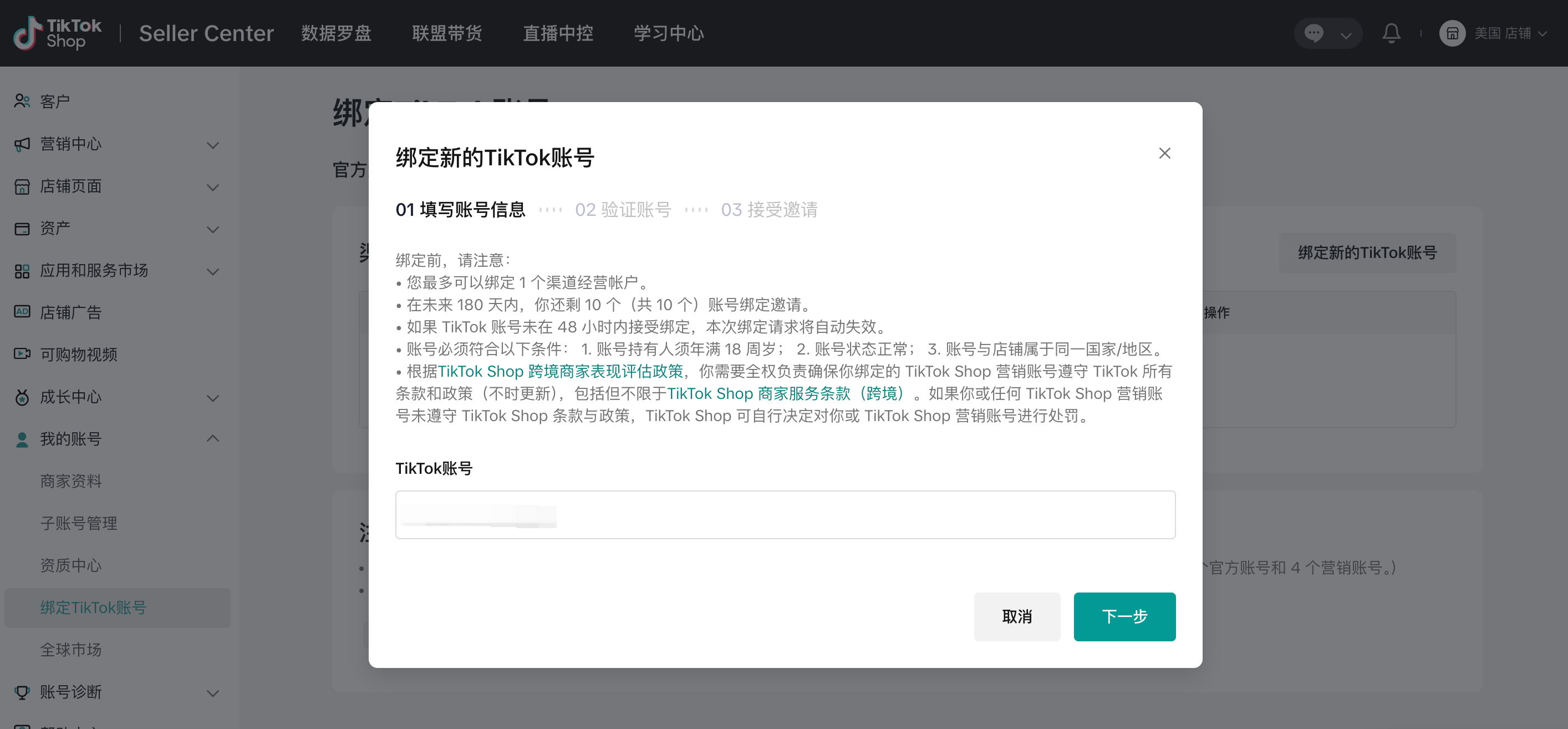 |
| 第三步:在TikTok APP中用达人账号接受邀请。 | 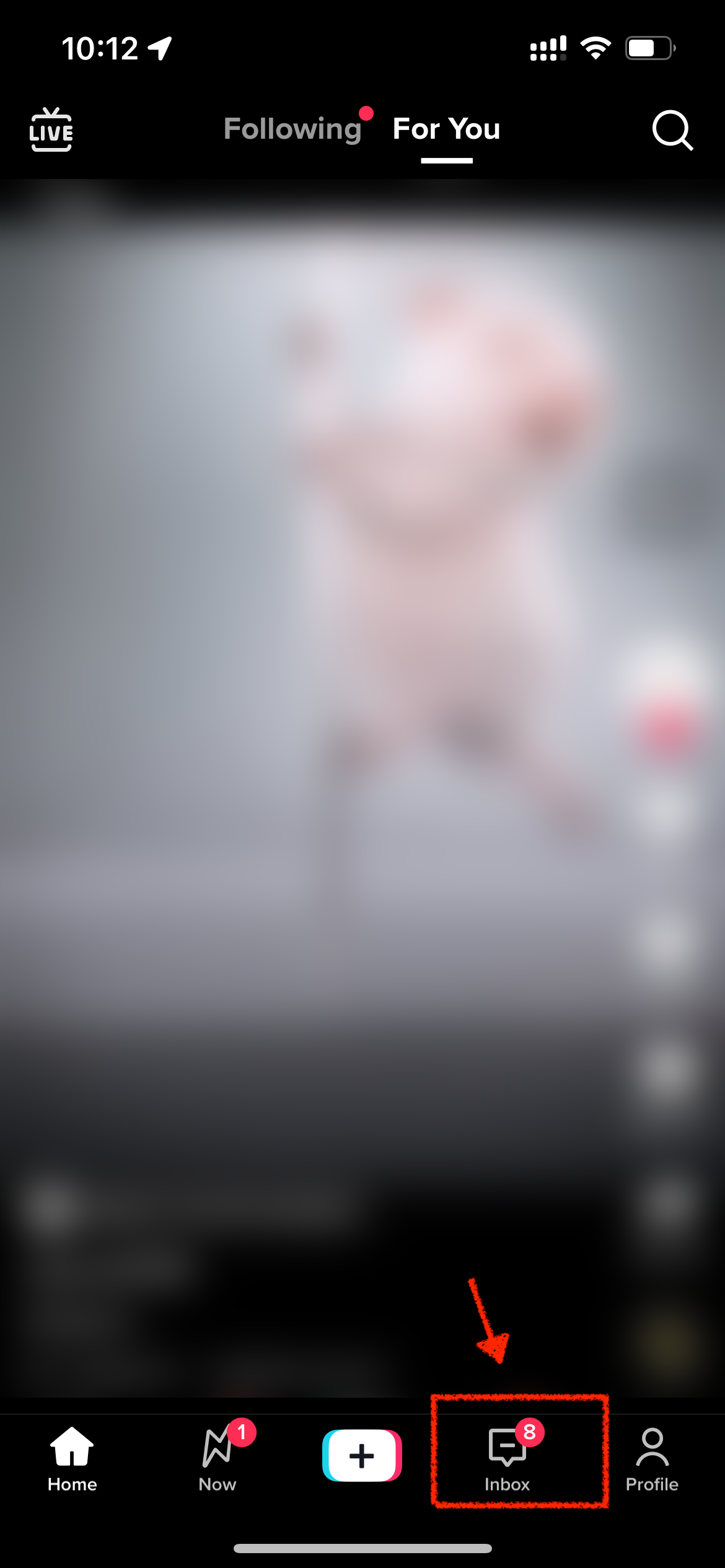 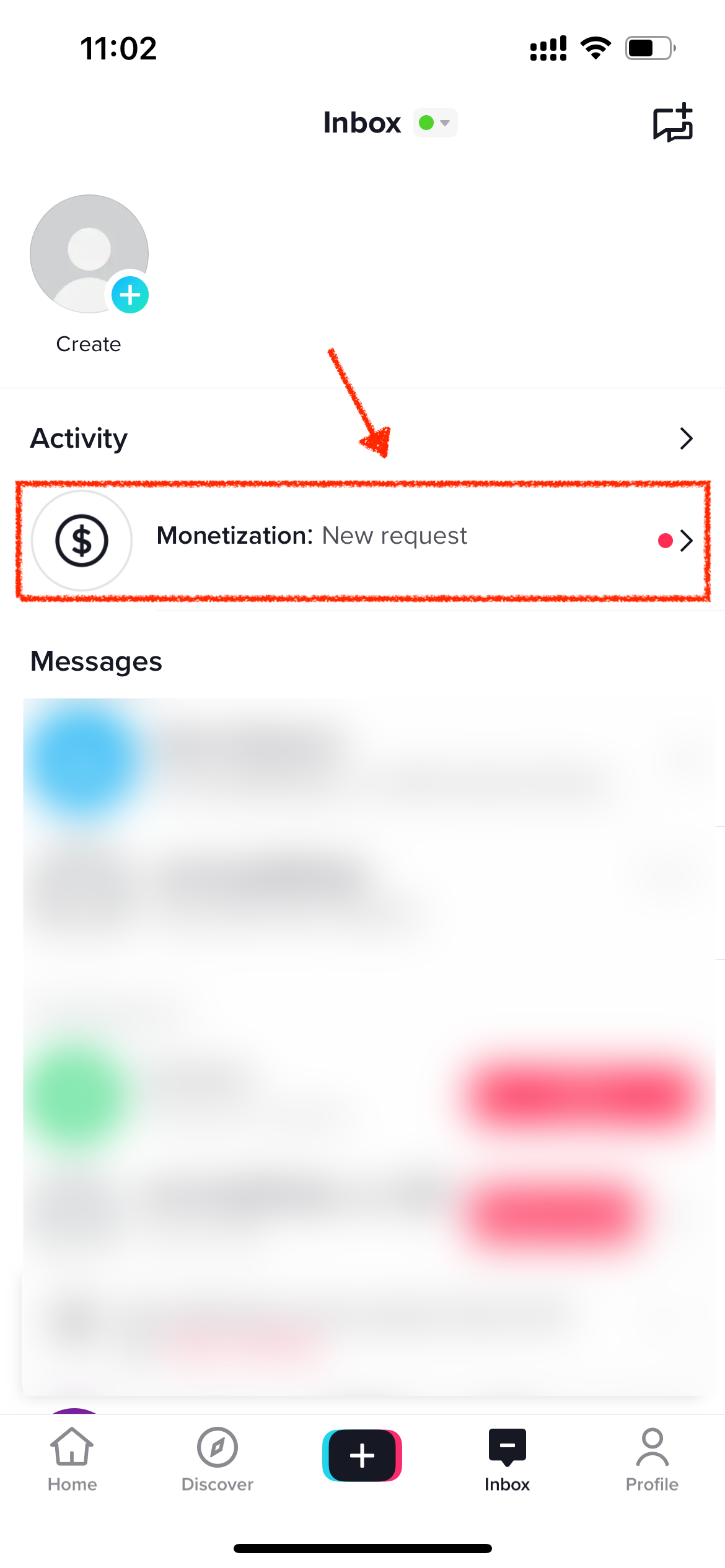 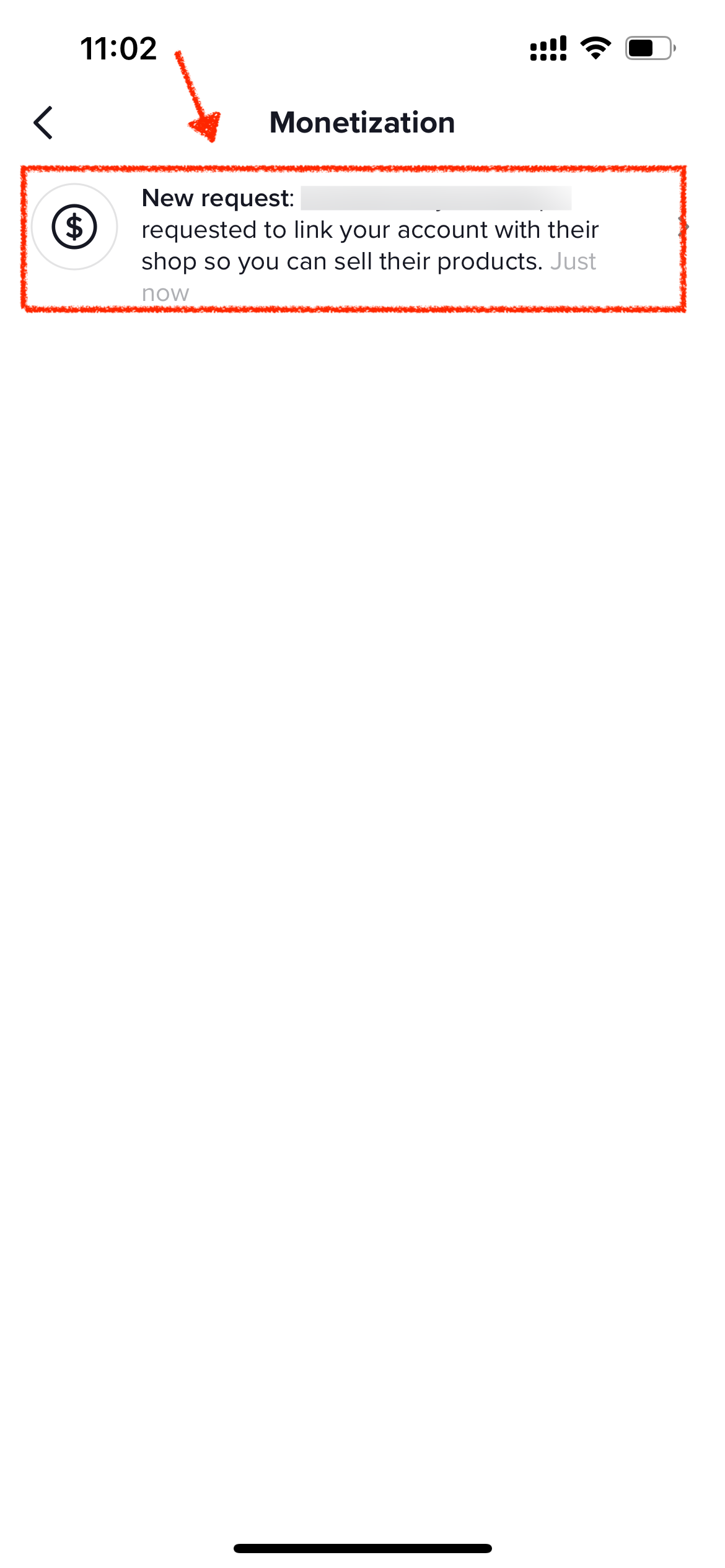 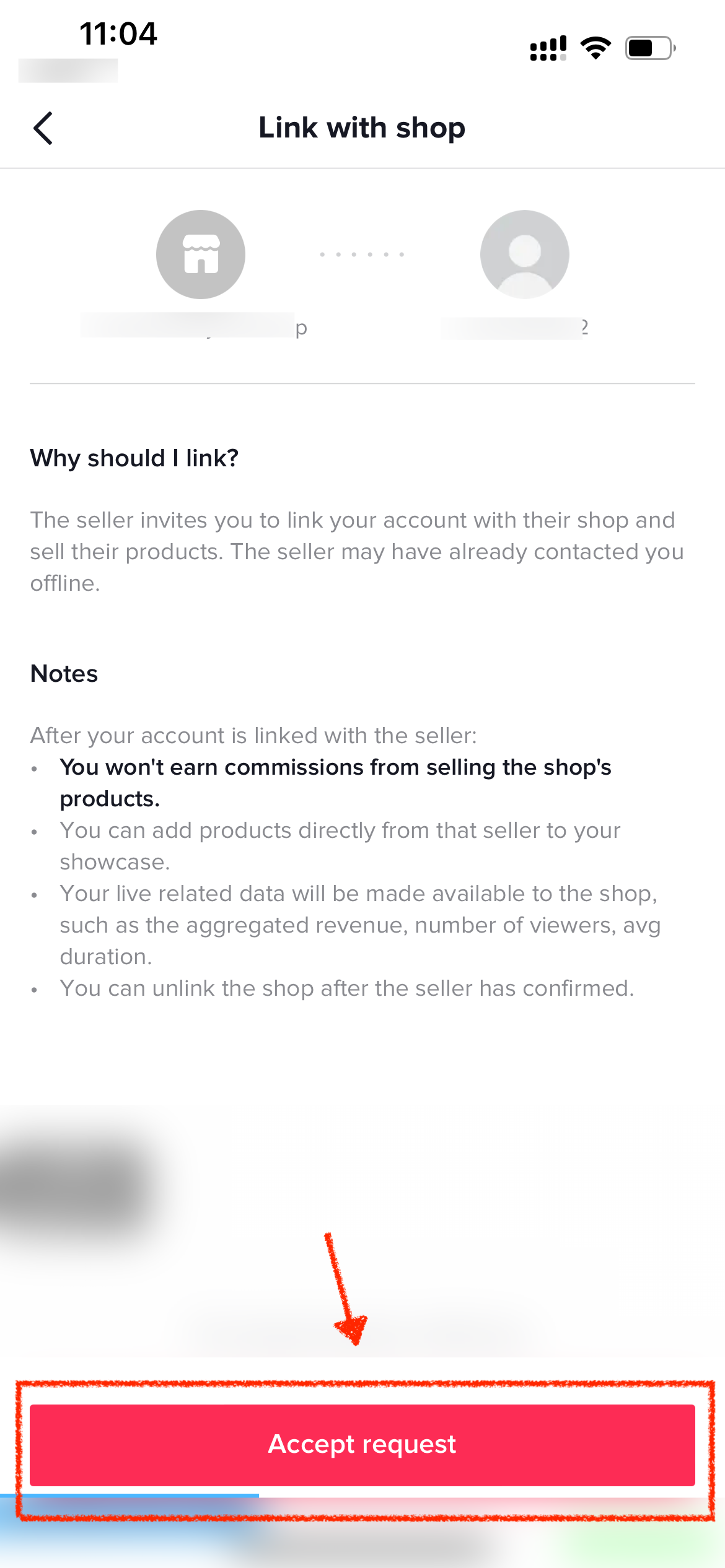 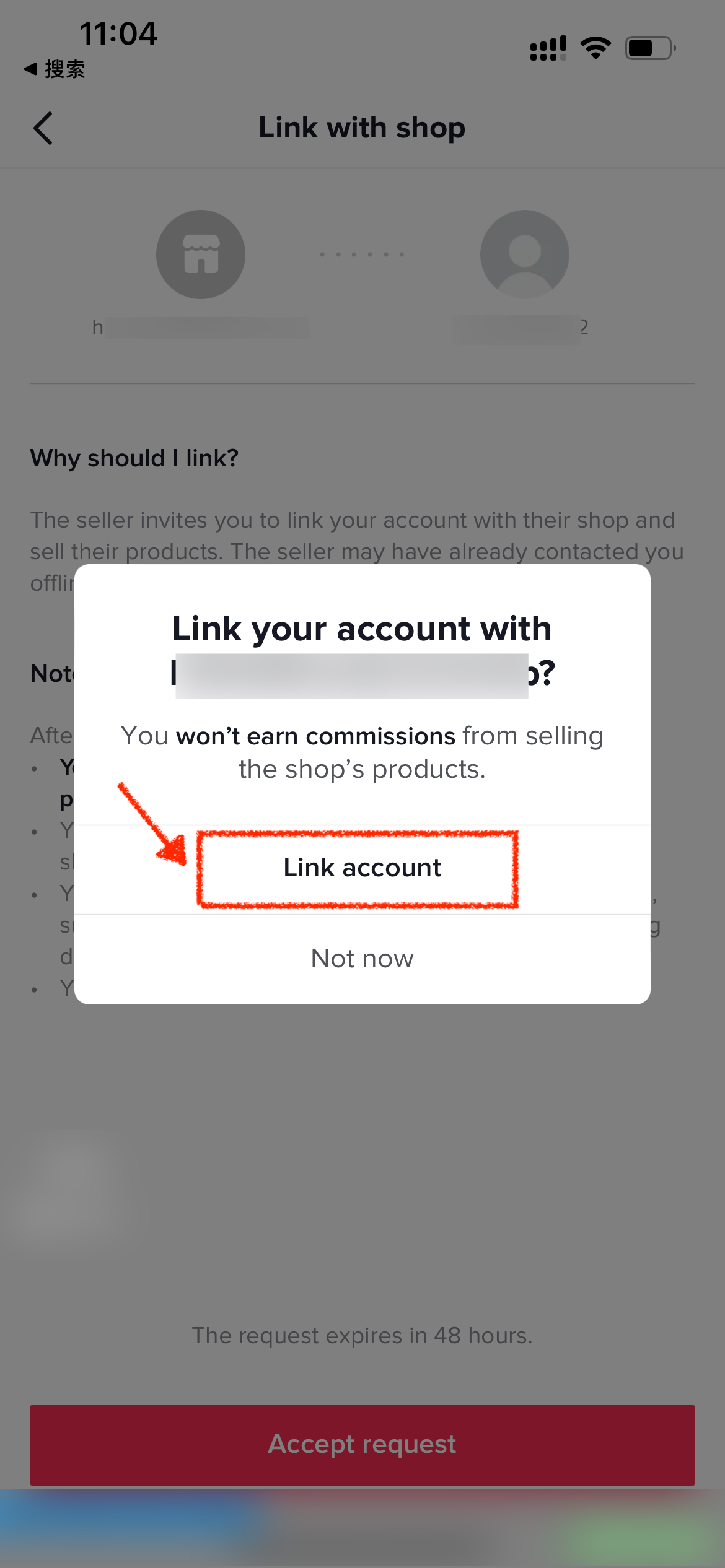 |
| 在店铺后台确认如下界面,代表店铺渠道账号已关联成功。 | 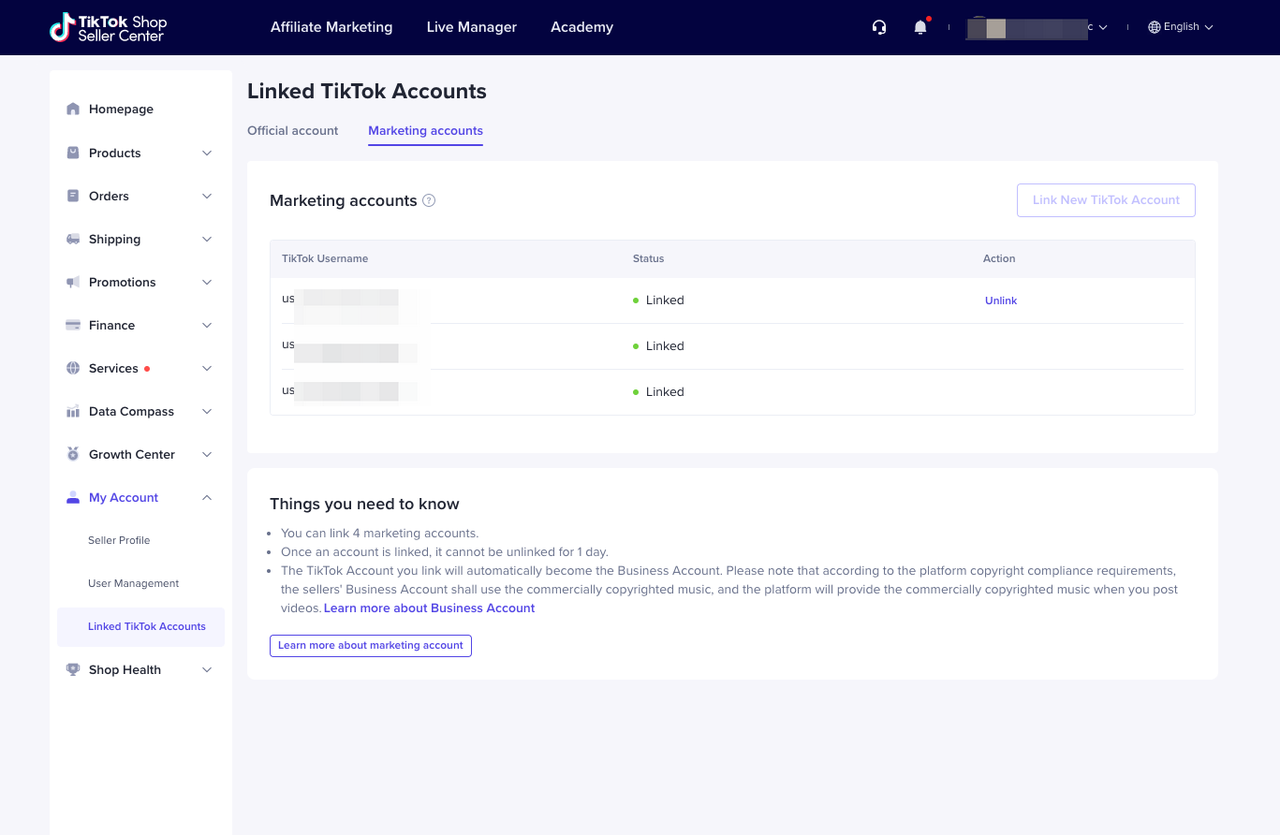 |
四、我没有美
国TikTok
账号:创建机构号
1.创建机构号
对于未入驻商家,你可以在入驻过程中直接创建 TikTok Shop 机构号;如果你已经成功入驻且未绑定官方账号,也可以在卖家中心操作创建机构号并绑定。
1.1 入驻时创建
| 步骤 | 界面示例 |
| 1. 访问TikTok Shop跨境商家注册地址,进行账号注册 | 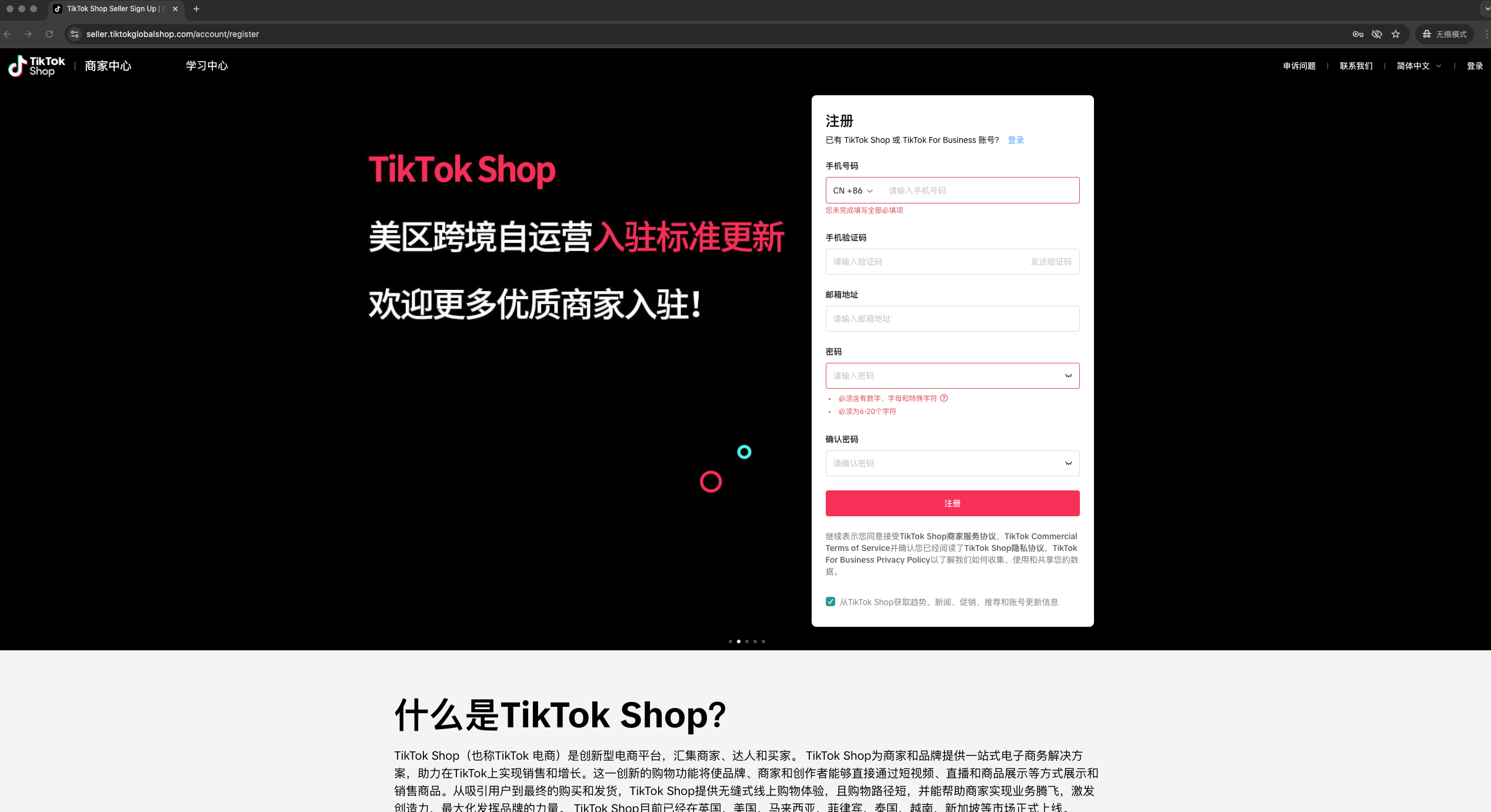 |
| 2. 选择市场—北美 | 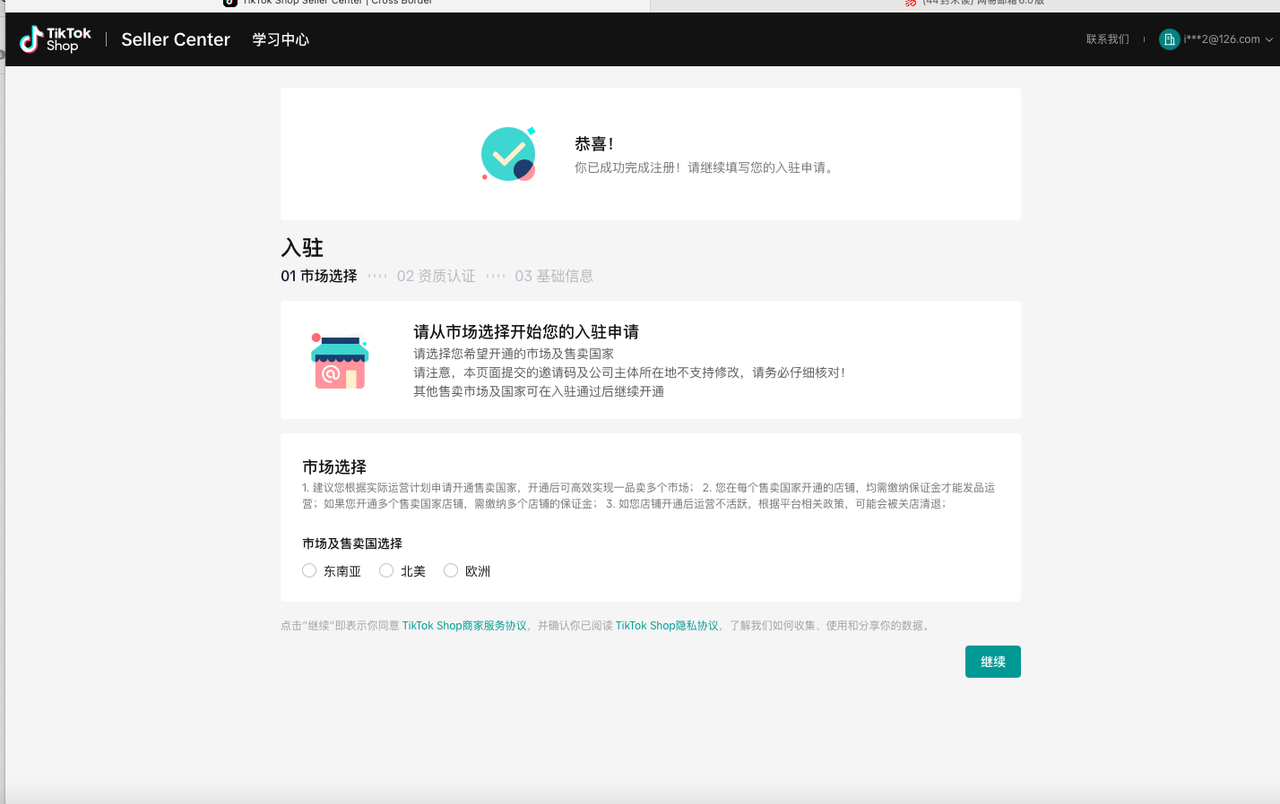 |
| 3. 按照要求填写资质 | 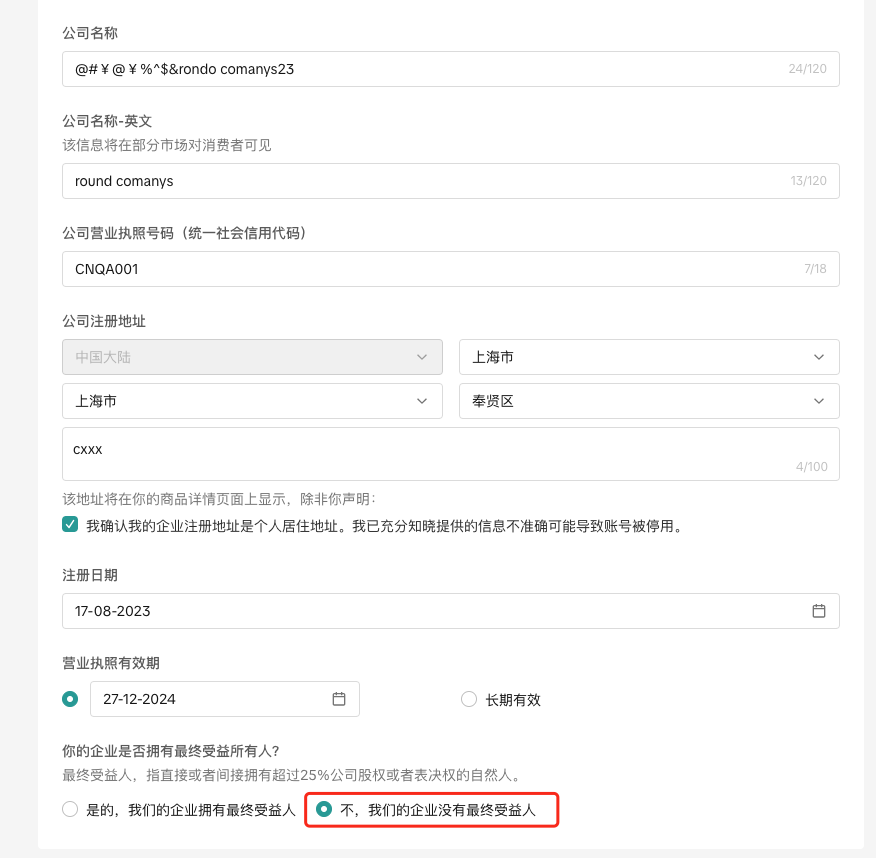 |
| 4. 在补充店铺信息时,勾选创建TikTok Shop机构号 – 账号的用户昵称与头像会自动继承店铺名称与logo – 店铺名称需低于30字符,否则会创建失败 | 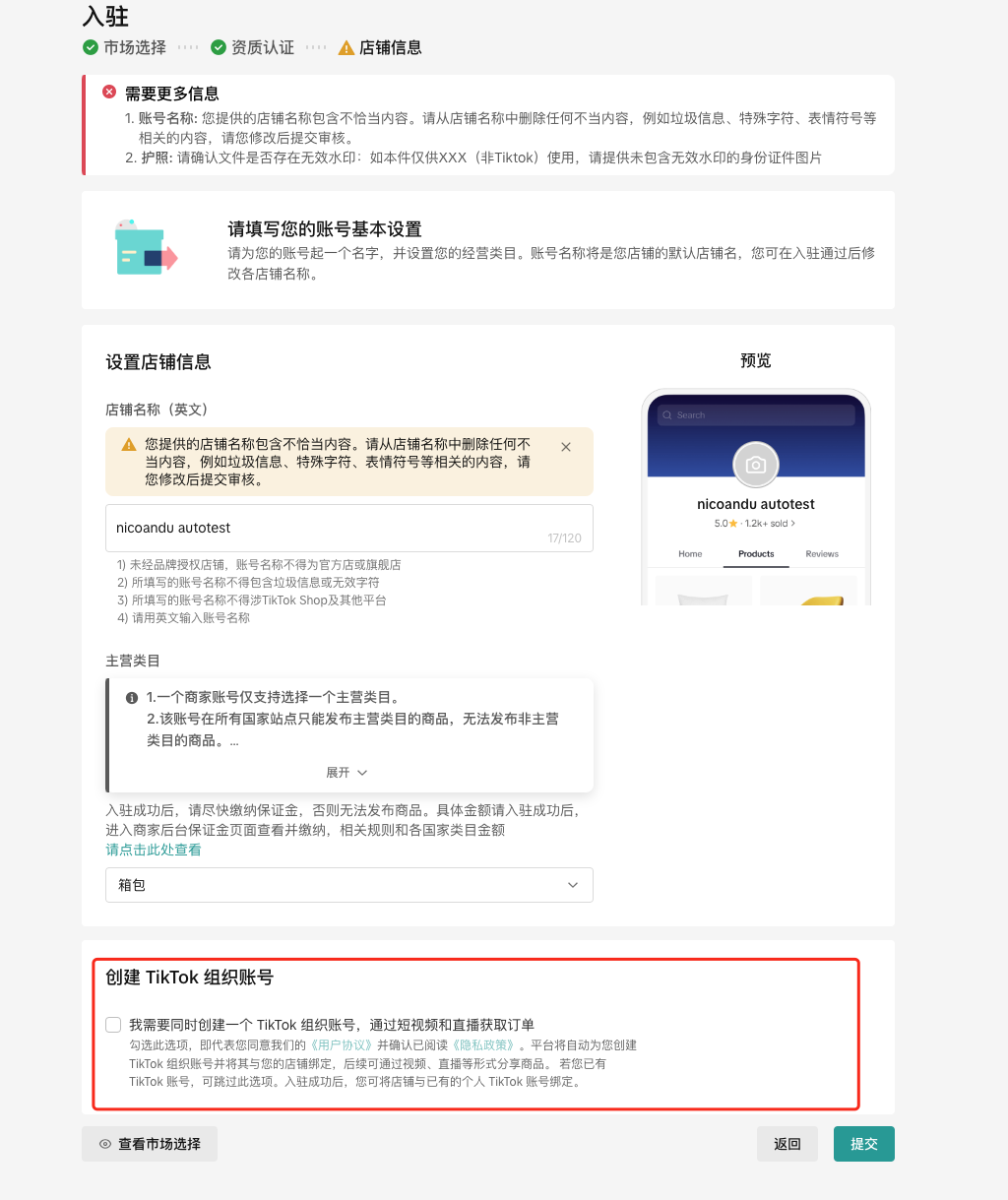 |
| 5. 等待审核 | 等待账户审核,审核通过后可正常登录卖家中心。 |
1.2入驻后创建
| 步骤 | 界面示例 |
| 1. 进入“绑定 TikTok 账号”页面账号入口 – 可以从“首页”卡片—“生成TikTok机构号”进入 – 也可以从左侧菜单“我的账号”—“绑定TikTok账号”—“官方经营号”进入 | 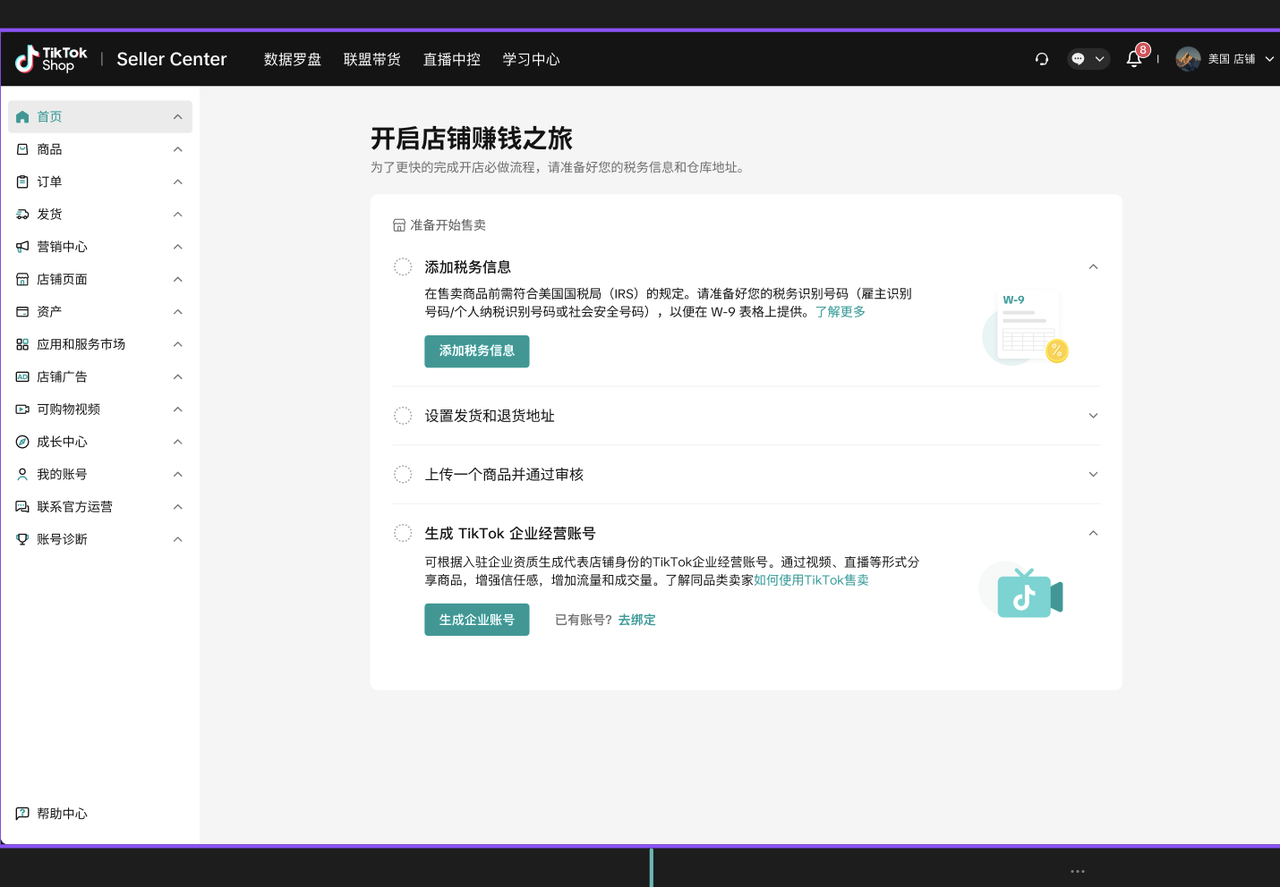 |
| 2. 点击“创建”机构号,点击弹窗中的继续 | 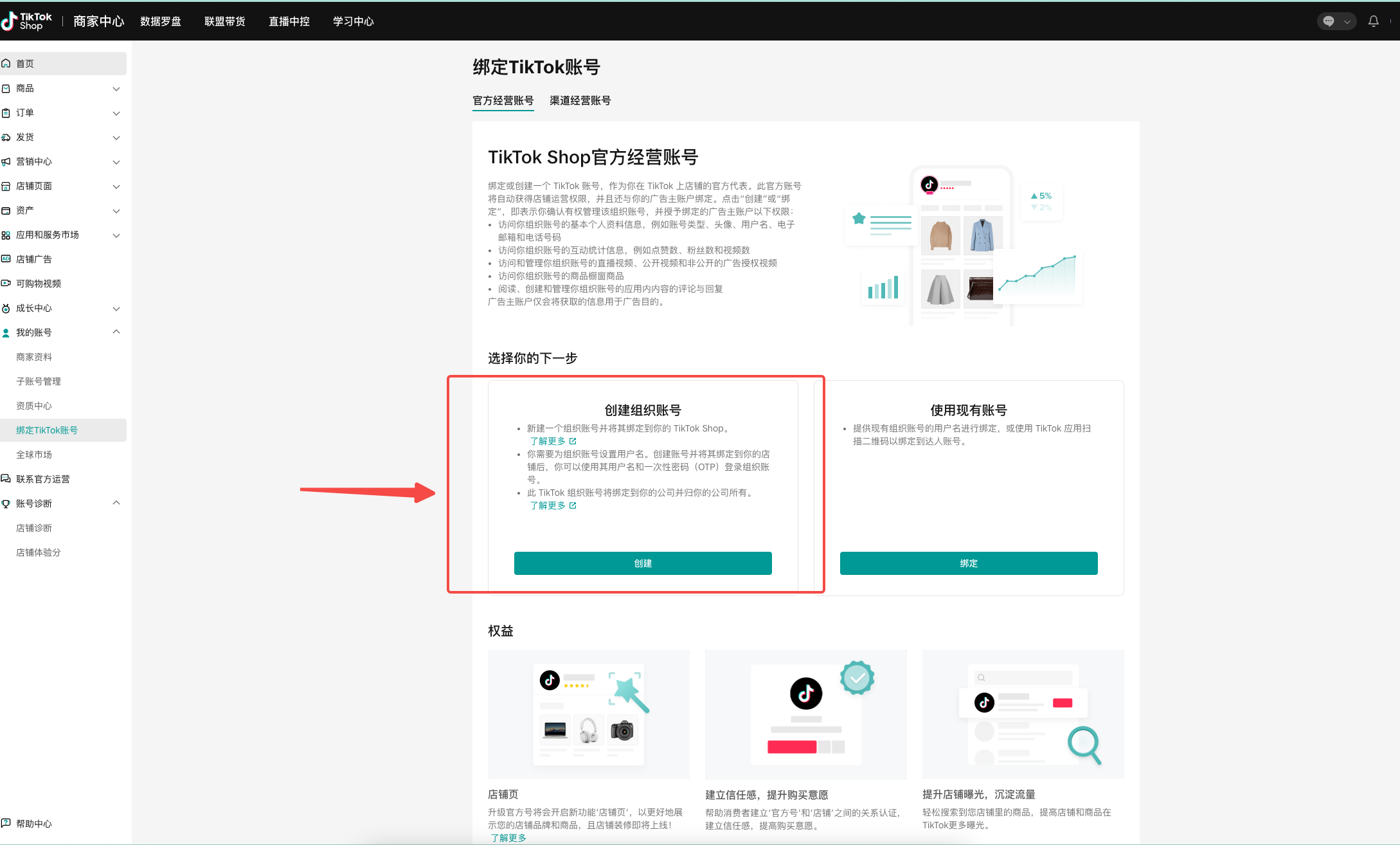 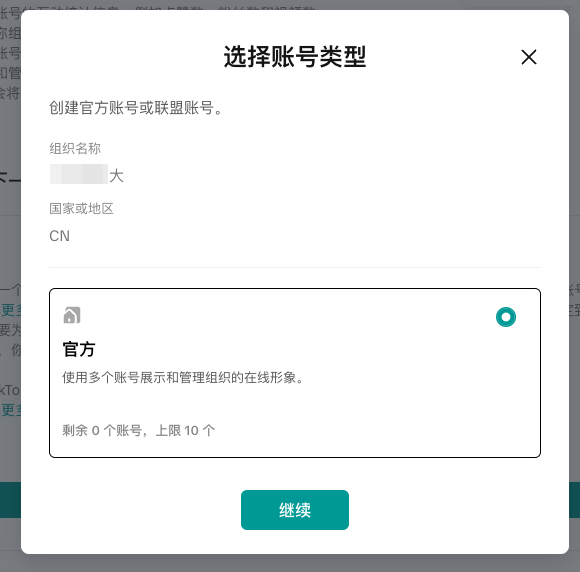 |
| 3. 填写账号信息 1. 用户名:选填 2. 名称:和店铺名称一致(请确保店铺名称少于30字符,否则会失败;可以在“我的账号”-“商家资料”-“店铺信息”中修改店铺名称) 3. 地区:目标销售国家 | 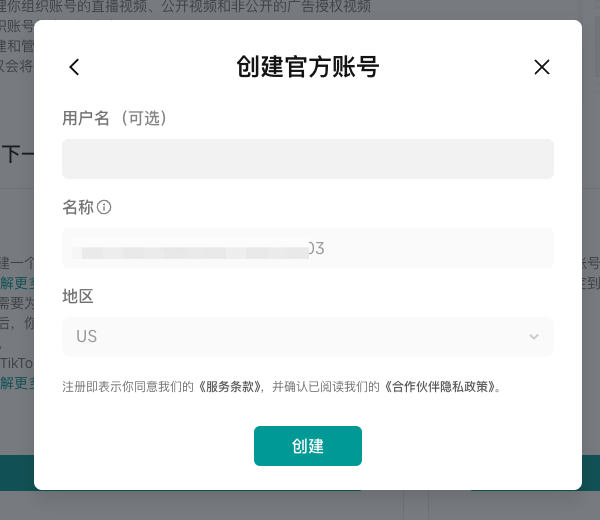 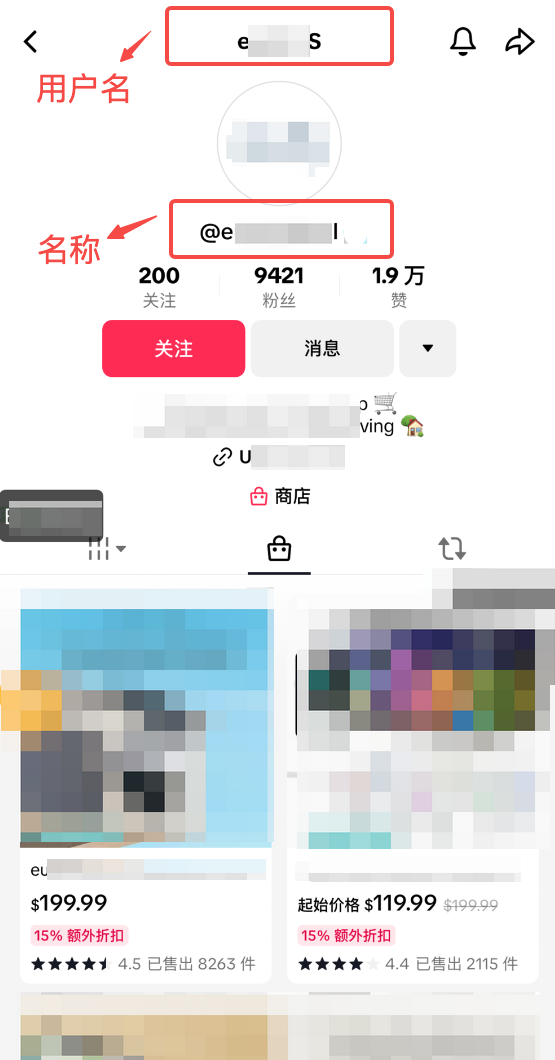 |
| 4. 等待大概2-3分钟,完成账号创建 | 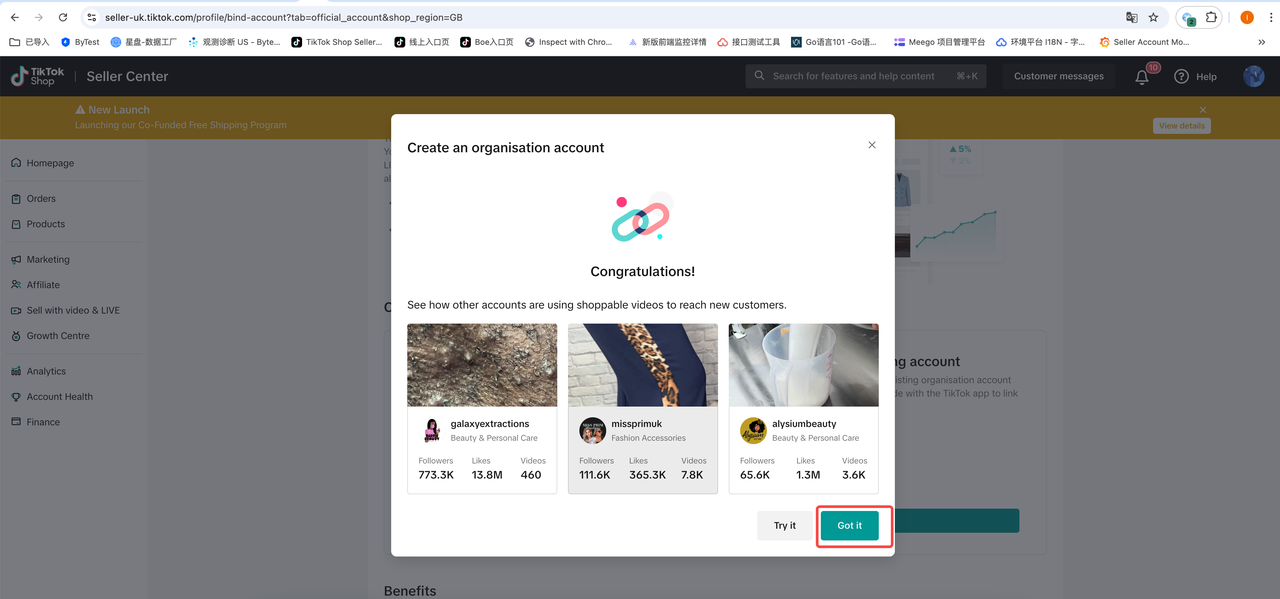 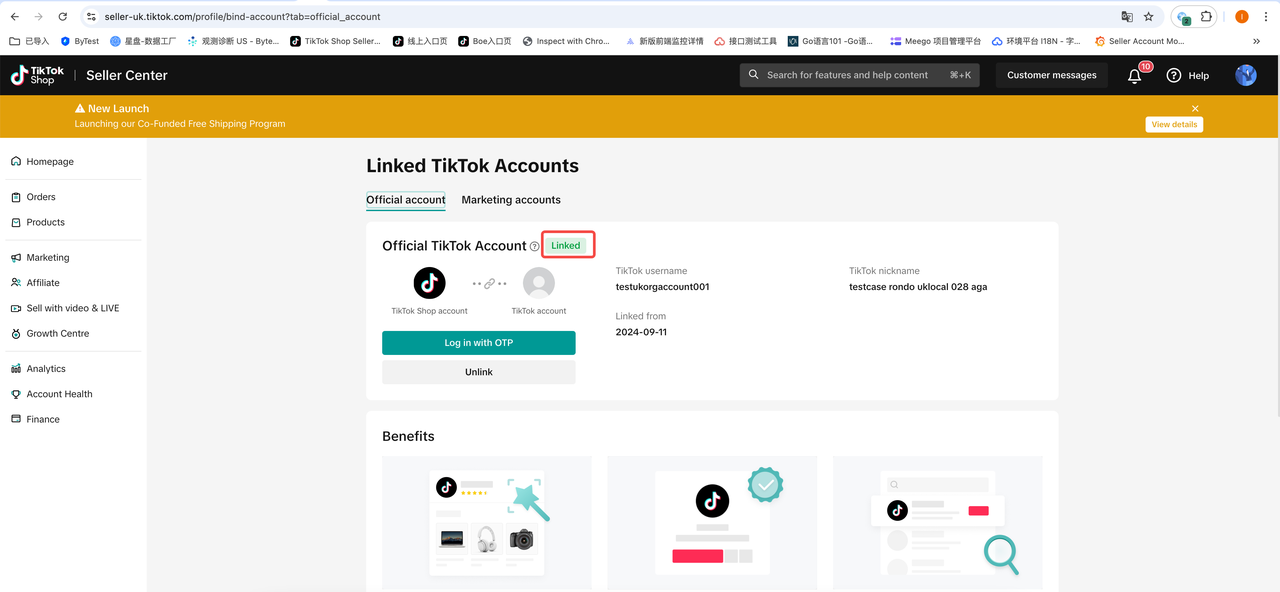 |
1.3查看创建状态
正常情况下账号创建很快就会完成,但是也有部分情况会失败,主要的失败原因包括:
- 店铺名称超过30个字符
请修改店铺名称后再尝试创建和绑定。
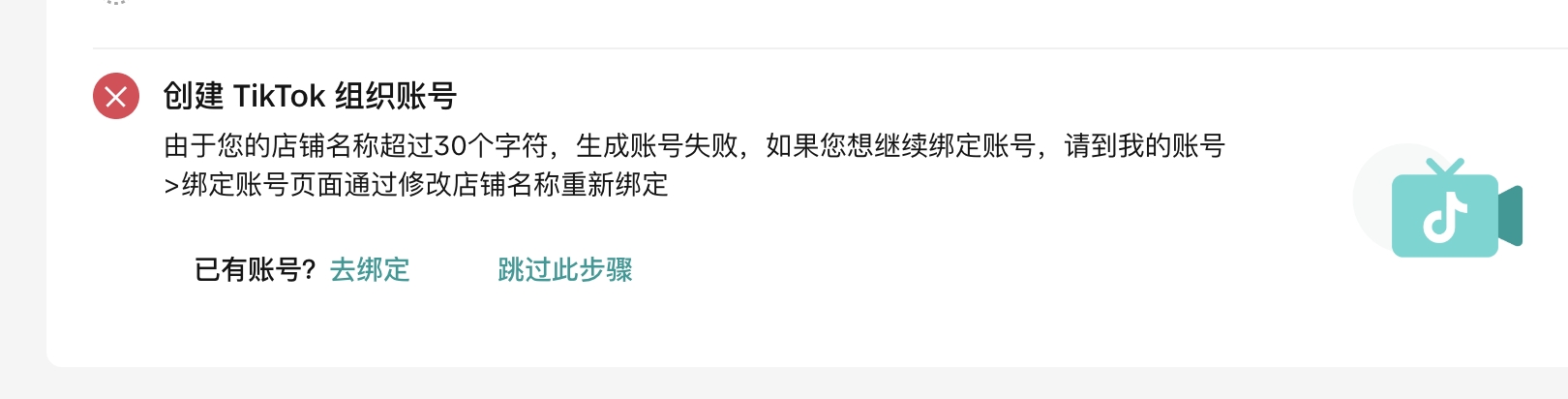
- 店铺异常情况
请查看异常详情并做针对性处理。
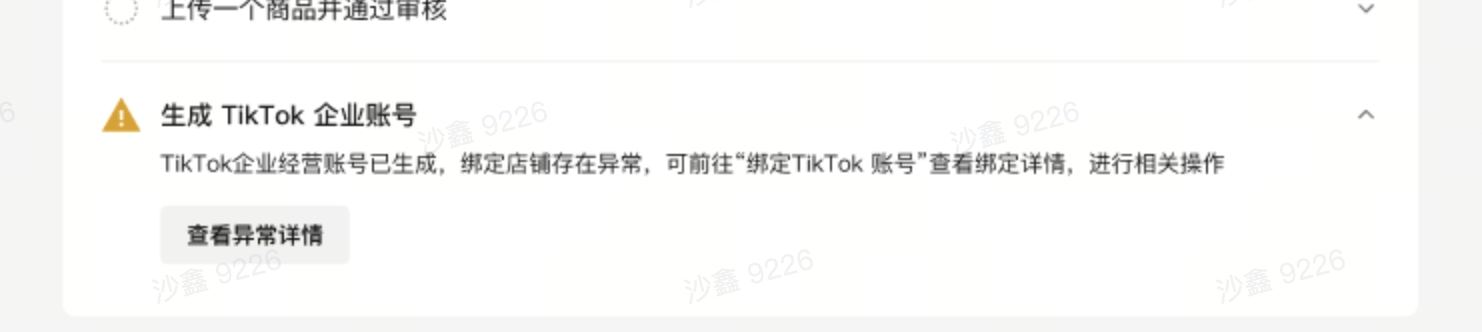
2.查看机构号以及如何登录 TikTok 和其它工具
| 步骤 | 界面示例 |
| 1. 登录TikTok Shop商家中心,找到首页—我的账号—绑定TikTok账号,可以查看账号 | 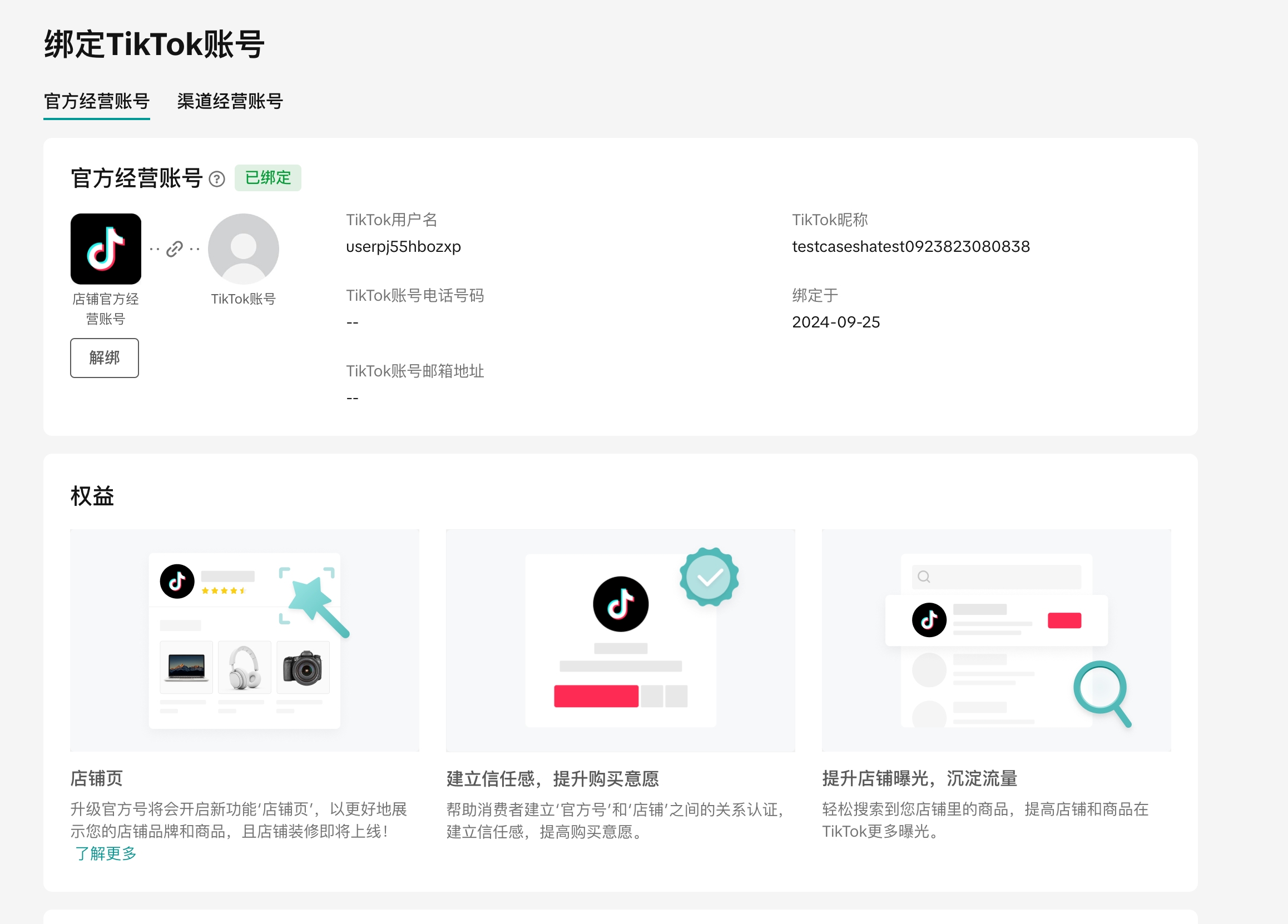 |
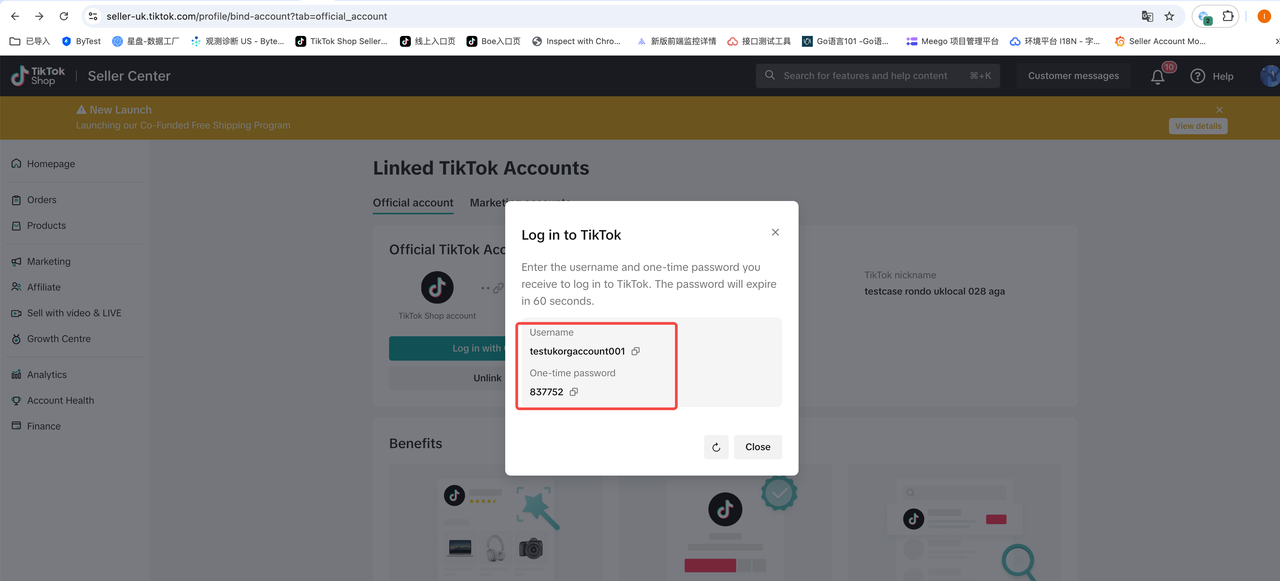
| 2. 如果你需要使用官方号登录TikTok App或者直播中控台,都需要使用商家后台的一次性密码登录 1. 点击页面上的一次性密码按钮 2. 选择手机号验证 3. 输入验证码 4. 获得一次性登录密码后使用其登录APP即可。 | 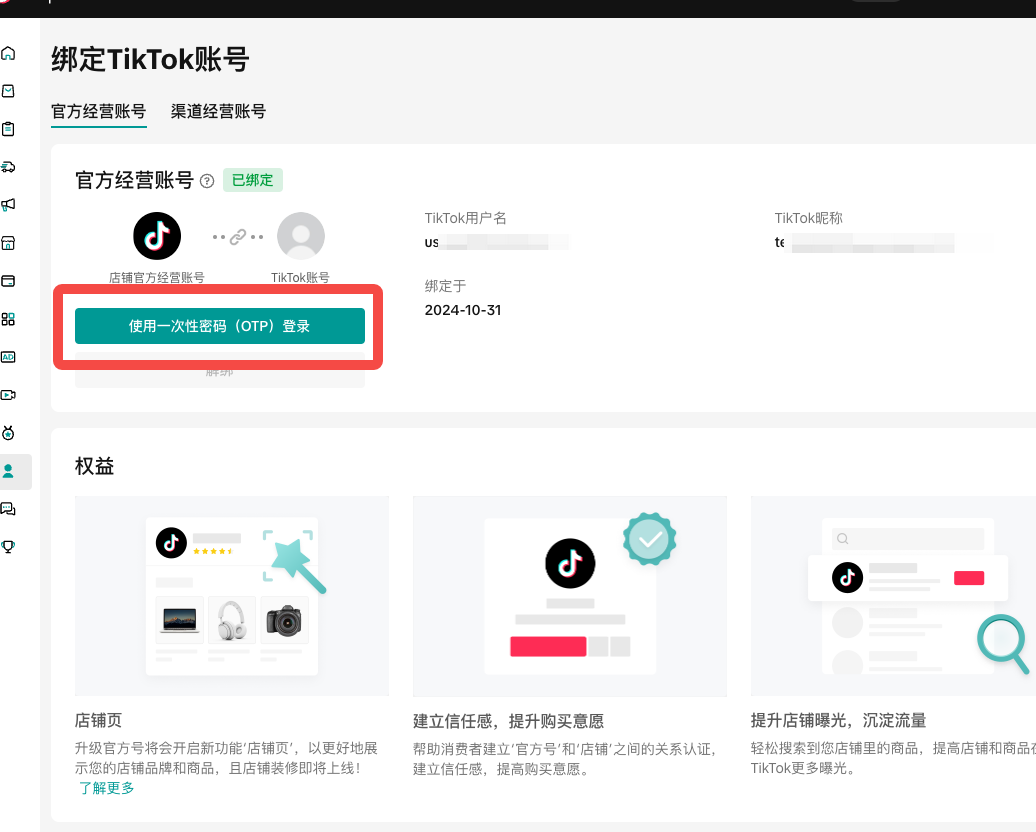 |
| | 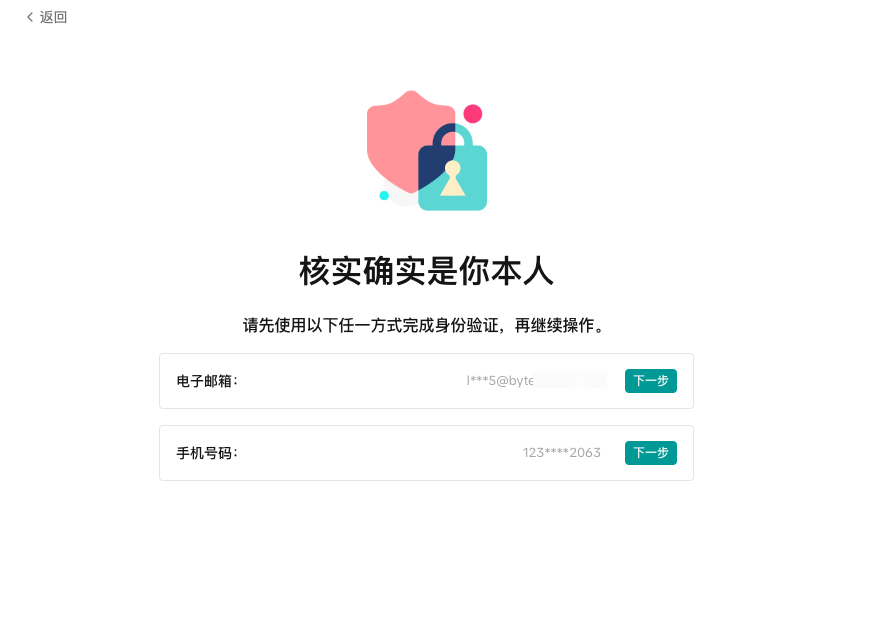 |
| | 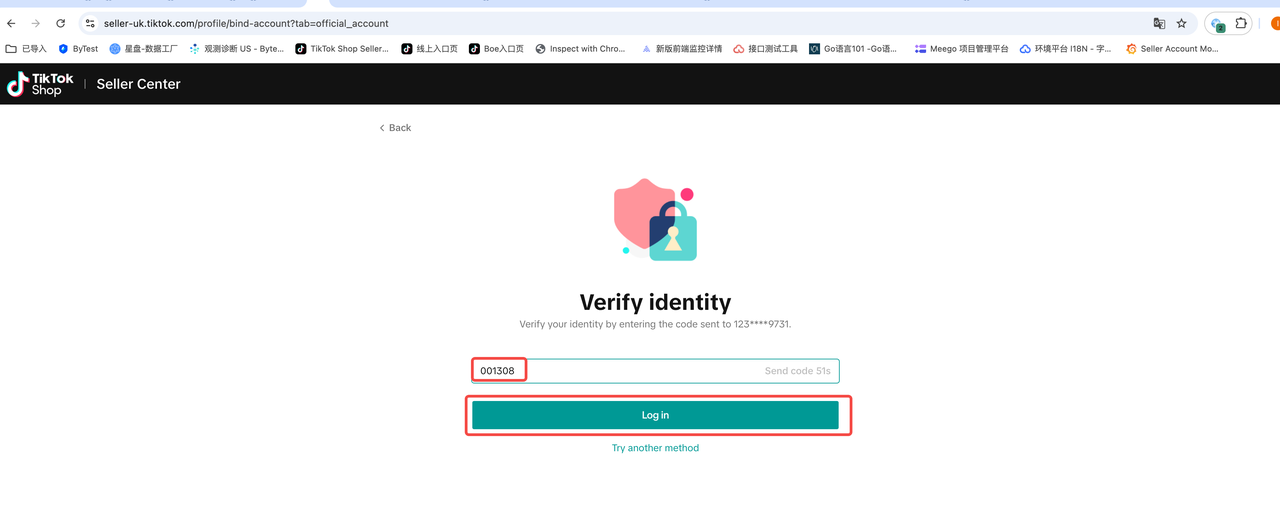 |
| | 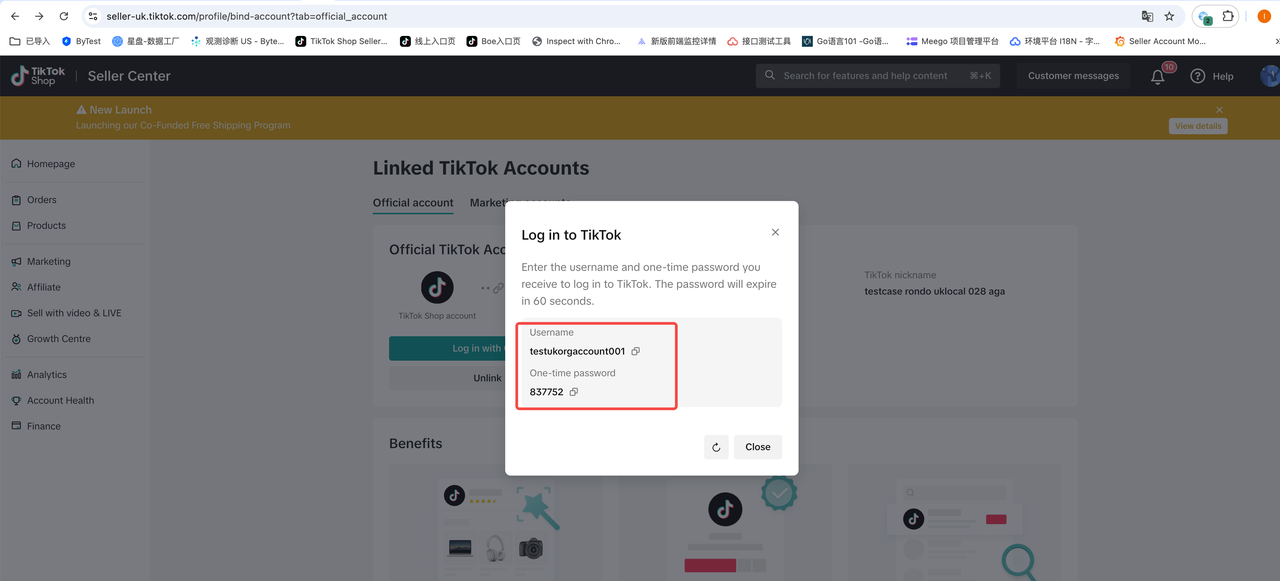 直播中控需要这样操作: 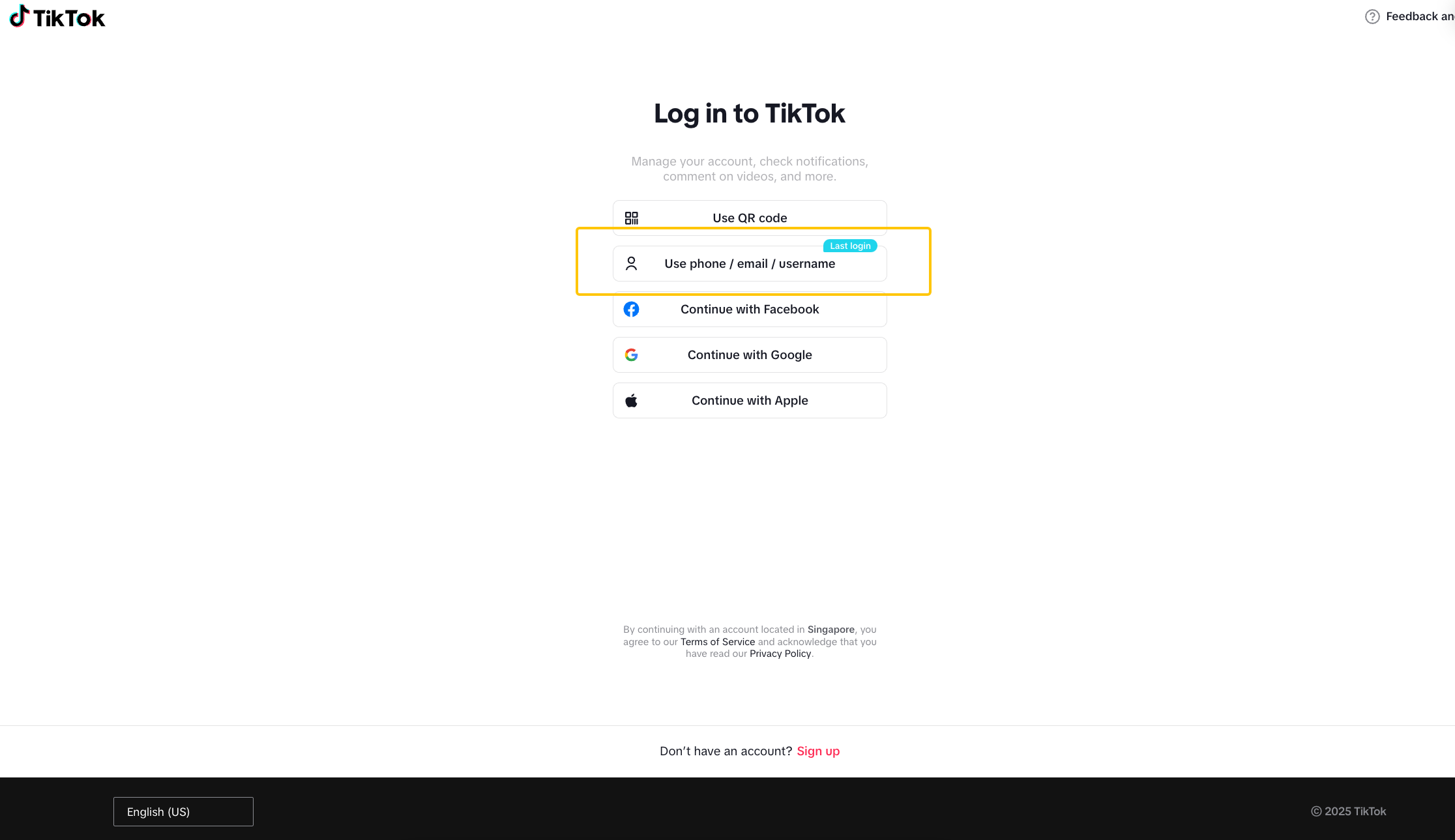 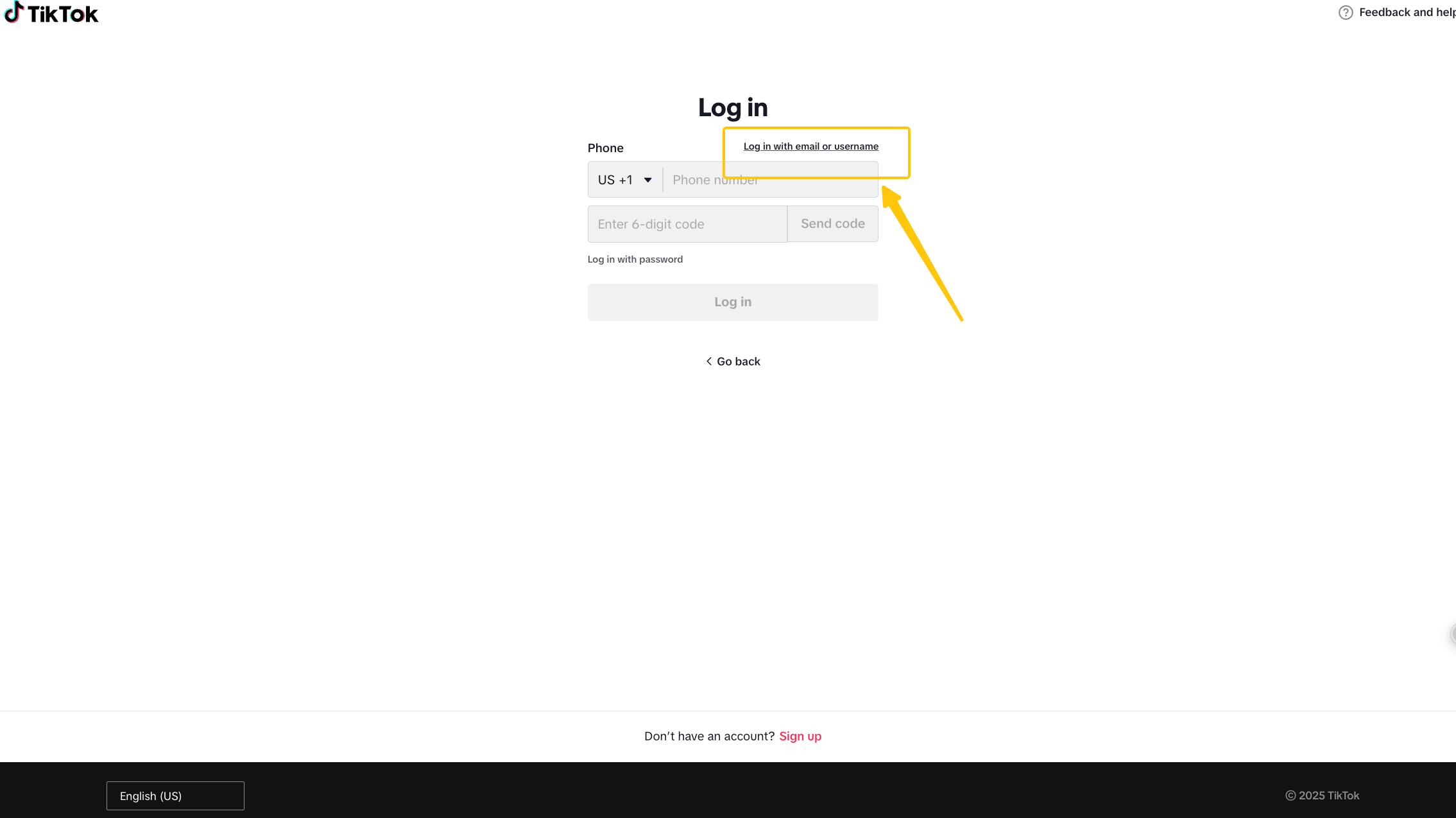 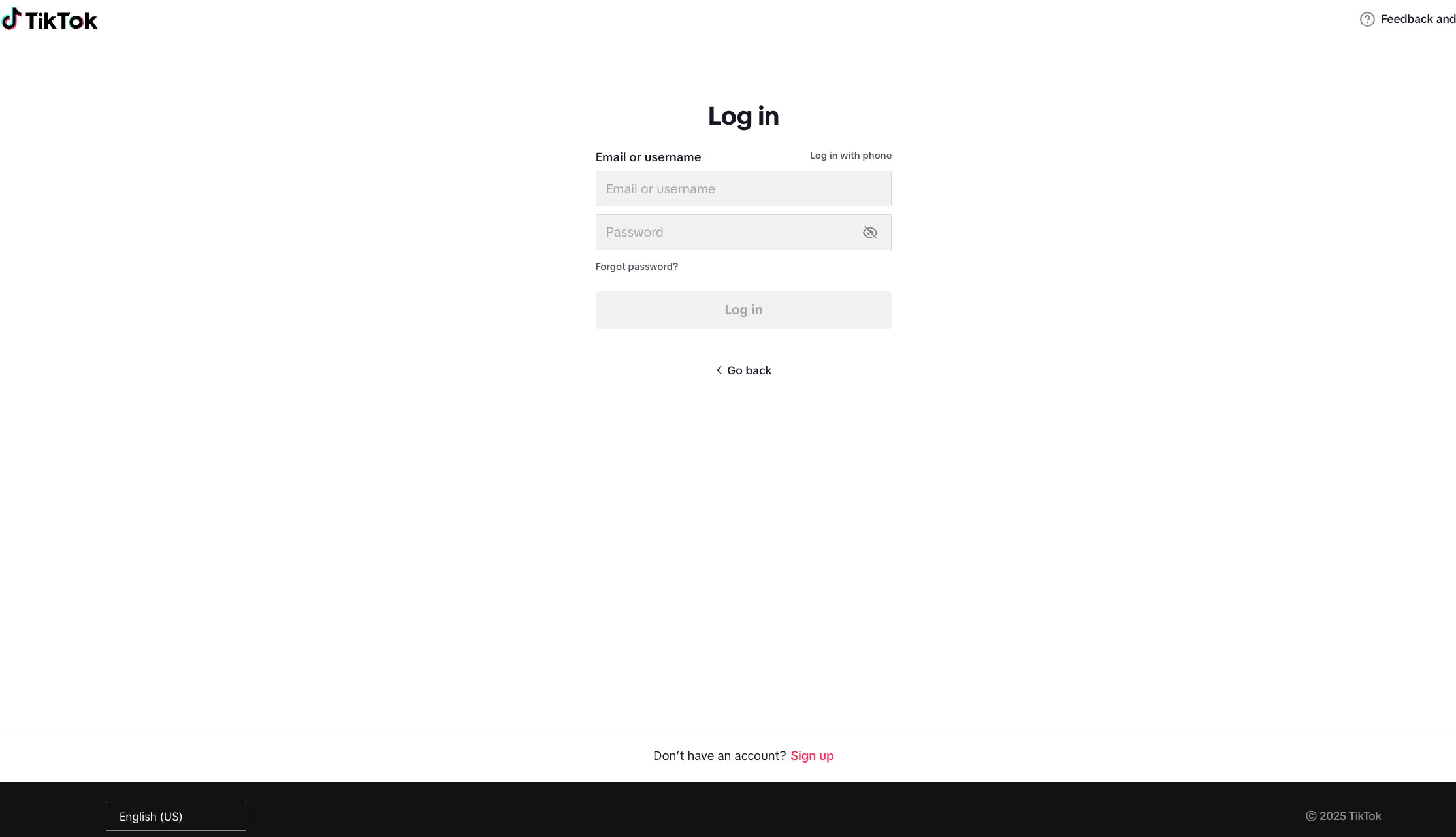 |
五、账号主页装修
| 账号构成 | 设置建议 | 示例图 |
| 头像 | 有商家代表性元素 – 品牌Logo – 商品展示 – 主播/主理人照片 | 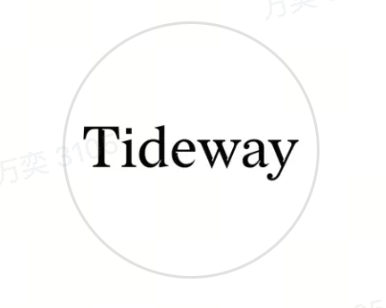 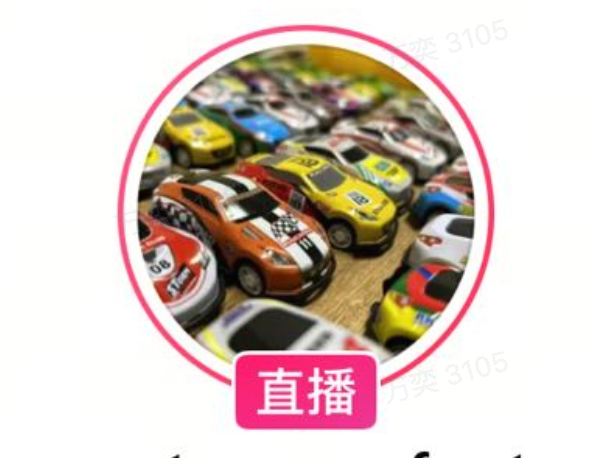 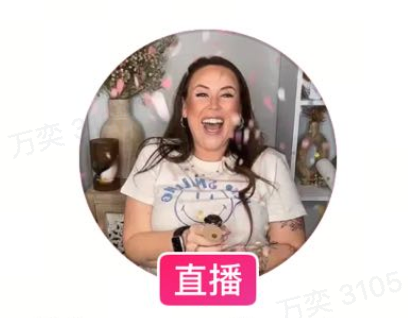 |
| 简介 | – 品牌简介 – 主营产品介绍 – 店铺购买指引 (目前大部分为品牌官网地址,需根据平台规则引导) |  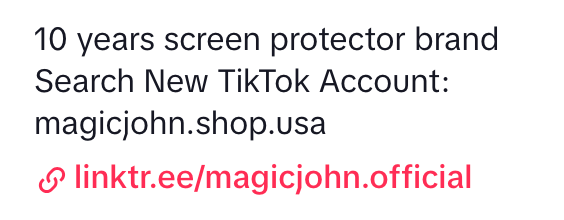  |
| 置顶视频 | – 品牌宣传 – 主营产品介绍 – 近期点赞较高视频 | 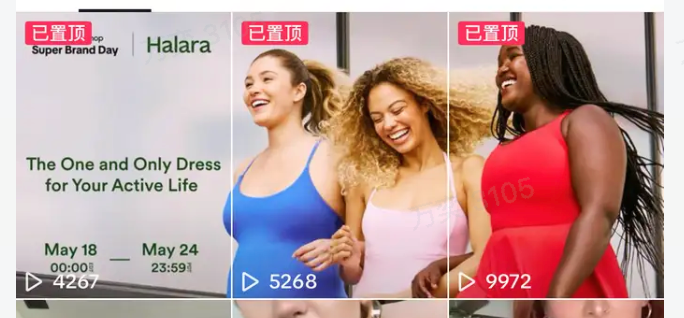 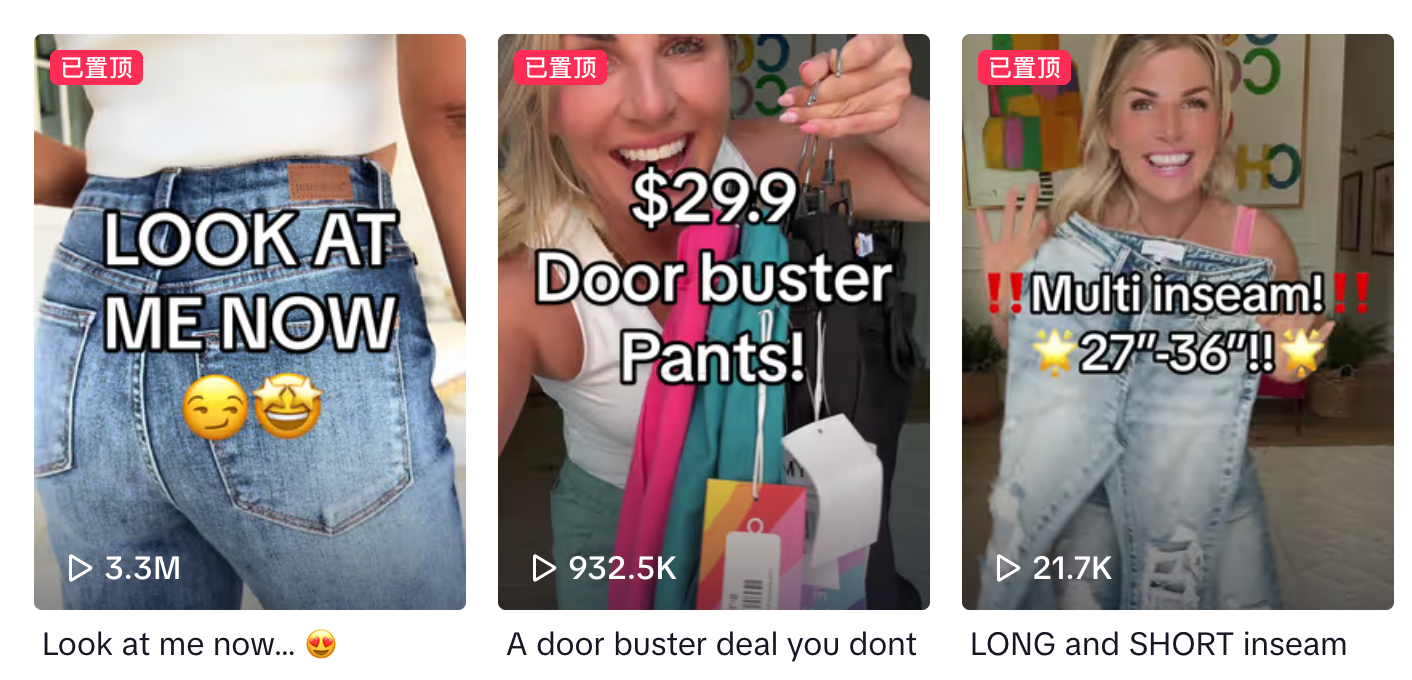 |
| 主页视频 | – 封面视图统一 – 封面字幕统一 – 视频风格一致 – 整体色调不杂乱 | 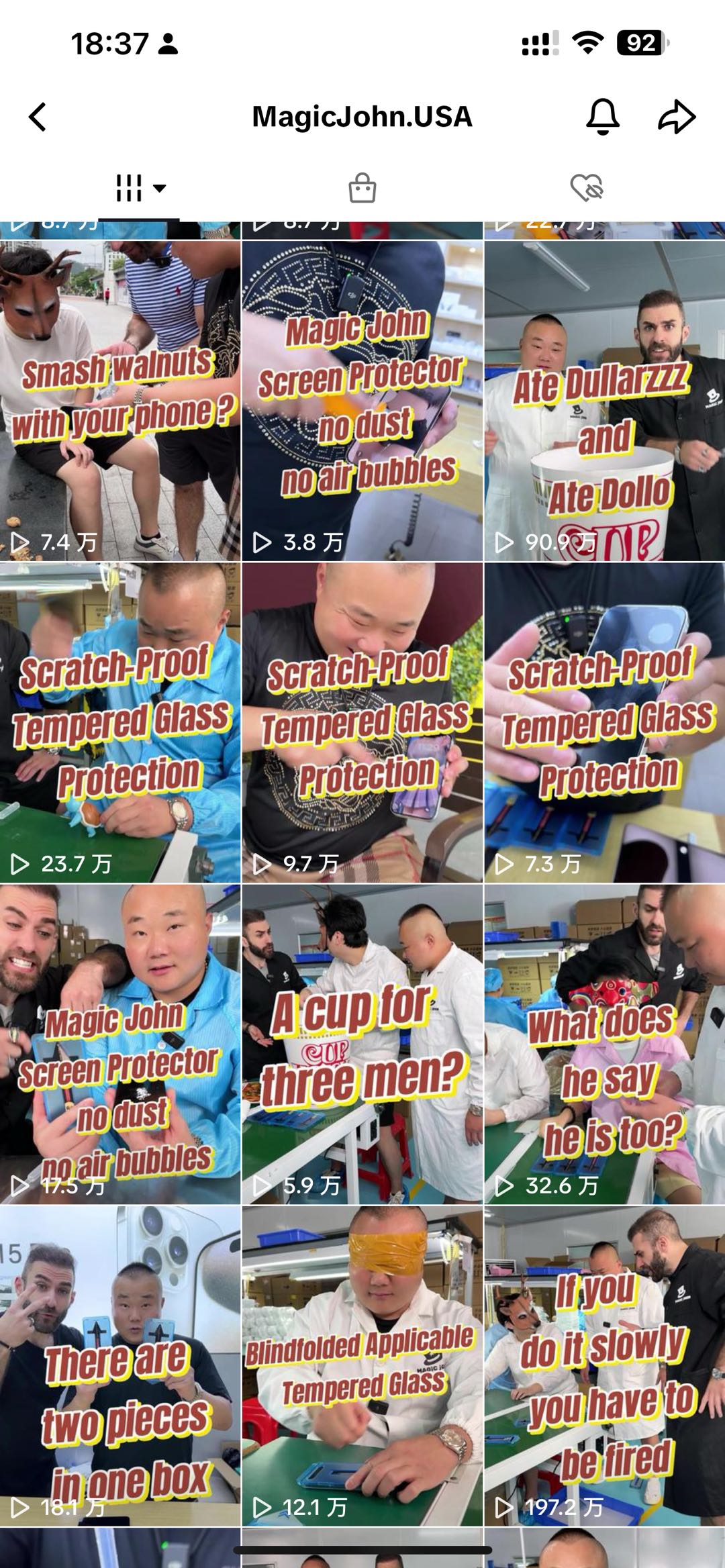 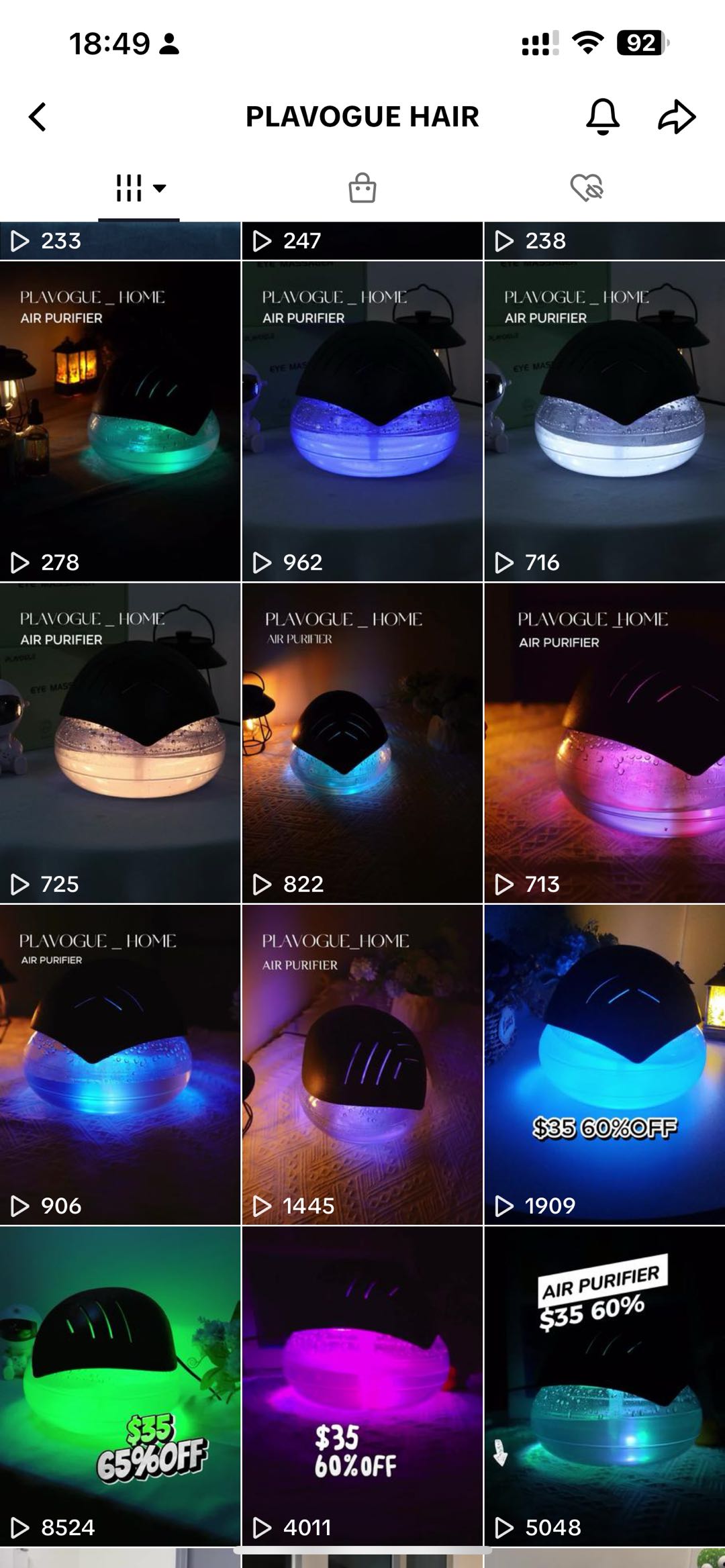 |
常见问题
Q1 如果我已经绑定官方号了,还需要创建机构号吗?
不需要。你可以继续正常使用已经绑定的官方号进行内容创作和销售。已绑定官方号的商家暂时不可以将其从个人号转为企业号。
Q2 TikTok 机构号是否有蓝V标识?
没有。
Q3 普通TikTok账号和TikTok机构号作为官方号有流量推荐上的差异吗?
没有任何差异,无论你选择使用普通账号还是机构号来作为官方号经营,都需要遵守TikTok Shop的经营规则和内容规范。
Q4 我不小心把机构号解绑了,怎么办?
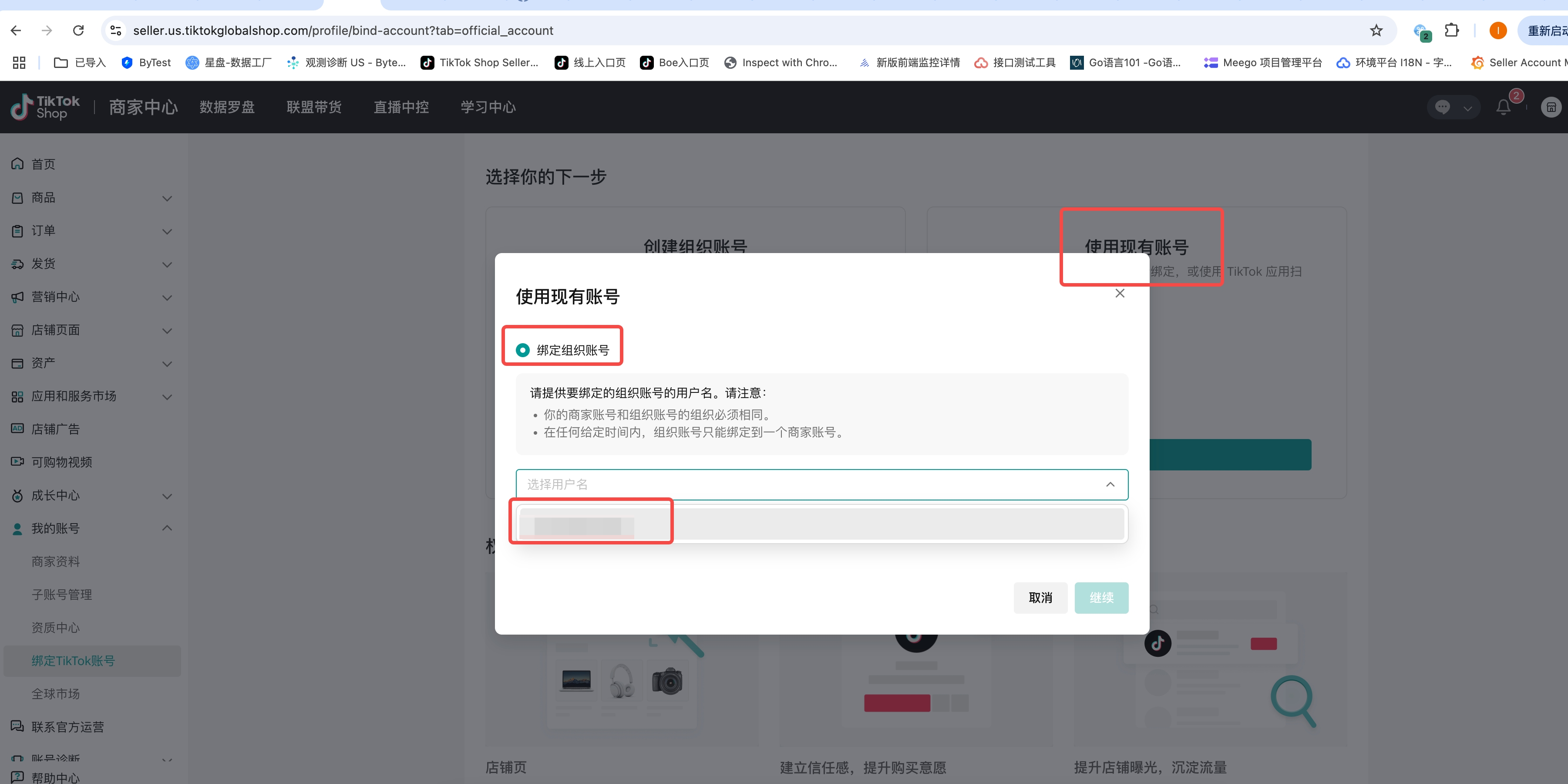
进入“绑定TikTok账号”页面,点击右侧“使用现有账号”绑定,在下拉框选择之前创建的机构号,继续绑定即可。但是请注意:每个机构号总共可以绑定到一个商家账号 2 次。
Q5 机构号有哪些功能不可用?
详见:https://ads.tiktok.com/help/article/list-of-unavailable-features-for-organization-accounts?lang=zh
Q6 我可以把这个店铺创建的机构号绑定到另一个店铺上吗?
不可以。
Q7 个人号升级成为机构号(企业号)之后,还能恢复为个人号吗?
不可以。升级完成后账号属性将永久变成机构号(企业号),即使跟店铺解绑,账号也仍然是机构号。
Q8 为什么我无法扫码登录直播中控台?
机构号必须使用商家后台提供的一次性登录账号密码登录直播中控台。
Q9 为什么我无法进行解绑操作?
在与官方账号或商家渠道号完成绑定后,商家必须等待24小时方可进行解绑操作。
卖家可执行以下操作:
官方账号解绑:最多可解绑 3 次。
商家渠道号解绑:180 天内最多可解绑10次
如果达人违规积分≥ 12 分或者 达人健康分≤150或者近期有严重违规记录的情形下商家不得与达人账号解绑。
English Version
From now on, for US-based sellers, binding an official or marketing account no longer requires personal ID verification or a minimum follower count. Once other requirements are met, the account can be successfully bound to promote store products.
1.Why You Need a TikTok Account
A TikTok account is the first step for sellers to begin content operations on TikTok. TikTok users learn about a seller and their products through short videos and livestreams, which can lead to purchase conversions and repeat orders. Therefore, every seller should bind a TikTok official account to establish a communication channel with users and improve their content creation capabilities, which helps bring in more consumers and transactions.
2.
TikTok E-Commerce Account Type
If you already have an existing US TikTok account, you can directly link it as either an official account or a marketing account. If you do not have a US TikTok account, it is recommended to create an organization account (an organization account is a type of TikTok official account, created using the shop’s business qualifications. It belongs to the shop entity and requires one-time account credentials managed and logged in through the Seller Center).
| TikTok Shop E-Commerce Account Type | Number of Accounts Linked to the Shop | TikTok Account Properties | Unified Requirements | Detailed Requirements |
| Official Account (seller self-promotion account) | 1 | Organizational Account | Eligible sellers must use their business credentials to create and verify the account in the Seller Center. | – The account must be created within the shop to be linked. – The account name must match the shop name and contain no more than 30 characters. – No minimum follower count threshold is required. – Only products from the bound shop can be promoted; affiliate products from other shops cannot be promoted. |
| | | Personal account | – Must be at least 18 years old – The account’s physical location must be in the target sales country – There are no records of having e-commerce permissions revoked by TikTok Shop or no associations with accounts that have had their e-commerce permissions revoked by TikTok Shop – The account is required to comply with TikTok Shop’s content policies, TikTok Community Guidelines, and all other TikTok Shop policies | |
| Channel Account (seller self-promotion account) | Up to four | | | – The account must be invited by a shop before it can be associated and bound. – The account name does not need to match the name of the bound shop. – No minimum follower count threshold is required. – Only products from the bound shop can be promoted. (With affiliate permissions enabled after meeting the KYC/follower requirements, other stores’ affiliate products can also be promoted.) |
| Affiliate Account (creator) | No Associated Account | | | – Apply independently to become an affiliate creator and sign the commission agreement. – Personal ID (passport, green card, driver’s license, etc., from the target sales country) is required for verification. – Minimum follower requirement: 1,000 followers. – Affiliate products from any stores can be promoted. |
3.I have a US TikTok account: Directly Link
If you already operate a TikTok account, follow this process to bind it. If you do not have a TikTok account yet, refer to Section 4 below for “Using an Organizational Account as the Official Account.”
3.1 Official Account
Directly link a TikTok account as the official account
| Steps | Screenshots |
| Step 1: In the store backend, click “My Account > Bind TikTok Account” in the left-side menu | 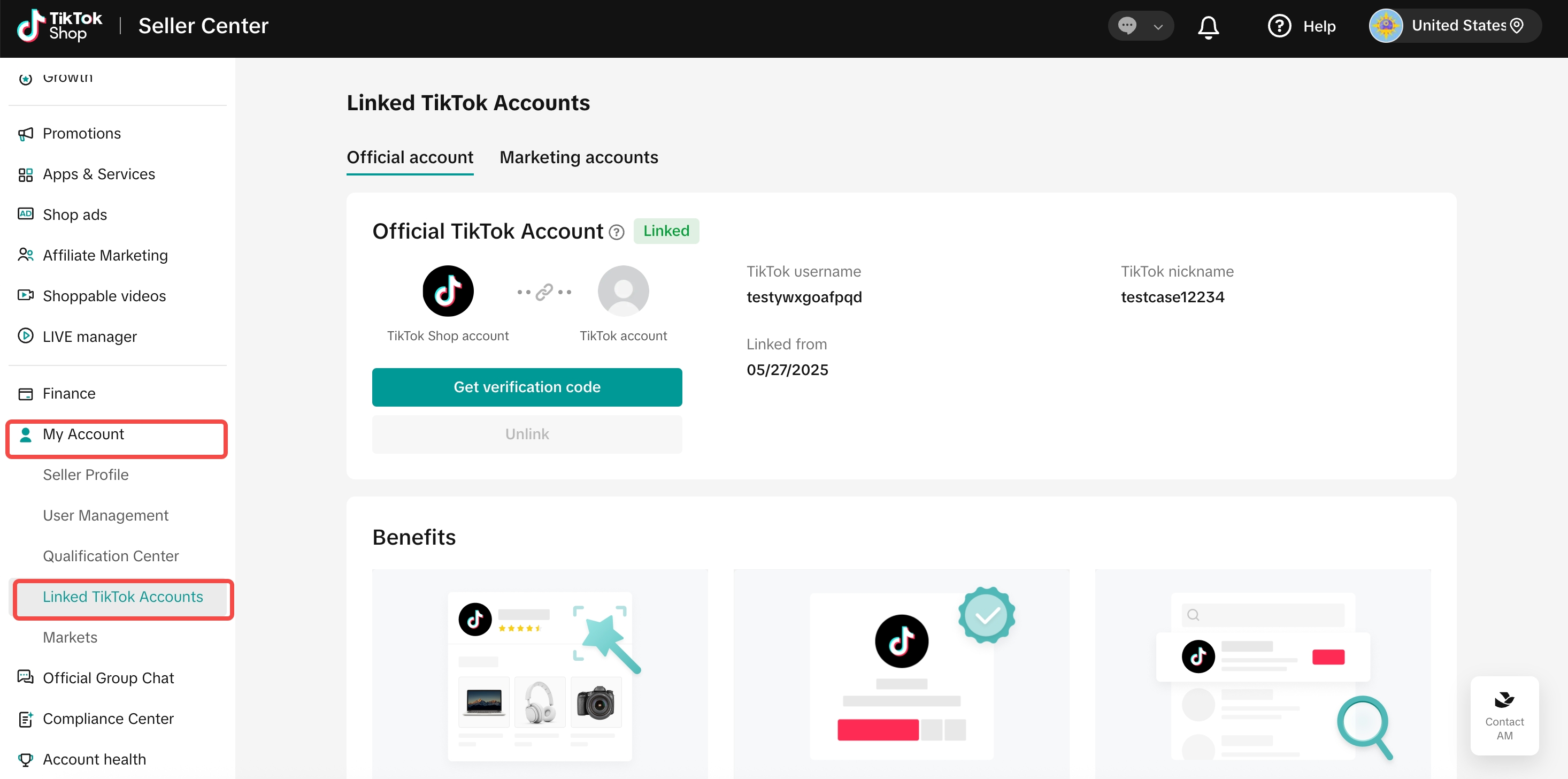 |
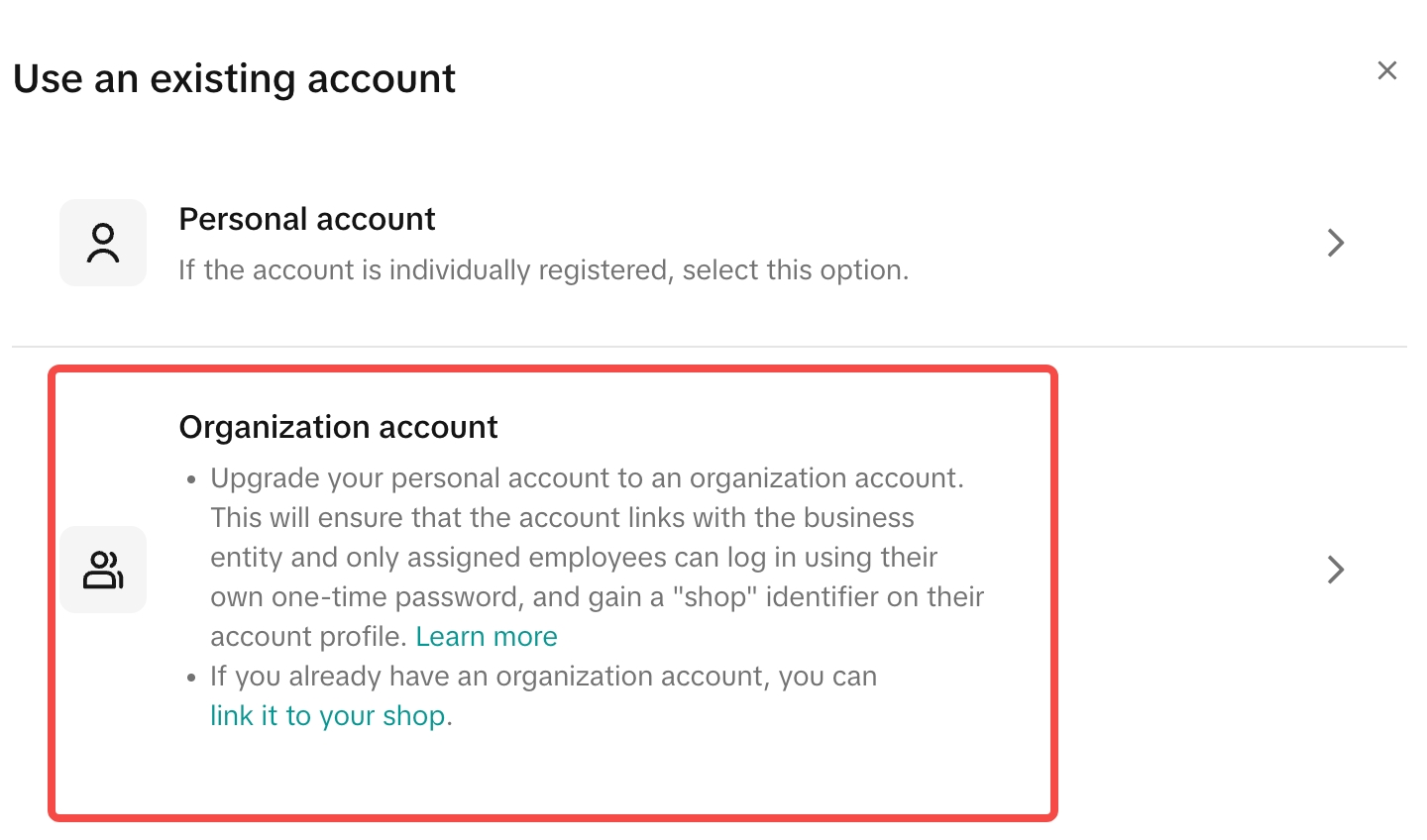
| Step 2: Select “Use Existing Account”, click “Link”, then select “Link an Existing Creator Account” in the pop-up window (Note: If you need to create an organization account, please refer to the fourth section.) | 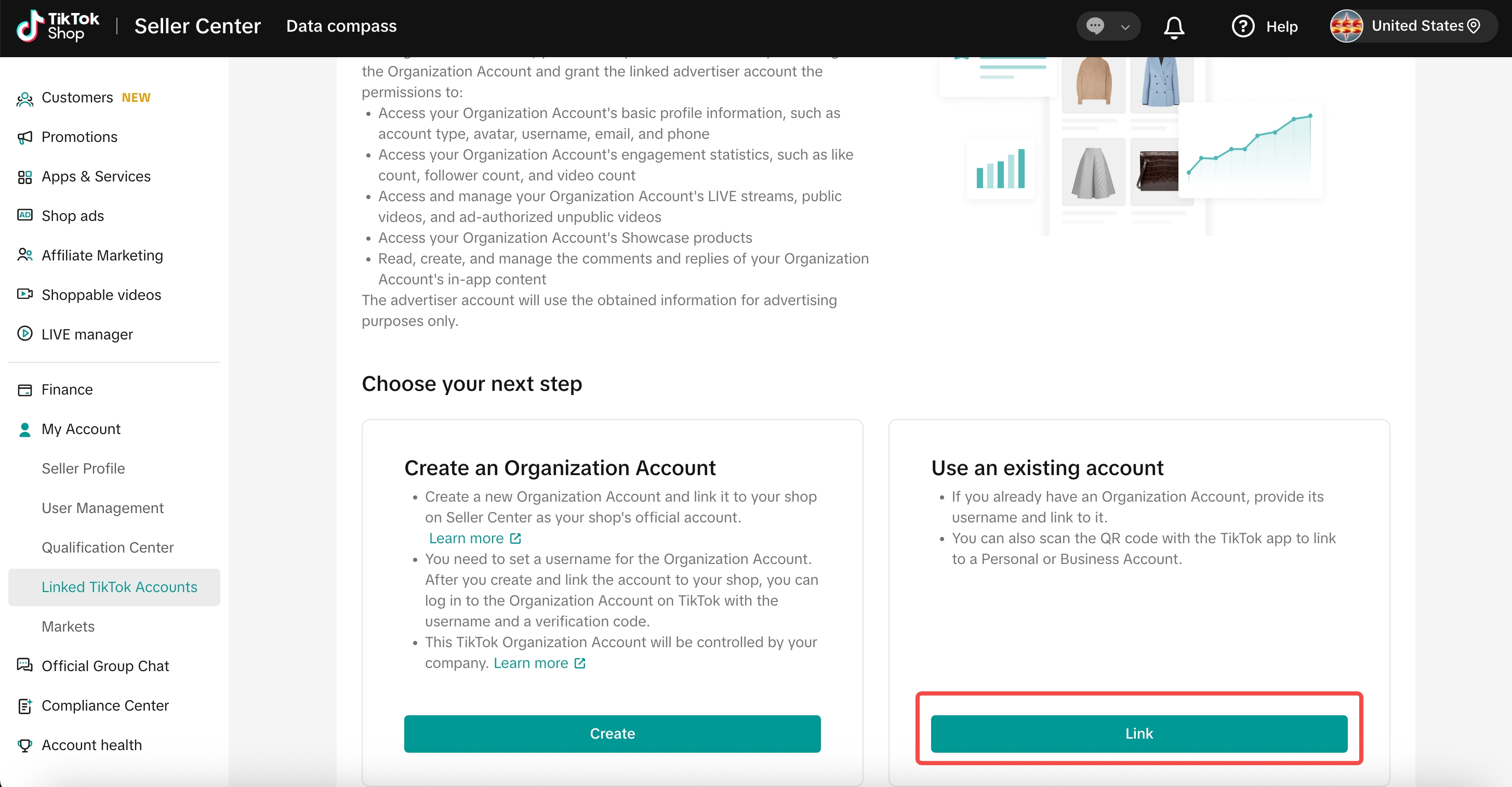 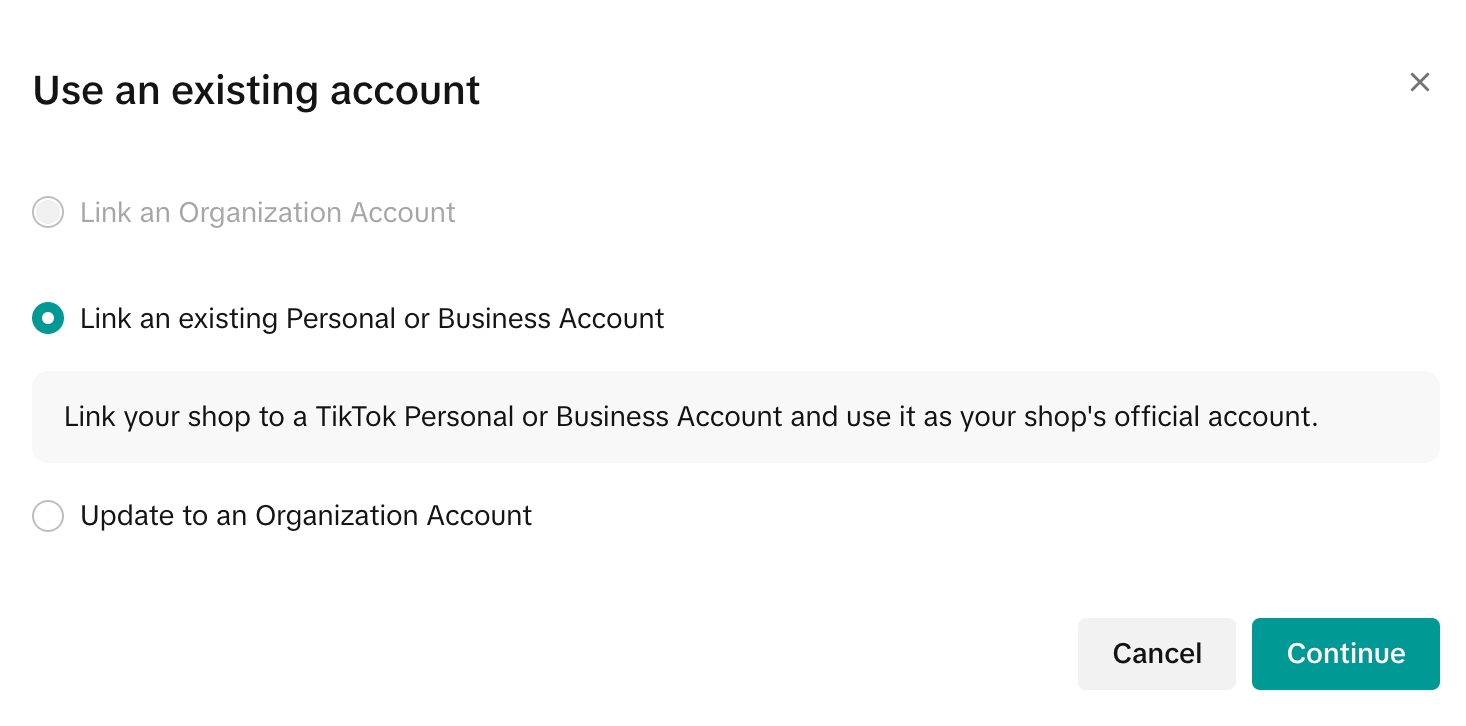 |
| Step 3: Open the TikTok App, ensure you are logged into the account to be bound as the store’s official account, and scan the QR code for authorization. | 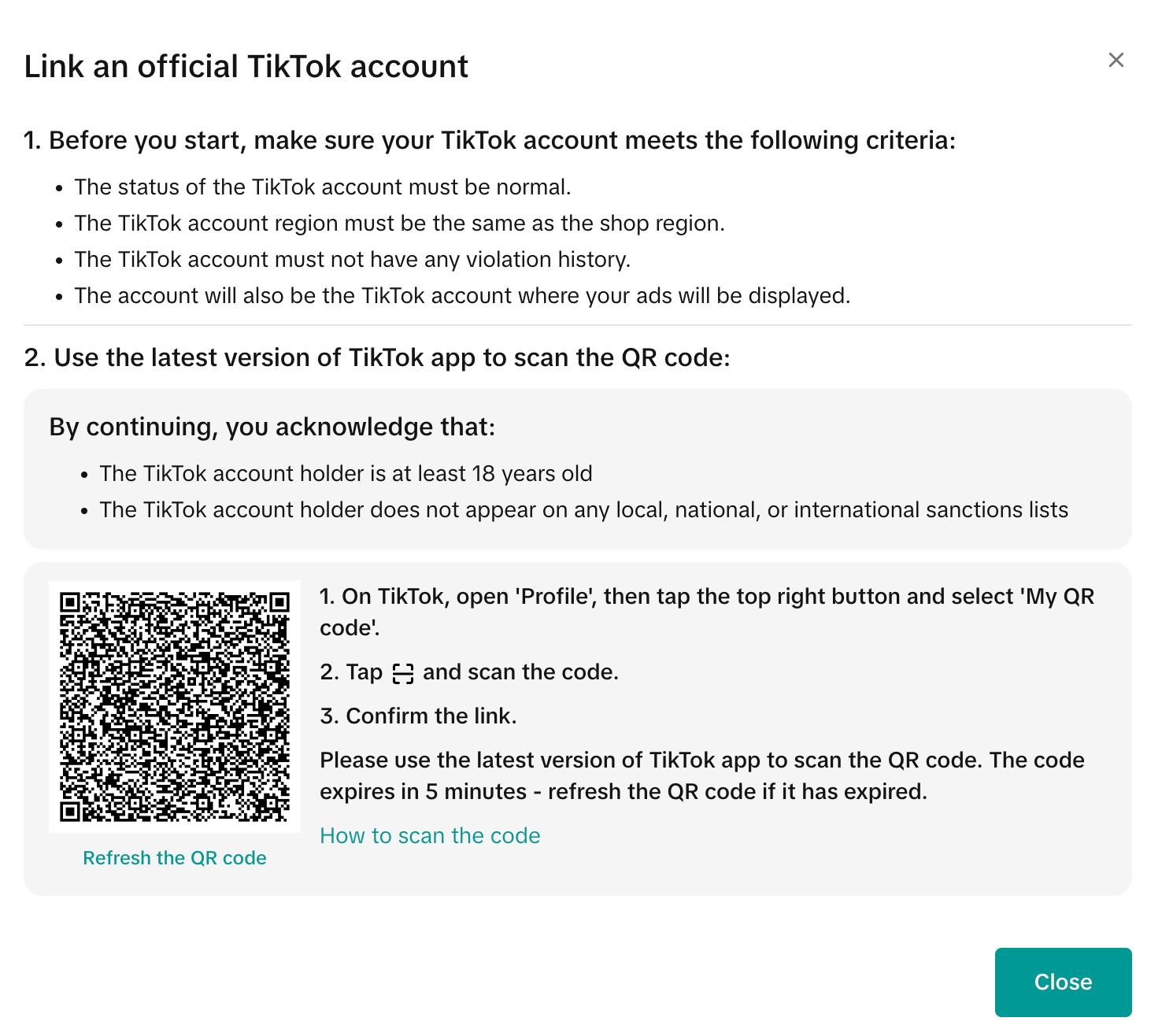 |
| Step 4: In the TikTok App, click “Authorize” to complete the authorization. If all requirements are met, the binding will succeed. | 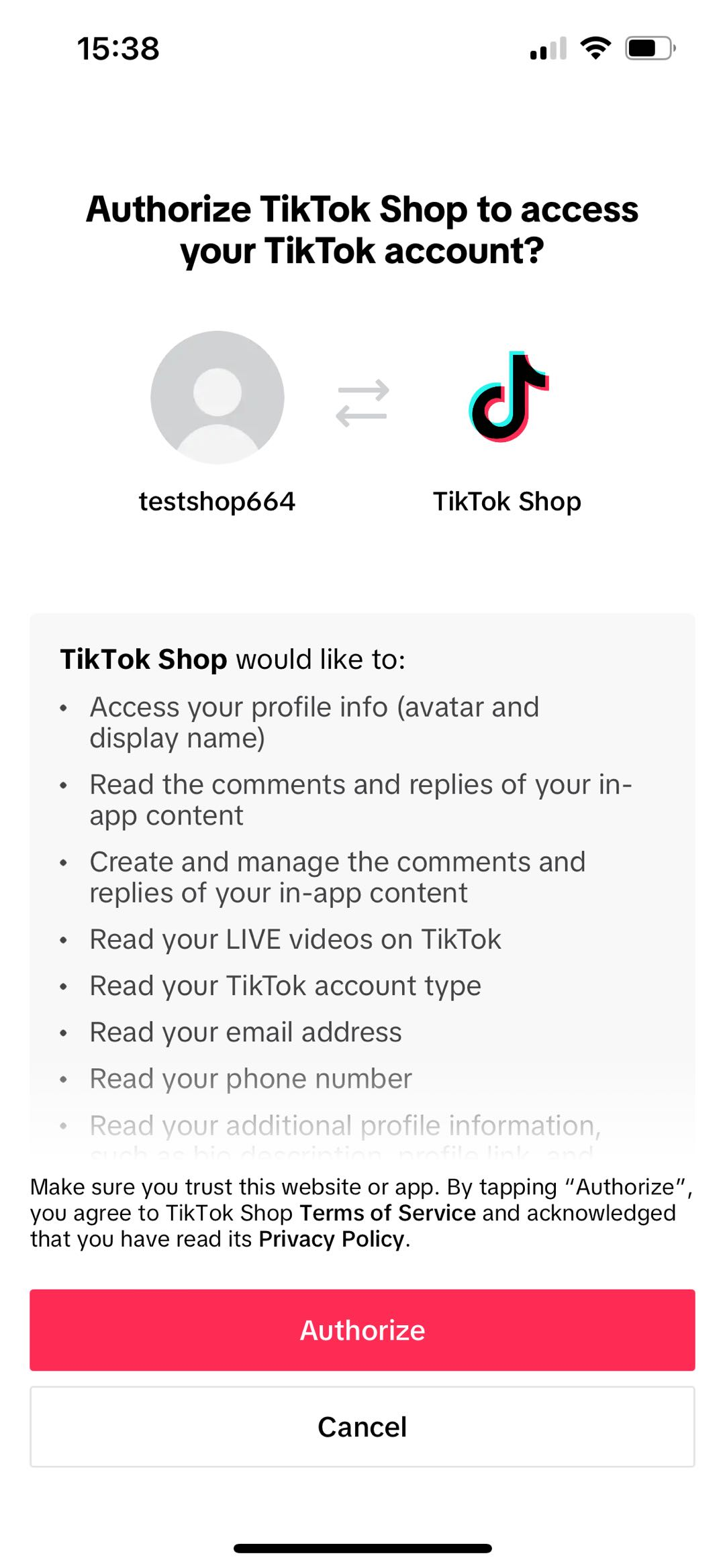 |
| Step 5: Confirm account information, agree to the terms and policies, and click to confirm binding. | 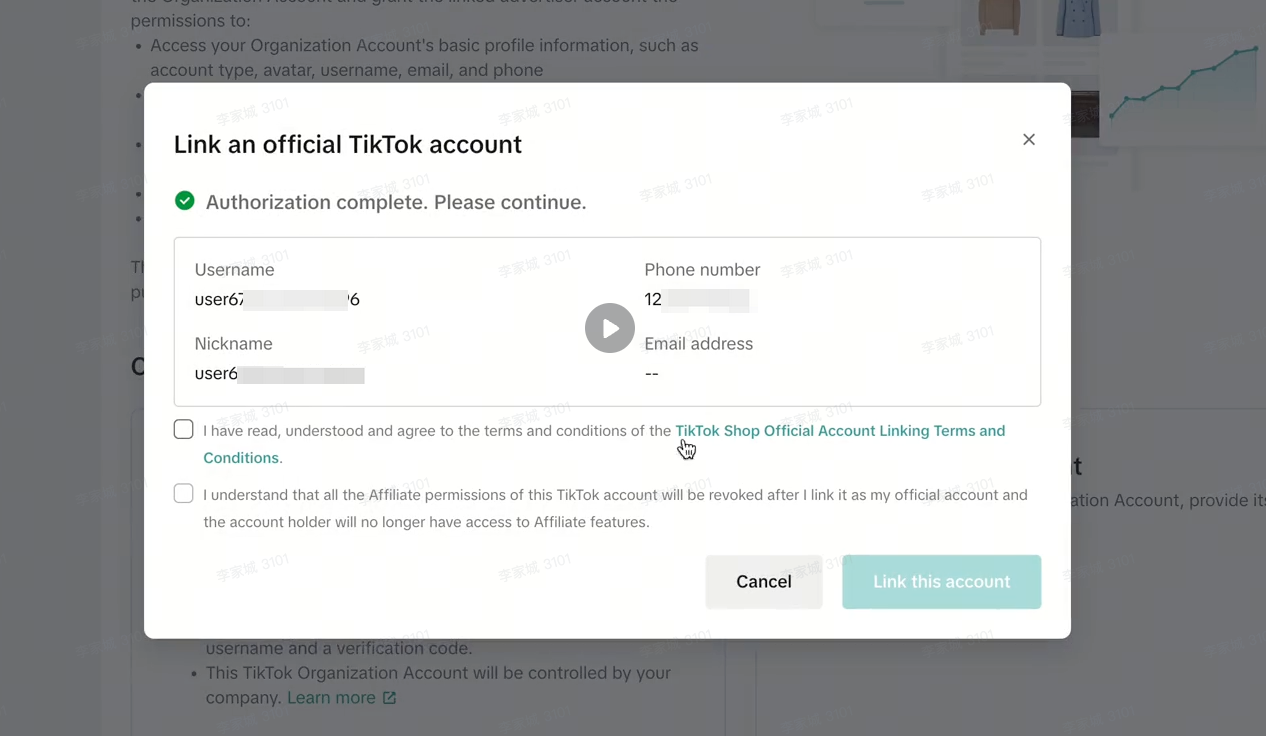 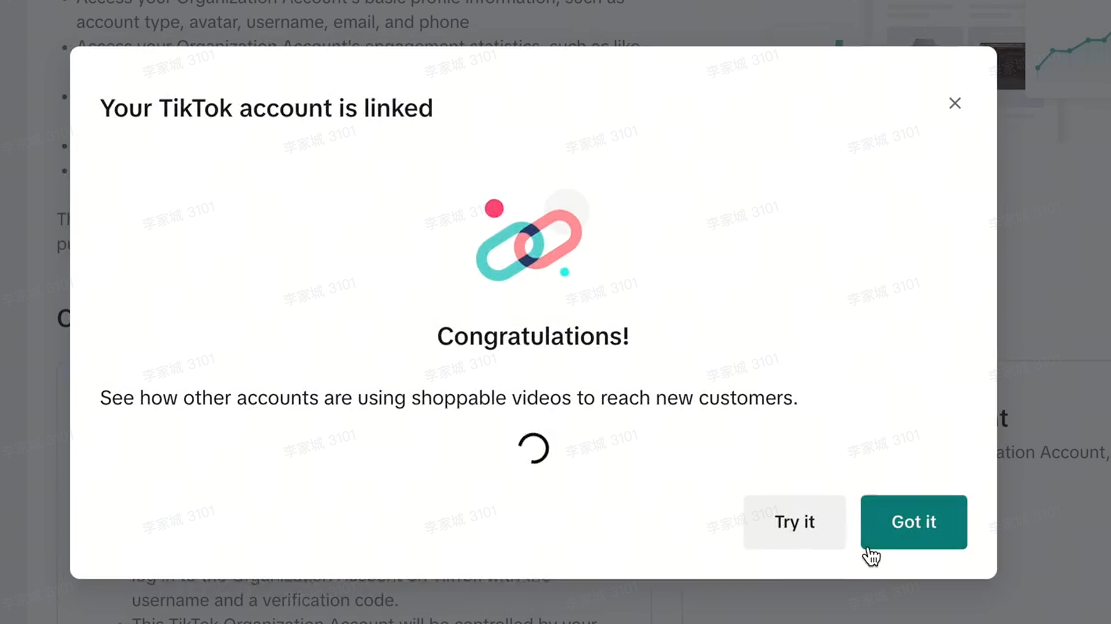 |
| Step 6: Once this page appears in the store backend, the store’s official account is successfully bound. | 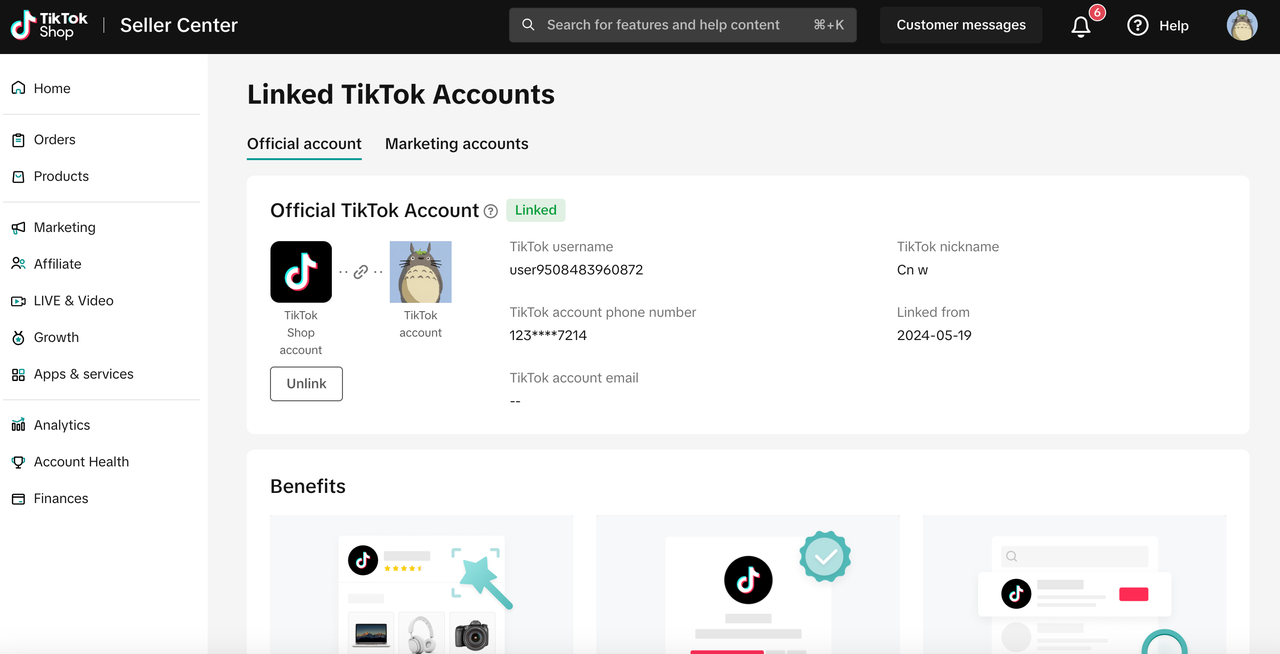 |
Upgrade Personal Account to Organizational Account and Bind
If you already have a TikTok account, you may choose to upgrade it to an organizational account and bind it to your store. This ensures that the account is owned by the store and prevents the risk of account takeover. Before proceeding, please make sure you understand the changes that occur after upgrading to an organizational account, including:
Account control transfer: Full control transfers from the original creator to the seller.
Login method change: The previous login methods (email & password or mobile number) will no longer work. Organizational accounts can only log in using the username and one-time verification code generated from Seller Center for login.
Feature adjustments: Certain features will no longer be available. For example, music or sounds used in your previously published short videos from the general music library will be muted. After the upgrade, only music from the Commercial Music Library can be used. For other restricted features, please refer to: https://ads.tiktok.com/help/article/list-of-unavailable-features-for-organization-accounts?lang=zh
Here are the step-by-step operational process:
| Steps | Interface Example |
| 1. Log in to TikTok Shop Seller Center, go to Home > My Account > Bind TikTok Account, and click “Bind” | 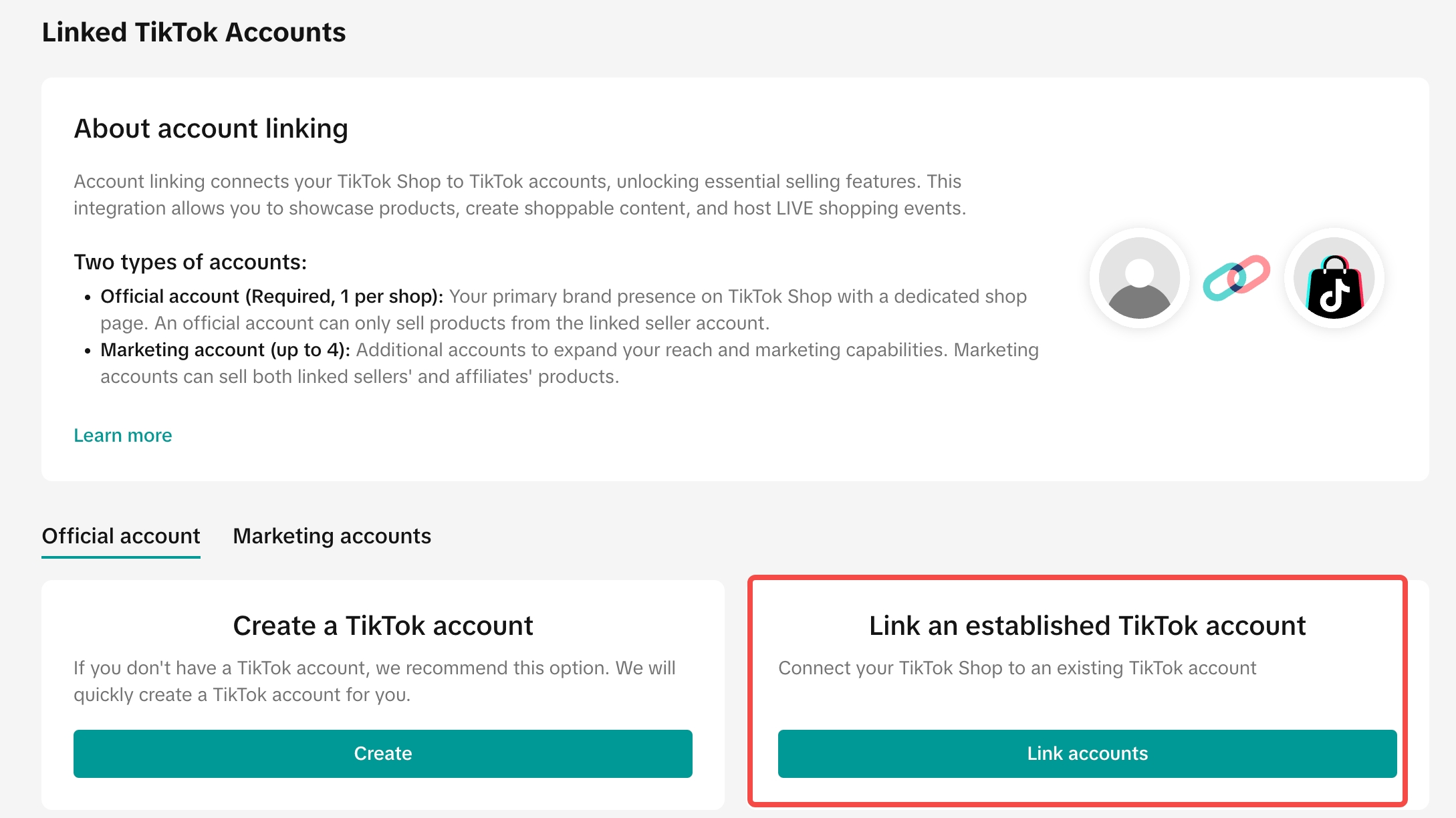 |
| 2. Select the second option | 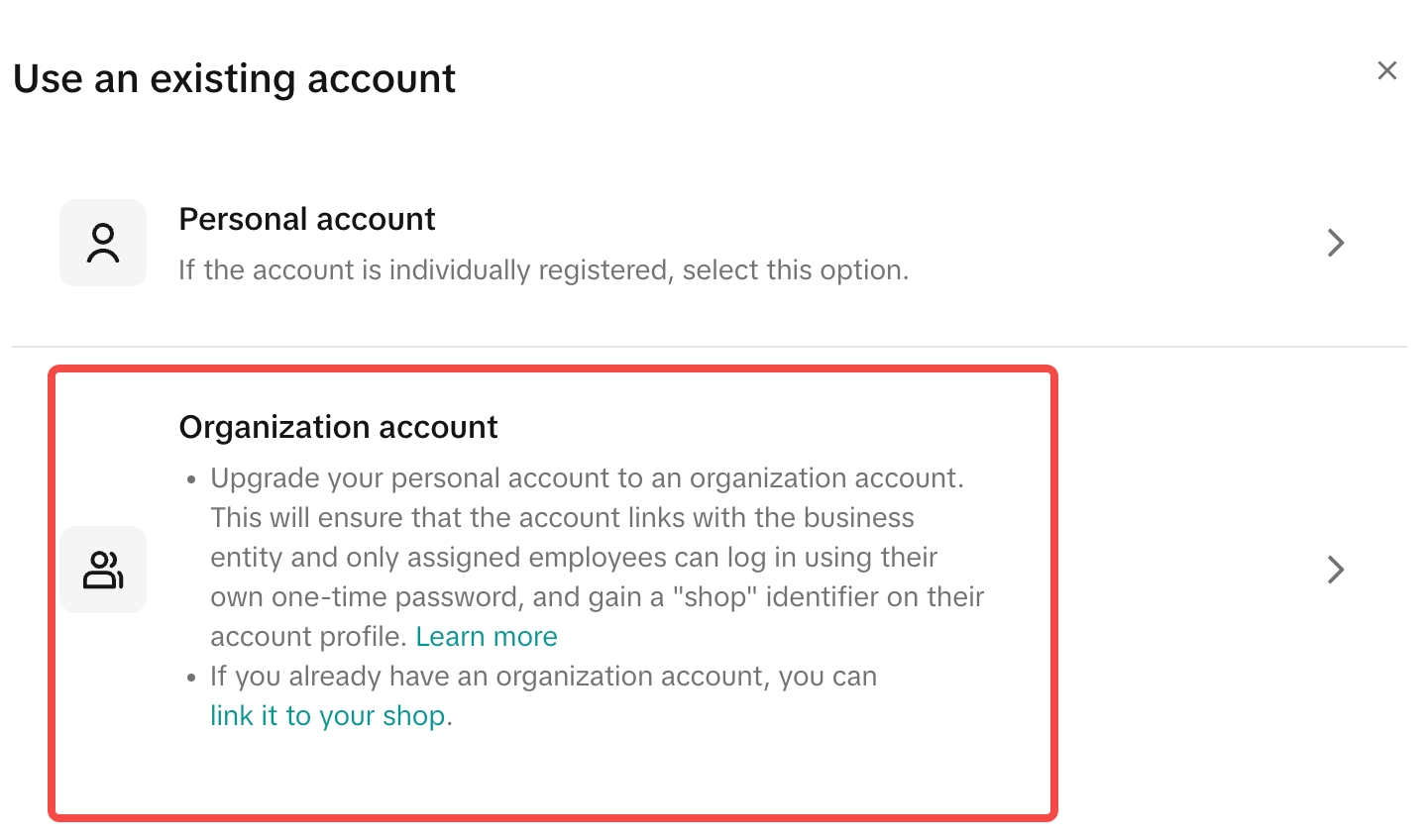 |
| 3. Please carefully read the upgrade instructions to fully understand the upgrade process and the “15-day trial period.” Click Confirm to continue. – If you upgrade a personal account to an organizational account, previous login methods (username, password, phone number, email, etc.) will no longer work. You must log in using a one-time verification code generated from the Seller Center. | 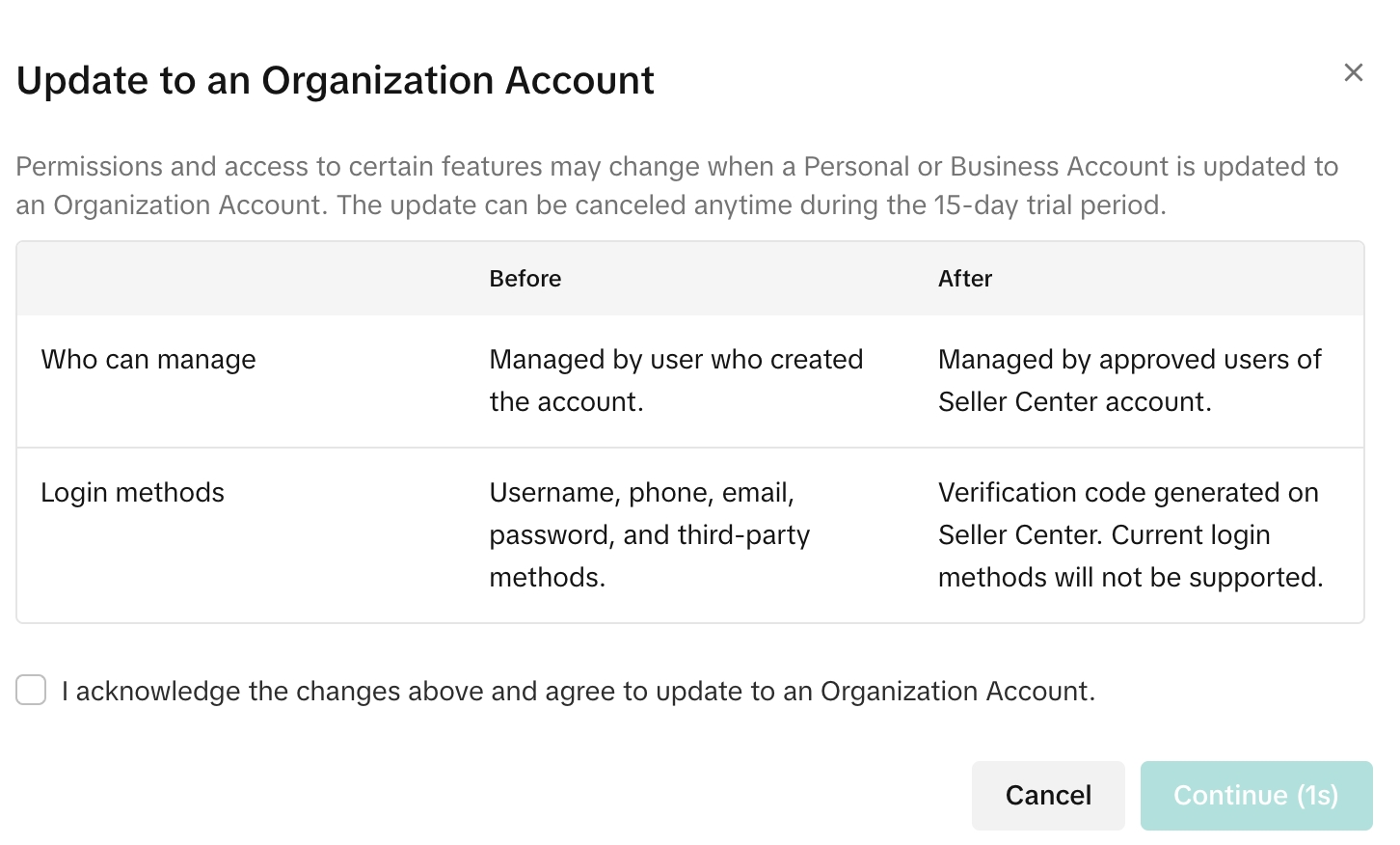 |
| 4. Open the TikTok App on your phone that is currently logged in to the account, scan the QR code displayed on the screen, and complete the corresponding actions on your phone. | 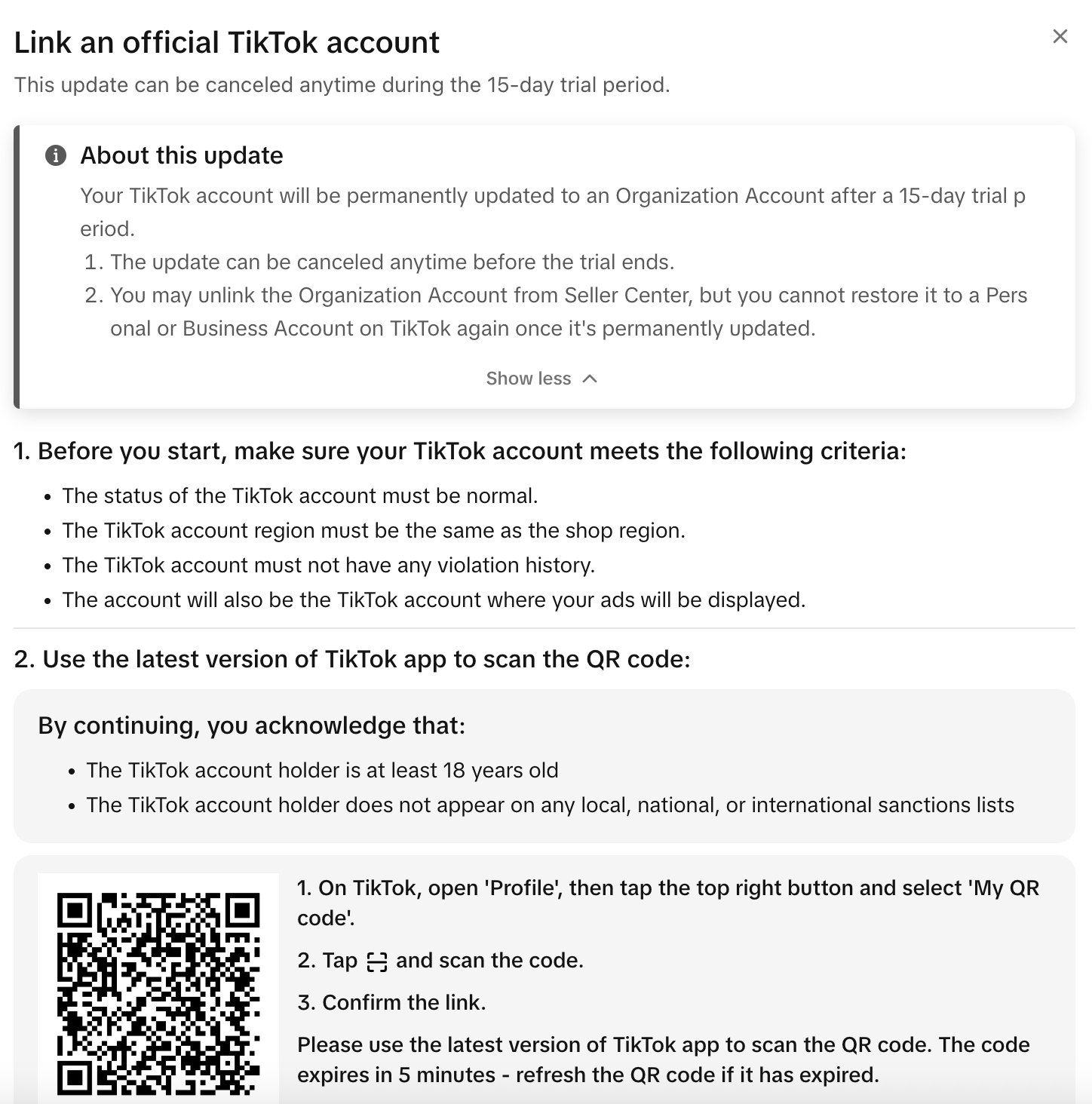 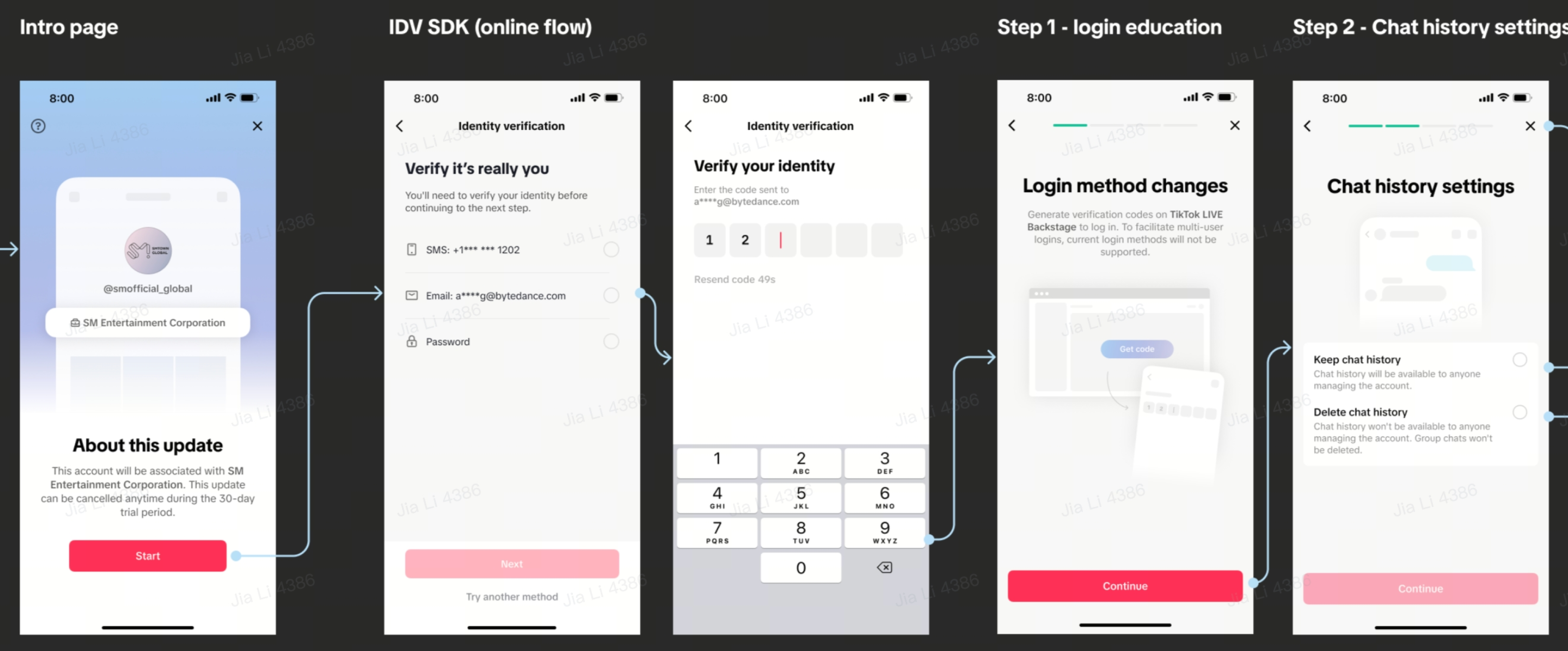 |
| 5. You have now successfully entered the 15-day trial period — during these 15 days, you can either choose to upgrade immediately or cancel the upgrade. – During the trial period, your account remains a personal account and does not have e-commerce permissions. You must use the one-time verification code provided by the Seller Center to log in (previous login methods using password/phone/email are not supported). | 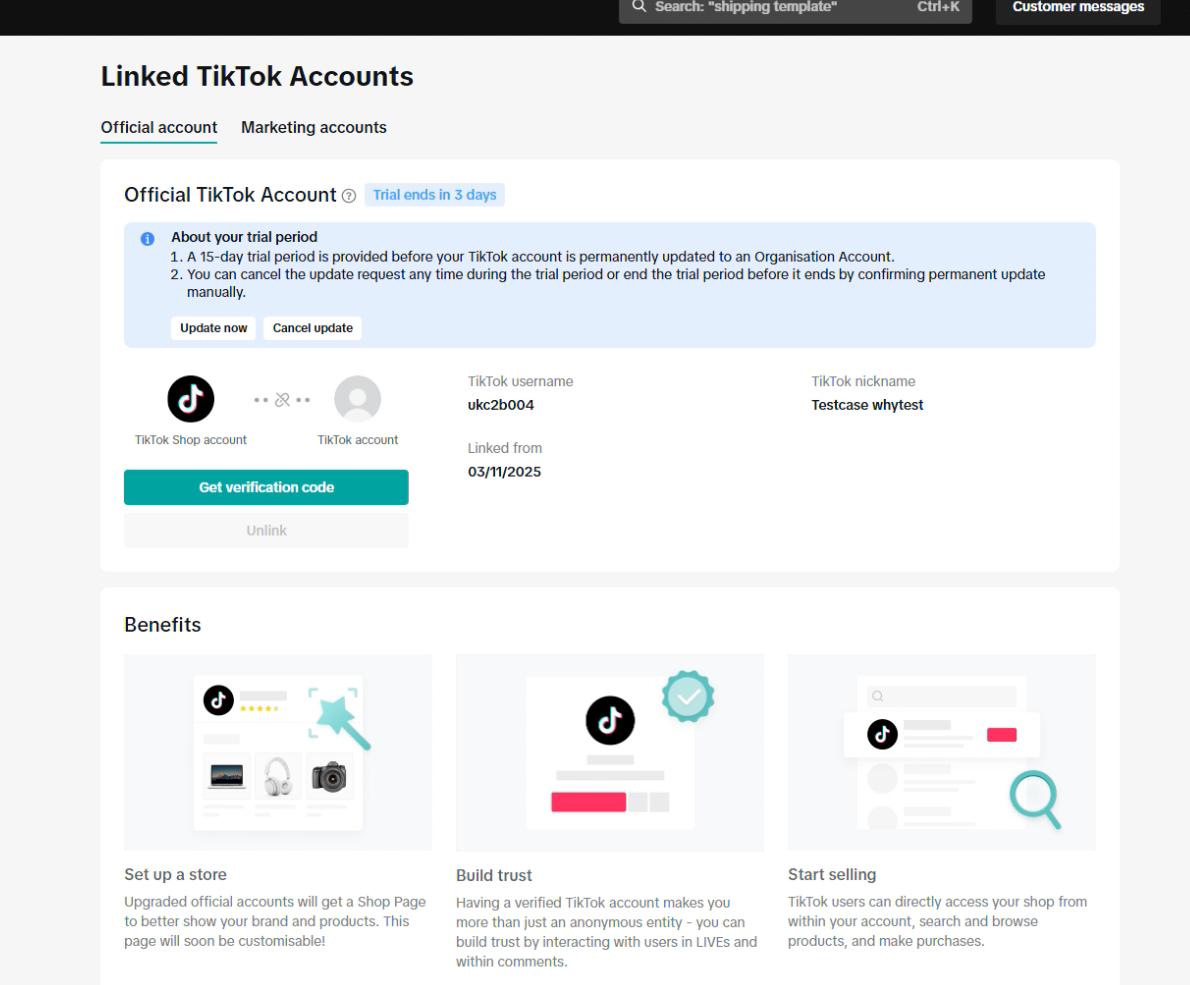 |
| 6. During the 15-day trial period, please withdraw all earnings from your TikTok account as soon as possible. After the trial period ends, any unclaimed earnings will automatically expire. | 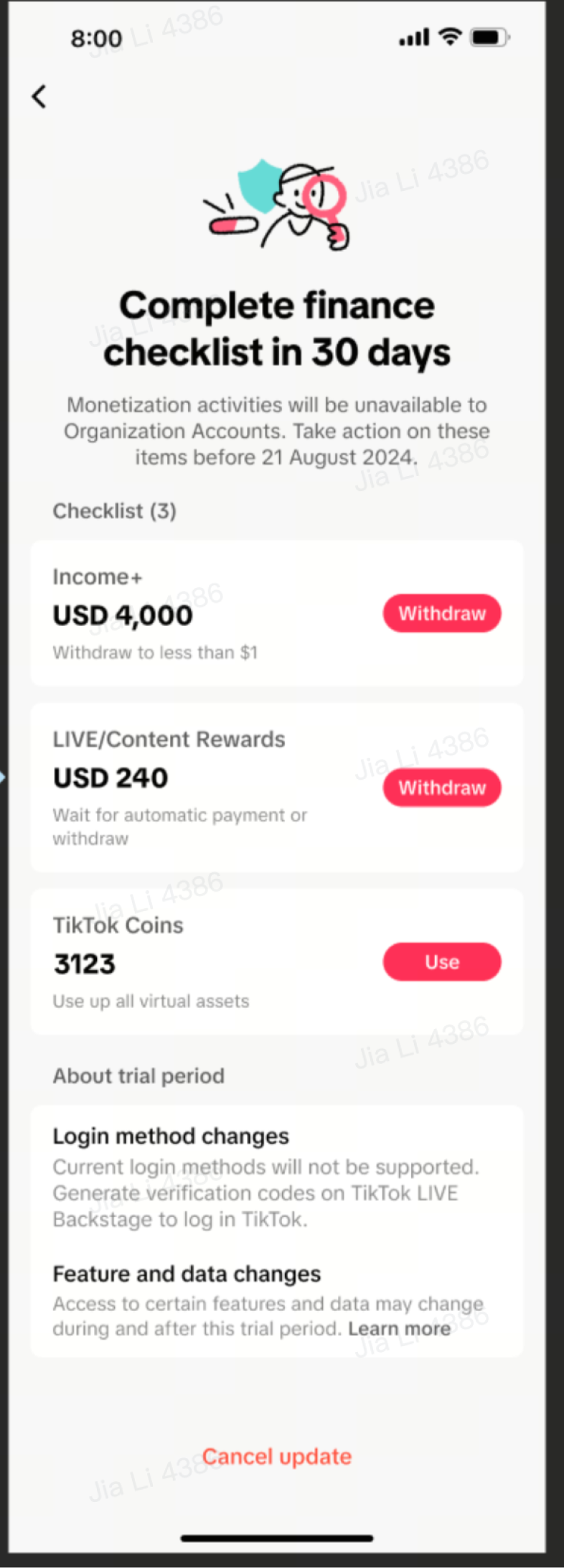 |
| 7. If you have withdrawn all your earnings and decide to skip the trial and upgrade immediately, you can click “Upgrade Now” on the page, confirm all terms, and complete the upgrade. – Alternatively, you can choose to cancel the upgrade and revert your account to a personal account to continue normal use. In that case, it will not be bound to the store. | 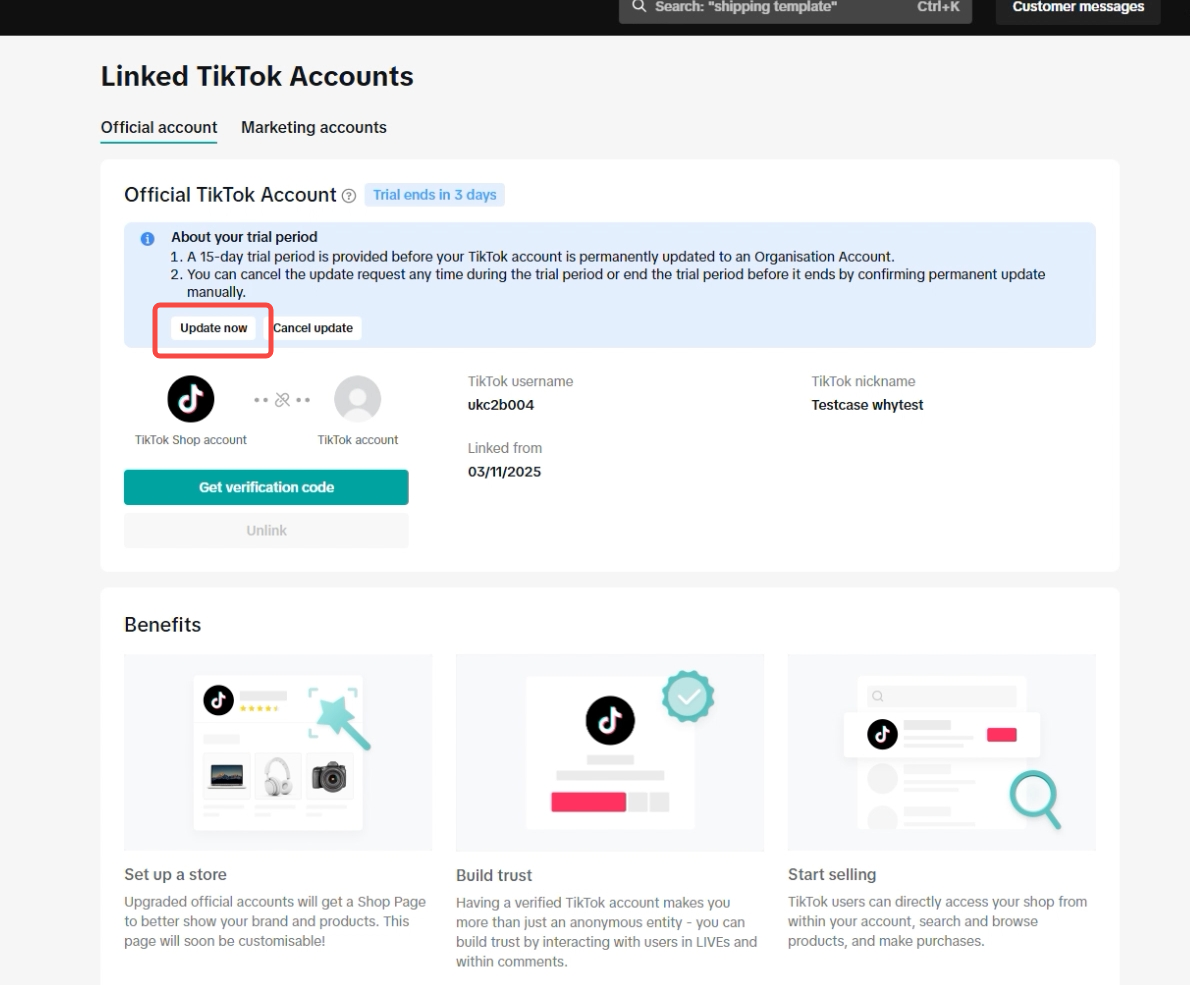 |
| 8. Upgrade successful! You can now use this account to post short videos and go live to sell products from your store. | 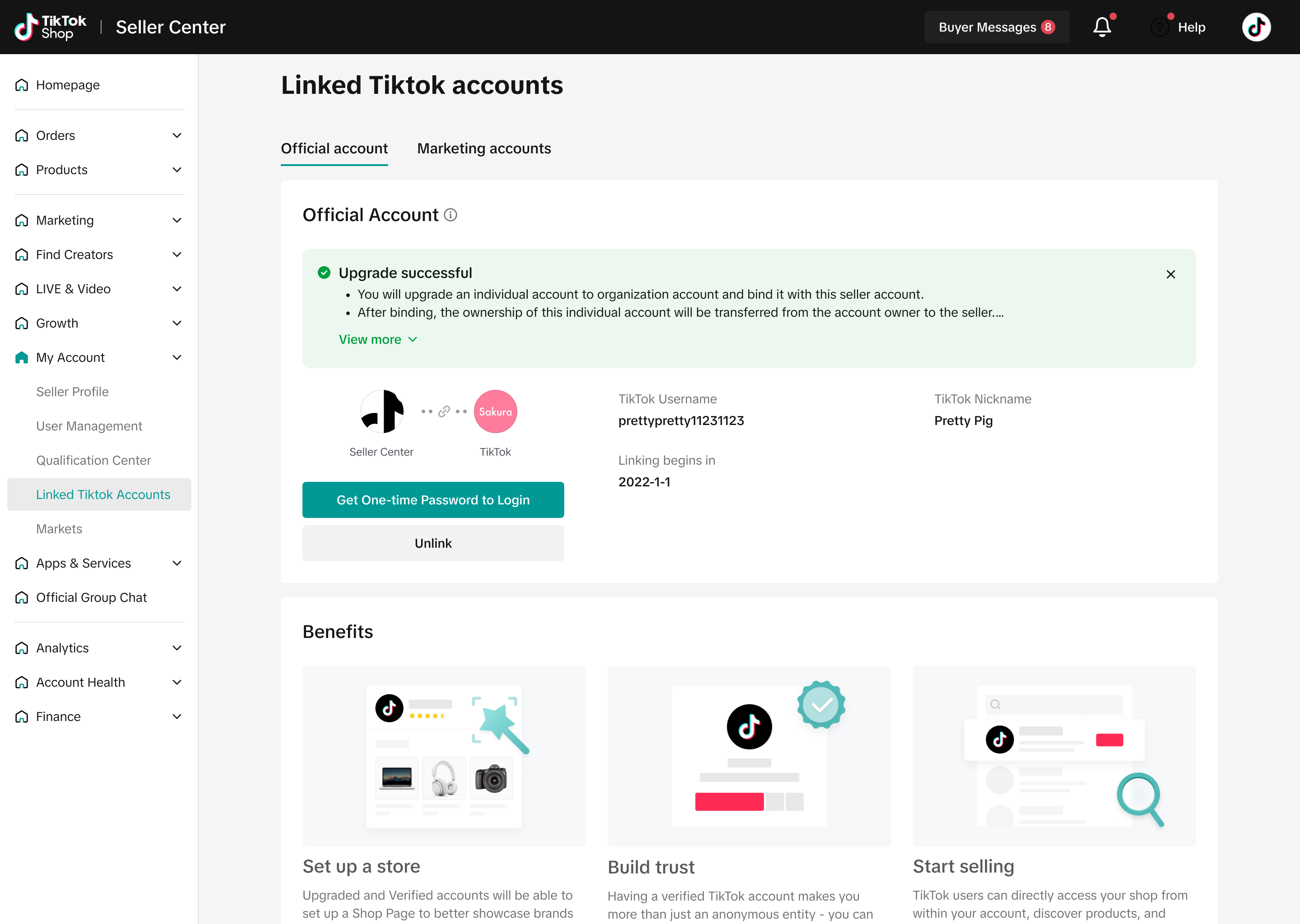 |
- Note: Once the upgrade and linking are successful (even during the trial period), the original login method (password) will expire. You must log in using the one-time password (OTP) from the Seller Center. For more details, refer to the second subsection of the fourth.
3.2 Marketing Account
| Steps | Screenshots |
| Step 1: In the store backend, click “My Account > Bind TikTok Account” in the left-side menu | 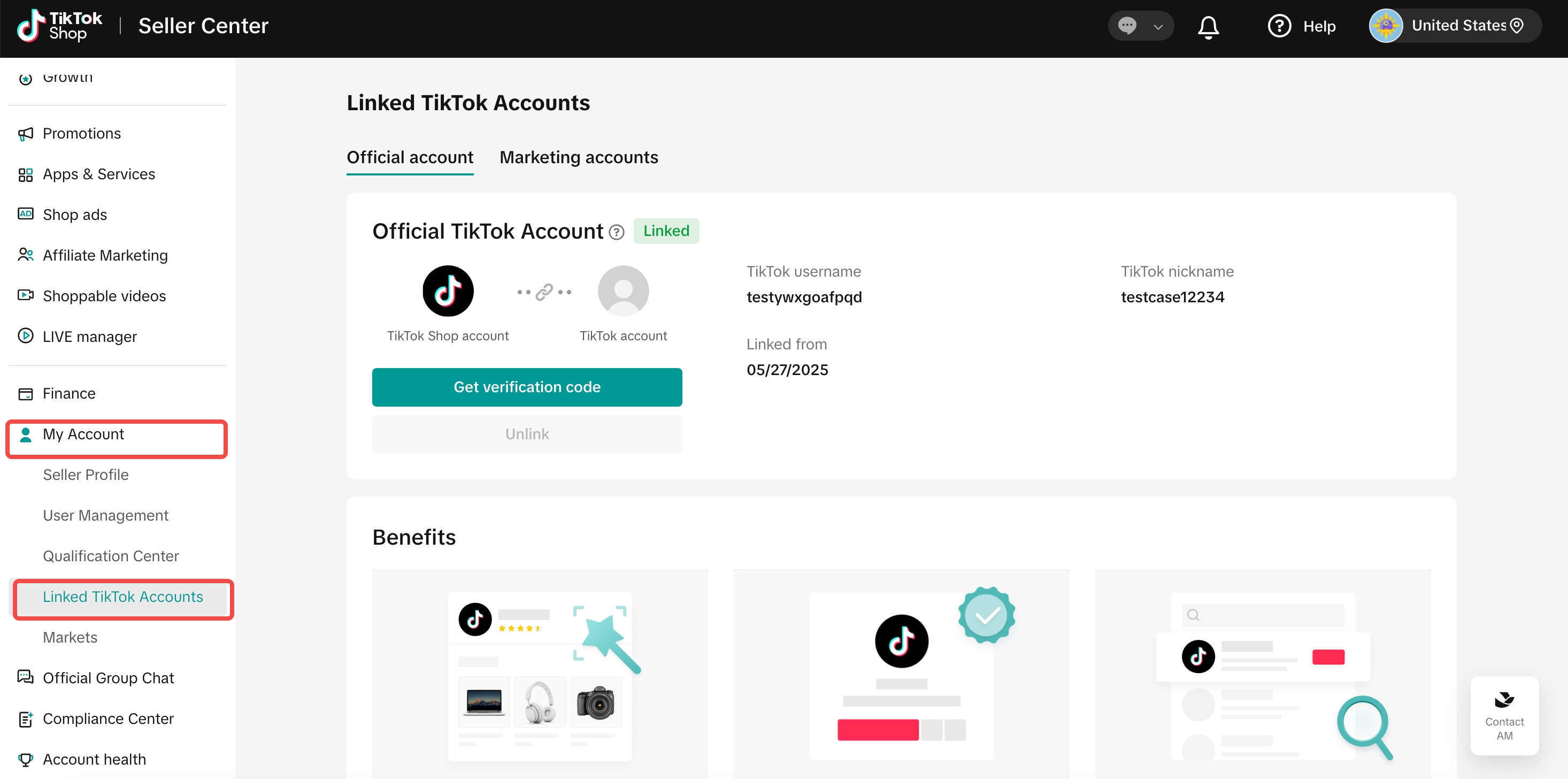 |
| Step 2: To bind a marketing account, send an invitation to the TikTok account you want to bind. The creator must accept the invitation via the TikTok App to complete the binding of an marketing account. | 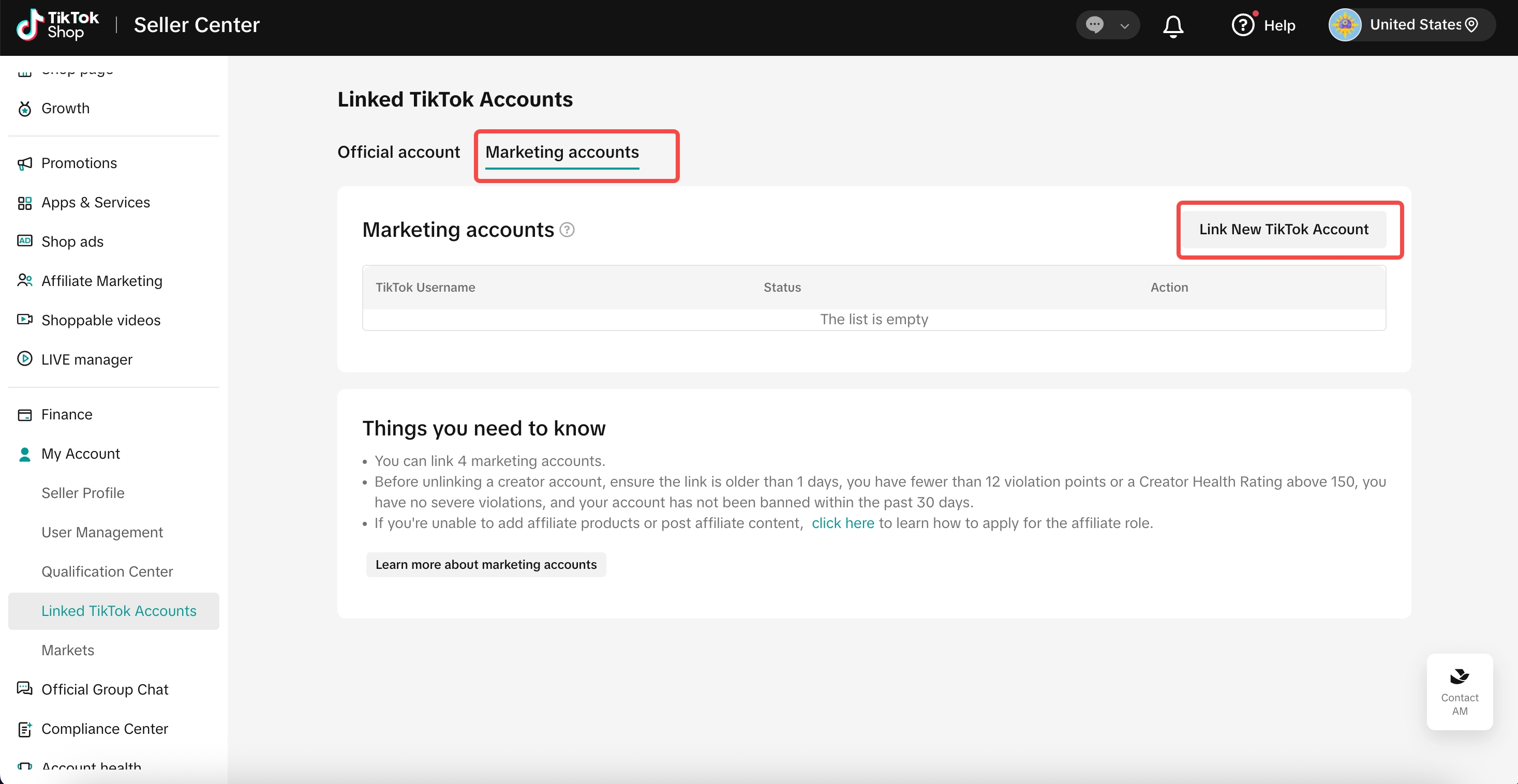 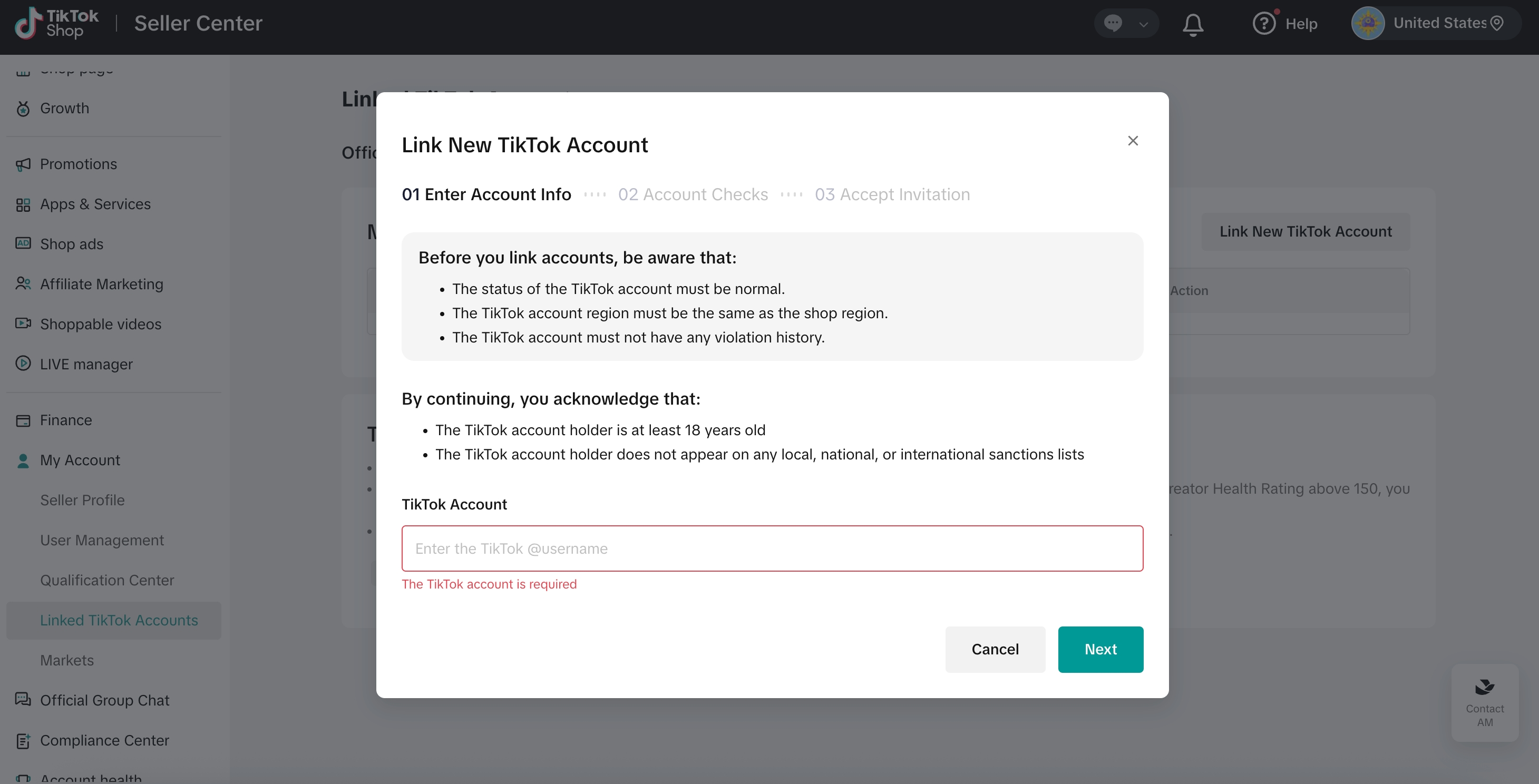 |
| Step 3: Accept the invitation via the TikTok App using the creator account. | 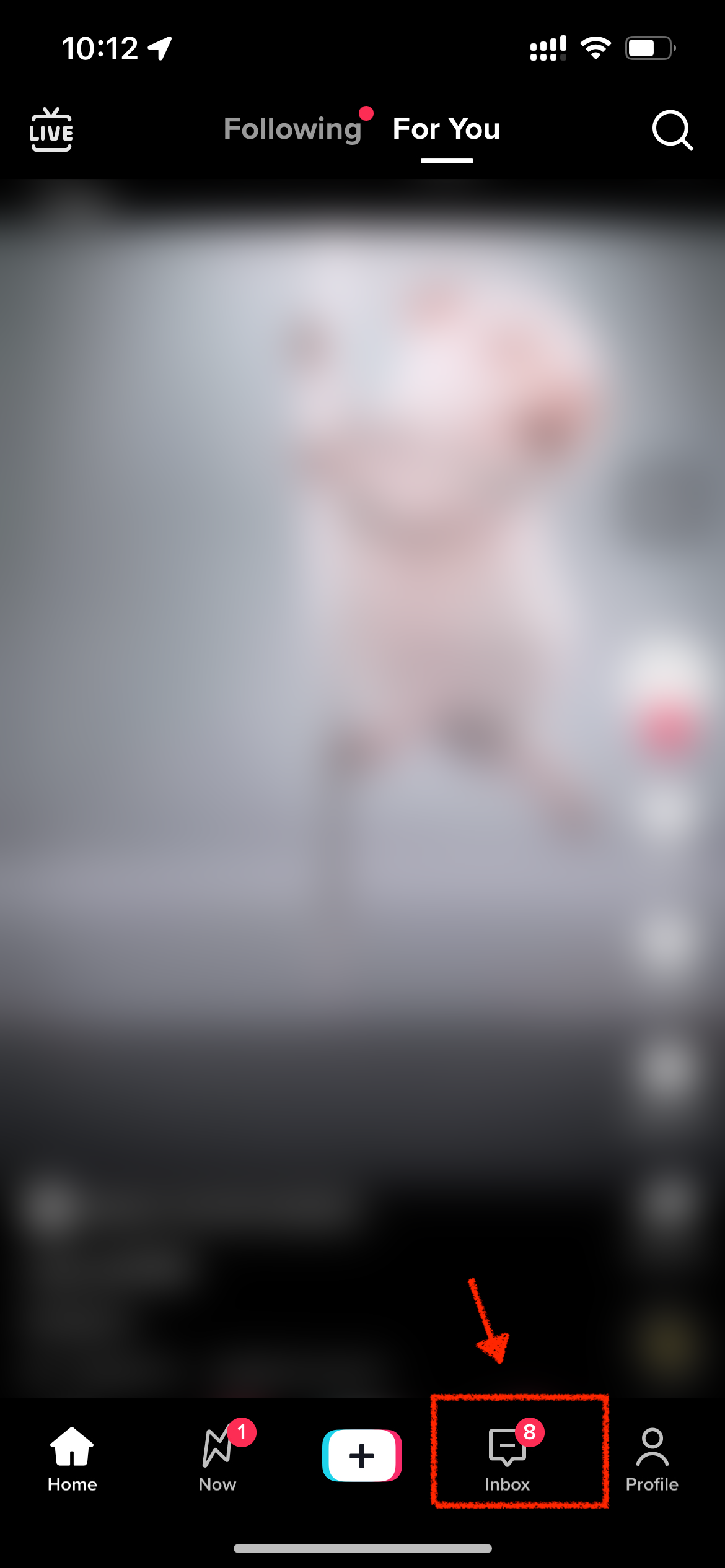 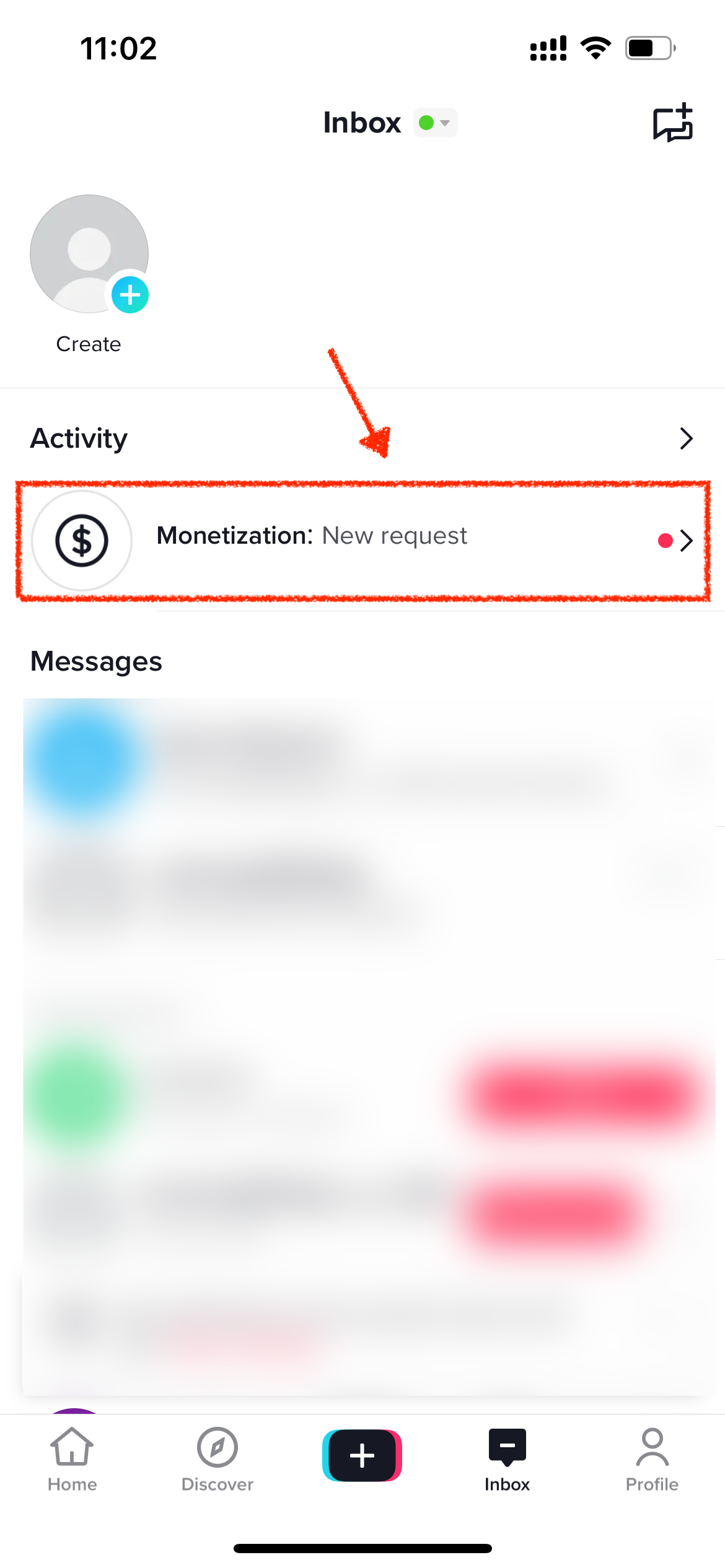 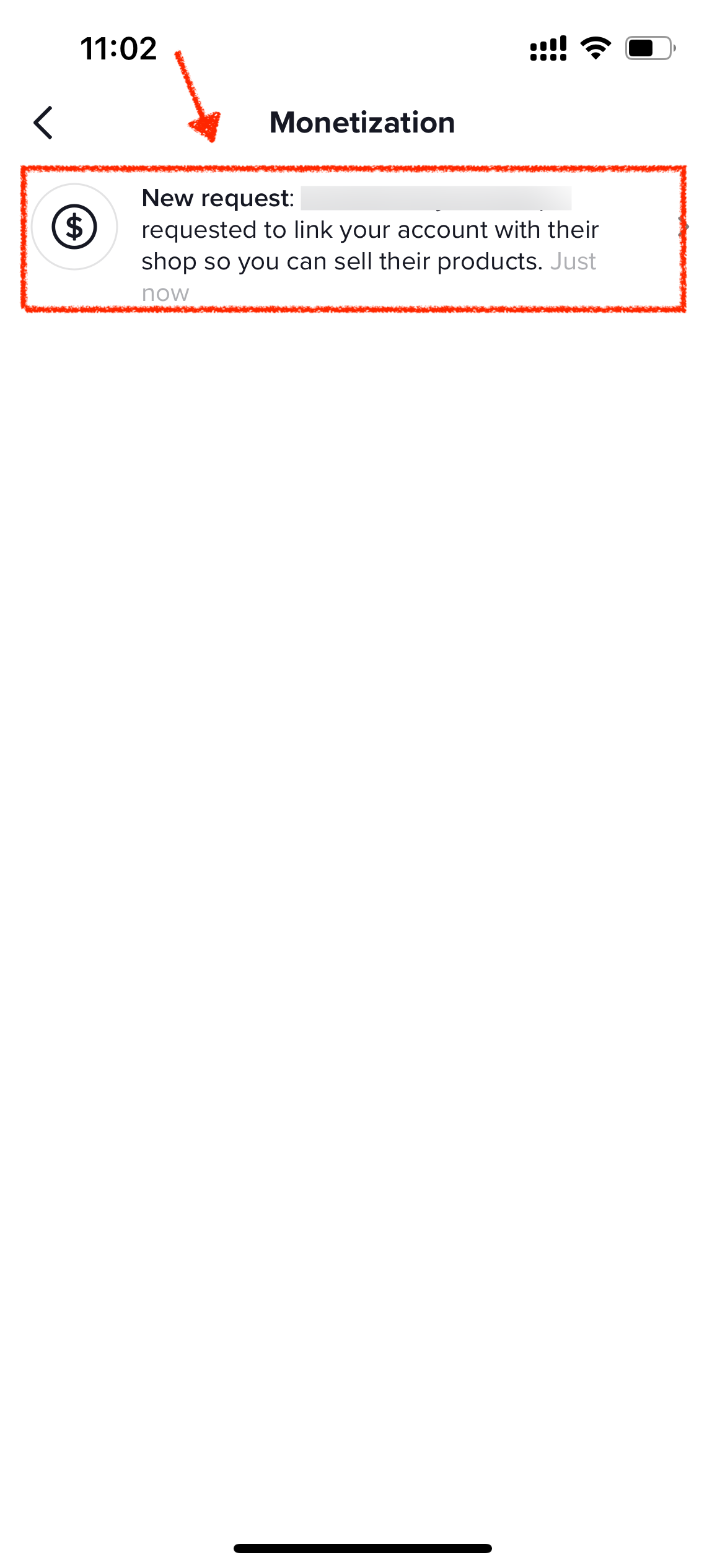 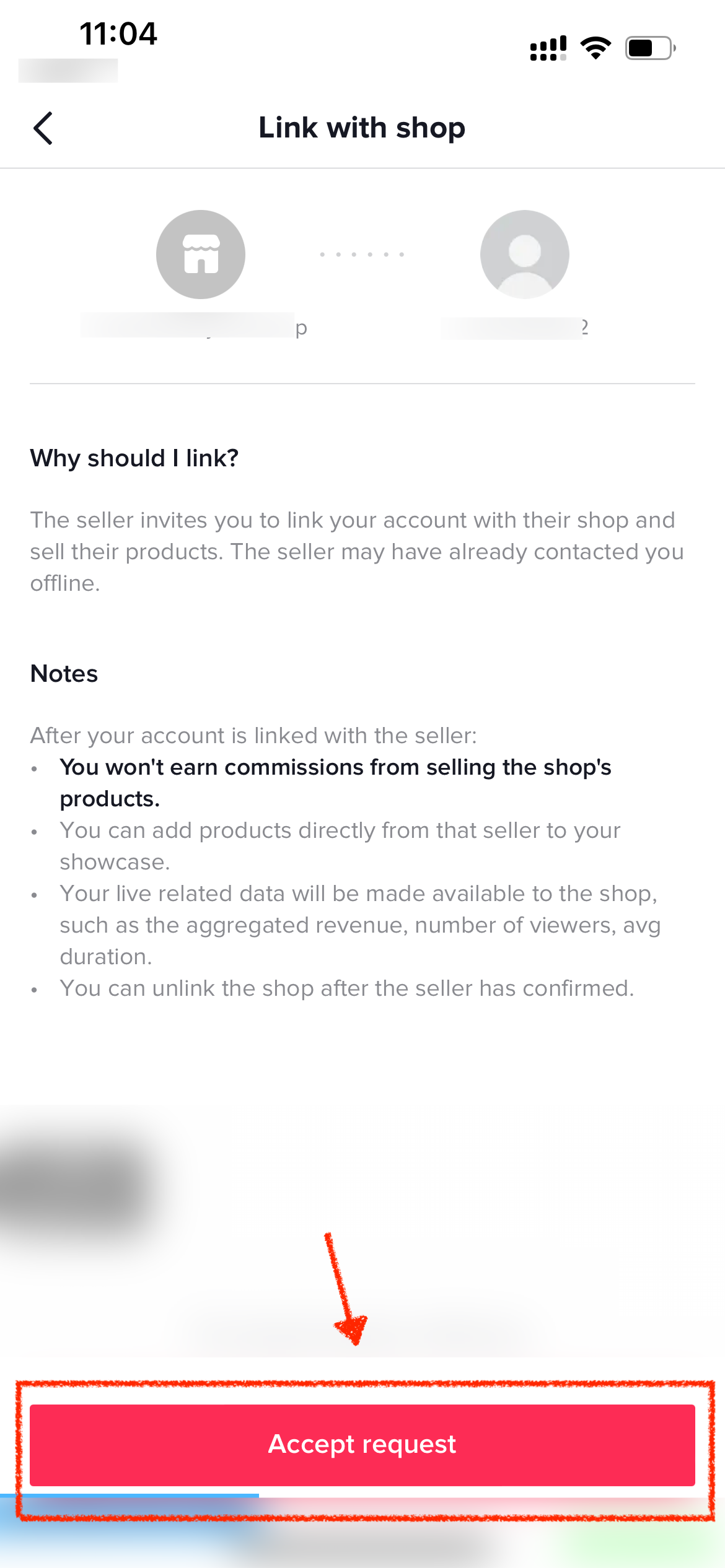 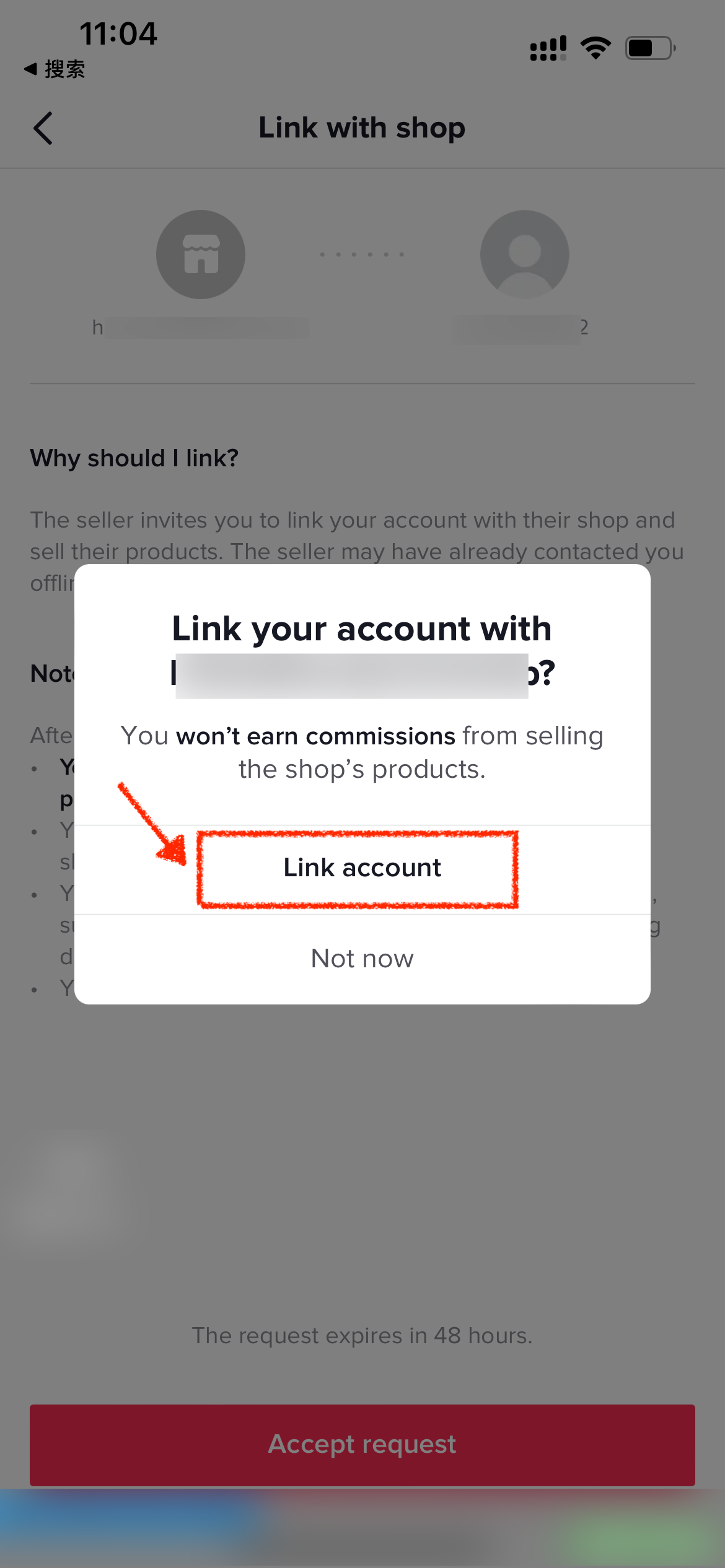 |
| Once this page appears in the store backend, the store’s marketing account is successfully bound. | 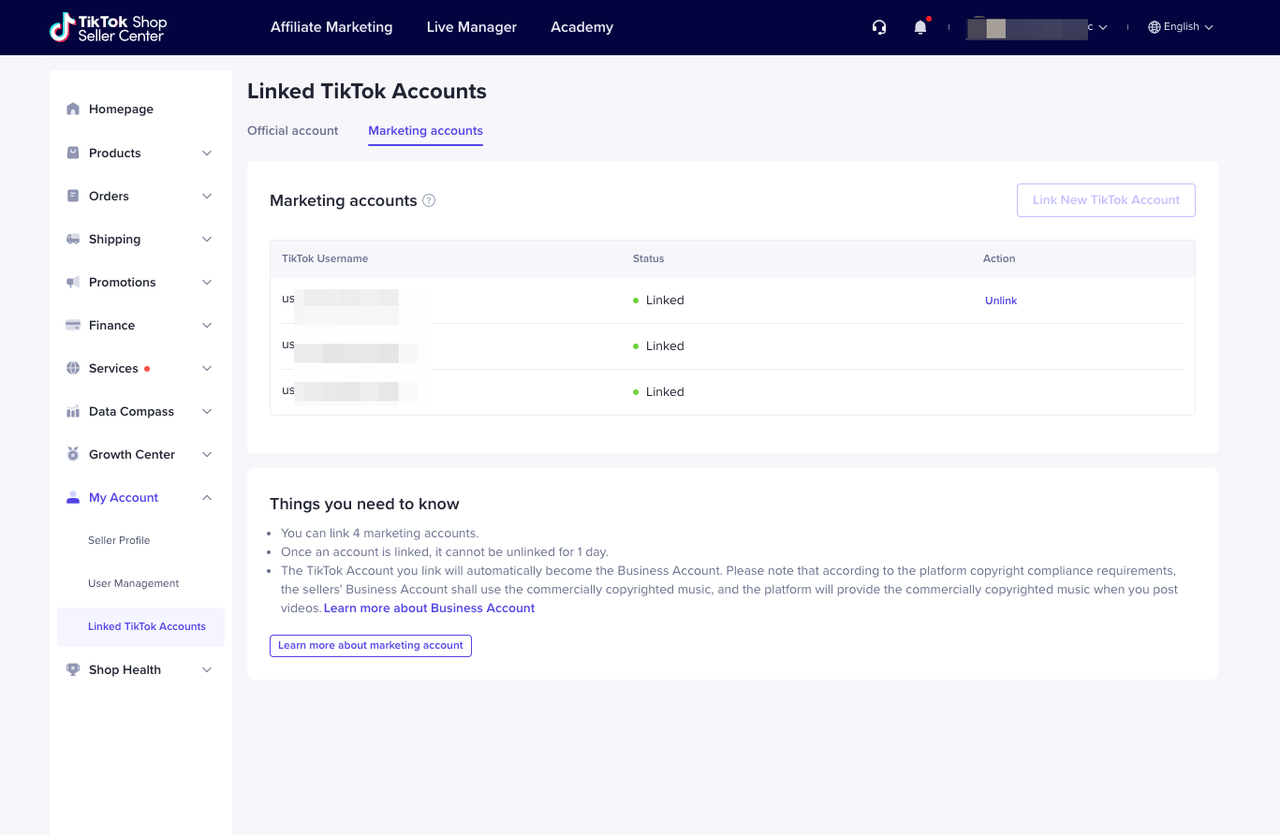 |
4.I Don’t Have a US TikTok Account: Create an Organization Account
Create an Organizational Account
For sellers not yet onboarded: You can directly create a TikTok Shop organizational account during the onboarding process. If you have already successfully onboarded but have not bound an official account, you may also create and bind an organizational account through Seller Center.
Create an Account During the Onboarding Process
| Steps | Interface Example |
| 1. Visit TikTok Shop coss-border seller registration pageand register an account | 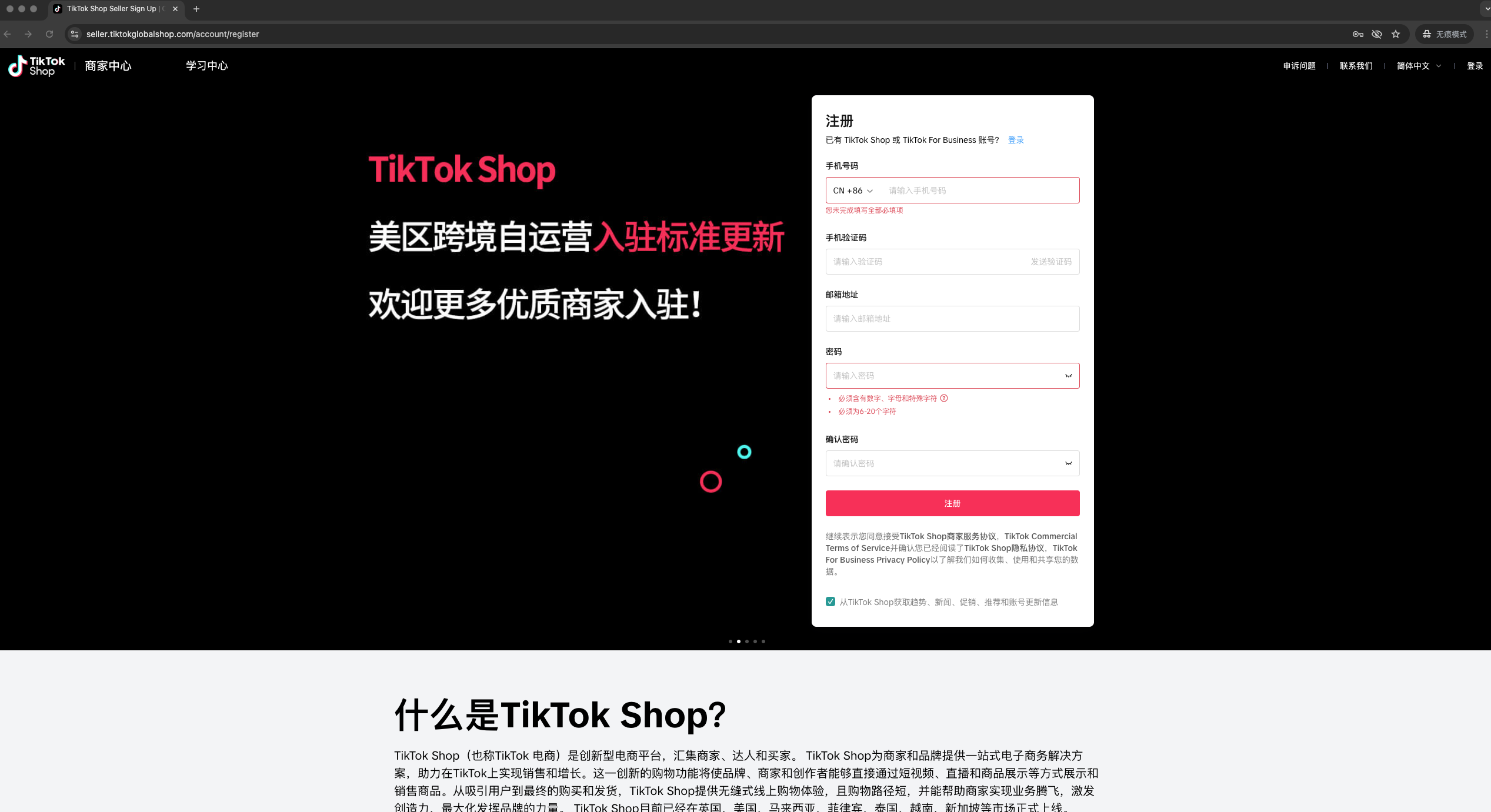 |
| 2. Select the market – North America | 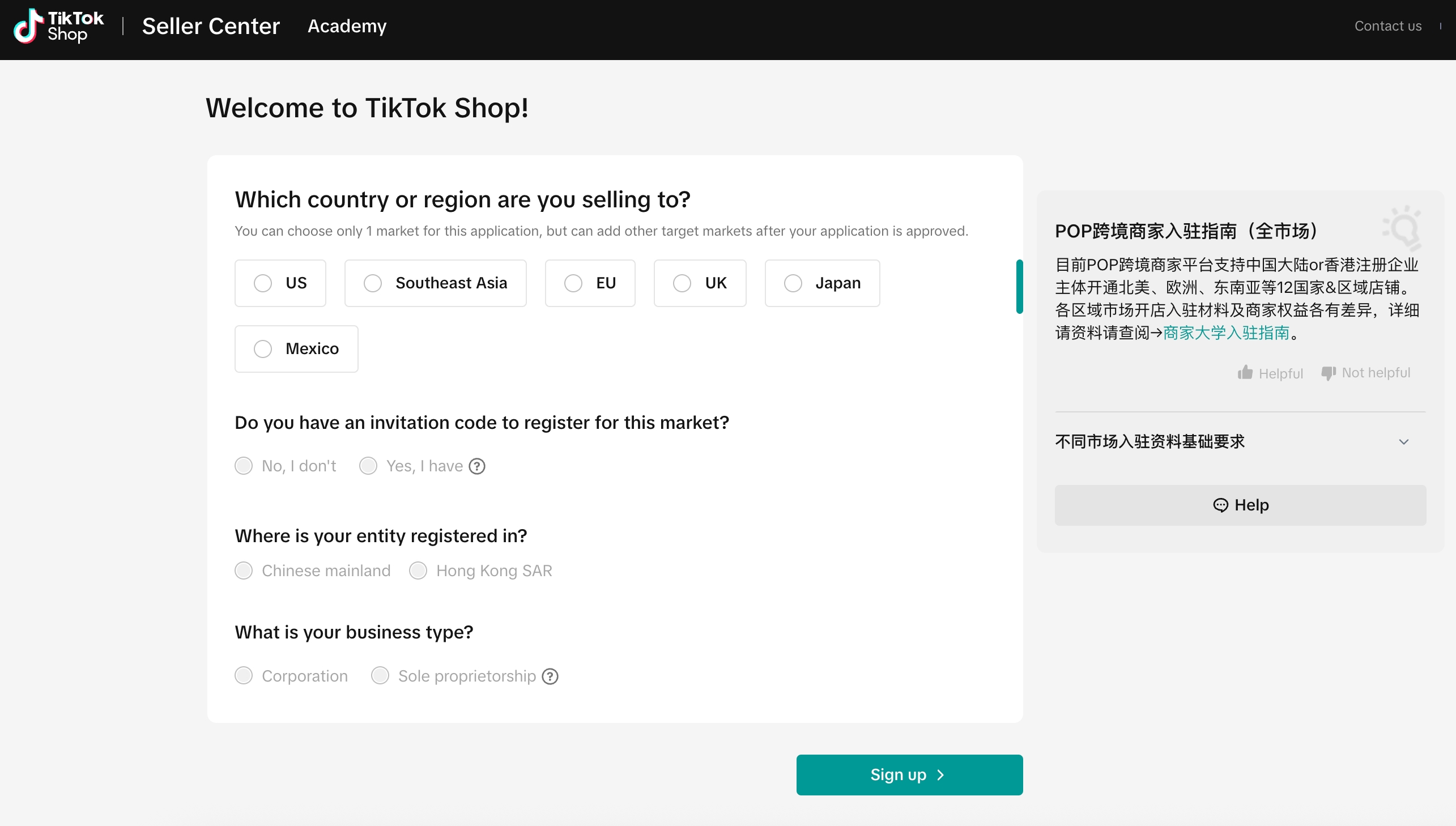 |
| 3. Fill in the required qualification information | 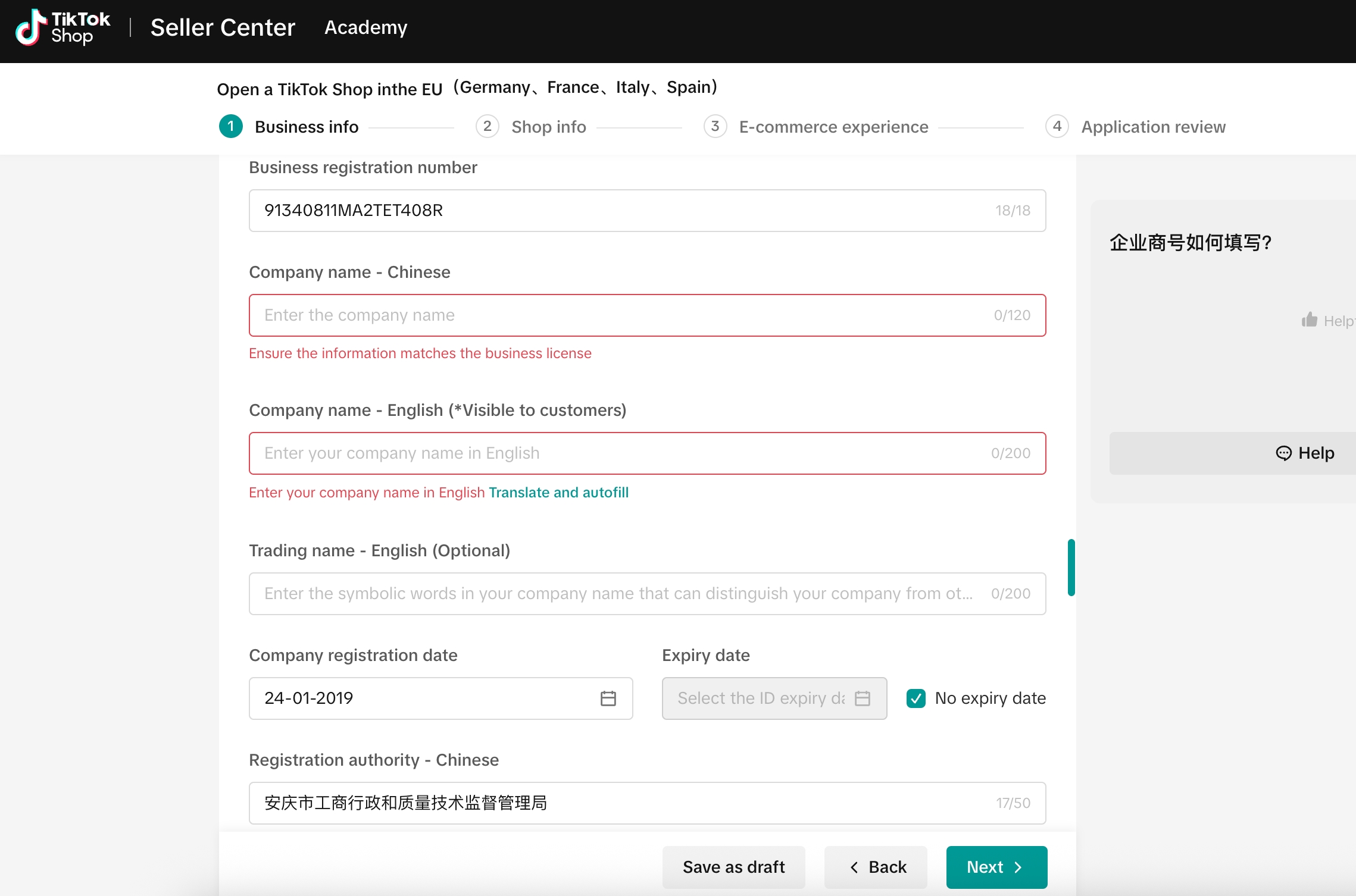 |
| 4. When filling in store information, select the option to create a TikTok Shop organizational account. – The account’s username and avatar will automatically follow your store name and logo – Store names must be under 30 characters. Those exceeding 30 characters will cause creation failure | 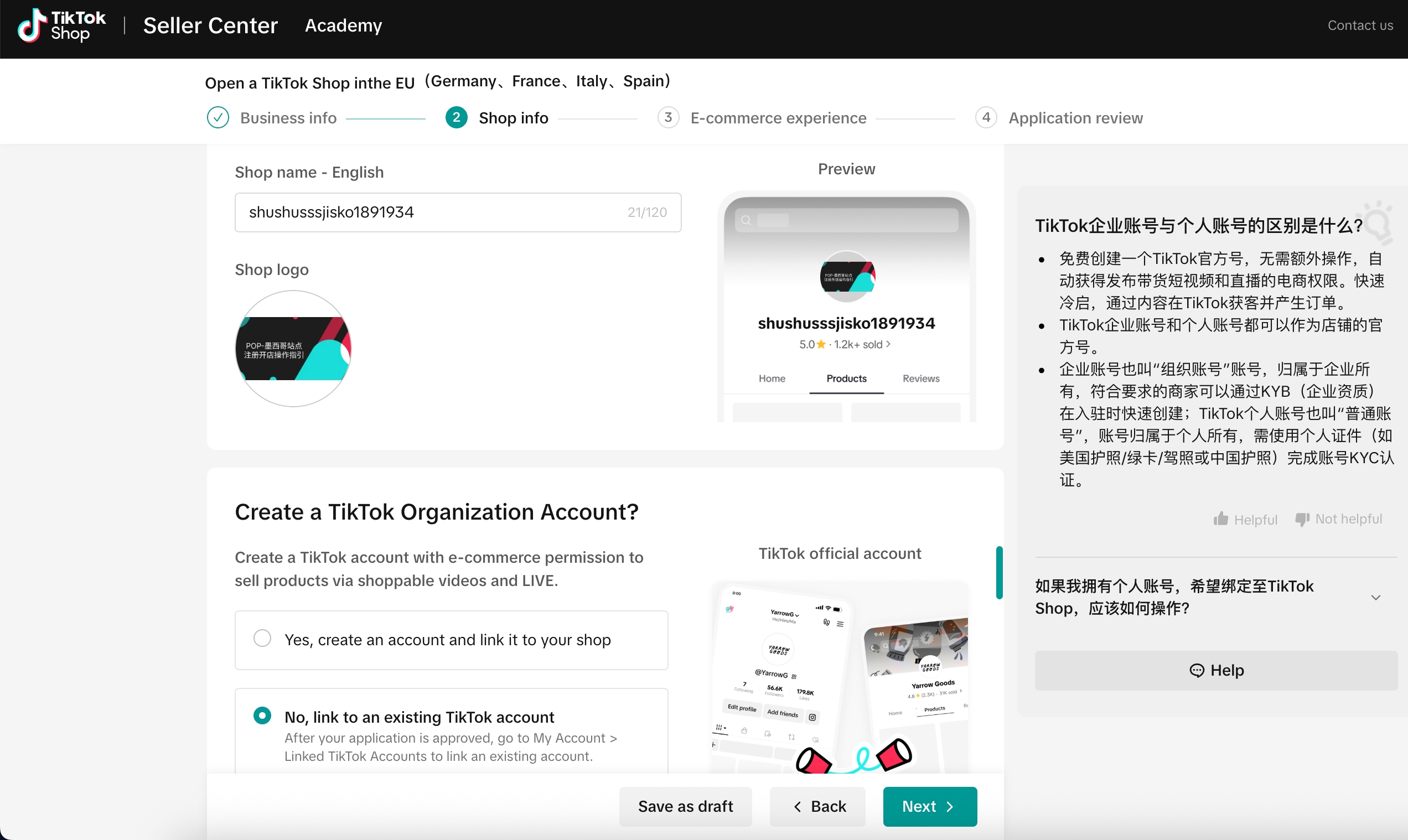 |
| 5. Waiting for review | Wait for account approval; once approved, you can log in to access the Seller Center. |
Create an Account After Onboarding
| 步骤|Steps | 界面示例|Interface Example |
| 1. Access the account entry portal of the “Bind TikTok Account” page – Enter through “Homepage” Card – “Generate TikTok Organizational Account” – Or enter through “My Account” on the left menu > “Bind TikTok Account” > “Official Business Account” | 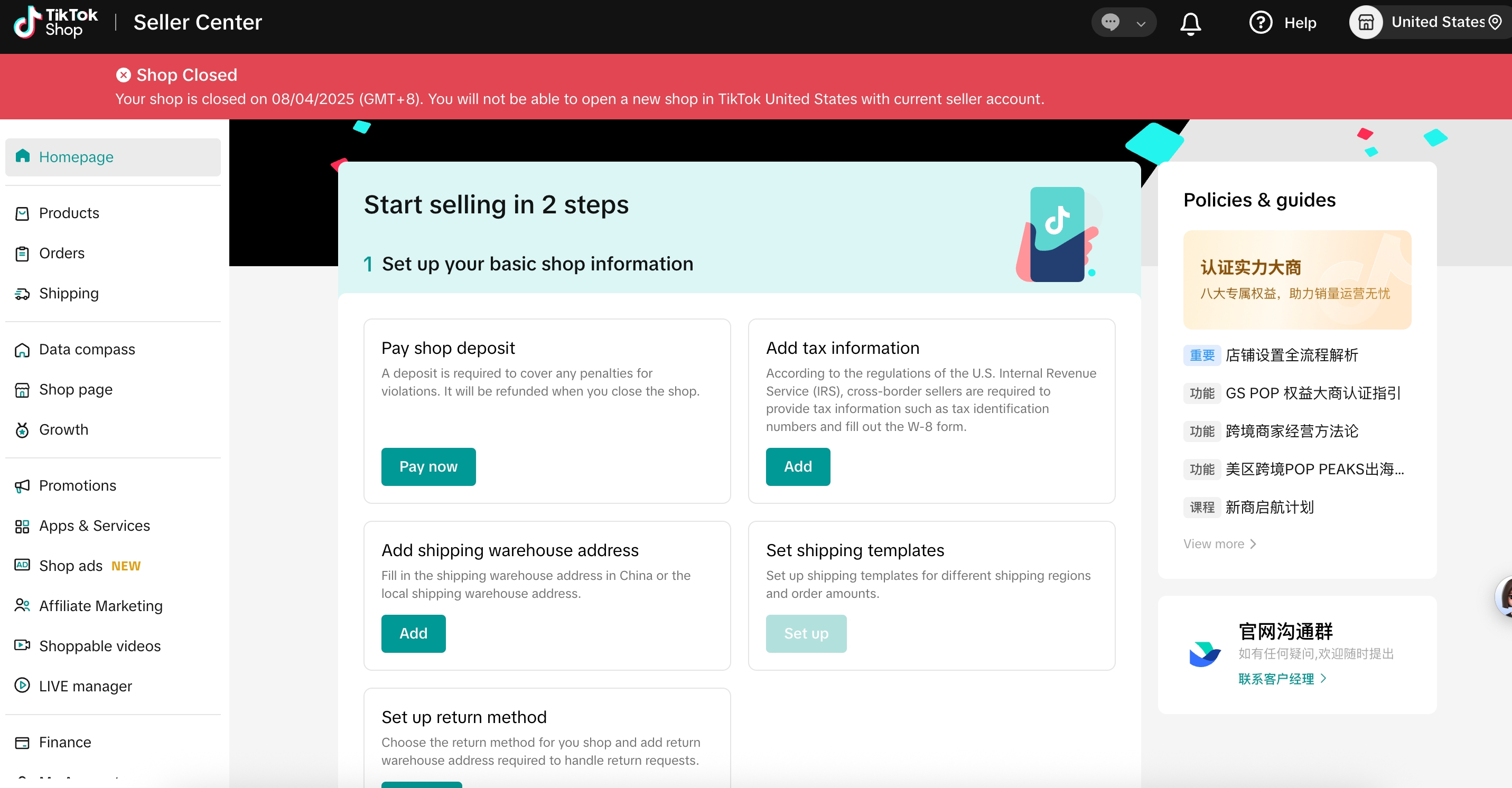 |
| 2. Click to “Create” organizational account and “Continue” in the pop-up window | 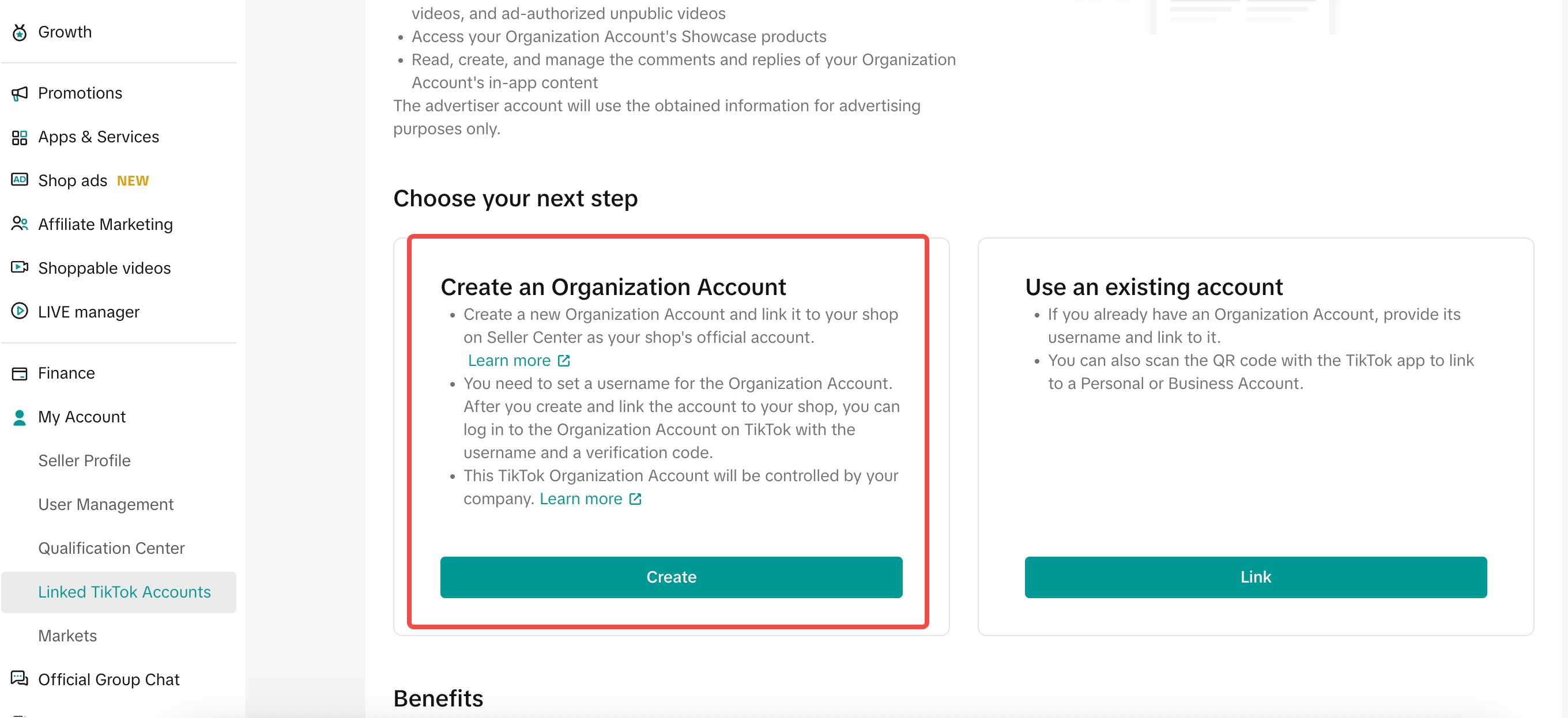 |
| 3. Fill in account information 4. Username: Optional 5. Name: Must match your store name (Ensure store name has fewer than 30 characters, otherwise the setup will fail; You can modify the store name under “My Account” > “Seller Information” > “Store Information”) 6. Region: Target sales country | 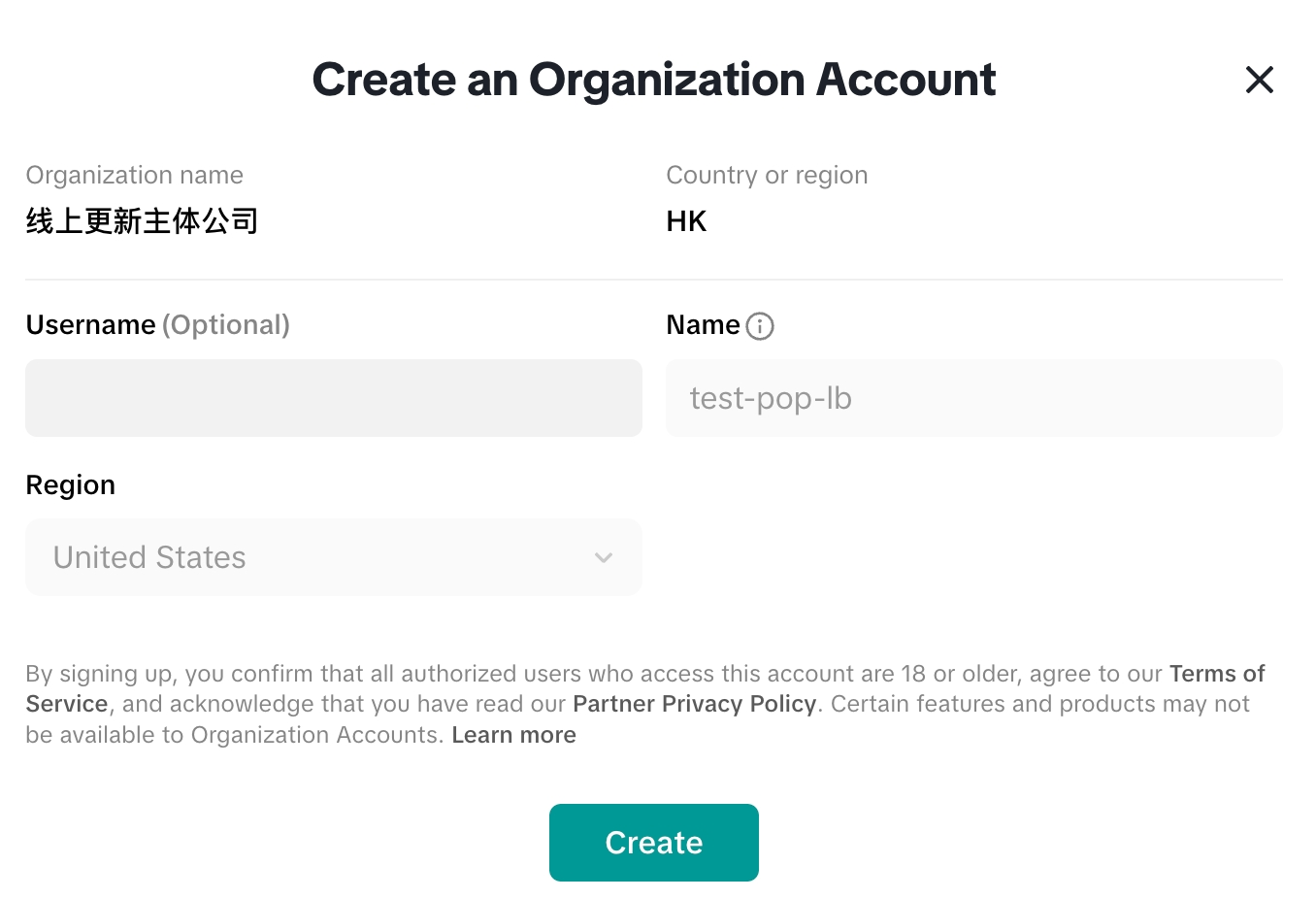 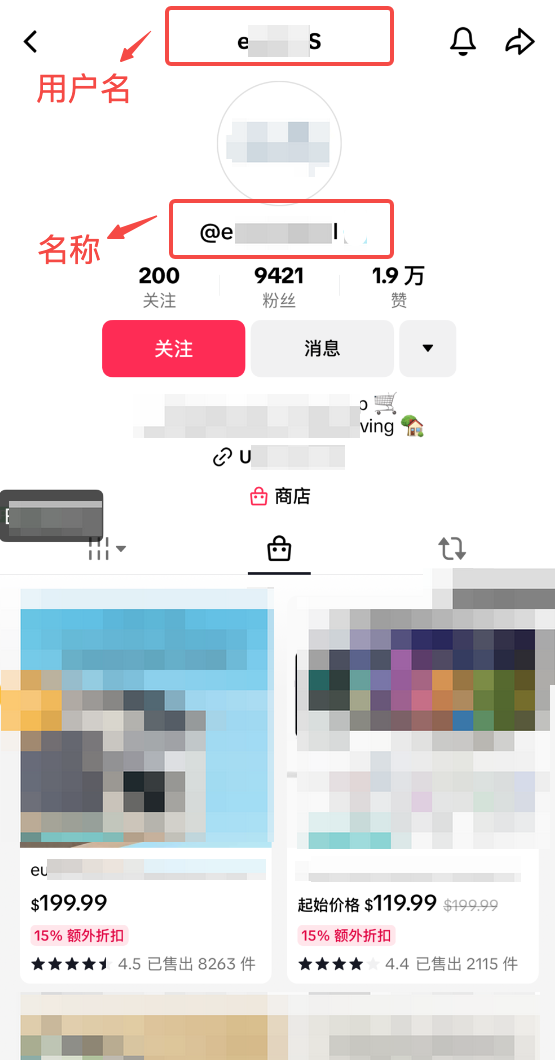 |
| 7. Wait approximately 2–3 minutes to complete the account creation process | 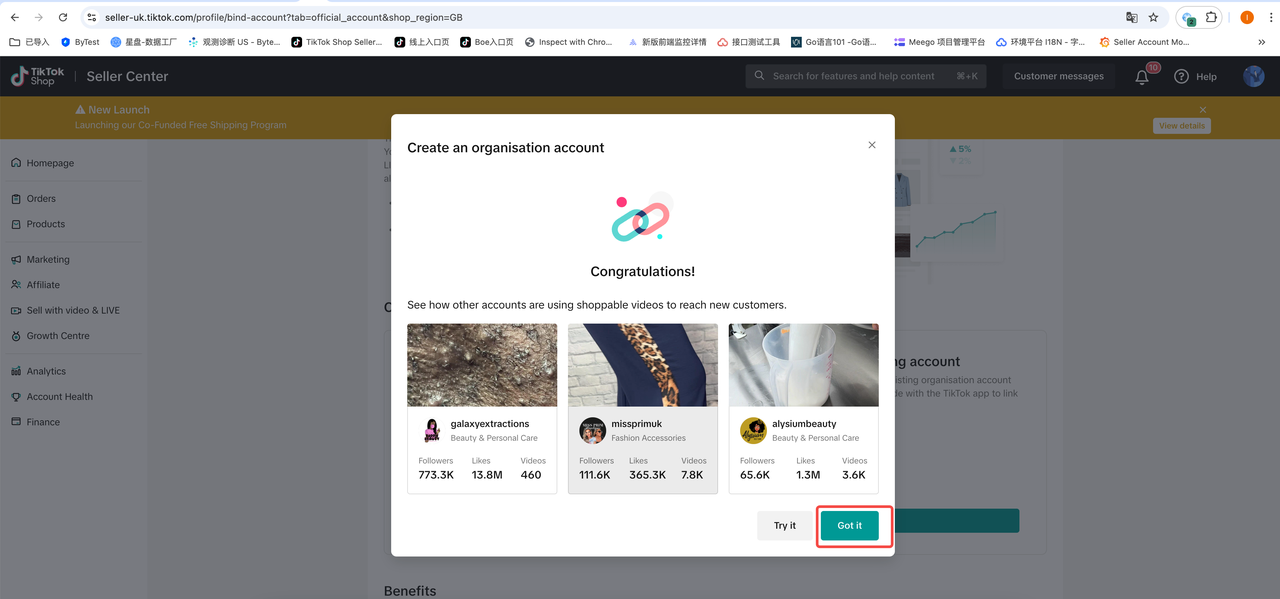 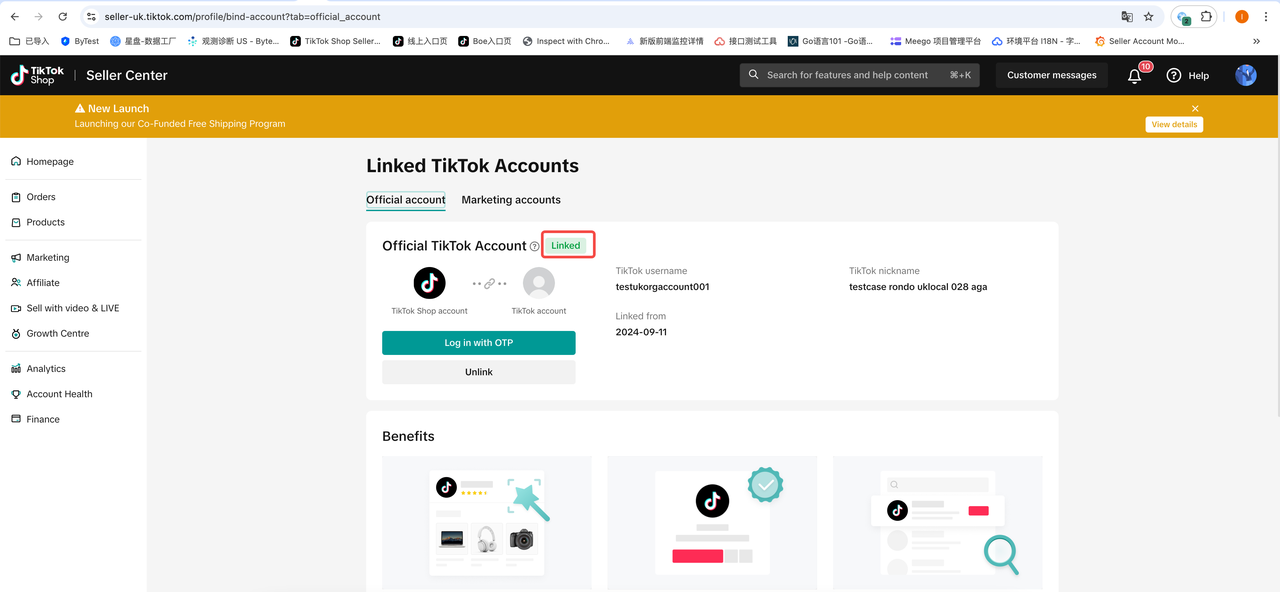 |
Check Account Creation Status
Normally, account creation completes quickly. However, in some cases, it may fail. The main reasons for failure include:
Store name exceeds 30 characters
Store exceptions
Please check the details of the exception and take targeted actions.
View Organizational Account and How to Log in to TikTok and Other Tools
Important: Each time you log in, you need to use the one-time login account and password provided on the Seller Center page!
| Steps | Interface Example |
| 1. Log in to TikTok Shop Seller Center, go to Home > My Account > Bind TikTok Account to view your account | 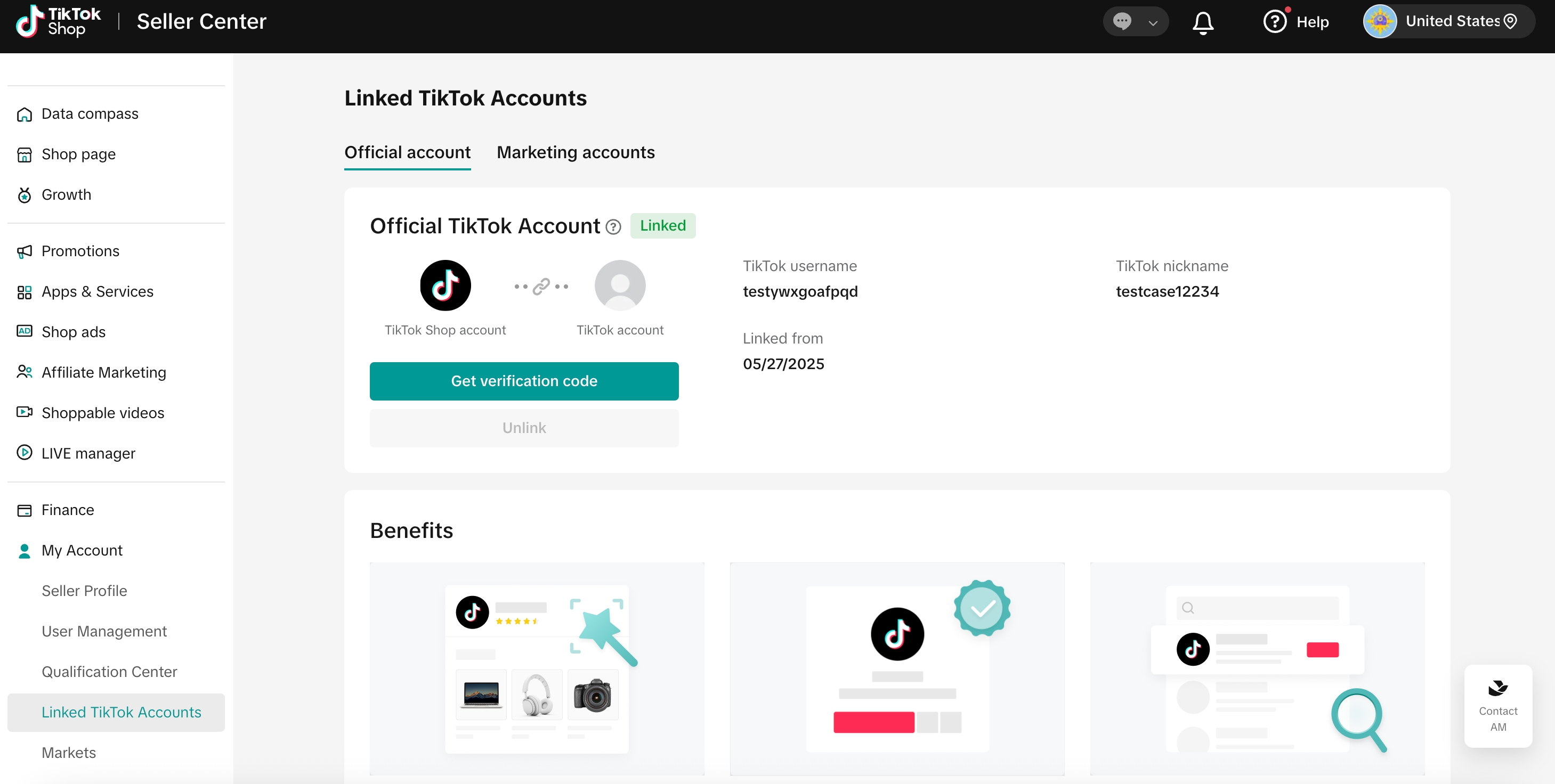 |
| 2. To log in to the TikTok App using your official account, or access the TikTok Shop Live, you must use the one-time password generated from the Seller Center 3. Click the OTP button on the page 4. Choose phone number verification 5. Enter the verification code 6. Use the OTP to log in to the App. | 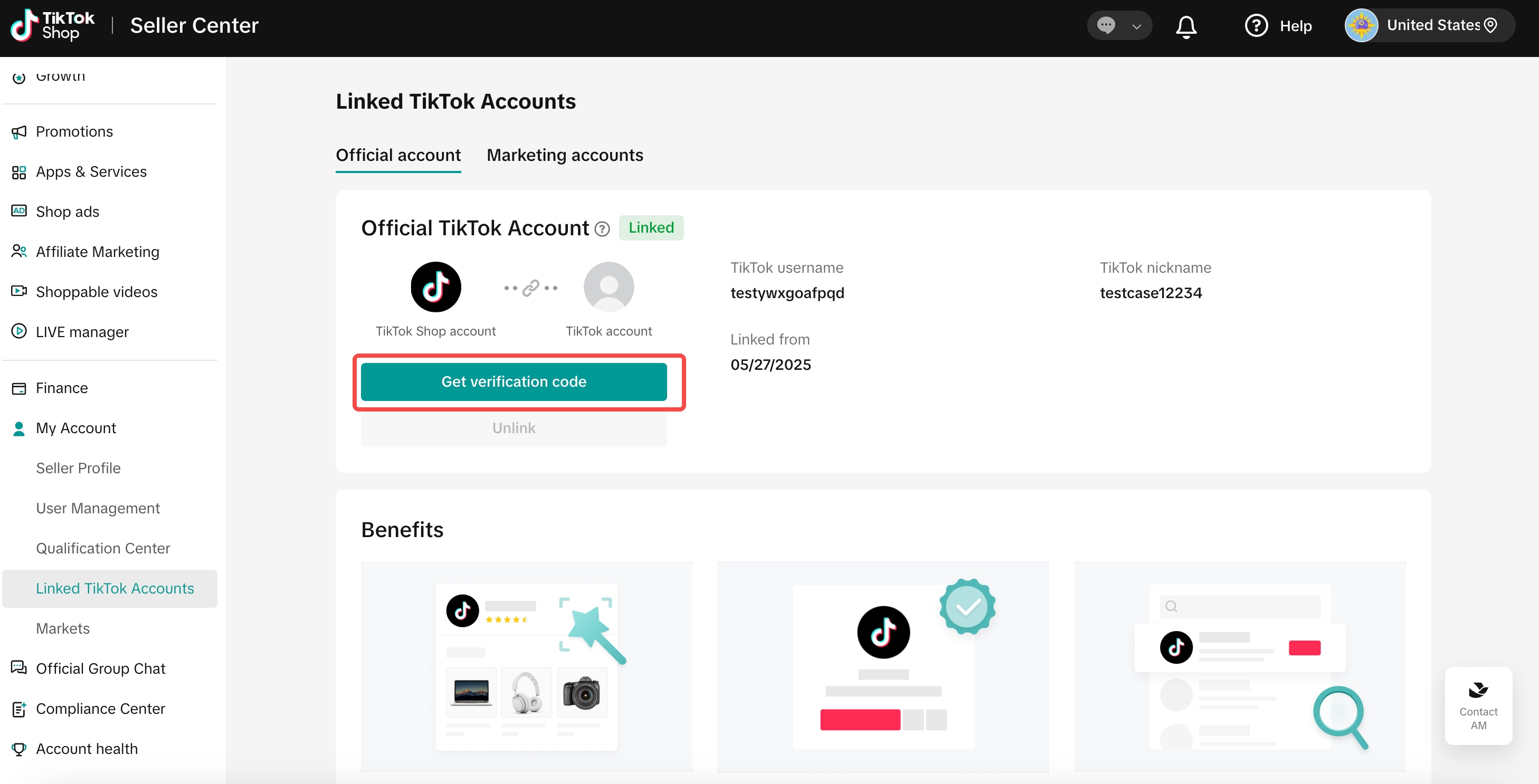 |
| | 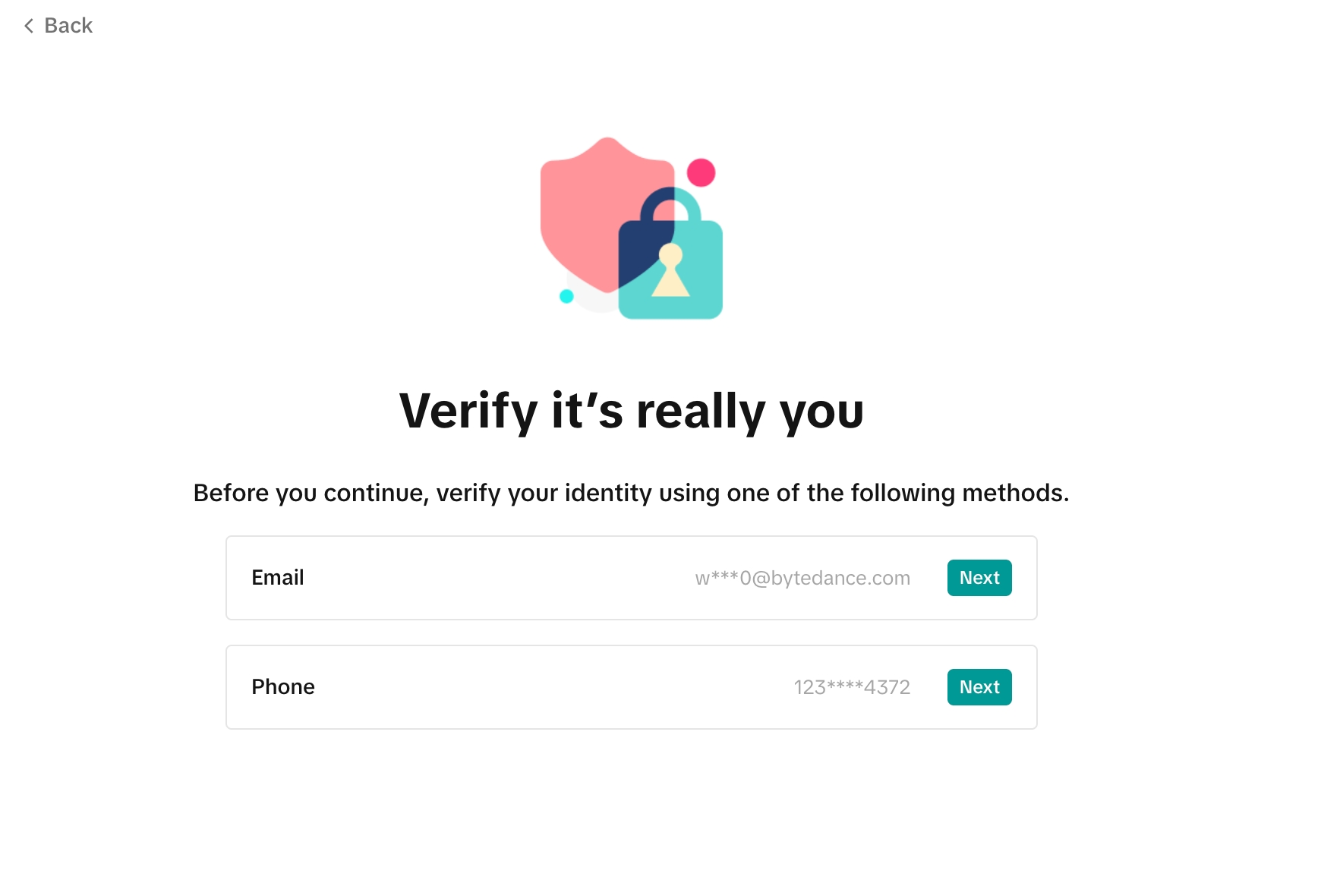 |
| | 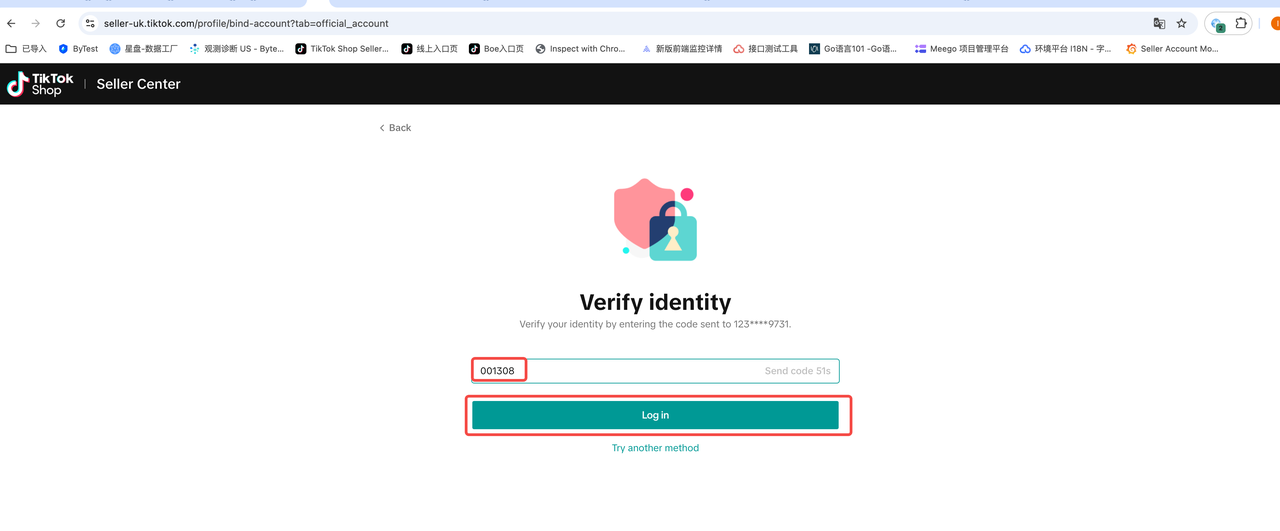 |
| |  How to access the LIVE Manager: 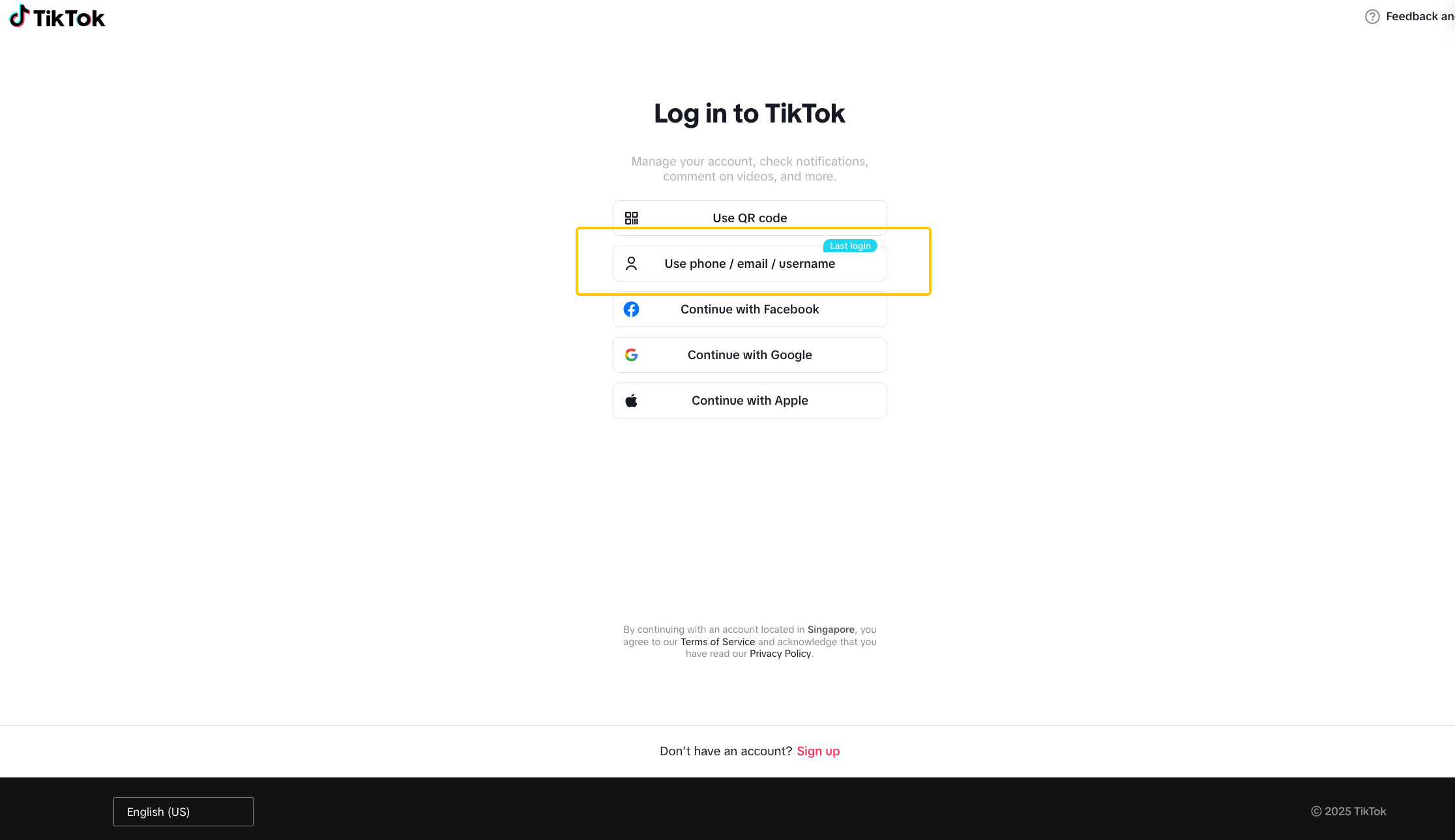 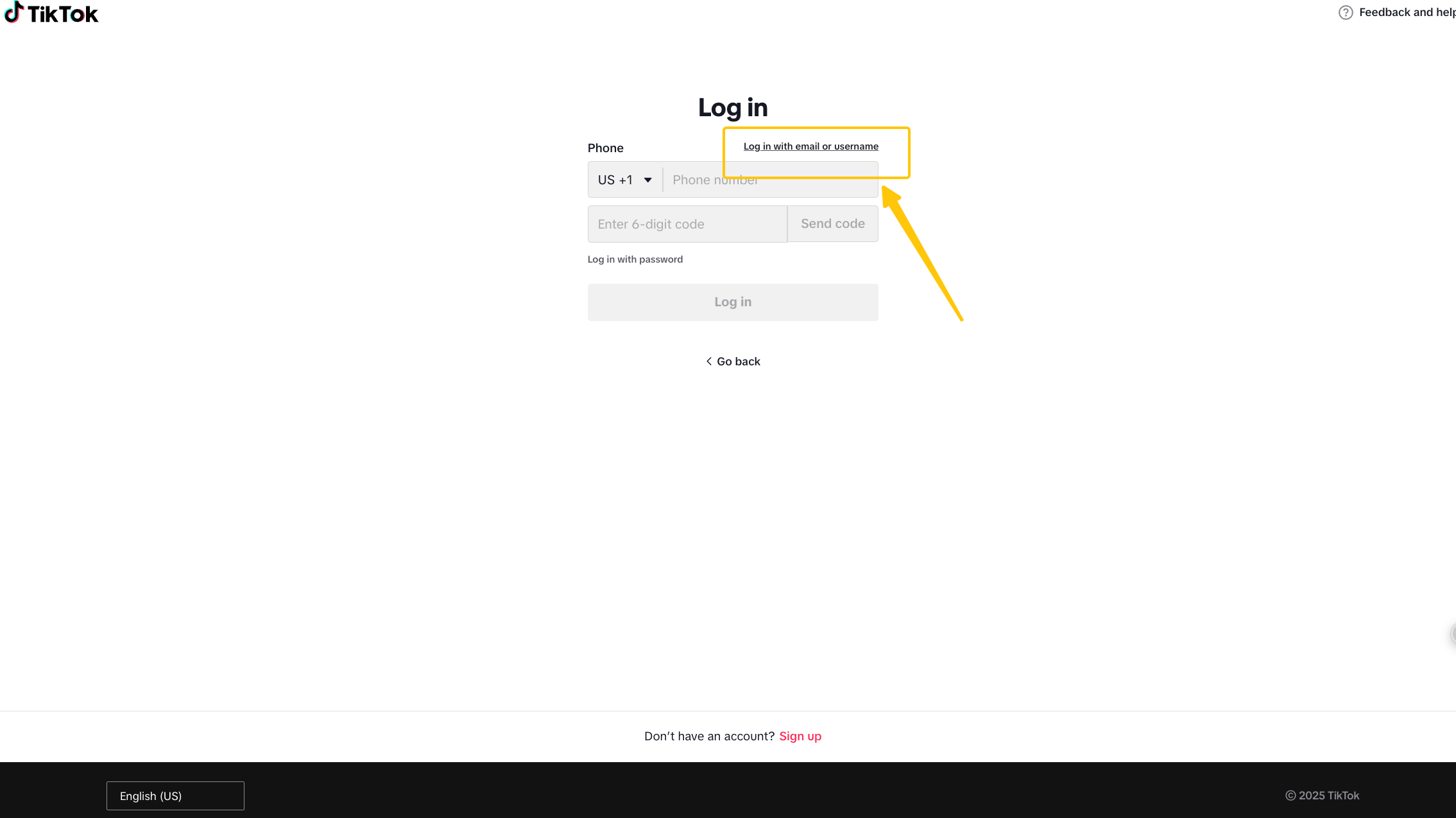 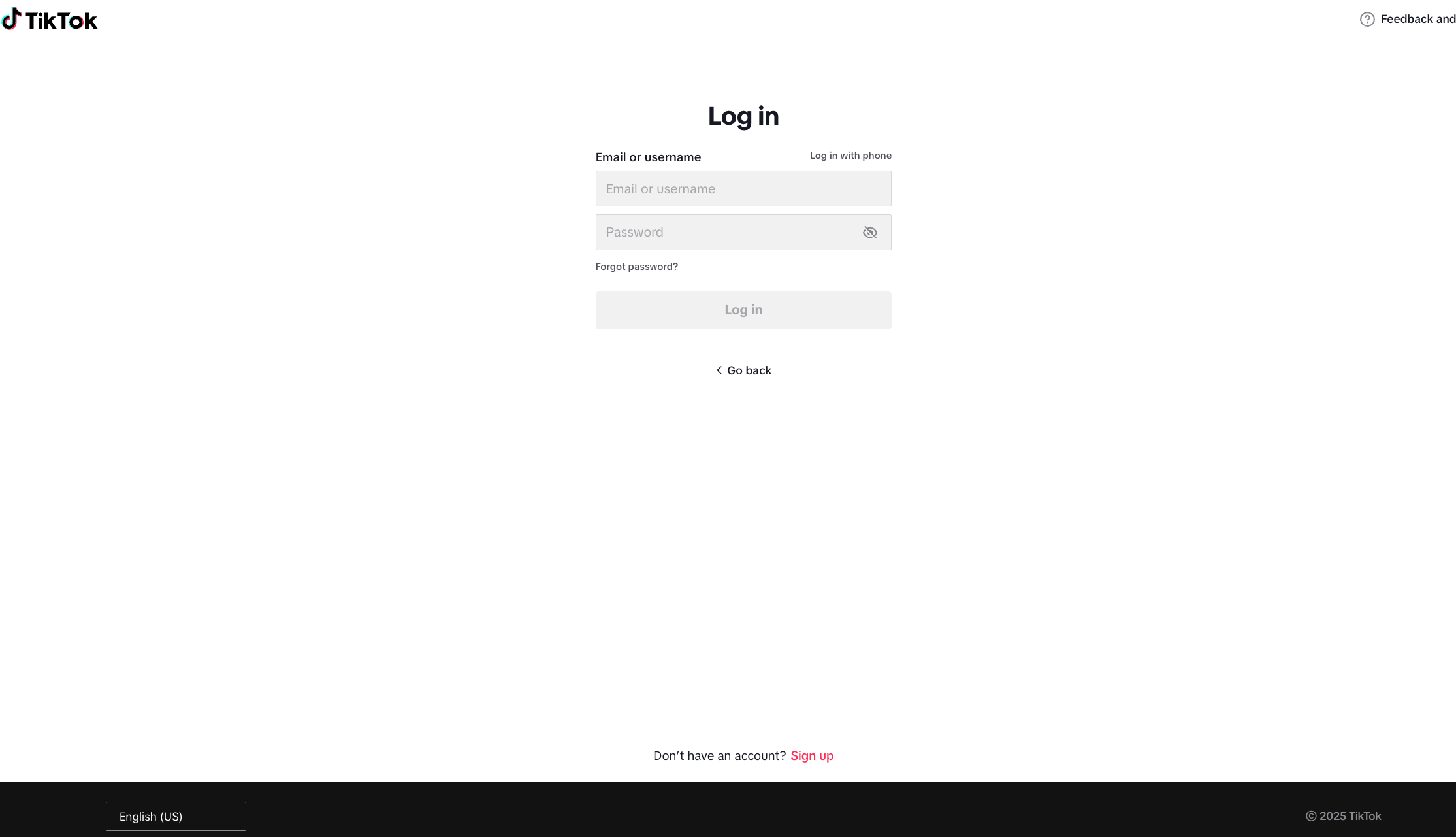 |
5.Account Profile Setup
| Account Composition | Recommended Settings | Sample Image |
| Avatar | Incorporate representative elements of the seller – Brand logo – Product display – Photo of host/manager |  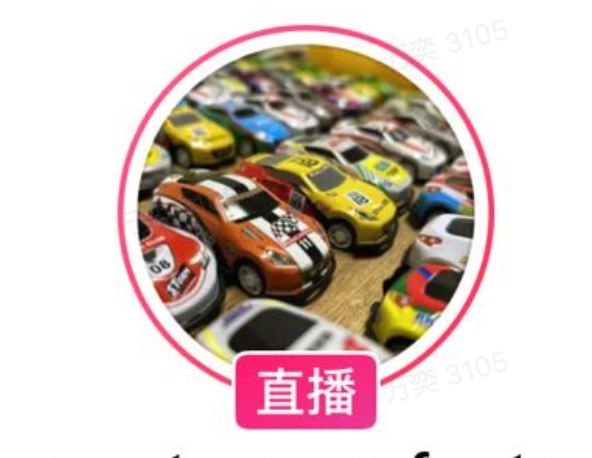 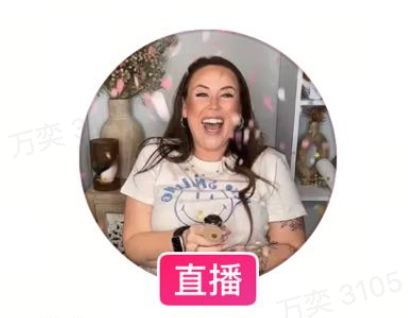 |
| Introduction | – Brand introduction – Main product introduction – Shop purchase guide (Mostly official brand website addresses currently; guides need to be provided according to platform rules) |  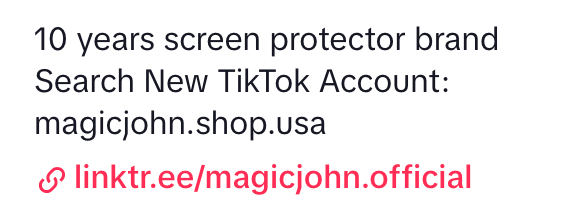  |
| Pinned Video | – Brand promotion – Main product introduction – Video with high likes recently | 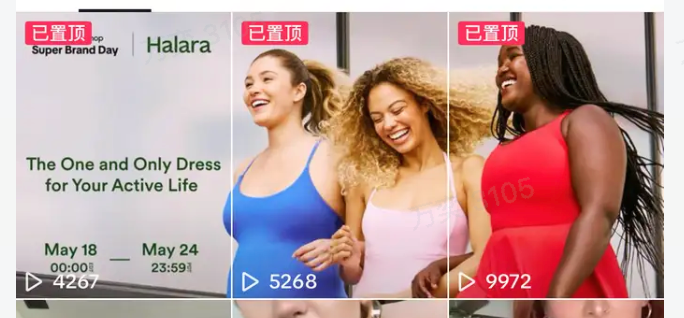 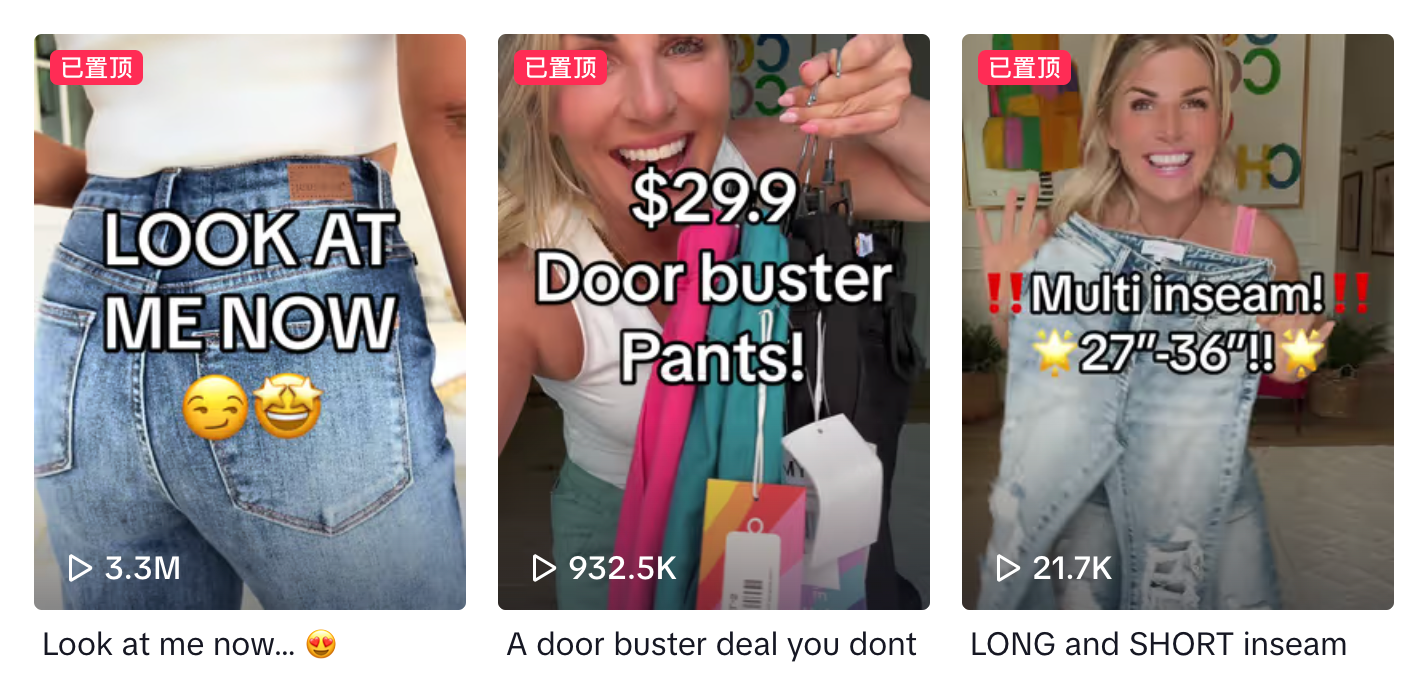 |
| Homepage video | – Consistent cover view – Consistent cover subtitle – Consistent video style – Orderly overall color tone | 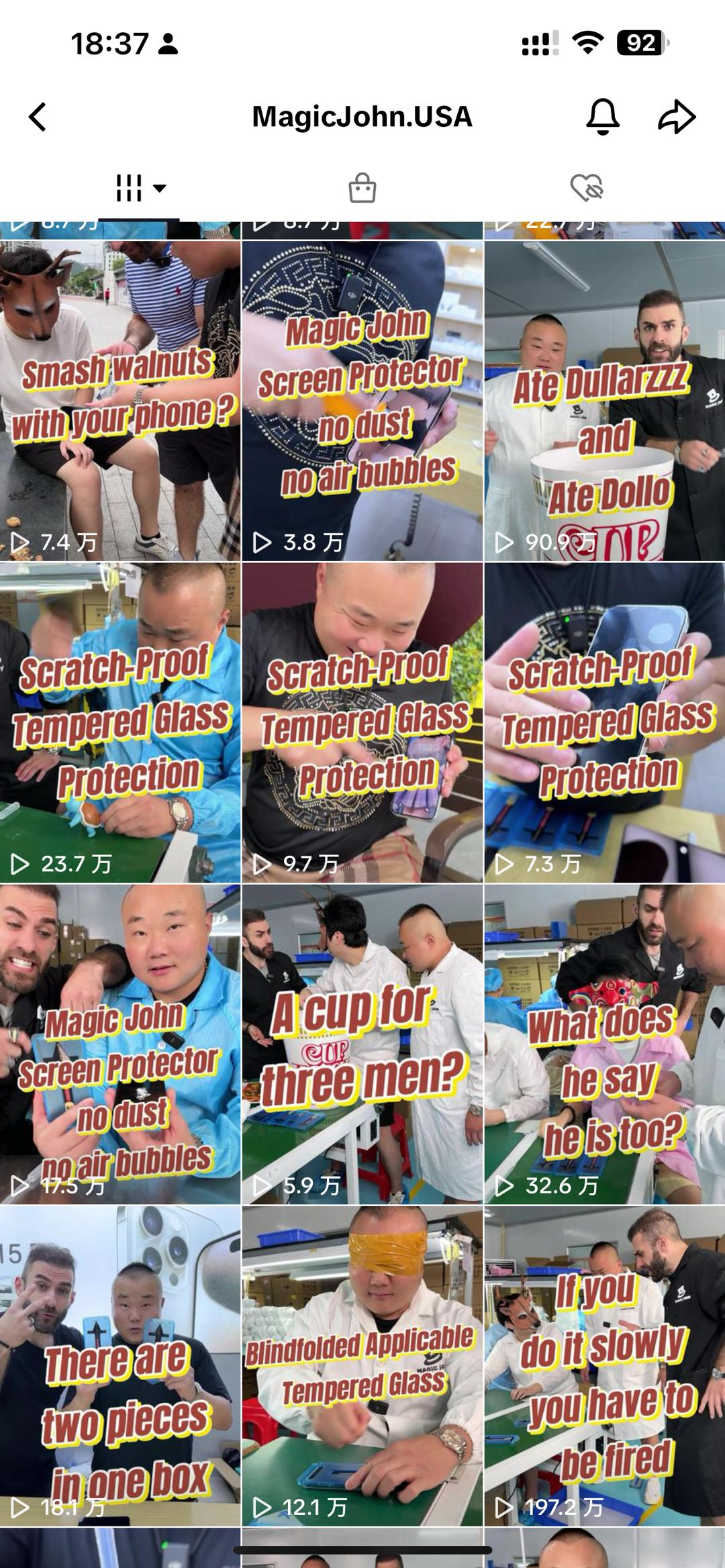 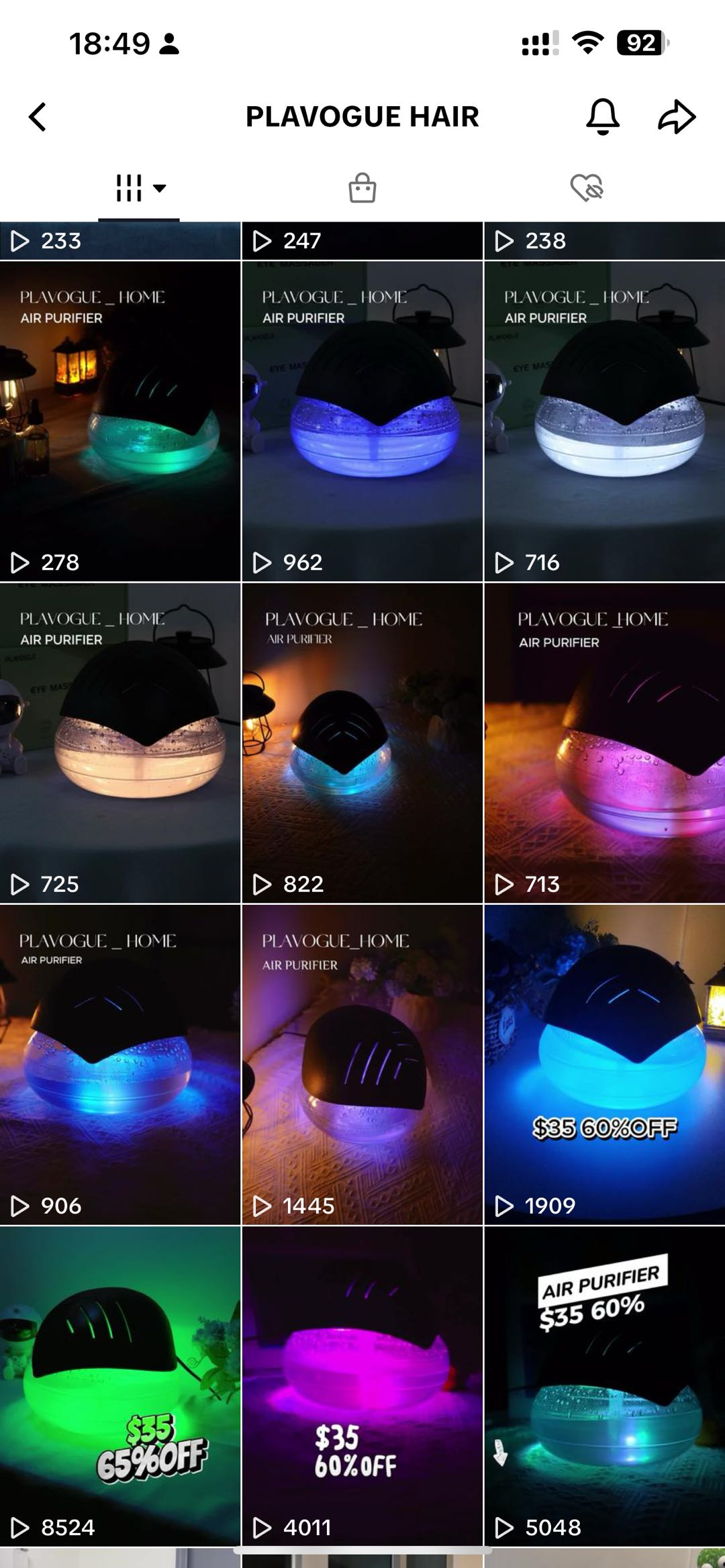 |
FAQ
Q1: If I have already bound an official account, do I still need to create an organizational account?
No. You can continue using the bound official account for content creation and sales. Sellers who have already bound an official account cannot currently upgrade that personal account to a corporate account.
Q2: Does a TikTok organizational account have a verified Blue V badge?
No.
Q3: Is there any difference in traffic recommendation between a regular TikTok account and a TikTok organizational account when used as an official account?
No difference. Whether you use a regular account or an organizational account as your official account, you must comply with TikTok Shop’s operating policies and content guidelines.
Q4: What should I do if I accidentally unbind my organizational account?
Go to the “Bind TikTok Account” page, click “Use Existing Account” on the right, select the previously created organization account from the dropdown menu, and continue binding. Note: Each organizational account can only be bound to one seller’s account up to 2 times in total.
Q5: What features are restricted for organizational accounts?
For more details, refer to: https://ads.tiktok.com/help/article/list-of-unavailable-features-for-organization-accounts?lang=zh
Q6: Can I bind the organizational account created under this store to another store?
No.
Q7: After upgrading a personal account to an organizational (corporate) account, can it be reverted to a personal account?
No. Once the upgrade is completed, the account will permanently become an organizational (corporate) account. Even if it is unbound from the store, it will remain an organizational account.
Q8: Why can’t I scan the QR code to log in to the TikTok Shop Live?
Organization accounts must use the one-time login password generated from the Seller Center to log in to the TikTok Shop Live.
Q9 Why can’t I perform the unbinding operation?
After completing the binding with the official account or merchant channel number, the merchant must wait 24 hours before performing the unbinding operation.
Sellers can perform the following operations:
Unbind official account: Up to 3 unbindings are allowed.
Merchant Channel Unbinding: Up to 10 times within 180 days
If the influencer’s violation points ≥ 12 points or the influencer’s health score≤ 150 or there is a recent serious violation record, the merchant shall not unbind from the influencer’s account.